



"I would probably ballpark it to be roughly about $5,000 and that's just something that we saw fairly immediate, where we were able to save roughly about five visits per job"
Victor Rodriguez, HR Field ManagerSynaptic Solar
Employee time clock with location
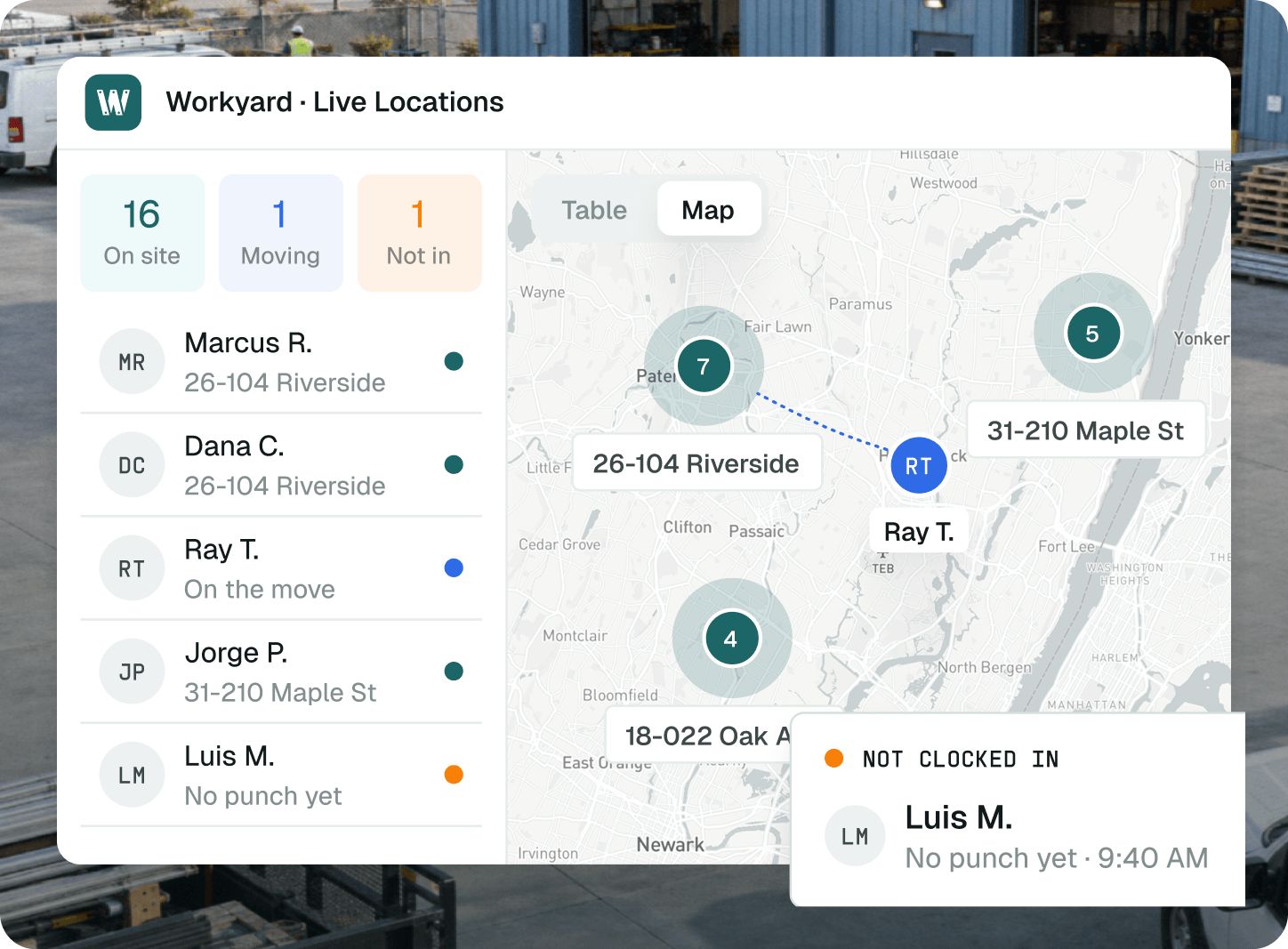
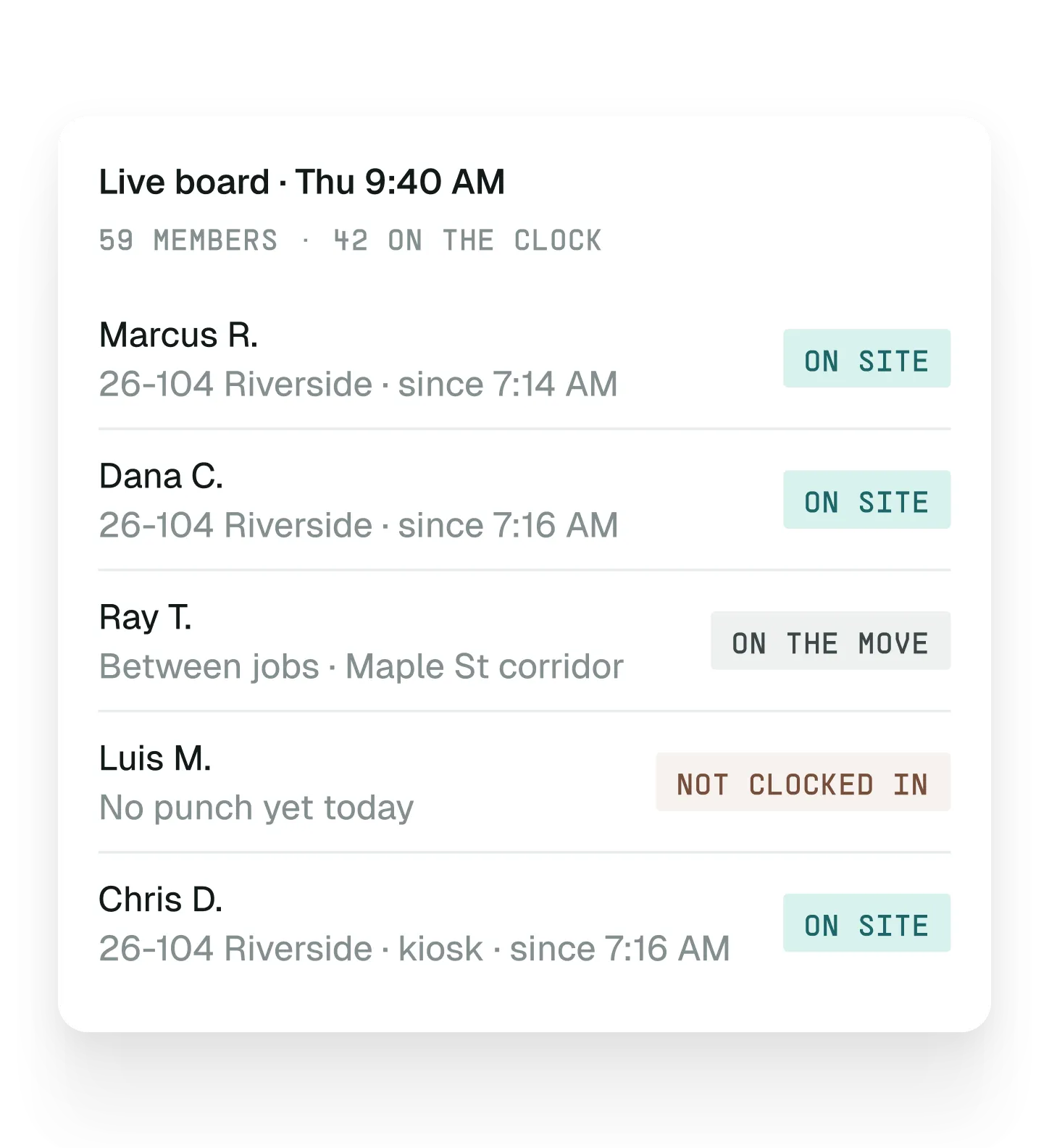
Crews clock in and out on their own phones, and every punch carries the place it happened. Every crew is on one map, live while on the clock: who’s on site, who’s on the move, who’s not clocked in yet. You know at a glance, not after the calling around.
Trusted by 3,000+ contractors



"I would probably ballpark it to be roughly about $5,000 and that's just something that we saw fairly immediate, where we were able to save roughly about five visits per job"
Victor Rodriguez, HR Field ManagerSynaptic Solar

$123Ksaved with Workyard’s Smart Forms
"Smart Forms pays for itself through accurate invoicing, insurance savings, and keeping our business moving every single day."


"We wanted more than a time tracking app since many exist. We sought something that helps beyond just tracking time."
Brian Mata, Project ManagerWagler Custom Homes


100s of hrssaved a week routing supervisors by proximity
"It's preventing us from losing more on each project — saving us money."


"Of all the solutions we’ve been exposed to, Workyard is the best. It’s a good value for the money, and the team is always willing to work with you to meet your needs."
James Monzello, CFOGreen Wall Tech


1 hourto prepare payroll, down from 8 hours
"You should ditch the paper, get rid of the other software, get on something that can track your crew's time, track your job costing, and save you real money."


100%of field hours GPS-verified
"If you have field crews, Workyard is one of those tools that pays for itself. It saves us hours every payroll, keeps everyone accountable, and gives us real-time visibility into every job."


The payoff
10–18%
saved on payroll, in hard dollars
Rounded times, buddy punches and forgotten clock-outs, eliminated.
885 hrs saved
cut automatically with auto-trim
Time Basham Construction’s crews spent off the job that would have been paid. Nobody had to notice or flag it.
Eyes on every site
without being there
Proof of who was on site and when, for owners who can’t be on every job.
How it works
See who's on the clock, the job they're on, and their hours so far, live all day. No calls, no texts, no guessing.
As crews clock in, the map fills up, each worker shown on their job. Location is tracked only while they're on the clock, never after hours, and they can see that in the app.
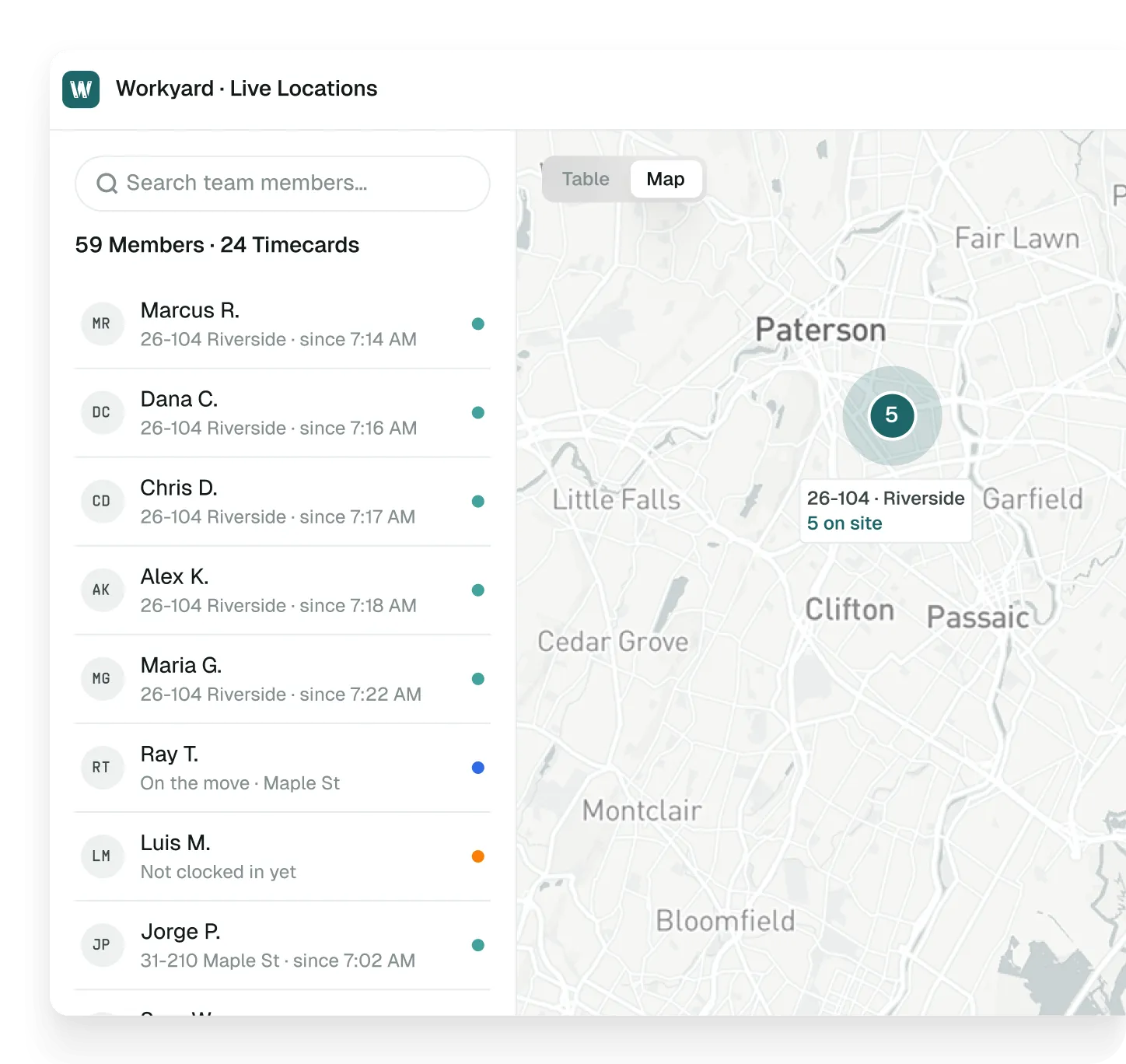
The live board covers the whole company: on which site, since when, on the move between jobs, or not clocked in yet. The answer is a glance, not four phone calls.
“We need to be able to have a central station where we can see where everybody is at all time.”
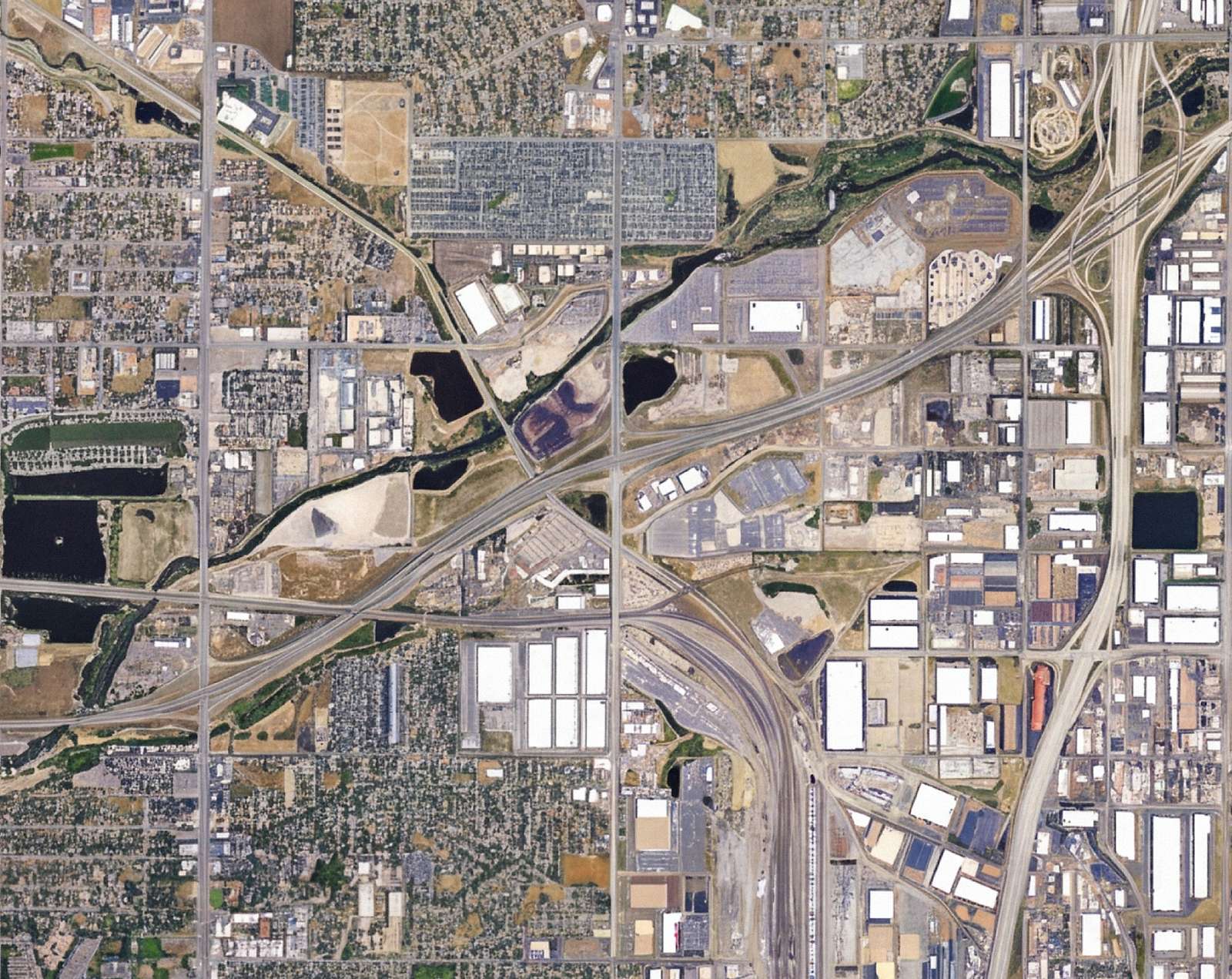
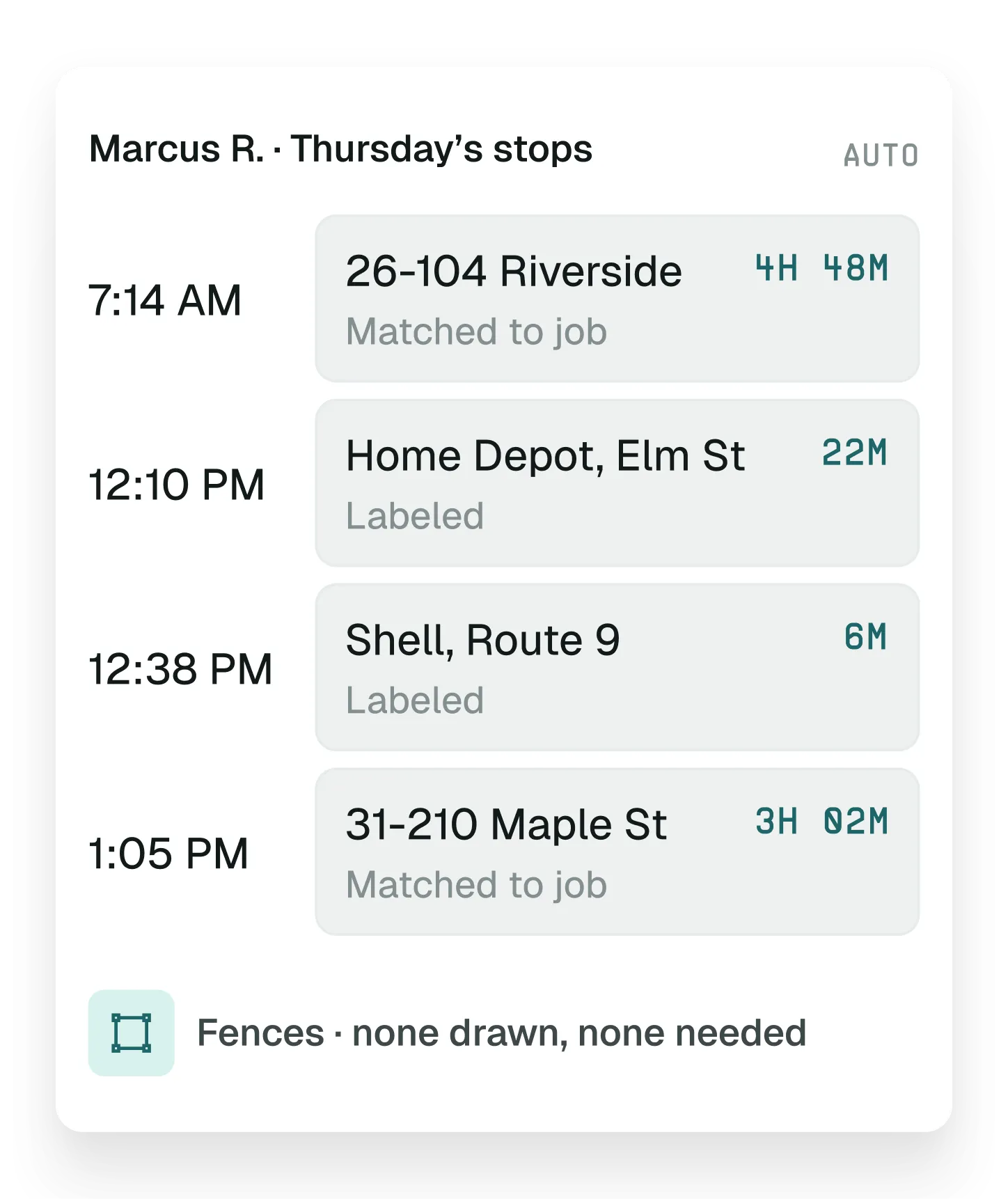
Behind every timecard is the whole day on a map: which sites, how long at each, and the drive in between. When a client asks who was on site Thursday, the answer's already on the map.
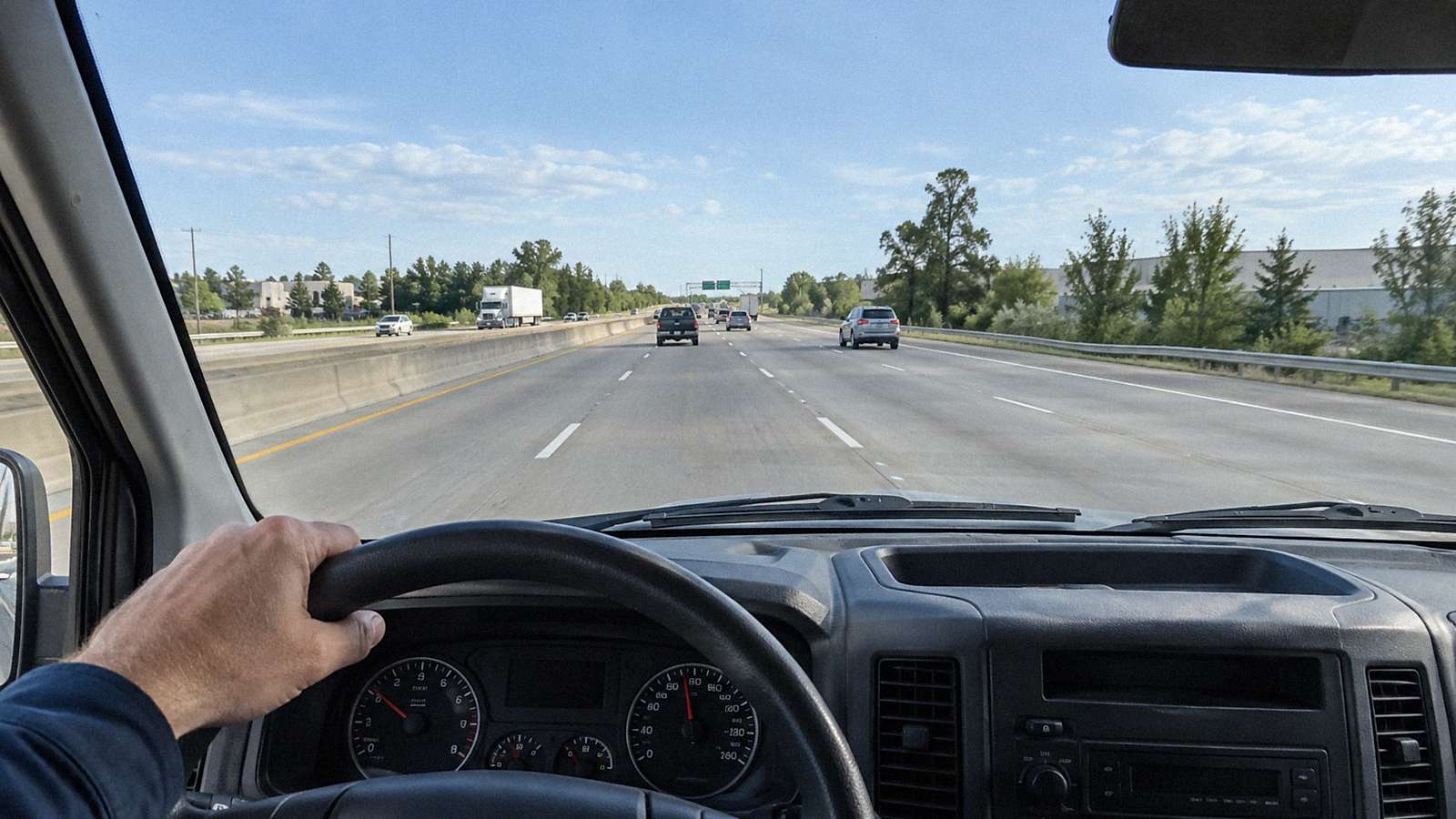
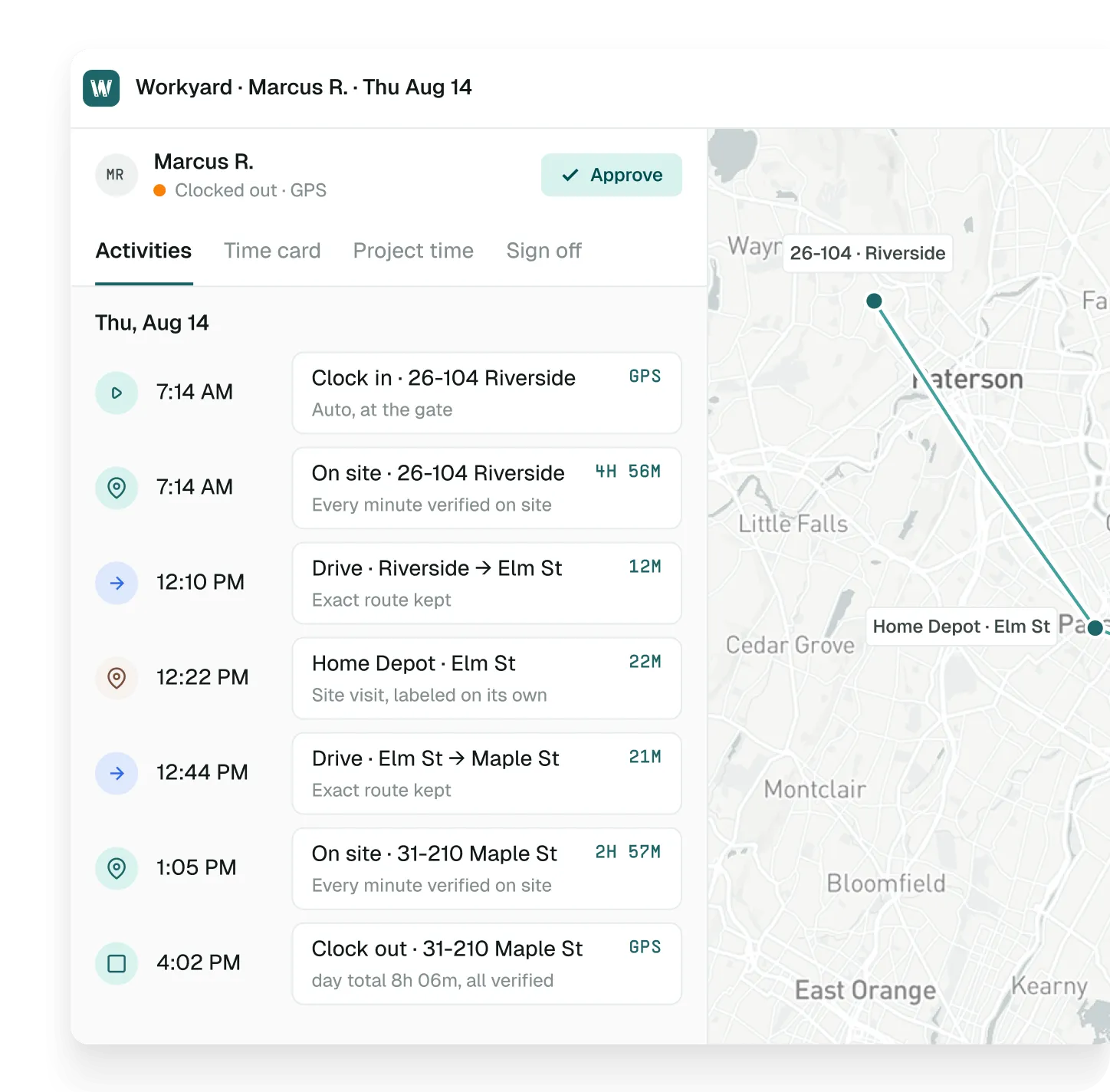
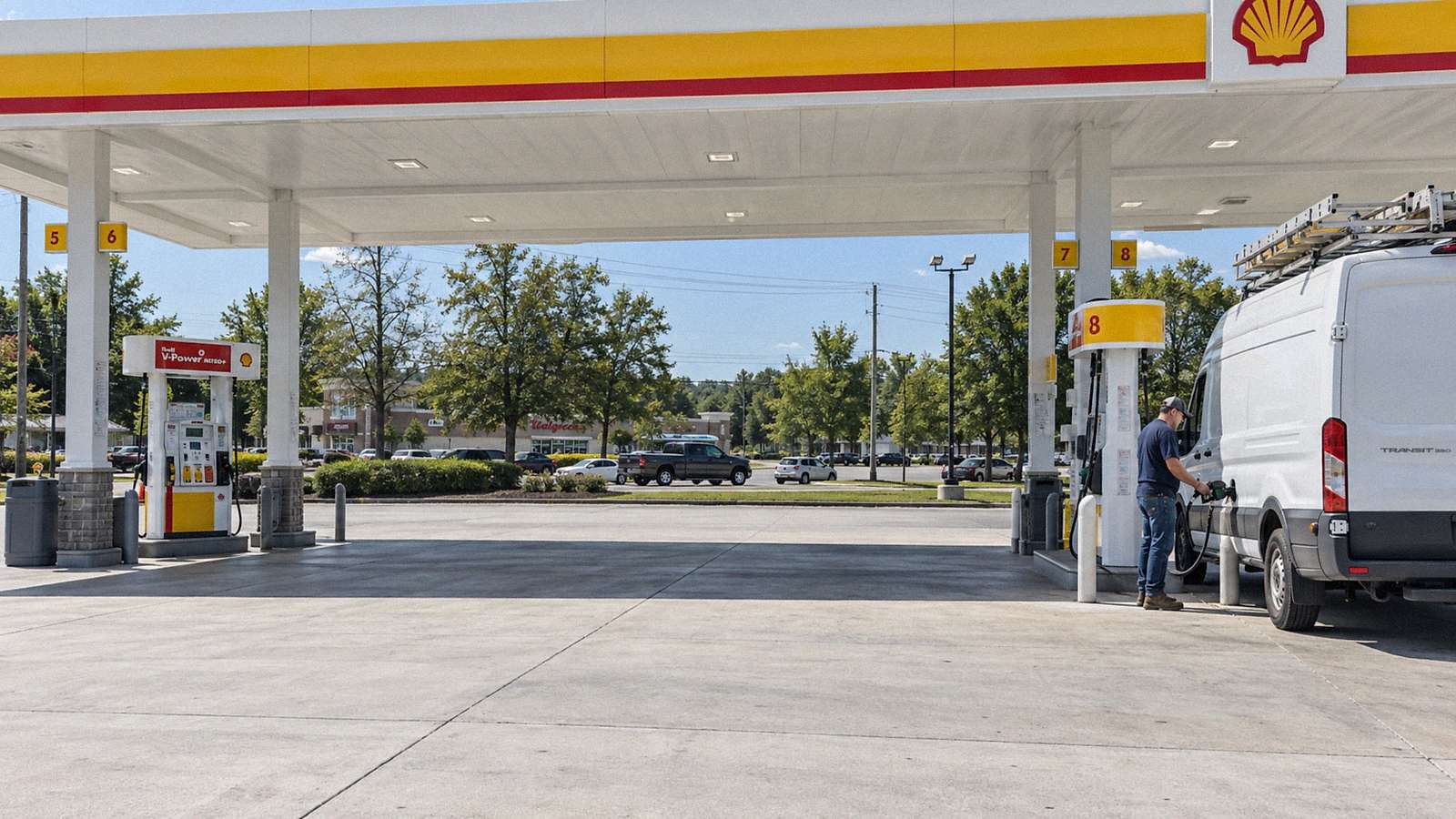
Workyard picks up every stop of the day, not just the ones inside a geofence. The Home Depot run and the gas station get named on their own. Fence-only platforms see only what someone remembered to draw.


"I would probably ballpark it to be roughly about $5,000 and that's just something that we saw fairly immediate, where we were able to save roughly about five visits per job"
$5,000 a weeksaved on payroll and job costs

"If you have field crews, Workyard is one of those tools that pays for itself. It saves us hours every payroll, keeps everyone accountable, and gives us real-time visibility into every job."

"I tried using my payroll provider but they couldn’t adapt to the way I worked. Then I discovered Workyard, and in a way, this platform became my admin team."

"It was so simple and easy to use compared to other apps, and the real-time GPS tracking was a huge win for us. Ultimately, that’s why we went with Workyard."
You're wondering…
An app on each worker’s phone that clocks them in and out and records where they are while they’re on the clock, so the office can see every crew on a map, prove who was on site and split the day by job. Workyard records location only between clock-in and clock-out, at the level you set for each crew: all day while clocked in, at the clock-in and clock-out only, or off.
Every clock-in records the GPS location where it happened, so you can see where the worker was when the clock started. The rest of the day is there too: each site visited, how long at each, and the drive in between. When a GC or an owner asks who was there, you show them a record, not a reconstruction.
Accurate enough to tell neighboring lots apart, and sampled through the shift rather than once at the punch.
Yes, from the office or your phone. Every clocked-in worker, the site they're on, and how long they've been there, so nobody has to make a call to find out who's closest.
No. Capture ends at clock-out and starts again at clock-in. Nights, weekends, and personal time are never recorded, and every worker can see that in the app.
Yes. The phone keeps finding its position from GPS satellites, and from cell towers where it can reach them, and stores each reading on the phone. When it finds coverage again, the day uploads, so basements, rural jobs and new subdivisions don’t leave holes in the route.
Yes. Arriving on site starts the clock. Nobody has to remember, so forgotten punches stop becoming phone calls and guessed timecards. Prefer a lighter touch? Set it to prompt them to confirm, or leave it off, per crew.
Not when they leave: crews step off site for supplies and the next job, so leaving doesn't end the shift. A forgotten clock-out is trimmed back to when they left the last job, and a card nobody ends stops after 24 hours, trimmed the same way. Every trim is in the card's log for you to review before you approve. No more inventing a time on Monday morning.
Yes, automatically. Leaving one job and arriving at the next moves the hours with them, so a five-stop or twenty-stop day comes back split by job without anybody sorting it out later.
Yes, the job. Arriving on a job codes the hours to that job, so there's no job list to pick from and no wrong pick to clean up later. Location doesn't pick the cost code: workers choose one for each job they visited when they clock out.
Yes. The trip between two jobs shows as a route with its stops and how long each one took, so the least supervised part of the day is no longer a blank.
Yes. Any past day replays as the sites visited, how long at each, and the routes between them, so a dispute a week later still has a record behind it.
The trip is captured and the stop is labeled on its own, separate from job time. A legitimate supply run shows as what it is, and the return to site picks the job back up.
That's your choice. Full on-the-clock tracking gives you visits and routes; punch-only scoping records just where the day started and ended. Plenty of shops run the scoped-down version to keep the crew comfortable.
Any size and any shape, including polygons. Draw the fence along the real lot lines, from a single house lot to a whole campus or a stretch of highway, so it covers the ground you're actually working. That keeps clock-ins and hours tied to the right job, even when the next lot over belongs to someone else.
No. Workyard doesn't send alerts when someone leaves a site or hasn't arrived. Live Locations shows who's on the clock and where right now, so a look first thing tells you who's missing. Punches made outside a fence are flagged on the time card and can be filtered on Time Cards, and with site-only clock-in, an off-site clock-in can't happen at all.
Workyard tracks people, not vehicles, so there's no truck unit to install. Crews without a smartphone clock in at a kiosk on site or get logged in by their foreman from one tablet, and their hours land the same way as everyone else's.
Yes. Tracking level, automatic punches, and clock-in restrictions are set per rule group, so each crew or department gets its own and the office, salaried staff, and the field don't have to share one rule.
No. A punch needs a real arrival, not a pass-by, and confirmation mode adds a second check where you want one. Driving past a house you finished two years ago does nothing.
Yes. With site-restricted clock-in the punch is blocked outside the fence, and the worker sees why it won't start rather than being left guessing. Or run the fence as guidance instead of a wall. Your call, per crew.
Every worker gets a plain-language document, in English or Spanish, stating exactly what is captured and when. Capture runs only on the clock, workers see their own record, and tracking can be scoped down or off for crews where that matters. Rules vary by state, so check yours.
Location off or permission denied shows as a gap in the record rather than a silent blank, so the day never depends on a worker leaving the switch alone. A phone sitting in a glove box still leaves a trail that doesn't match a day of work, and the office can see it.
Polygon fences follow the actual lot lines, which is what keeps adjacent addresses in a subdivision from bleeding together. For several units inside one high-rise, hours are separated by job on the same footprint rather than by GPS alone.
A polygon can be drawn as large and as irregular as the work: a whole campus, a corridor, a site with no single center point to put a circle around.
Fences are created from your job addresses rather than drawn one by one, which is what makes hundreds of jobs a year workable. Adjust the shapes that need adjusting.
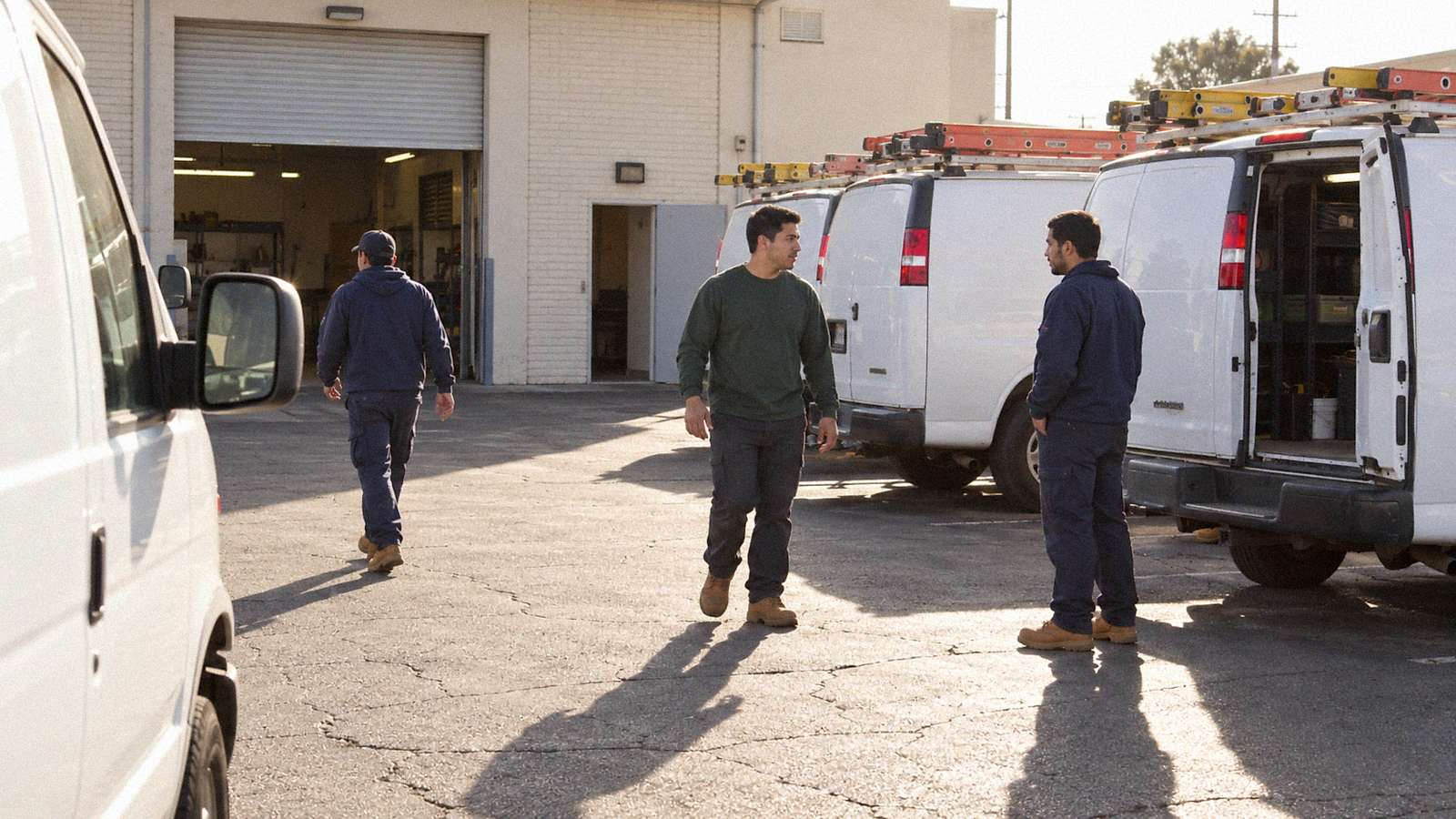
Live in days, not months, and a real person on the phone the whole way.