Time tracking integration for Acumatica
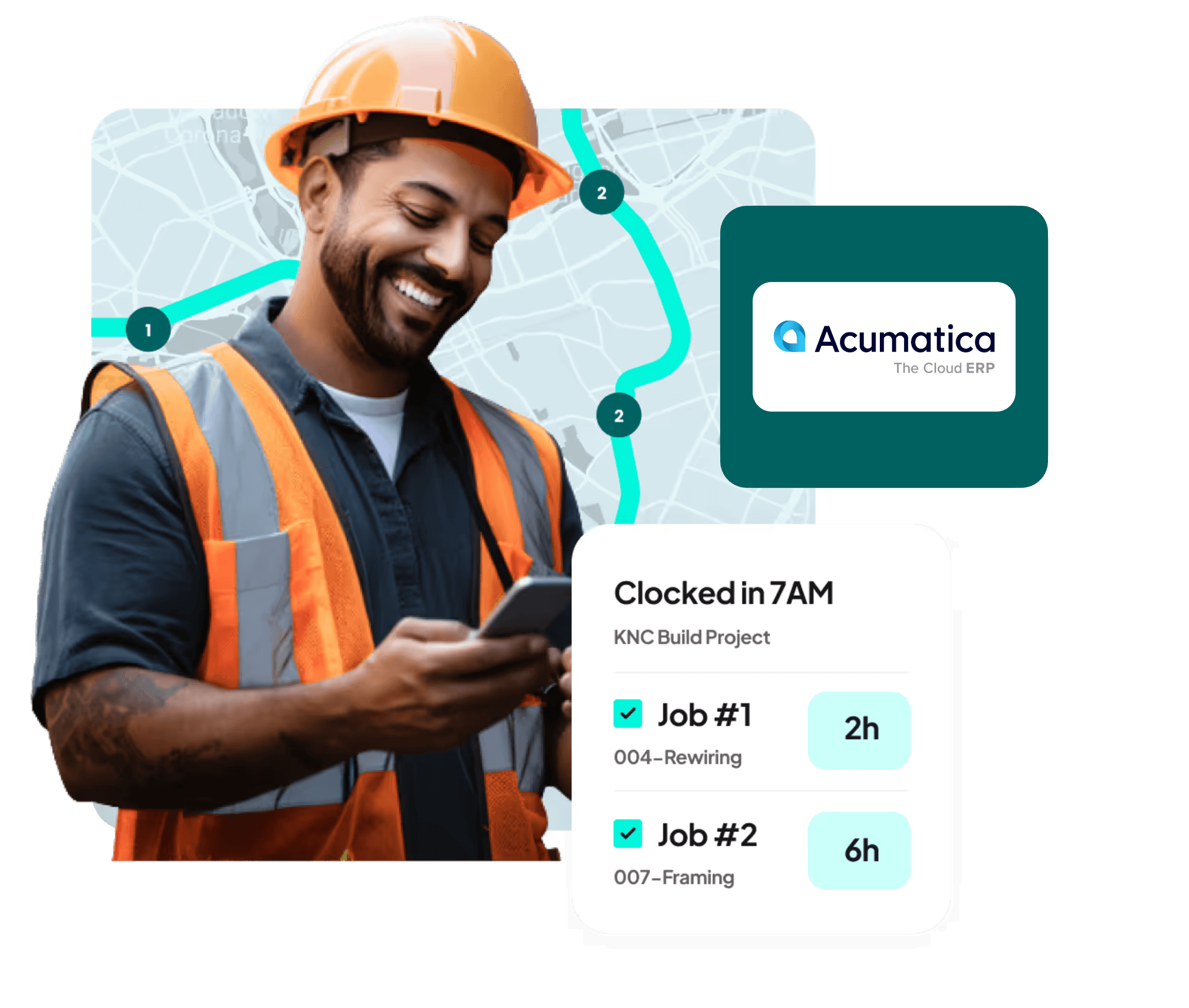
Timecards approved in Workyard, synced, and opened inside Acumatica, on the right job, the right cost code, the right payroll item.

At a glance

Accurate GPS time clock

Mobile Scheduling

Capture job costs

Send time to Acumatica
Why Use Workyard with Acumatica?
Accurate GPS time clock for Acumatica
Automatically capture job costs

Mobile scheduling for Acumatica crews
See it working with your own crew
Send construction time to Acumatica without re-keying
Improve billing and job costing accuracy
How it works
How to set up integration

Create your Workyard account
Sign up for Workyard and add your crews.
Create the Workyard app in Acumatica
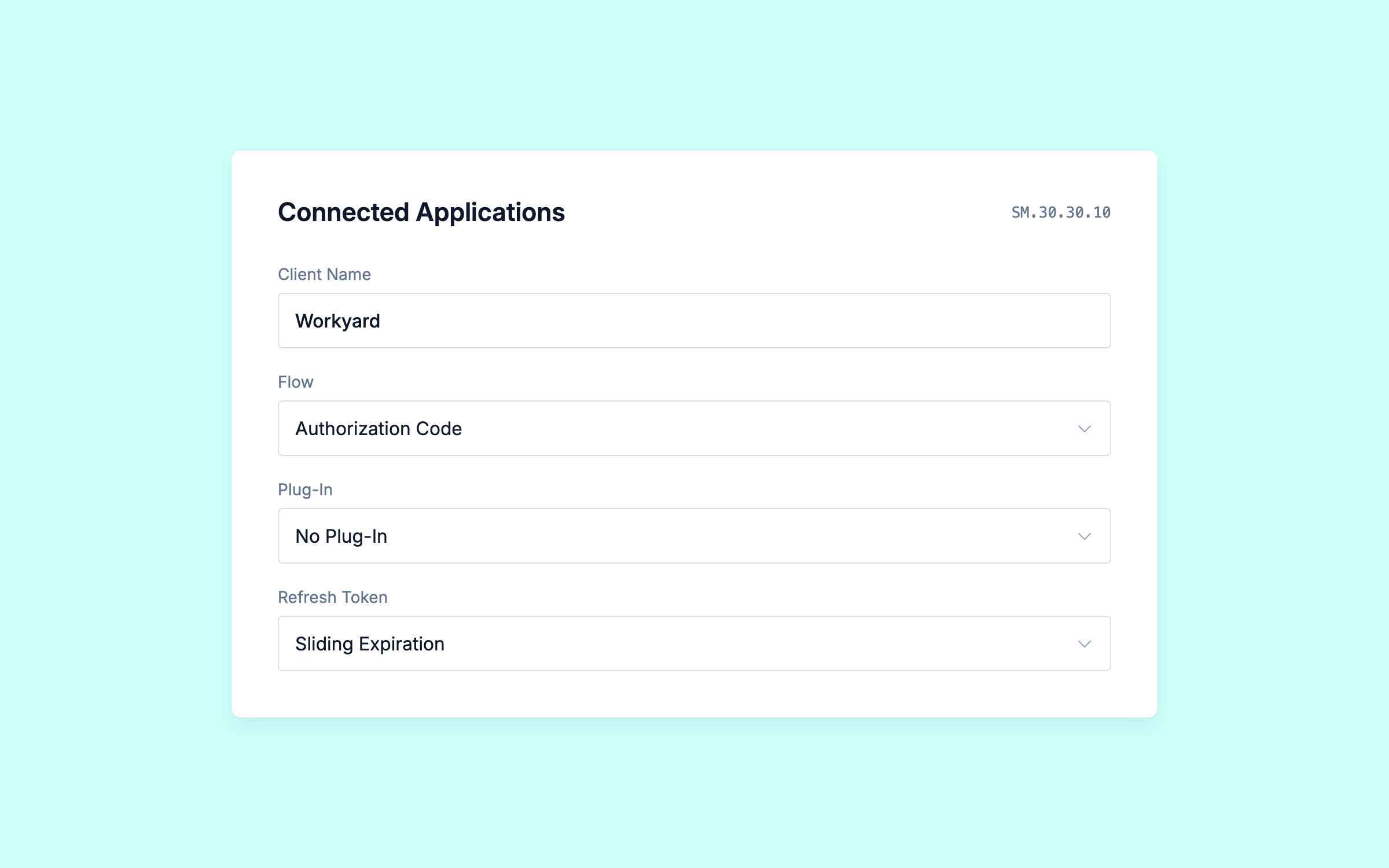
Open Connected Applications (SM.30.30.10) in Acumatica (you'll need admin access in Acumatica).
Create a connected application named Workyard. Set Flow to Authorization Code and Plug-In to No Plug-In.
Set Refresh Token to Sliding Expiration (90 days absolute, 15 days sliding, or whatever your security policy requires).
Add the Workyard connection details
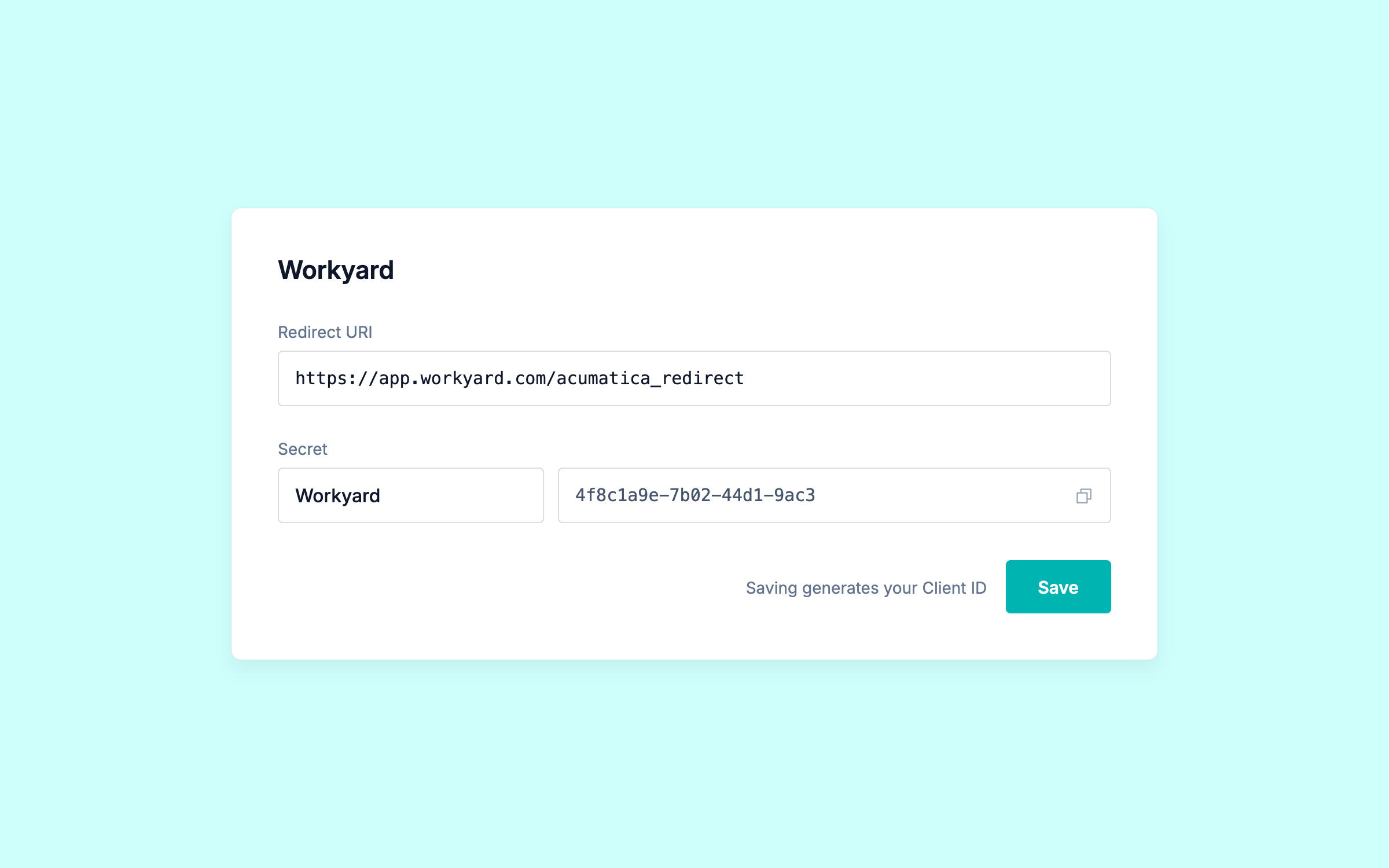
On the Redirect URIs tab, add this Workyard redirect URI:
https://app.workyard.com/acumatica_redirect
On the Secrets tab, add a shared secret named Workyard and copy the value. You'll need it in the next step.
Click Save. Acumatica generates your Client ID when you save, so don't skip this.
Connect Acumatica to Workyard
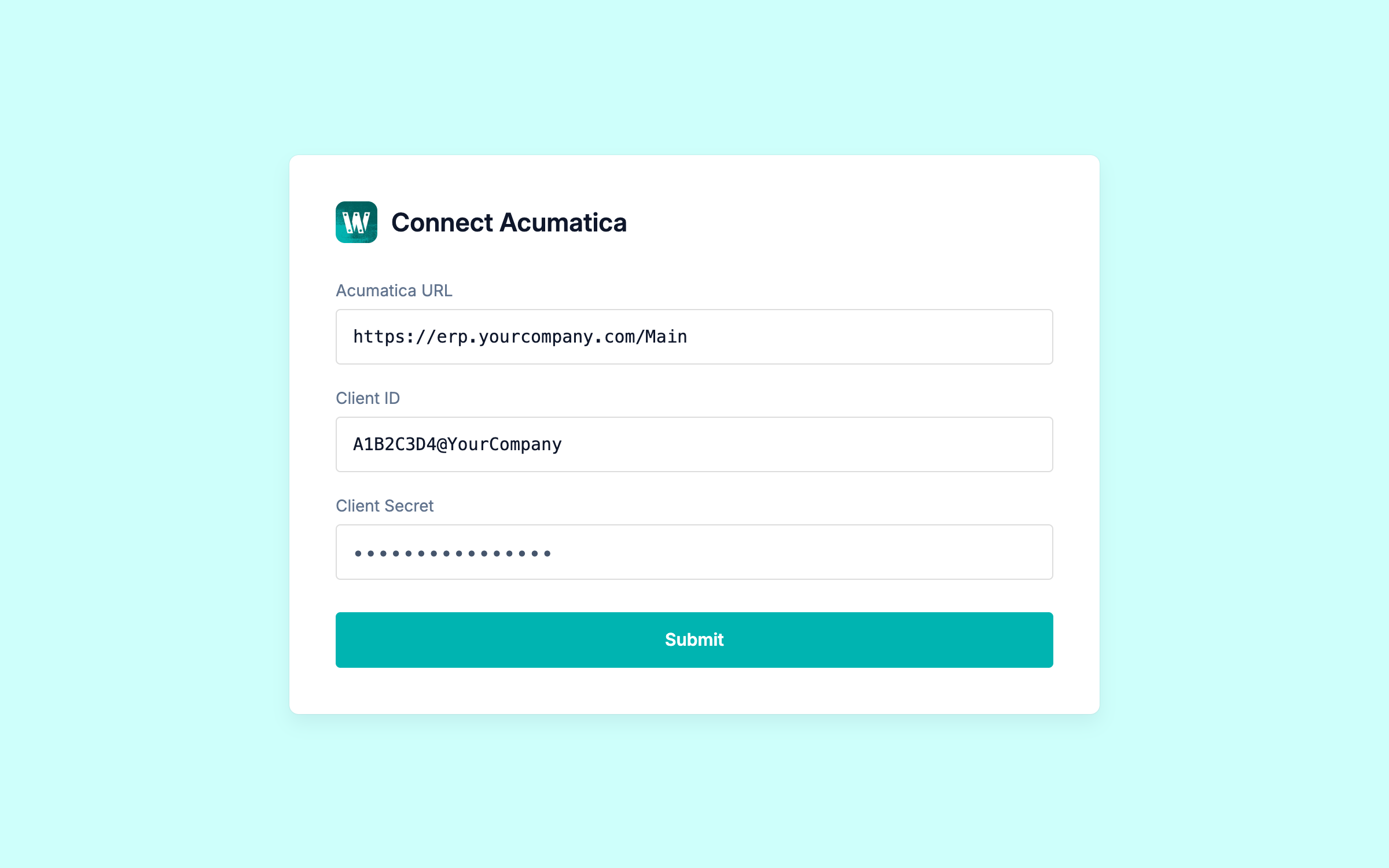
In Workyard, enter your Acumatica URL, Client ID, and Client Secret.
Your Acumatica URL is everything up to and including "Main." Copy the Client ID from the connected application you just saved.
Submit, then complete the Acumatica authorization.
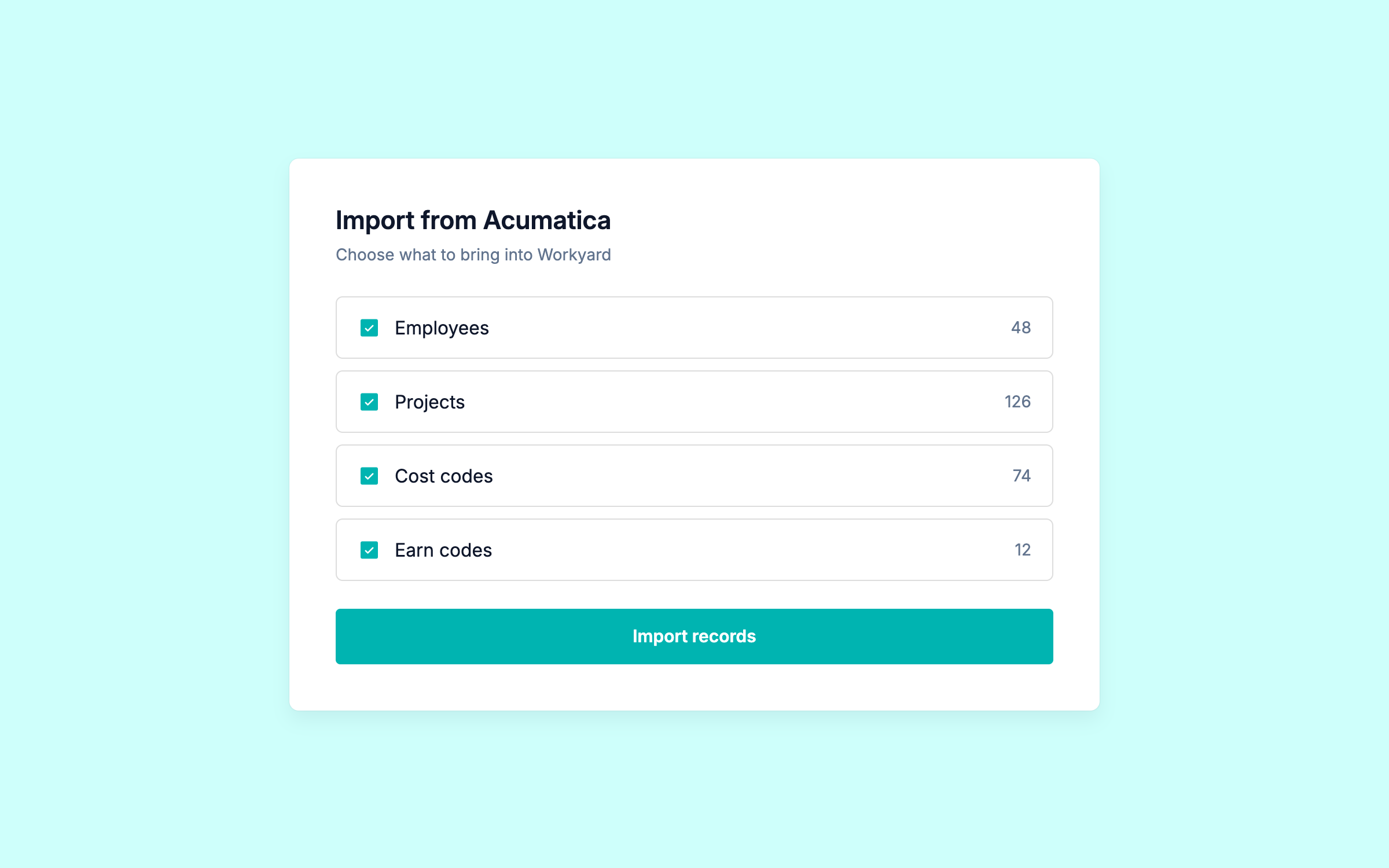
Import your Acumatica records
Bring your Acumatica employees, projects, cost codes, and earn codes into Workyard.
Your crews track time against the same jobs and codes your office already uses.
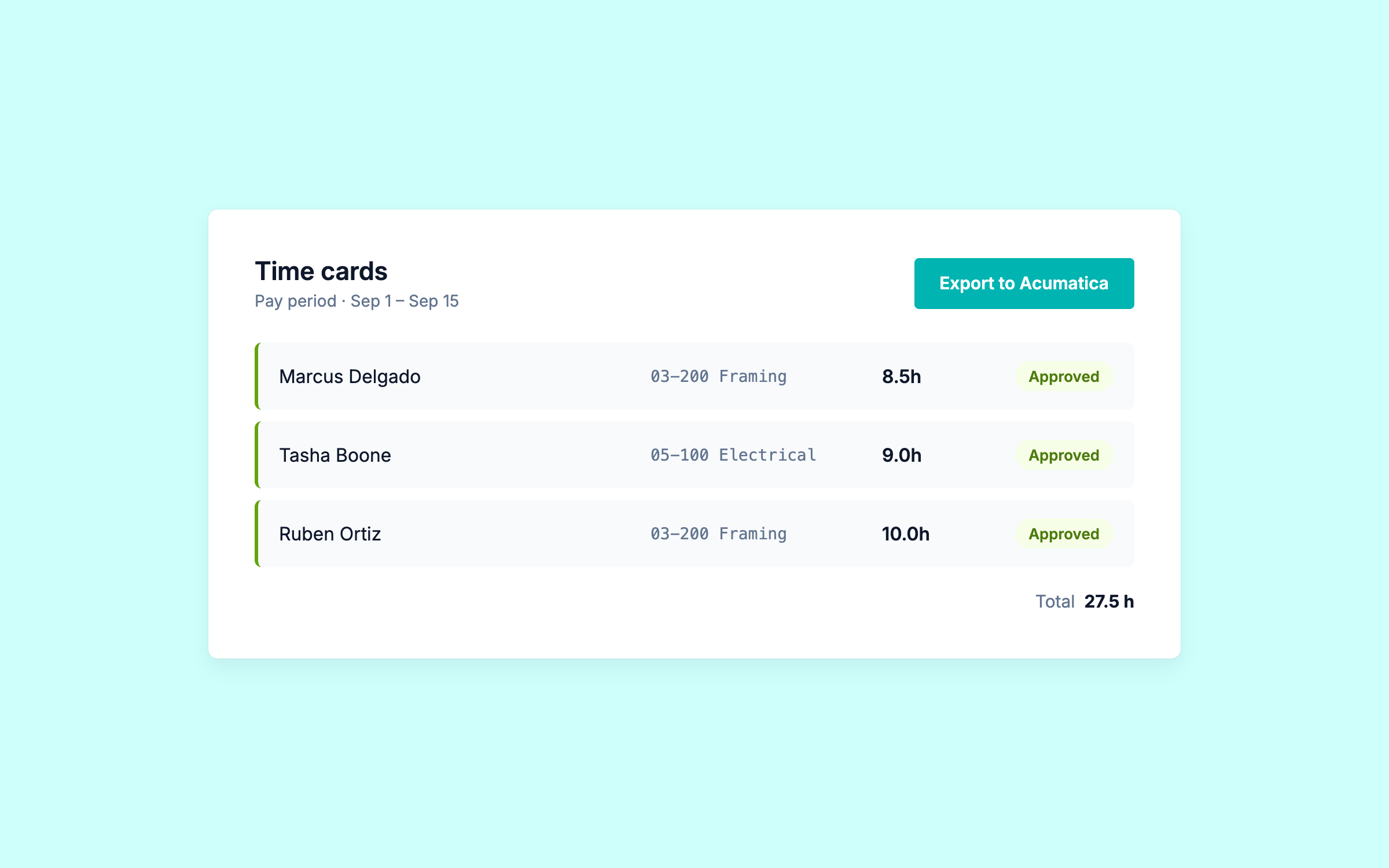
Track and send time
Your crews clock in with GPS on the Workyard mobile app. Hours code to the right job and cost code automatically.
Review and approve the time in Workyard, then export to Acumatica. Each worker maps to the right payroll item, and time off flows through with the correct earn codes.
Connect Workyard to Acumatica today
FAQS
All your
Acumatica
questions answered.
Workyard is a strong choice for contractors that want GPS-verified construction time tracking connected with Acumatica.
We can pull your Acumatica projects, workers, and cost codes into Workyard, then send Workyard time activity back to Acumatica.
That makes it a good fit when your crews need a field-focused time clock while Acumatica remains your ERP for project accounting, job costs, billing, and payroll.
Yes. Workyard has a direct Acumatica integration.
We can pull your workers, projects, and cost codes from Acumatica so your crews track time against records your office already uses.
We can then send recorded time activity back to Acumatica. Approved time-off activity can also be included when configured.
Yes, when Acumatica Construction is enabled, Workyard can use Acumatica's construction cost codes rather than relying only on standard Project Tasks.
That keeps the cost-code structure your crews use in Workyard aligned with the construction cost codes in Acumatica.
We can pull your projects and cost codes from Acumatica so your crews track time against the same job structure your office already uses.
As time is recorded, labor stays tied to the right job and cost code. Approved time activity can then be sent back to Acumatica for project accounting and job-cost workflows.
Yes, Workyard uses GPS to verify when and where your crew's time was recorded.
You can review that time in Workyard and send the resulting time activity to Acumatica. Workyard handles the field time capture and GPS verification.
Acumatica already supports mobile time entry and uses time data across project accounting and other ERP workflows.
Workyard is built around capturing construction labor in the field with GPS verification, geofencing, crew scheduling, and job and cost-code tracking.
If you need stronger field controls, Workyard creates the labor record before you send it into Acumatica.
We can send your time activity to Acumatica for workflows that use those labor records.
Workyard also supports mapping worker time to Acumatica earning types during the export process.
Your exact payroll workflow can depend on the Acumatica modules and configuration your company uses, so confirm those requirements during setup.
Start with what actually moves between the time tracking app and Acumatica, not just whether the vendor says it integrates.
For construction, check support for workers, projects, cost codes, time activity, earning types, job costing, and payroll workflows.
Also compare GPS verification, multiple jobsites, crew scheduling, mobile use, and how much manual entry remains for the office.
Contractors comparing Acumatica time tracking apps may come across ExakTime, busybusy, ClockShark, hh2, WorkMax, Lumber, and other workforce tools.
The important question is not just whether a connection exists, but what data it moves and how much manual work remains.
With Workyard, you can bring Acumatica workers, projects, and cost codes into the field workflow, then send Workyard time activity back. Also compare GPS accuracy, scheduling, payroll workflow, and cost-code support before choosing.
Acumatica supports third-party workforce and construction applications through its Marketplace and through integrations outside the Marketplace.
Connection methods vary by product. Some apps publish direct Acumatica integrations, while others may use imports, exports, or another connection method.
Check the exact records supported, your Acumatica version and modules, and whether the connection matches the field workflow your crews need.