6.5 Out of 10

Raken review:
What 501 reviews say

Kyo Zapanta By Kyo Zapanta · Reviewed by Rouselle Isla · Published August 12, 2024 • Last updated August 9, 2026

The verdict: 6.5/10

Raken is the best daily reporting product we have reviewed. The survey-driven daily log, the photo documentation, the pre-built toolbox talks and the budget-versus-actual reporting are all genuinely strong.

Across 219 features it matches us almost row for row on breadth. The 6.5 reflects where the depth runs out, not the breadth. It runs out in the same place each time: location. Raken tells you where someone punched and where they are now, but not where they were.

Then there is the price. Time tracking sits on the $59 per user tier, substantially more than Workyard at every crew size we checked. If the daily report is your deliverable, Raken may still be the right call. If your money leaks between the truck and the time card, that is what Workyard was built for.

Top wins

  • Job costing reports 8.0
  • Crew scheduling 7.0
  • Crew adoption 7.0

Top gaps

  • GPS trail 3.0
  • Pricing transparency 4.5
  • Break compliance prompts 5.5
Best for
Daily reports and photo documentation
Safety programs needing pre-built content
Budget-versus-actual labor reporting
Not ideal for
A continuous GPS trail across the shift
Location that assigns jobs automatically
Time tracking on a small budget

How we reviewed Raken

Most software review sites rely on ratings from their own user base. We take a broader view. Our review combines hands-on product testing, customer review data, research call insights, and feedback from contractors actively evaluating Raken, so we can understand where the platform performs well and where it falls short in real-world use.

11
Research Calls
101
G2 Reviews
200
Capterra Reviews
100
App Store Reviews
100
Google Play Reviews
3
Reddit Threads

We conducted hands-on testing of Raken in July 2024.

Disclaimer: Workyard competes directly with Raken. This review reflects our honest assessment of the product based on our first-hand testing, third-party review data, and discovery conversations with contractors. We've aimed to make it as balanced and data-driven as possible. Software products change frequently, so Raken’s features, pricing, user experience, or plan inclusions may have changed since our hands-on review. Check out our full review methodology.

How we scored across 7 categories

Seven weighted categories produce the overall score. Raken's spread is unusually wide, with four and a half points between its best and worst category. That is what happens when a product is excellent at the thing it was built for and still maturing at the thing it added later.

Category Weight Score Tier
Usability & Onboarding 20% 6.5 Adequate
Core Features & Functionality 20% 4.5 Underdeveloped
Workflow & Task Management 15% 7.5 Strong
Reporting, Analytics & Data 15% 9.0 Exceptional
Customer Support 15% 6.0 Adequate
Integrations 10% 6.5 Adequate
Vendor Reliability & Value 5% 5.5 Underdeveloped
OVERALL 100% 6.5 Adequate

What matters for contractors

Ten questions every contractor should ask before committing to a workforce platform. Raken's scores are our editorial assessment against the same questions we hold our own product to, including the two where Raken comes out level with us or ahead.

Can you trust the GPS trail for payroll and disputes?
3/10
Does it handle prevailing wage without spreadsheets?
5.5/10
Can you schedule and manage crews as units?
7/10
Can you pull the reports you actually need for job costing?
8/10
How quickly can your crew start using it without training?
7/10
Does time data flow into your accounting system automatically?
6/10
When something breaks, can you get help before payroll is due?
6/10
Will the pricing still make sense as your team grows?
4.5/10
Does it enforce break and labor law compliance proactively?
5.5/10
Will the system hold up when you go from 20 people to 200?
6.5/10

What contractors are telling us about Raken

Across 11 research calls with contractors evaluating, running or leaving Raken, the themes below came up most. Counts are small because this corpus is small. We have published the actual numbers rather than rounding up, and a theme mentioned once is labelled as such.

What works well 7 mentions
STRENGTH Reporting quality and long-term data retention

Reports that look great and are useful for dealing with damages. They keep their stuff for 10 years.

— Construction company

Test This Yourself

During your trial, generate a daily report and send it to whoever receives your documentation today. Ask whether it answers their questions without a follow-up call. Then ask Raken directly how long your data is retained, and get the answer in writing.

STRENGTH Task scheduling with multi-person sign-off

Effective task scheduling that includes assigning multiple attendees who sign off, providing a comprehensive view.

— Interior finishing contractor

Test This Yourself

During your trial, set up a task that needs three people to sign off, such as a safety walk or a pre-pour check, and see whether the completion record is something you would show an inspector.

STRENGTH Digital forms and job site checklists

Useful for digital forms and job site checklists; allows uploading of industry-specific forms.

— Civil contractor

Test This Yourself

During your trial, upload the form your trade actually requires, not a sample, and have a foreman complete it on a phone in the field. Check whether anything is lost in the conversion.

Areas worth testing 9 mentions
CRITICAL GPS captures the punch, not the shift

Raken don't really have the GPS time tracking which includes precise location when they're telling you when guys like even clock in before they even get to the location.

— Landscaping contractor

Test This Yourself

During your trial, have a worker clock in a few blocks from the site and drive in. Then answer two questions from the record alone: where were they between clock-in and clock-out, and did the system notice they were not on site yet.

HIGH Paying for more platform than you use

It's ridiculous to be paying for something that we're not even using. We use only a quarter of what they offer.

— Roofing contractor

Test This Yourself

Before you sign, list the five things you actually need and ask which tier each sits on. Time tracking, production tracking and safety are all on Performance at $59 per user, so price the tier you would really buy.

HIGH App loading and mobile reliability

It just will not load at crucial times, such as when trying to take pictures at project sites.

— Landscaping contractor

Test This Yourself

During your trial, test on the oldest Android phone in your crew, somewhere with one bar. Fill in a checklist with long descriptions, save, close the app and reopen to confirm nothing was lost. That sequence is what recent reviewers reported failing.

Raken overview

Raken was founded in 2014 in Carlsbad, California by Kyle Slager, Sergey Sundukovskiy and Ty Kalklosch, and began as a daily reporting tool. Sverica Capital Management acquired it in September 2025. The company reached roughly $21.8M revenue in 2024 with more than 4,000 customers and 70,000 users.

Daily reporting is still the centre of the product. Offline mode arrived in 2018, but time tracking did not ship until 2023, nearly a decade in. That sequence explains most of what this review finds: the reporting half is mature, the time and location half is not.

Raken hands-on testing

We signed up for Raken and worked through every area of the web app and both mobile apps in July 2024. The session ran on a fresh trial, so it shows how the product is organised rather than how it looks in use. Capability claims below come from our 219-point feature comparison.

Sign-up and onboarding

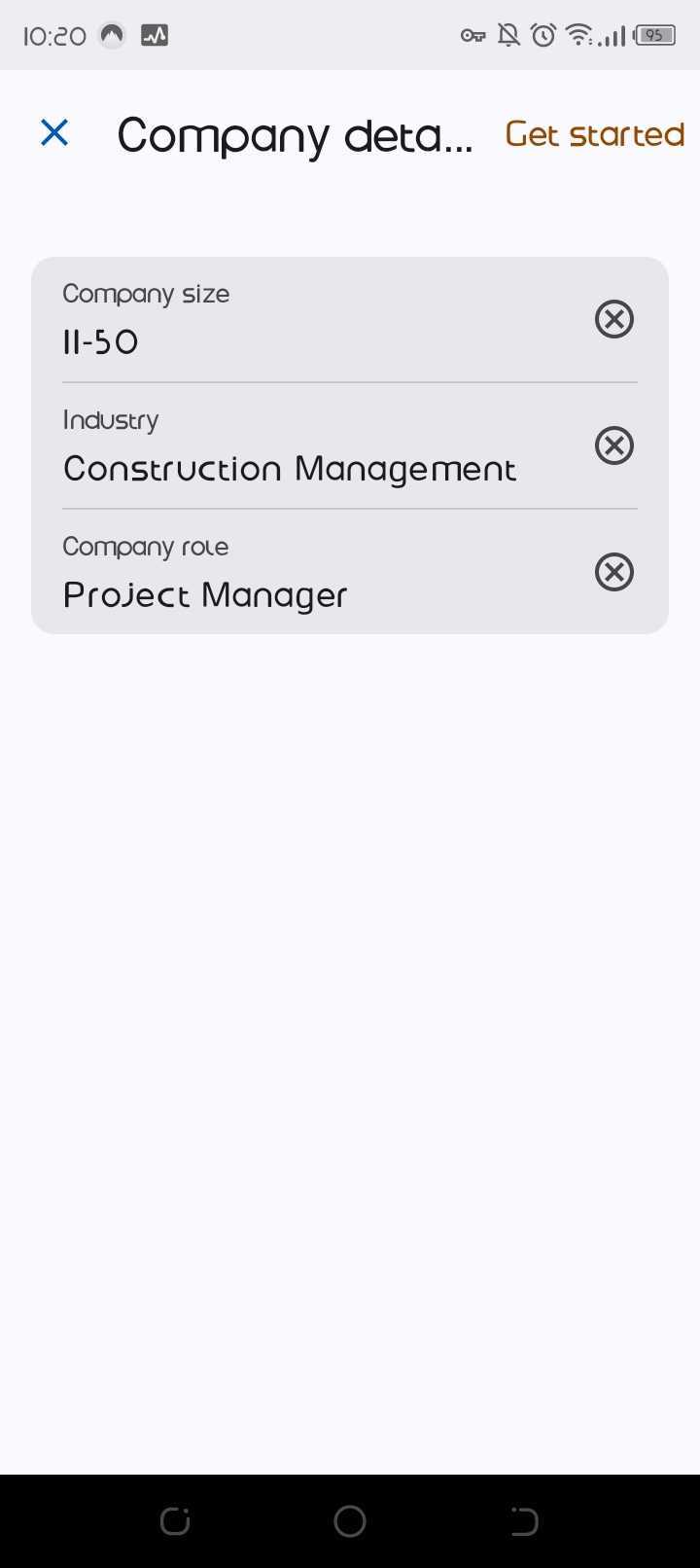
Sign-up asks only what it needs: company size, industry and your role. Ours was set to 11-50 employees, Construction Management, Project Manager.

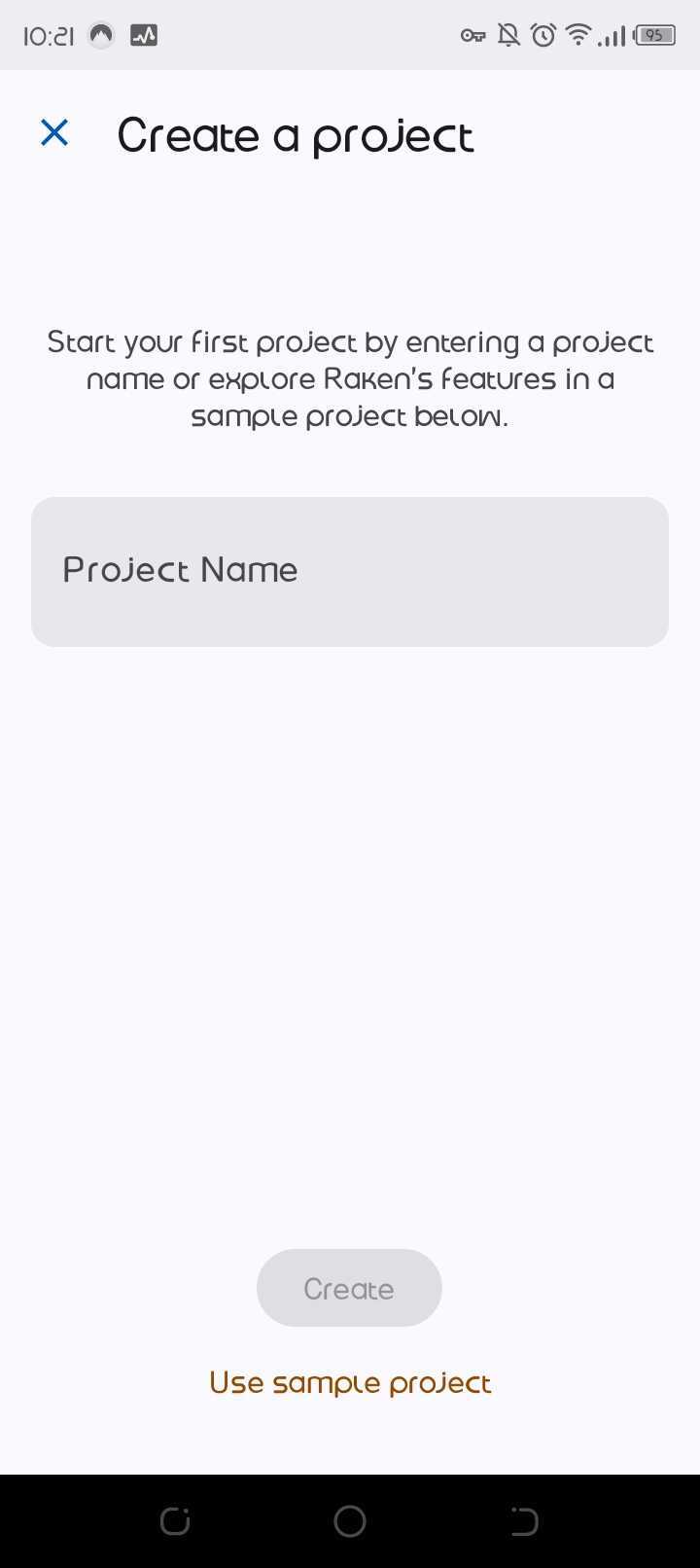
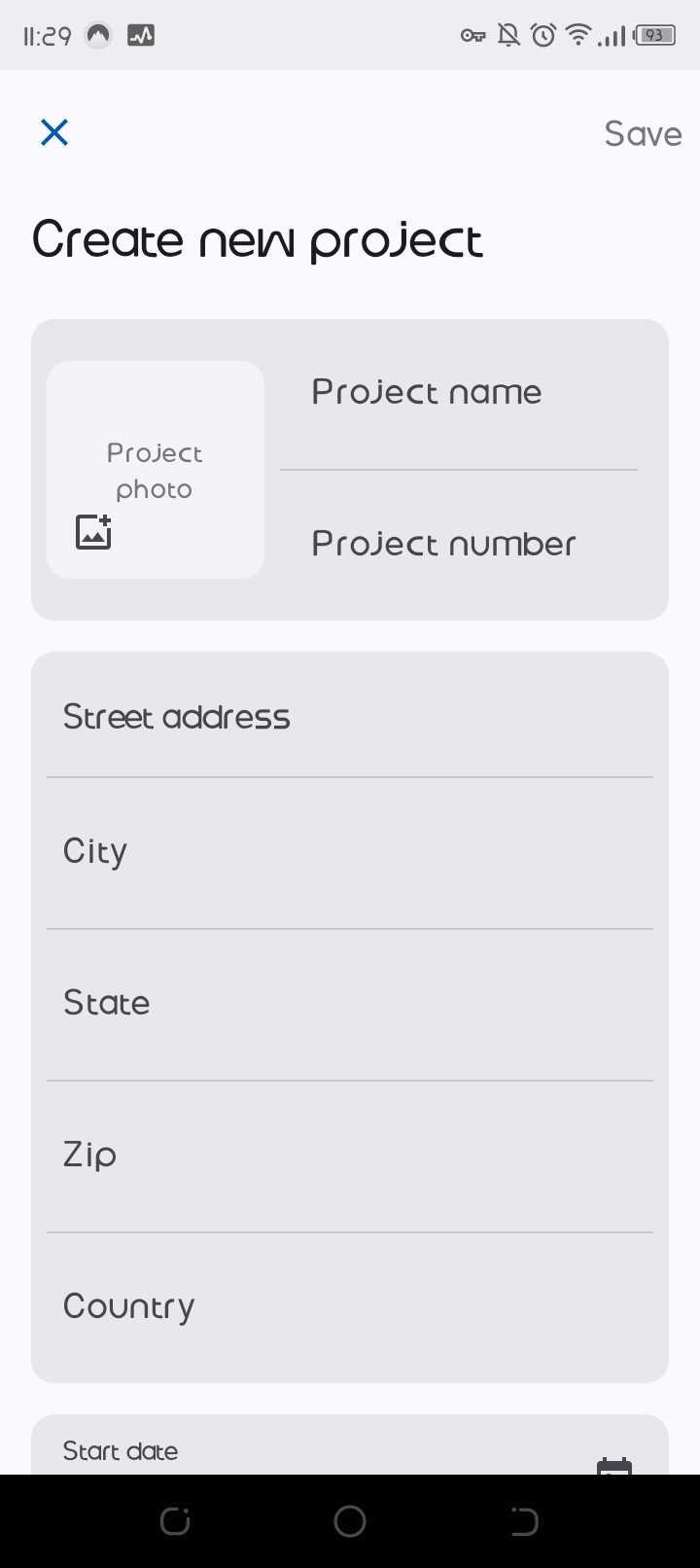
The next screen pushes you into creating your first project, with a shortcut to a sample project instead. That ordering tells you what Raken expects you came for.

You land inside the platform and buy from there. The two published tiers are covered in the pricing section below.

The web app experience

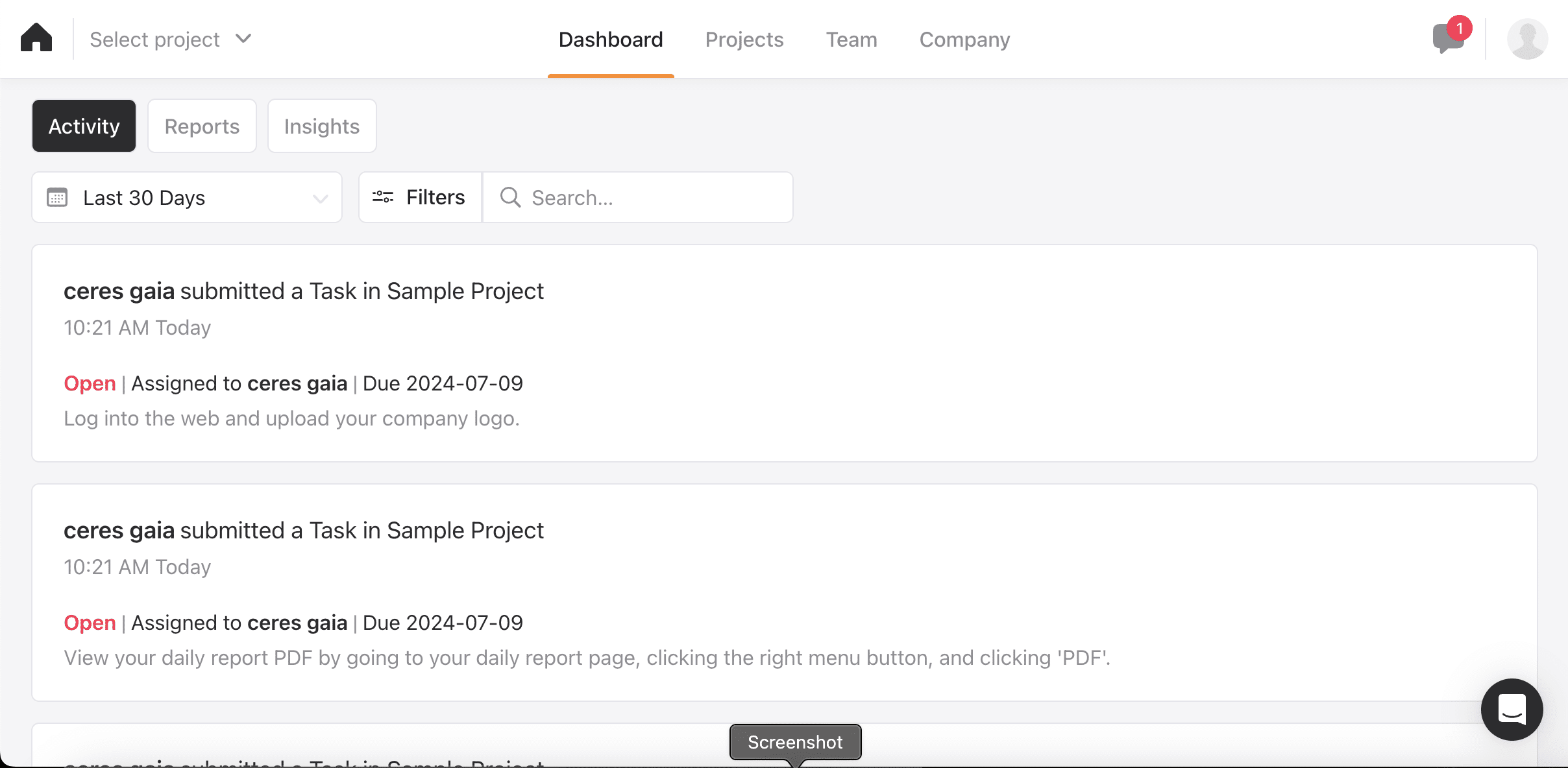
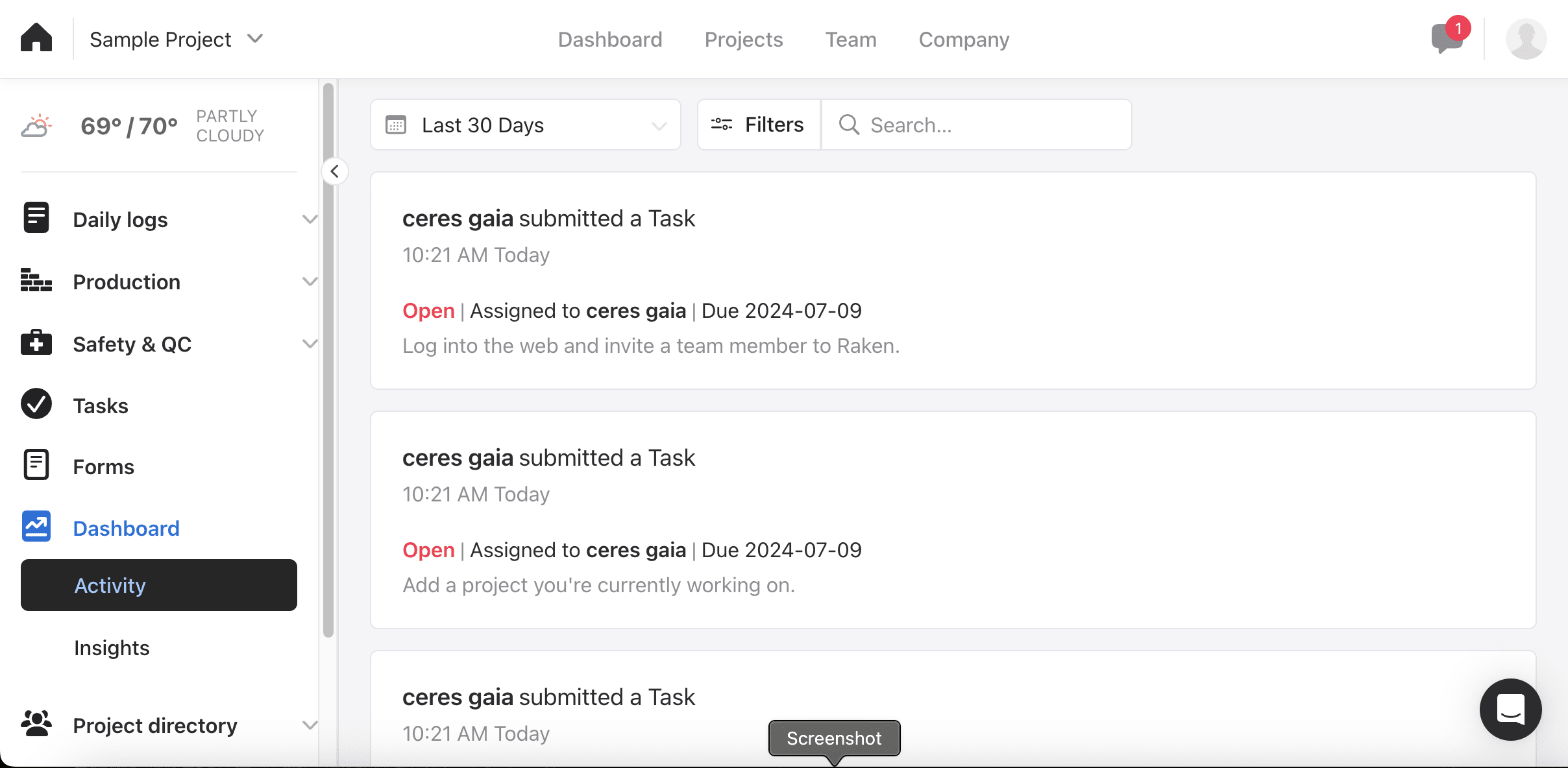
The web app opens on an activity feed rather than a dashboard of numbers. Who submitted what, filtered to the last 30 days, with search and filters above it.

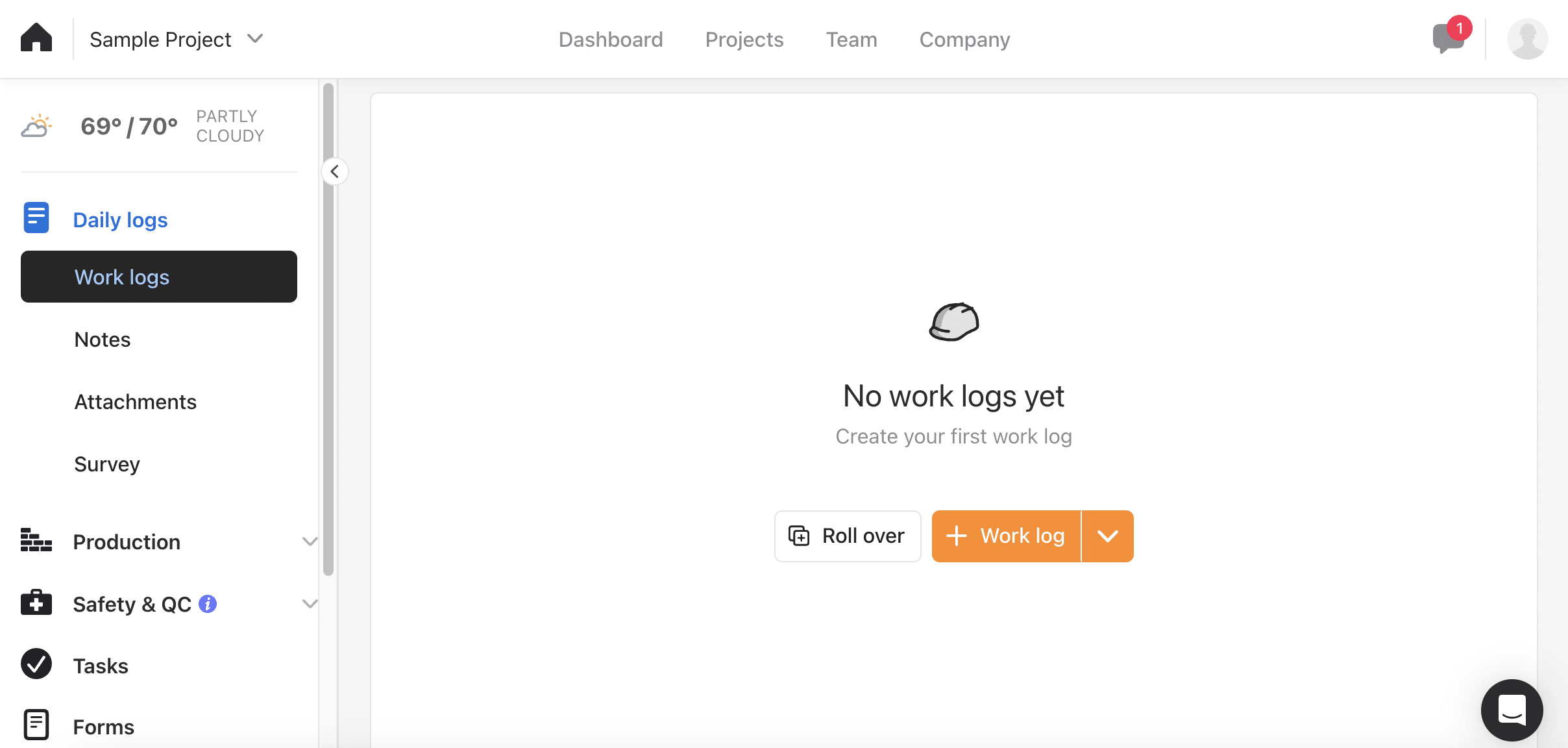
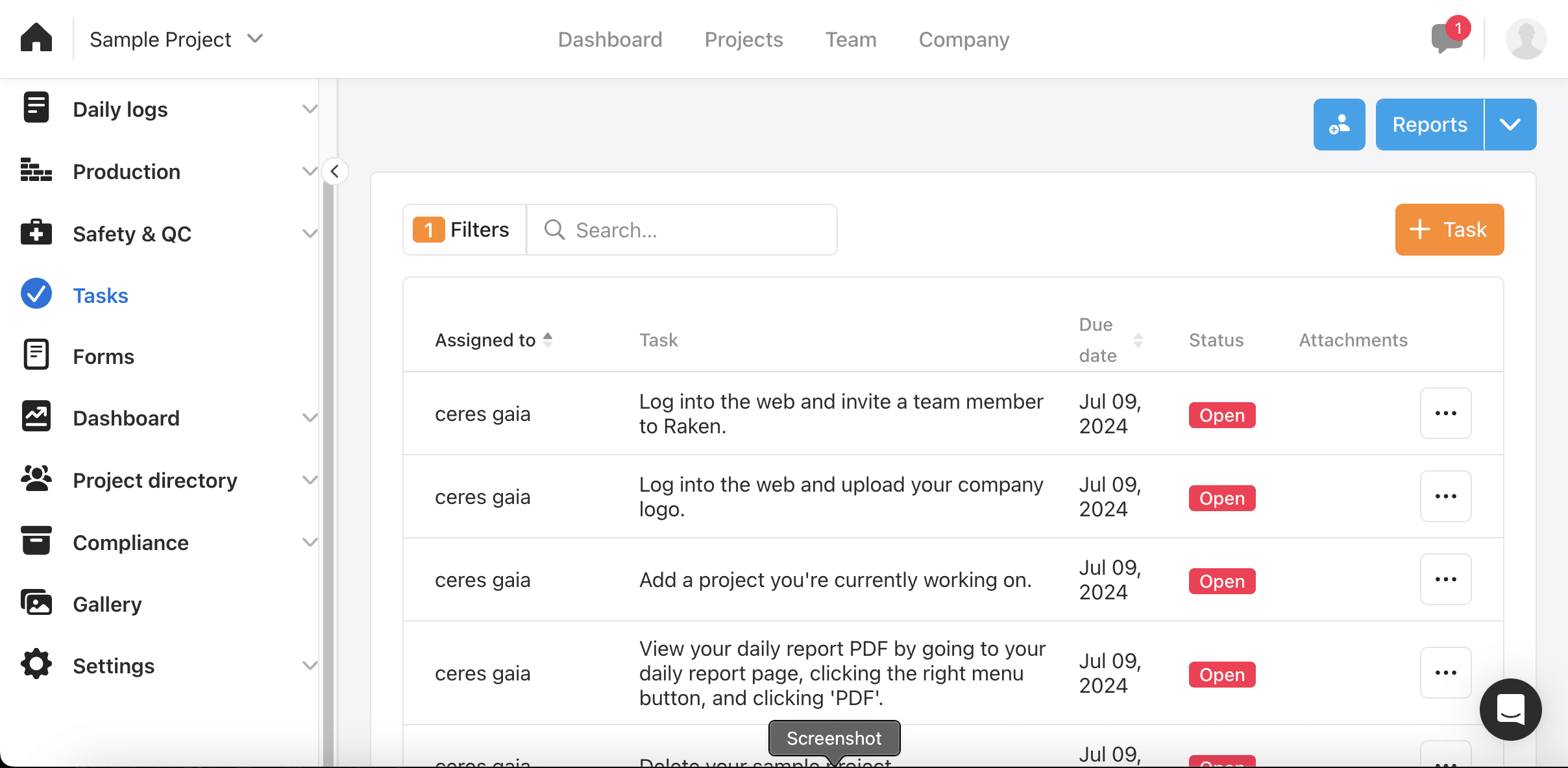
The left-hand menu is the map of the product. Daily logs first, then Production, Safety & QC, Tasks, Forms, Dashboard, Project directory, Compliance, Gallery and Settings.

Time cards are not a top-level item. They sit two levels down, inside Production. Contractors coming from a time-tracking tool told us that ordering takes adjusting to.

Above the menu sits a live weather readout, 69/70 and partly cloudy in our case. Weather is a line item in a delay claim, so it belongs on the daily report.

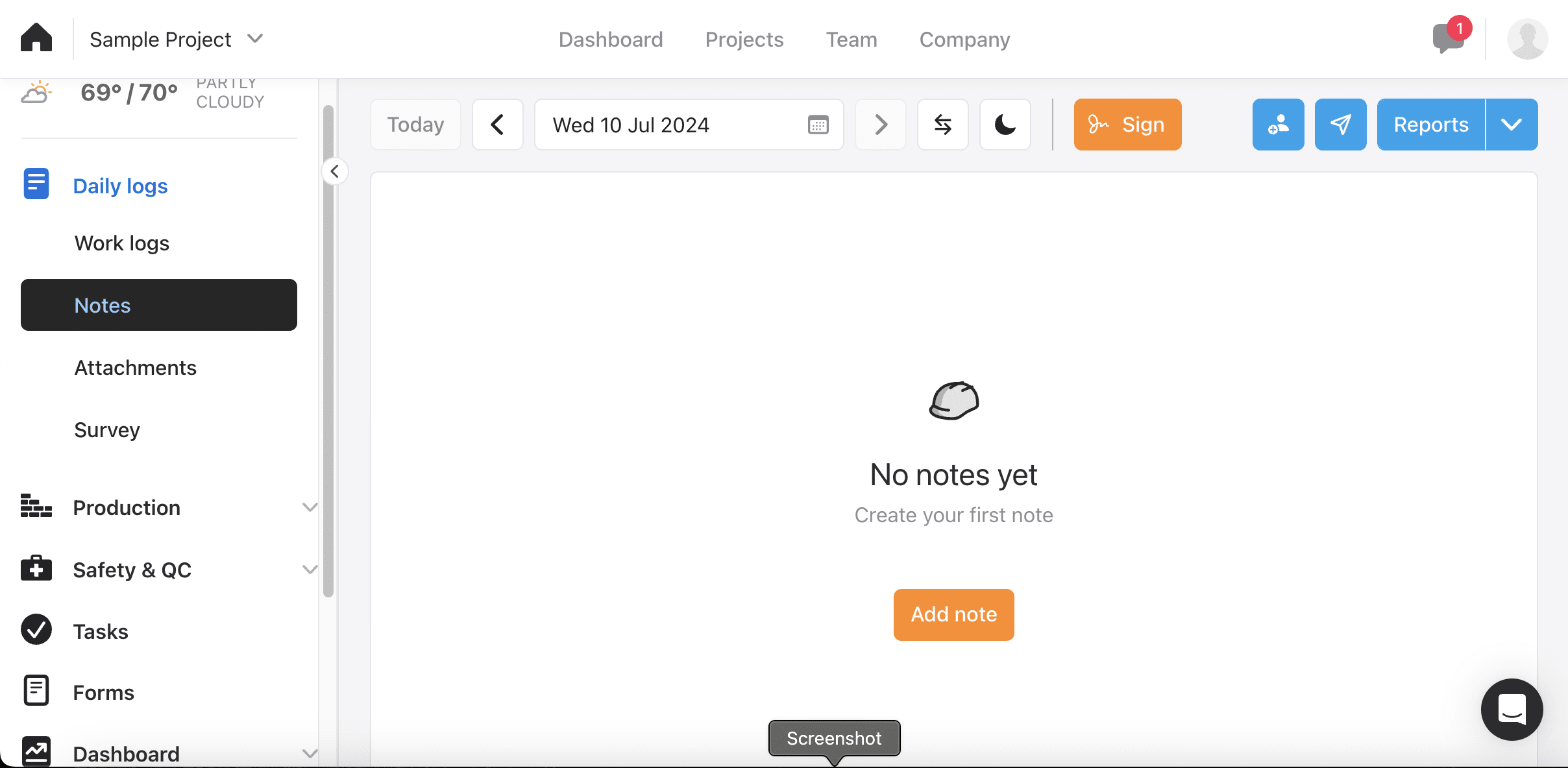
One caveat on the screenshots that follow. We were on a fresh trial, so most areas show first-run empty states rather than a season's work.

The mobile experience

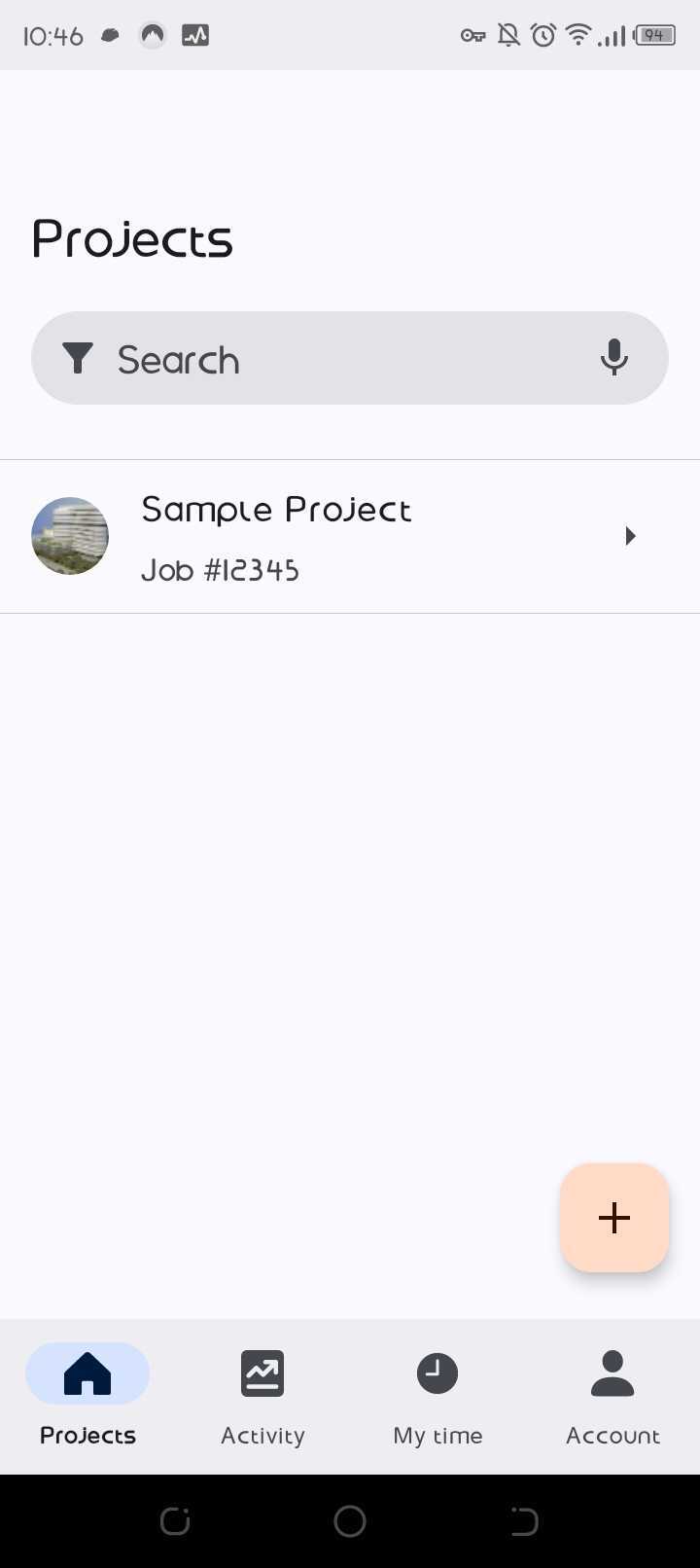
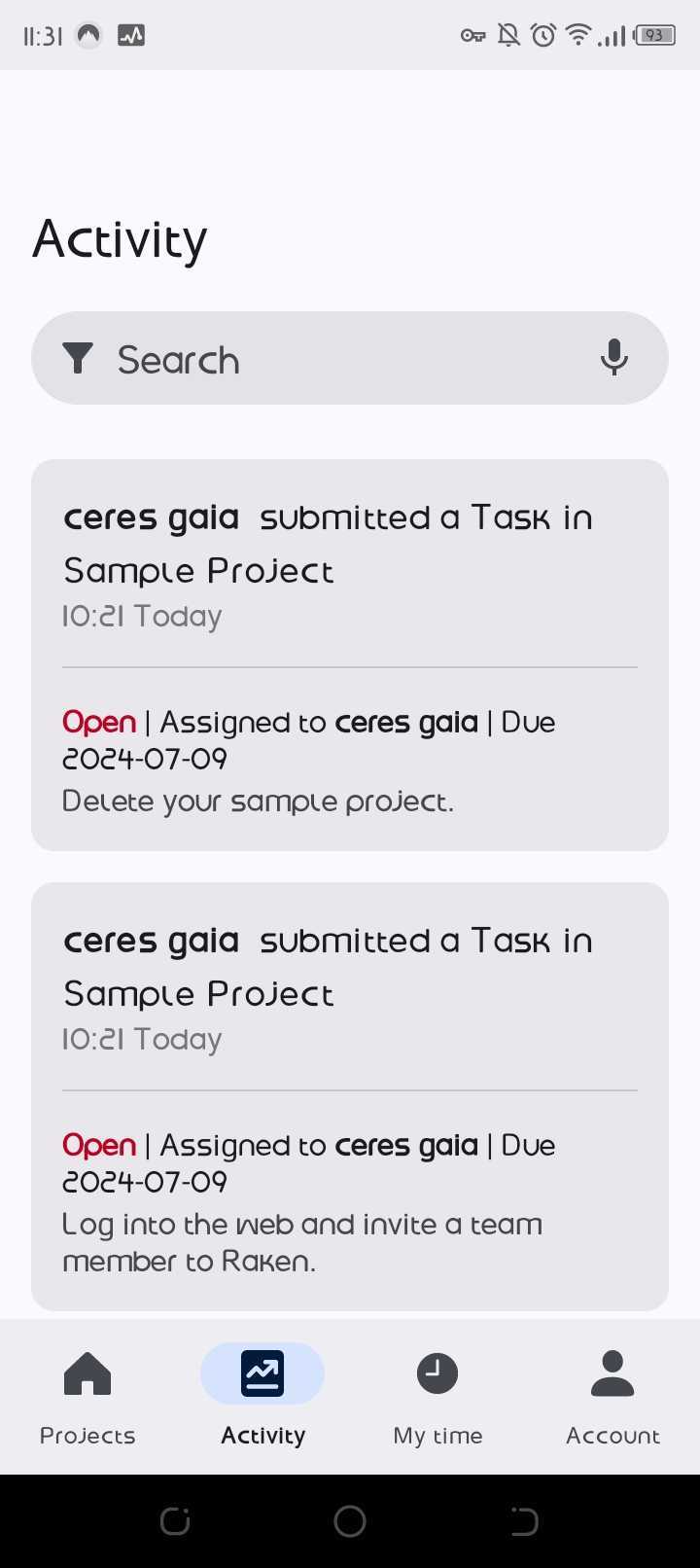
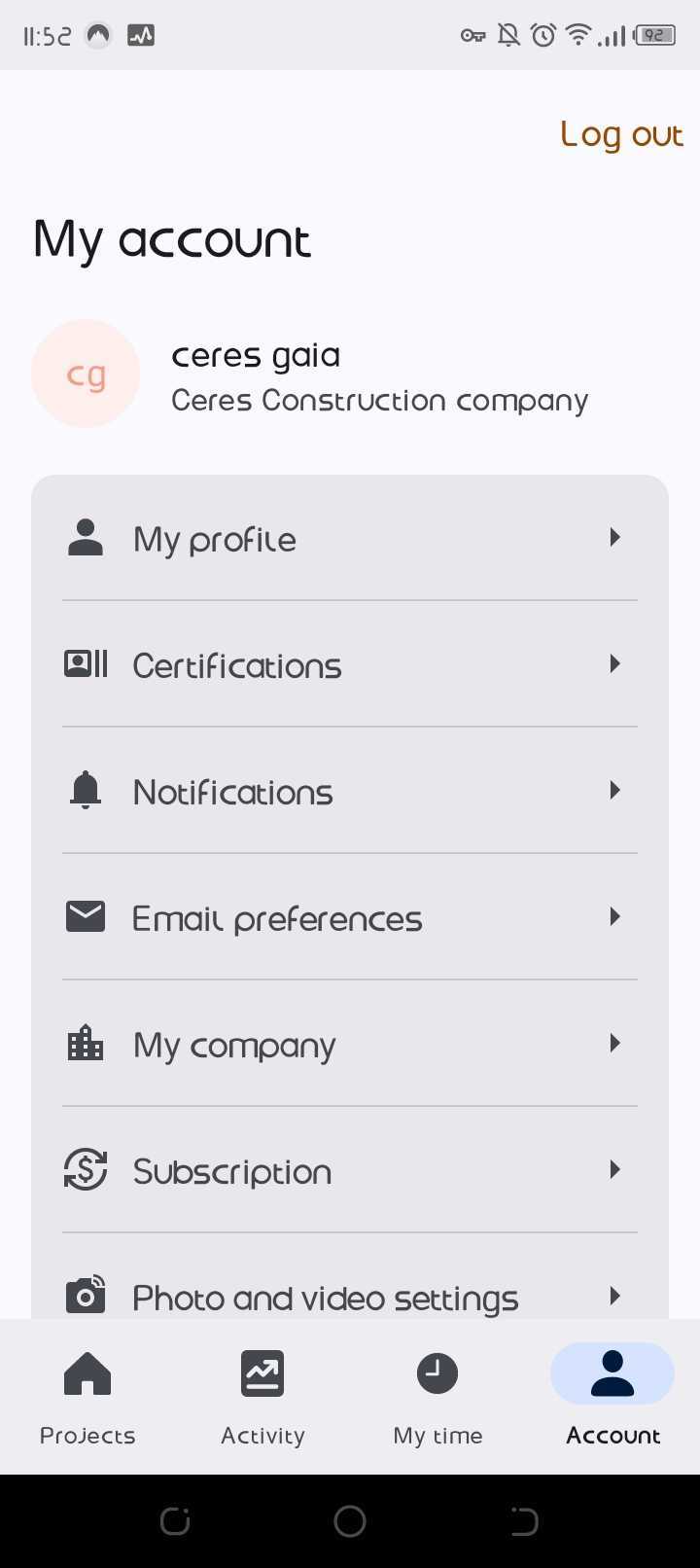
The mobile app opens on your projects with a search bar, and a bottom bar of four things: Projects, Activity, My time and Account.

The Account tab carries Certifications alongside profile and notification settings. Our feature comparison marks that present for Raken and absent for Workyard.

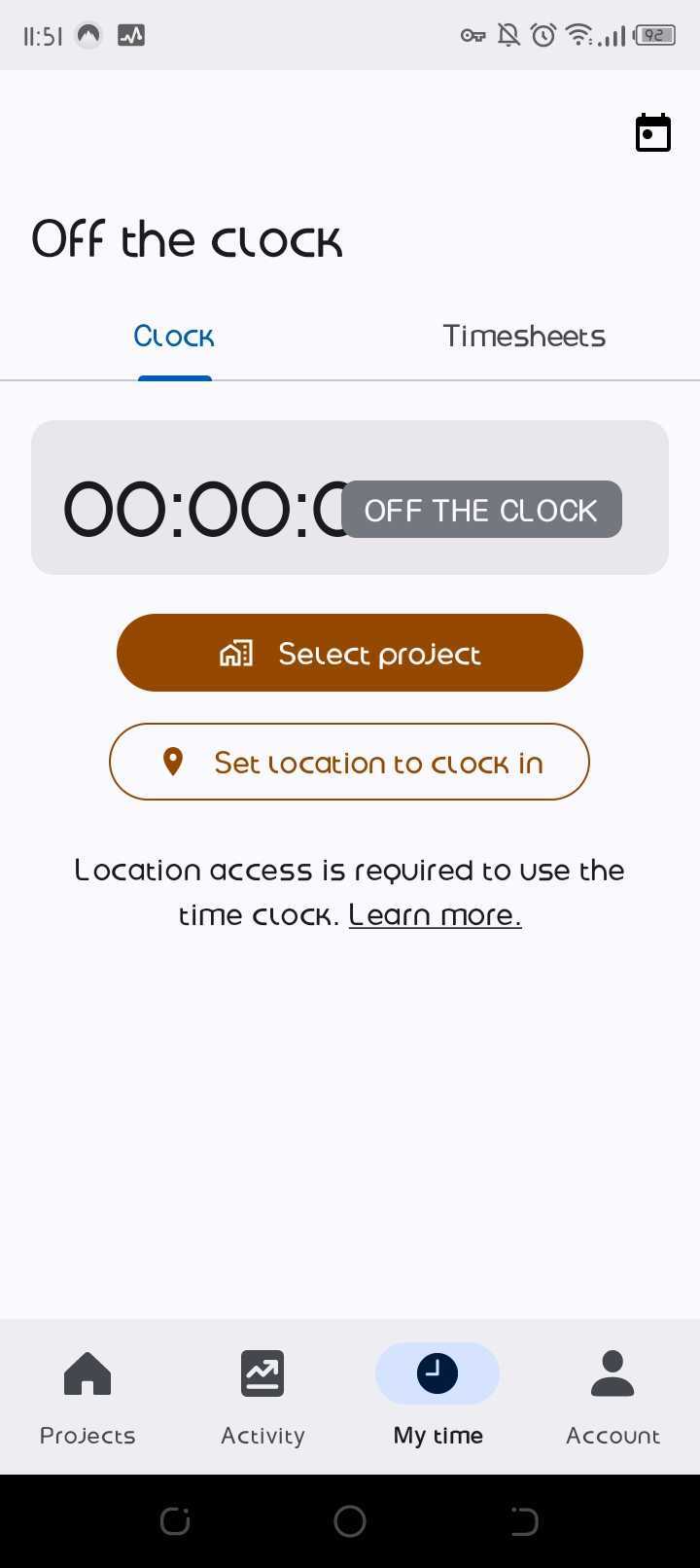
My time is where the clock lives, and it told us something the documentation does not. It shows a timer, Select project, and Set location to clock in.

Under those buttons sits a notice: "Location access is required to use the time clock." Location is not an optional layer on Raken's time tracking. The clock will not run without it.

That is a point in Raken's favour, and it sharpens the real gap. Location is captured at the punch, not across the shift.

Daily logs

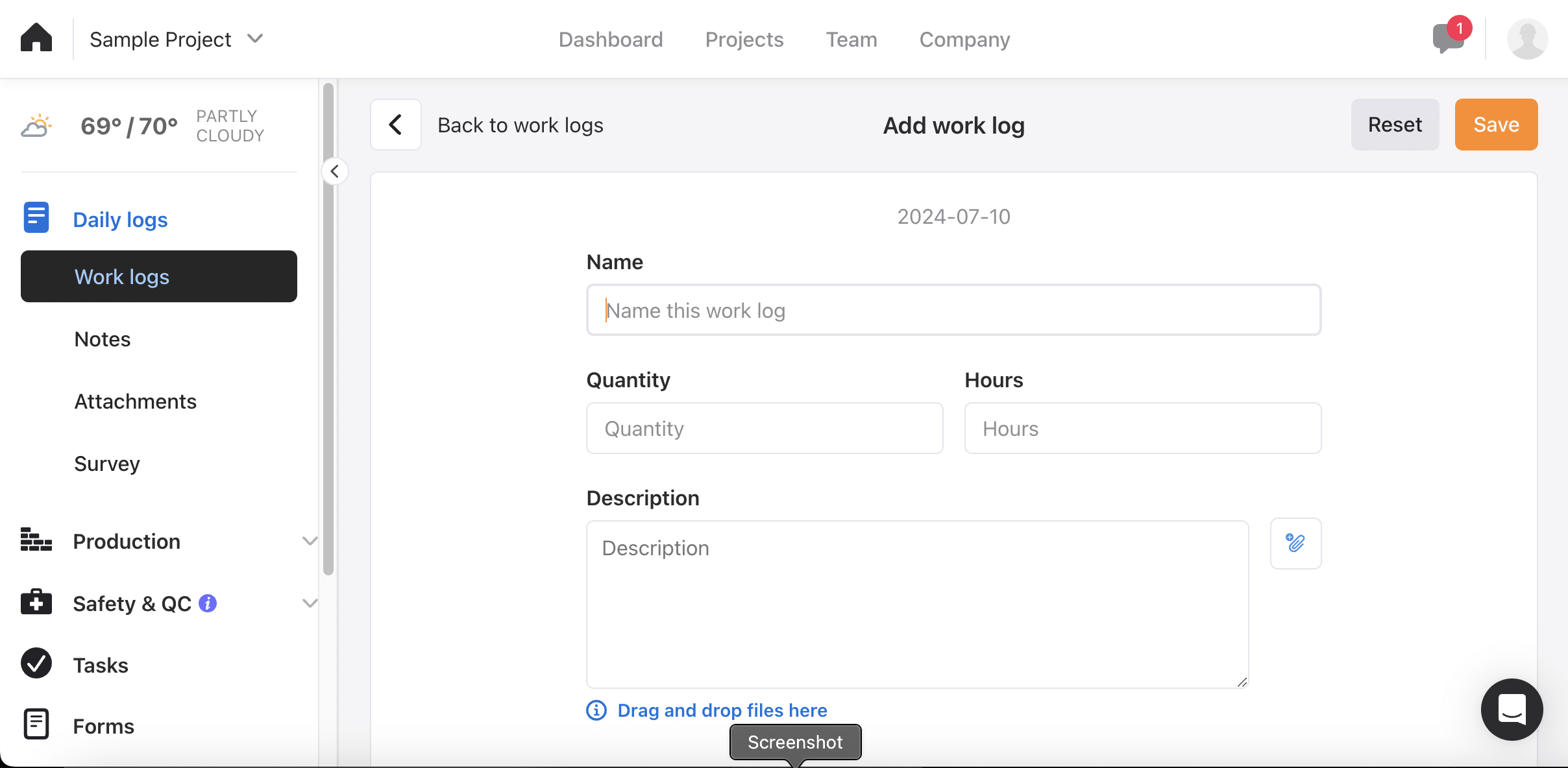
Creating a work log asks for a name, a description, attachments, and also Quantity and Hours. Production data is captured in the daily log rather than a separate timesheet.

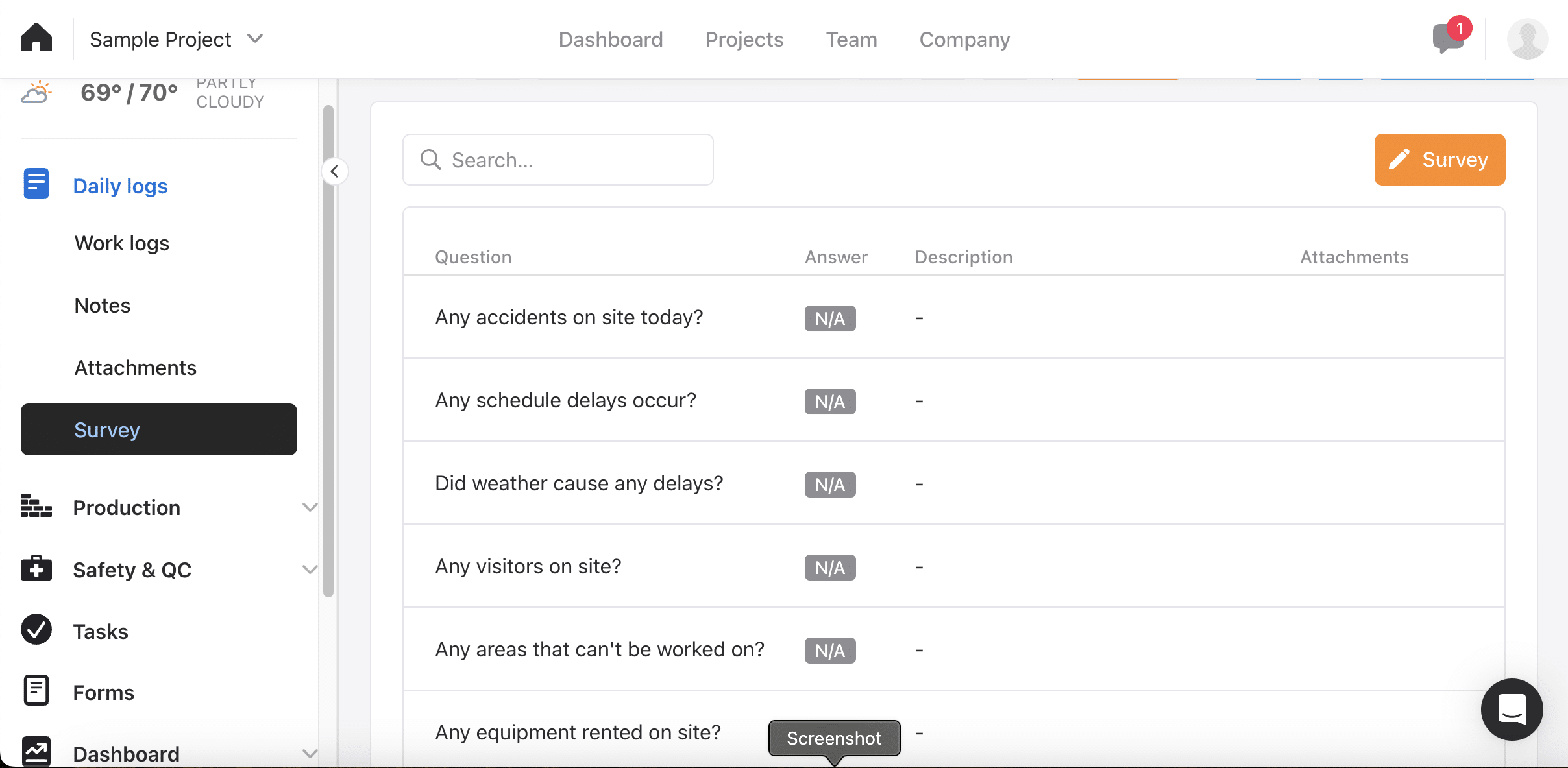
The Survey tab is the best-designed thing in Raken. It is a standing set of questions attached to every daily report, and the defaults are the ones that matter later.

Out of the box it asks about accidents, schedule delays, weather, visitors, areas that cannot be worked on, and equipment rented. Each takes an answer, a description and attachments.

That is a delay-claim file assembling itself, filled in by whoever is already doing the daily. Workyard does not do this as well. One contractor called Raken's reports "useful for dealing with damages."

Production

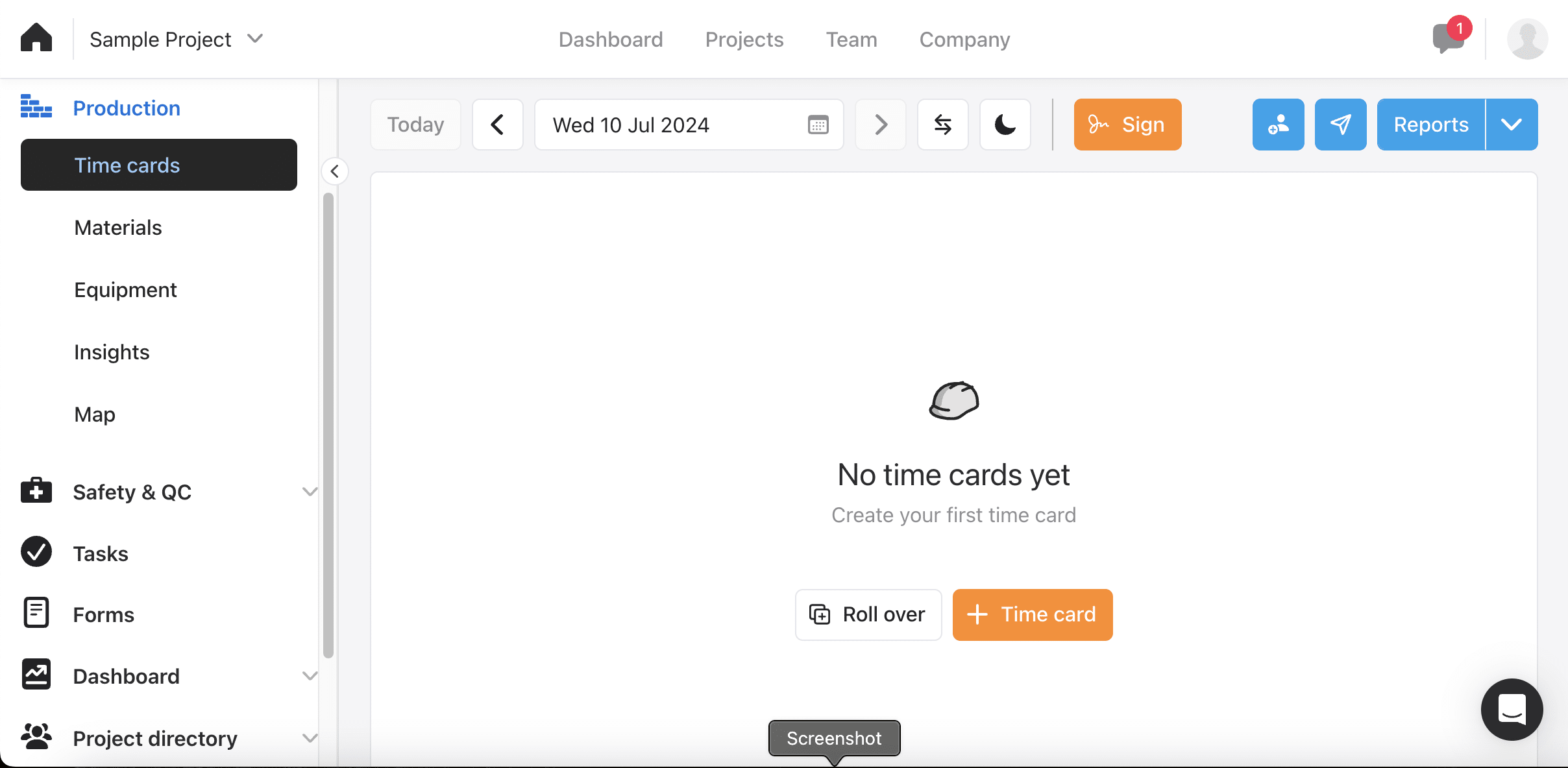
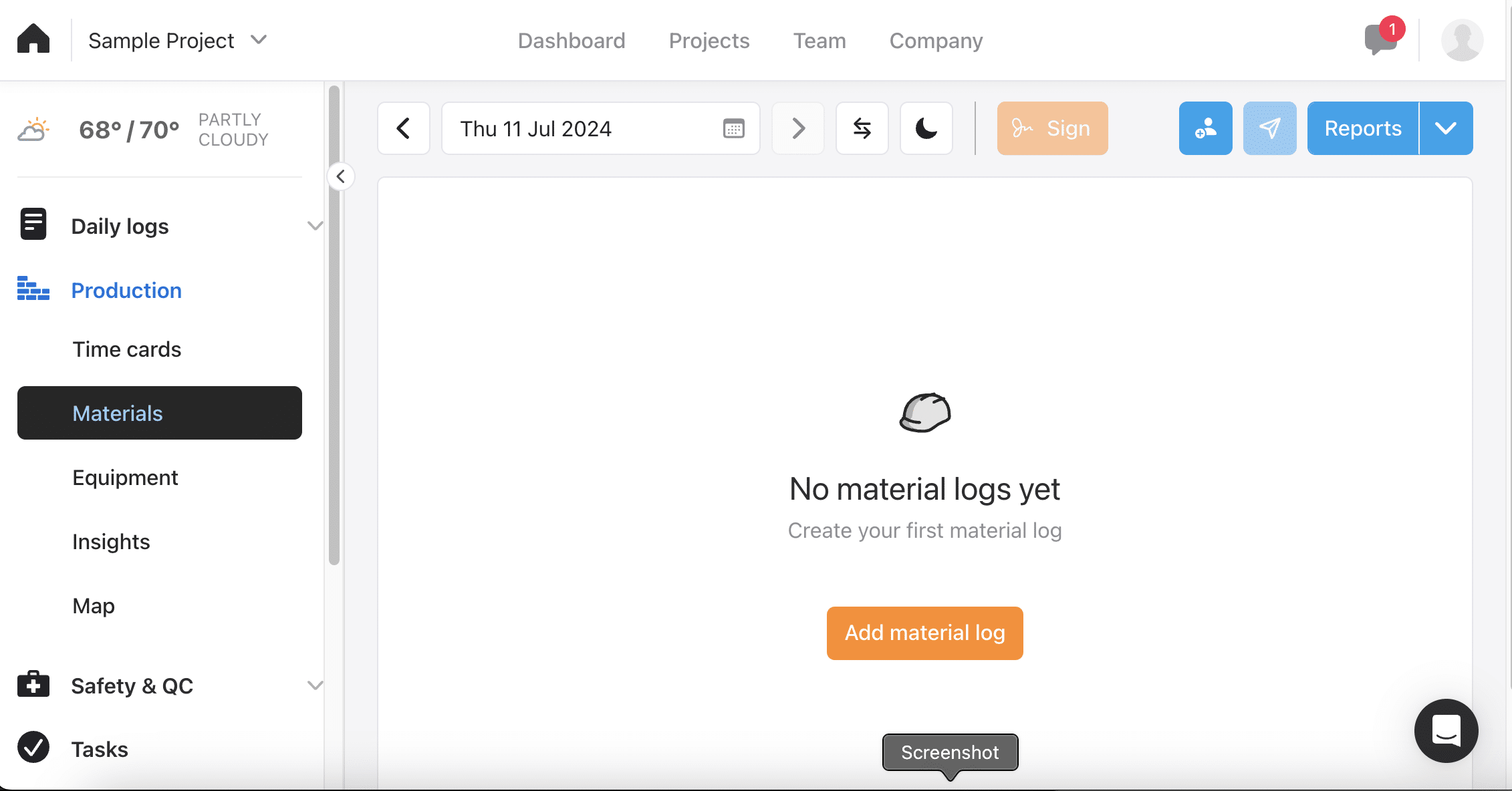
Production holds Time cards, Materials, Equipment, Insights and Map. On our trial most were empty, so we can show the structure but not a populated job.

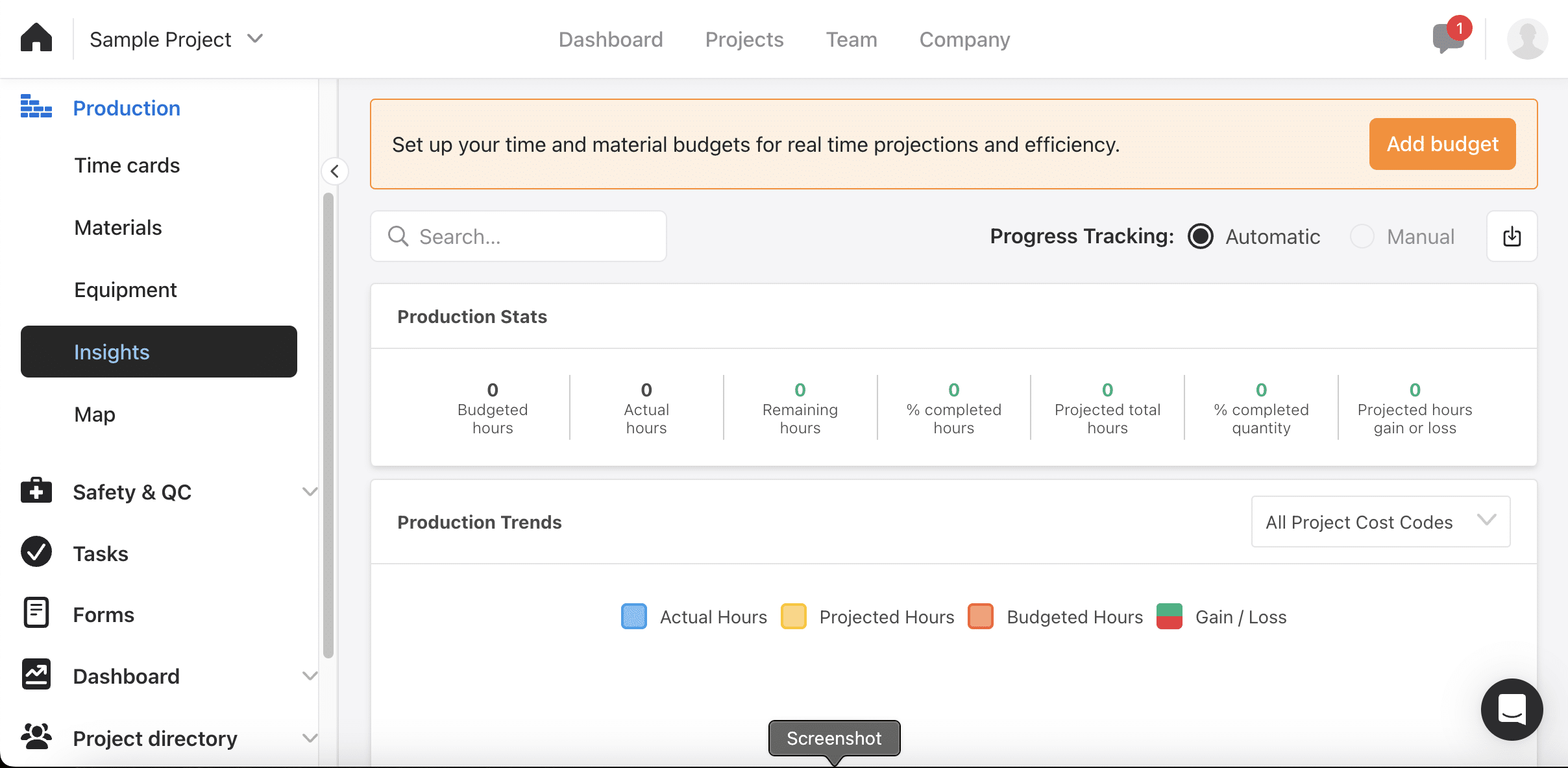
Insights is the screen that matters. It tracks budgeted, actual and remaining hours, percent completed quantity, and projected hours gained or lost.

A Production Trends chart plots actual against projected and budgeted, filterable by cost code. A banner prompts you to set budgets to turn projections on.

Budget-versus-actual labor reporting is documented for Raken and Workyard does not offer it. If you manage labour against a bid, that is a real advantage.

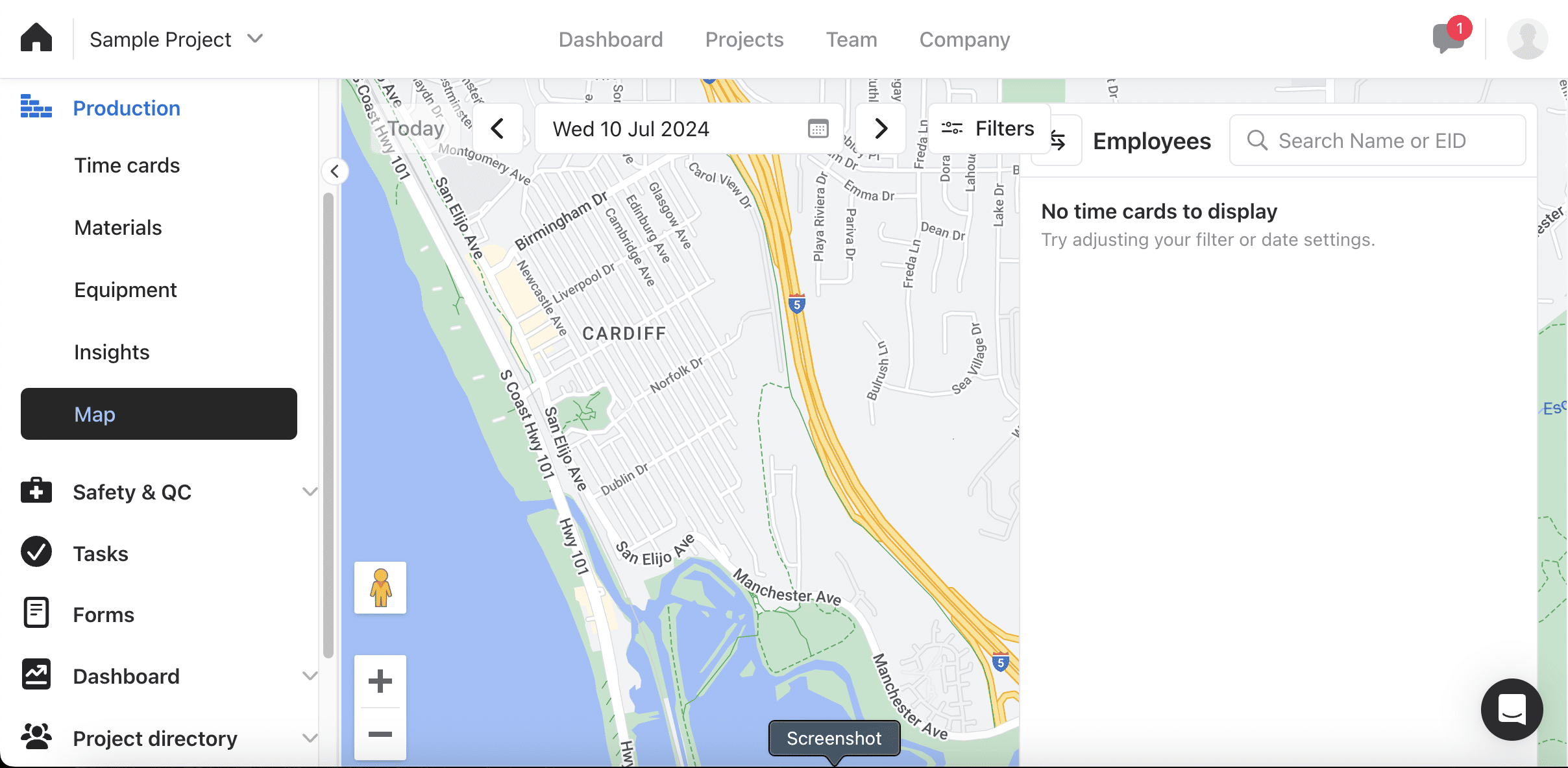
The Map view is where our trial limited us. Our feature comparison and Raken's documentation both confirm a real-time map of where the crew is now.

With no time cards on the account the map returned "No time cards to display", so treat the live crew view as documented rather than something we watched work.

Either way it is a now view, not a history. There is no breadcrumb trail across the shift and no continuous tracking behind it.

Safety and QC

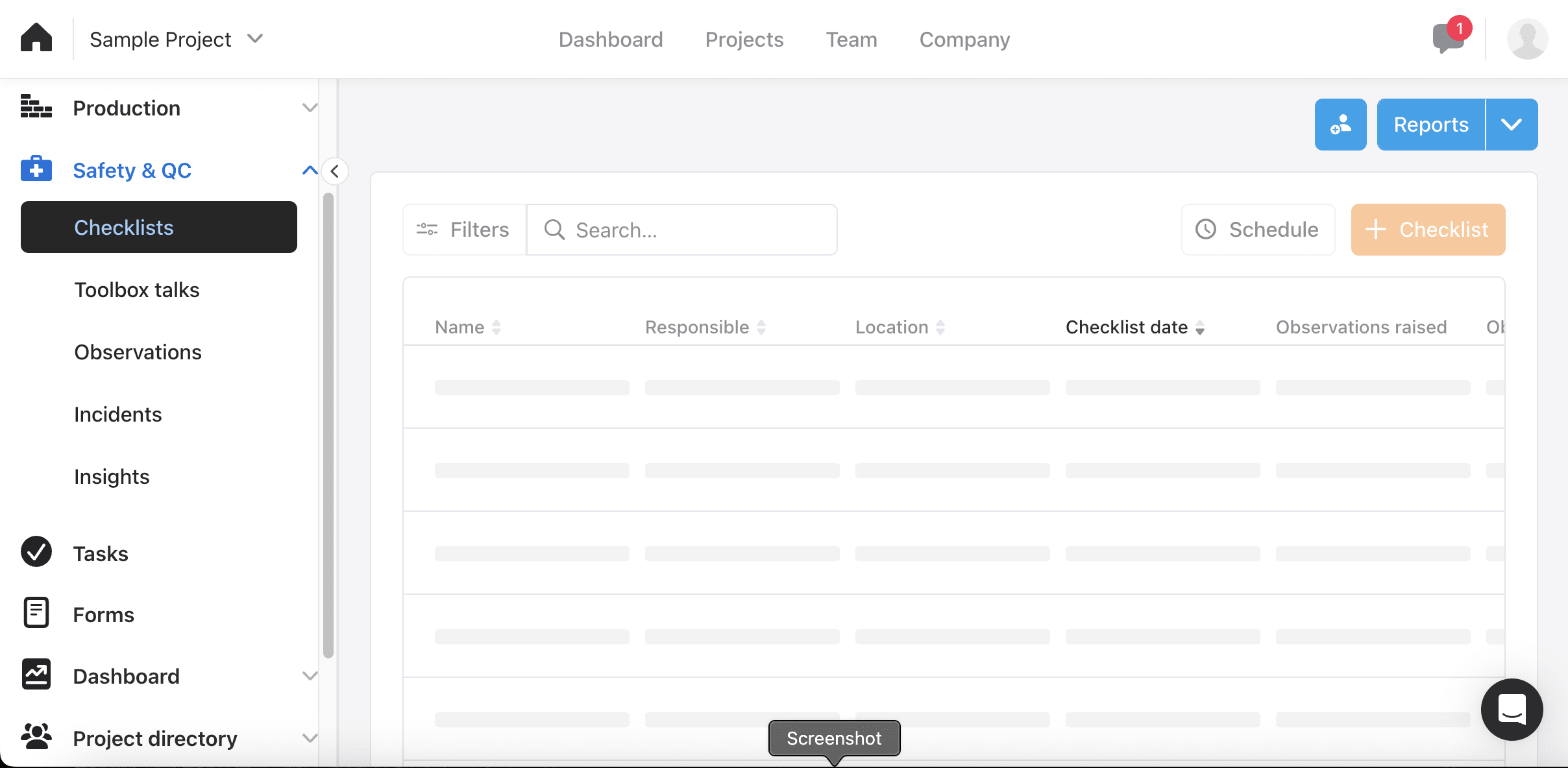
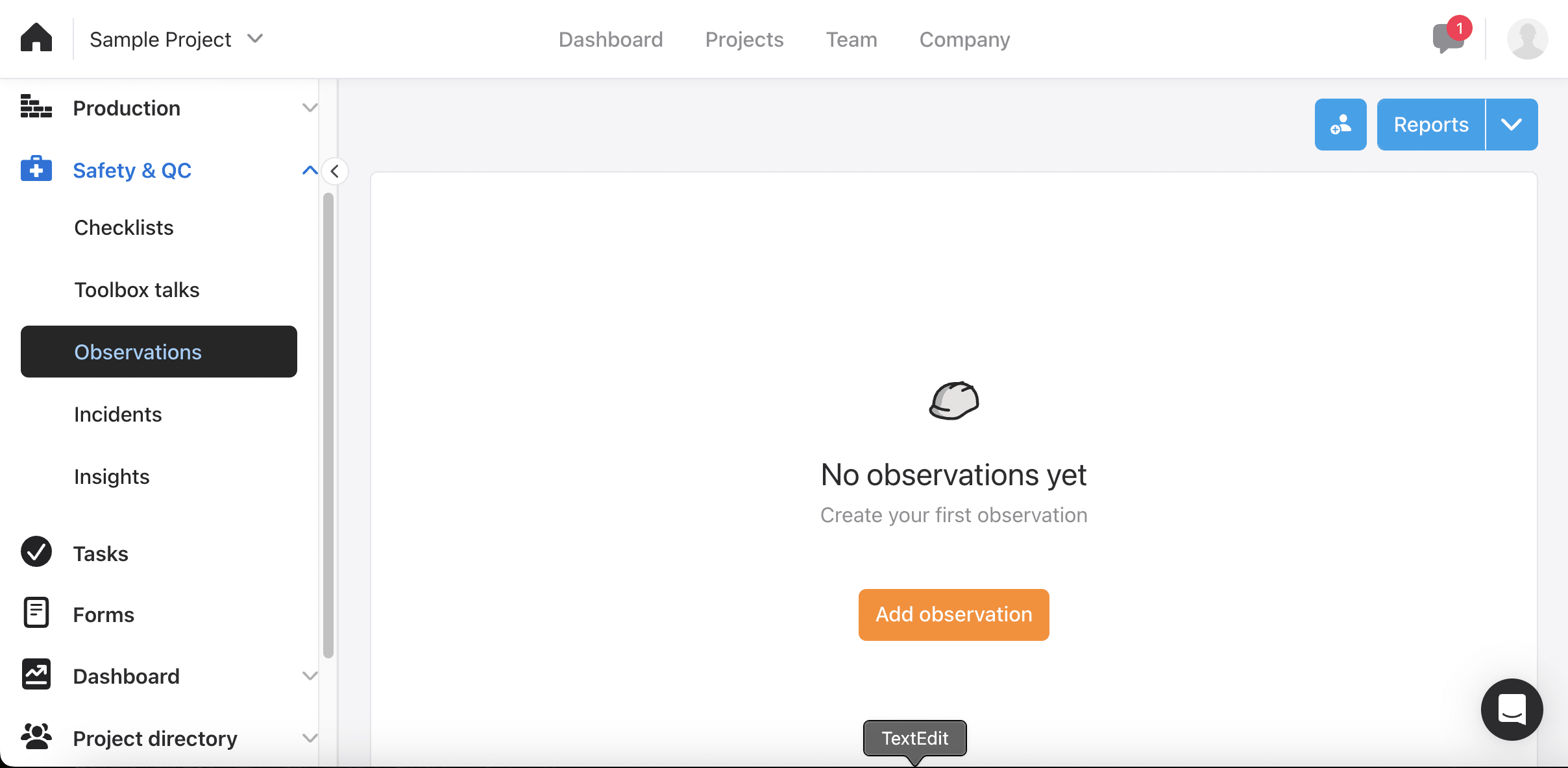
Safety & QC splits into Checklists, Toolbox talks, Observations, Incidents and Insights. Checklists carry columns for the responsible person, location, date and observations raised.

Checklists carry columns for the responsible person, location, checklist date and observations raised. Observations and Incidents record what happened on site, with date, assignee, status and attachments.

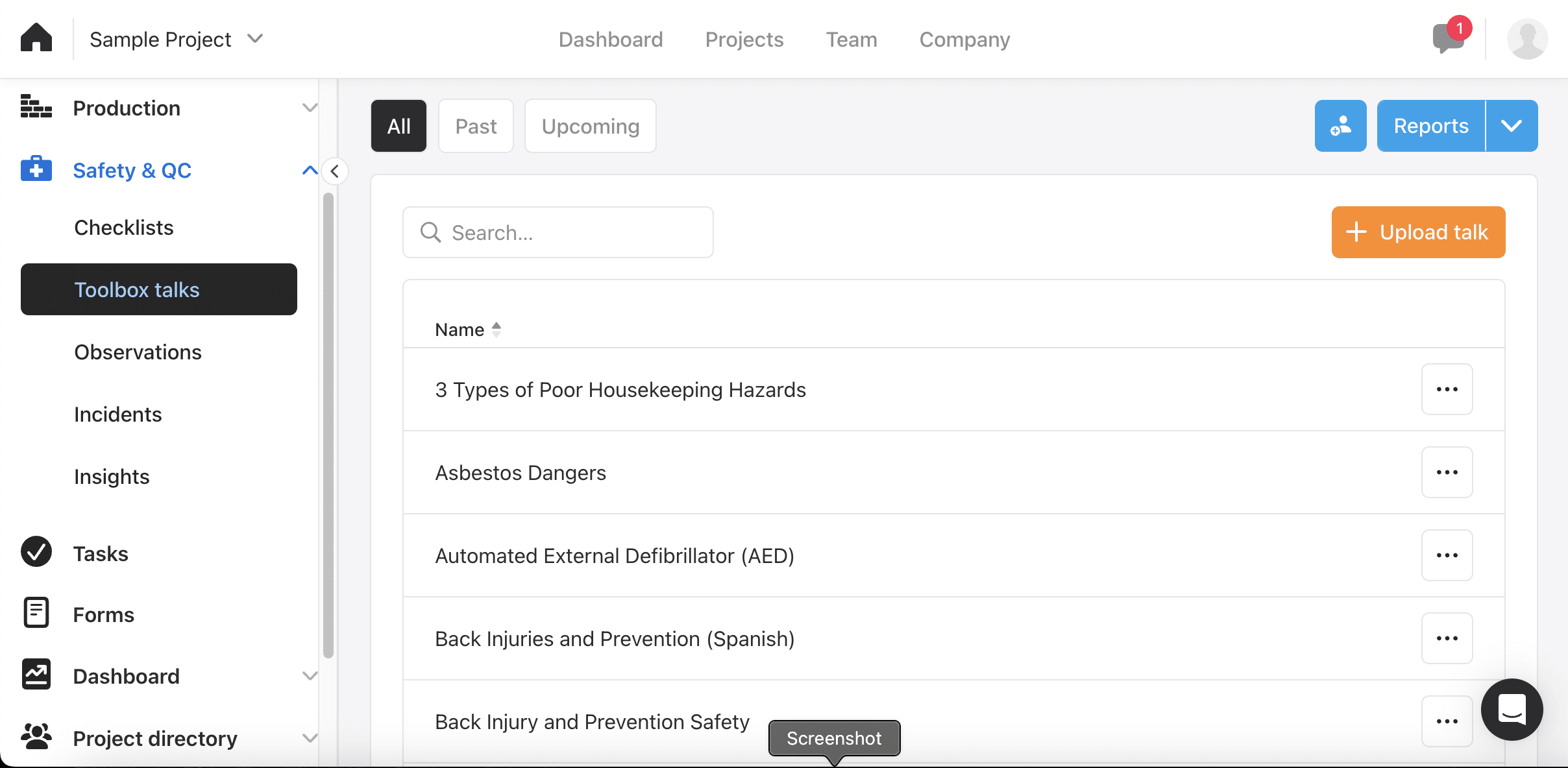
Toolbox talks arrived populated, because the content library ships with the product. Ours held prepared talks on housekeeping hazards, asbestos, defibrillators and back injuries.

One of them is a Spanish-language version of the back-injury talk. You can upload your own alongside the library.

Writing toolbox talks is the safety job that never gets done. A stocked library in Spanish as well as English is the difference between a safety programme that runs and one that exists on paper.

Workyard has safety checklists and incident reporting but no pre-built content library. This is a clear Raken win.

Tasks

Tasks lists assignments with due date, status and attachments. Contractors were more lukewarm here than on reporting, and the word that came up was generic.

Our feature comparison still credits Raken with shift confirmation by employees and attendance tracking for no-shows, neither of which Workyard offers.

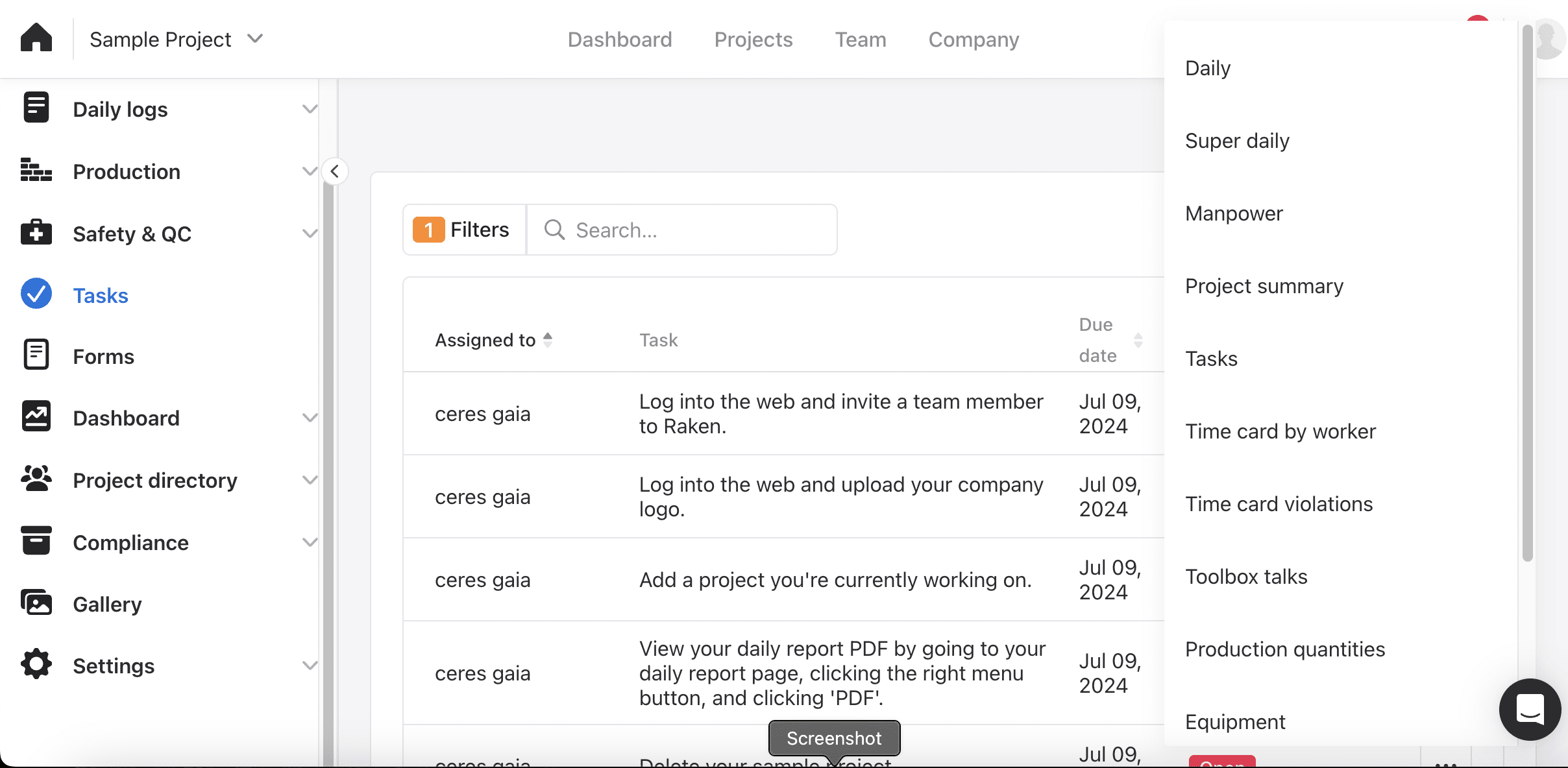
The Reports menu is the better story. From one dropdown you can generate Daily, Super daily, Manpower, Project summary, Tasks, Time card by worker, Time card violations, Toolbox talks, Production quantities and Equipment reports.

Time card violations is worth noticing on a product whose time tracking is two years old. If your deliverable is a document somebody else reads, this menu is the shortest path to it.

Forms

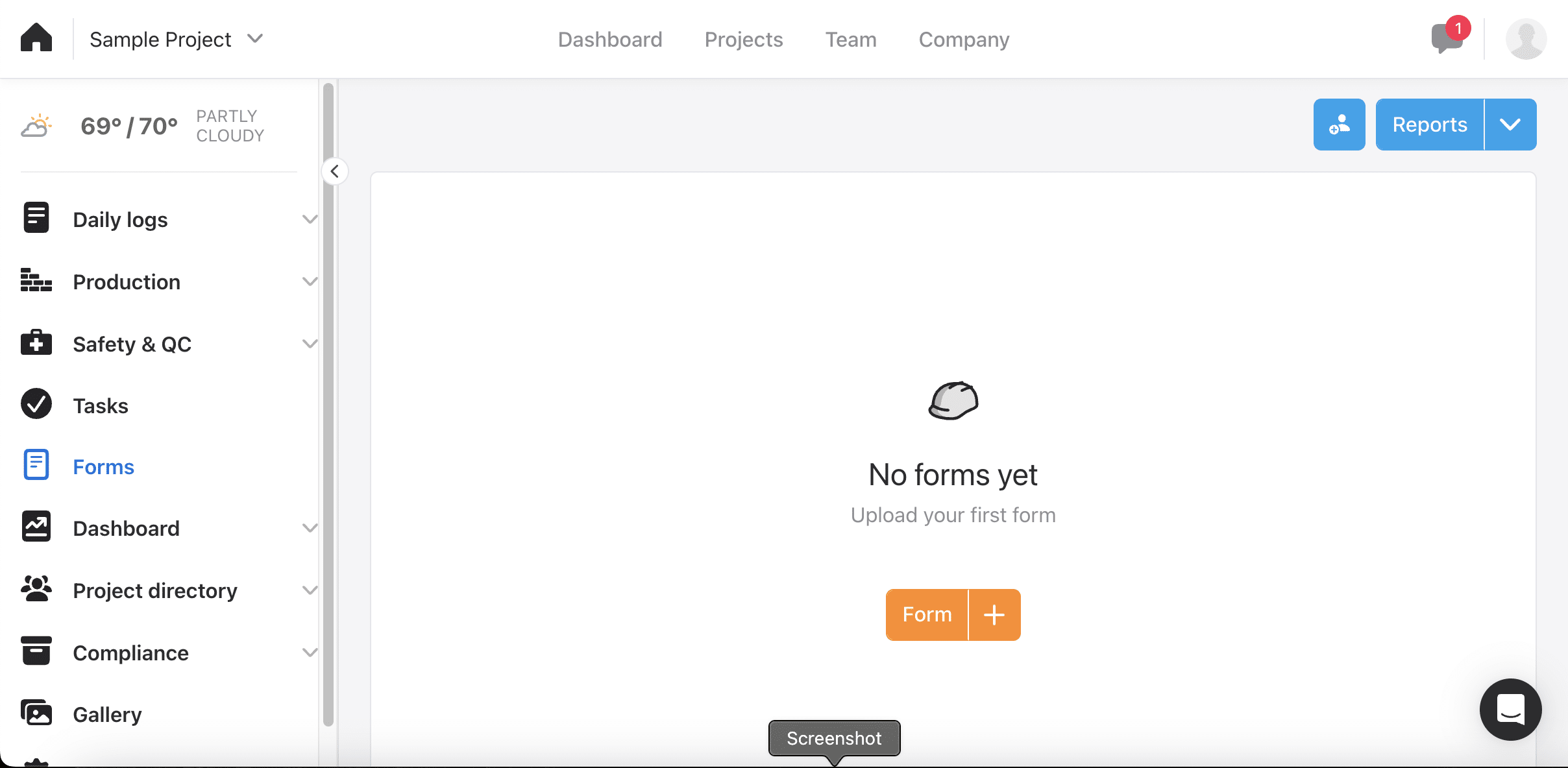
The Forms tab holds your existing forms. You can upload your own or build them from Raken's template library, and contractors praised bringing industry-specific forms in rather than rebuilding them.

Our trial started empty here, so the screenshot shows the first-run state rather than a populated library.

Raken also supports voice input for hands-free field entry and photo annotation, neither of which Workyard has. Workyard pulls ahead on what happens around the form: stamping location and time per question, and triggering a required form when a worker enters a geofence.

Dashboard

The Dashboard shows activity for the last 30 days, filterable by activity type, with a search bar. On a working account this is the office's view of whether the field is filing its paperwork.

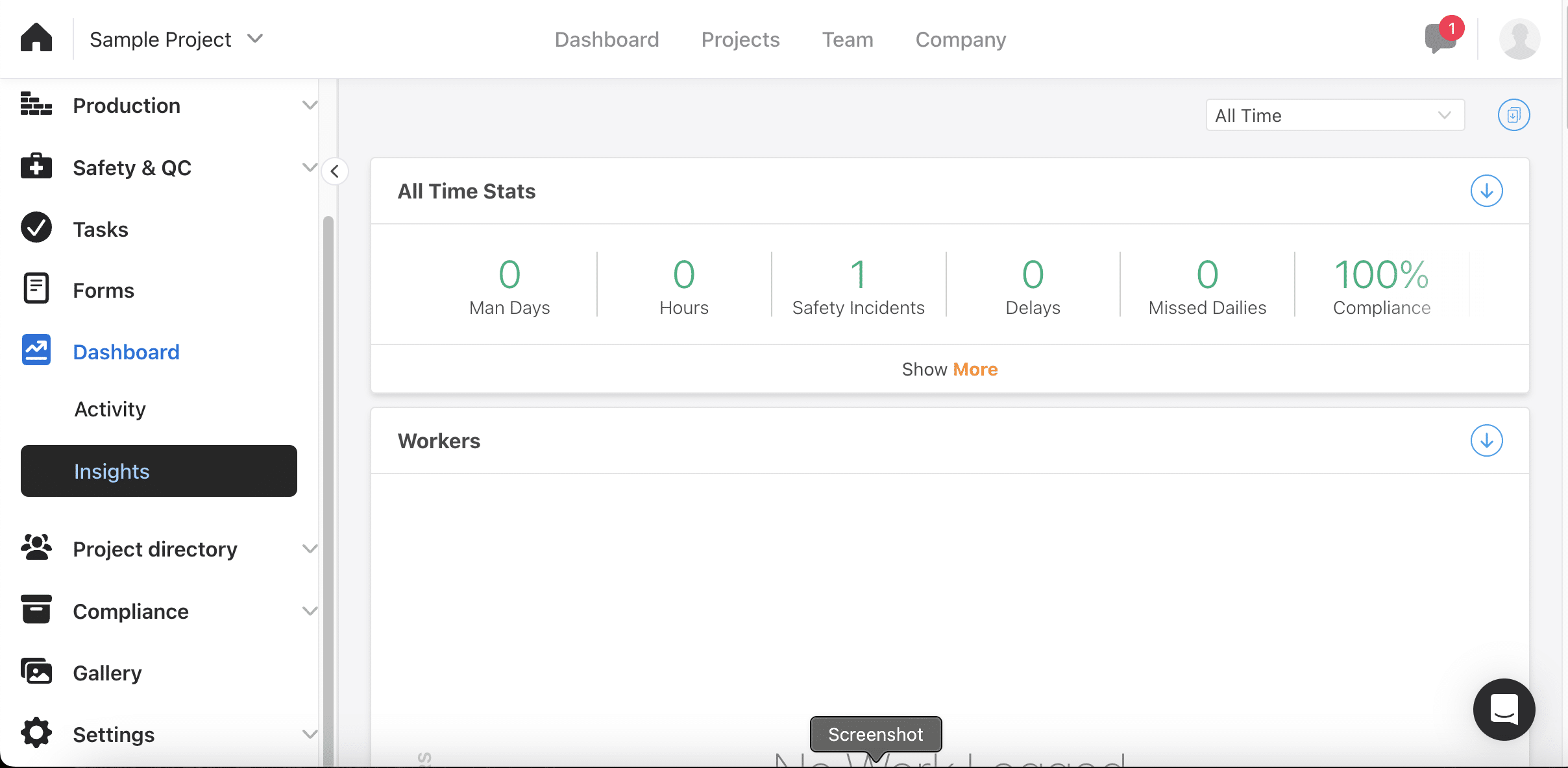
The Insights section reports all-time stats for man days, hours, safety incidents, delays, missed dailies and a compliance percentage, with open tasks and top users below.

Ours read zeros on a one-day-old trial. The metric set is the useful part: it tells you what Raken thinks a construction business should watch every week.

Project directory

Project directory lists team members, workers and collaborators with their EID, email, phone number and role. You can invite people with an optional personal message, and download the directory for export.

It splits into Team members, Workers and Collaborators. The collaborator handling matters if you are a general contractor pulling documentation from subs, since they sit in the directory without being on your payroll.

We have not published a screenshot of this screen. The only row on our trial was the tester's own account, with a live email address and phone number legible in full.

Compliance

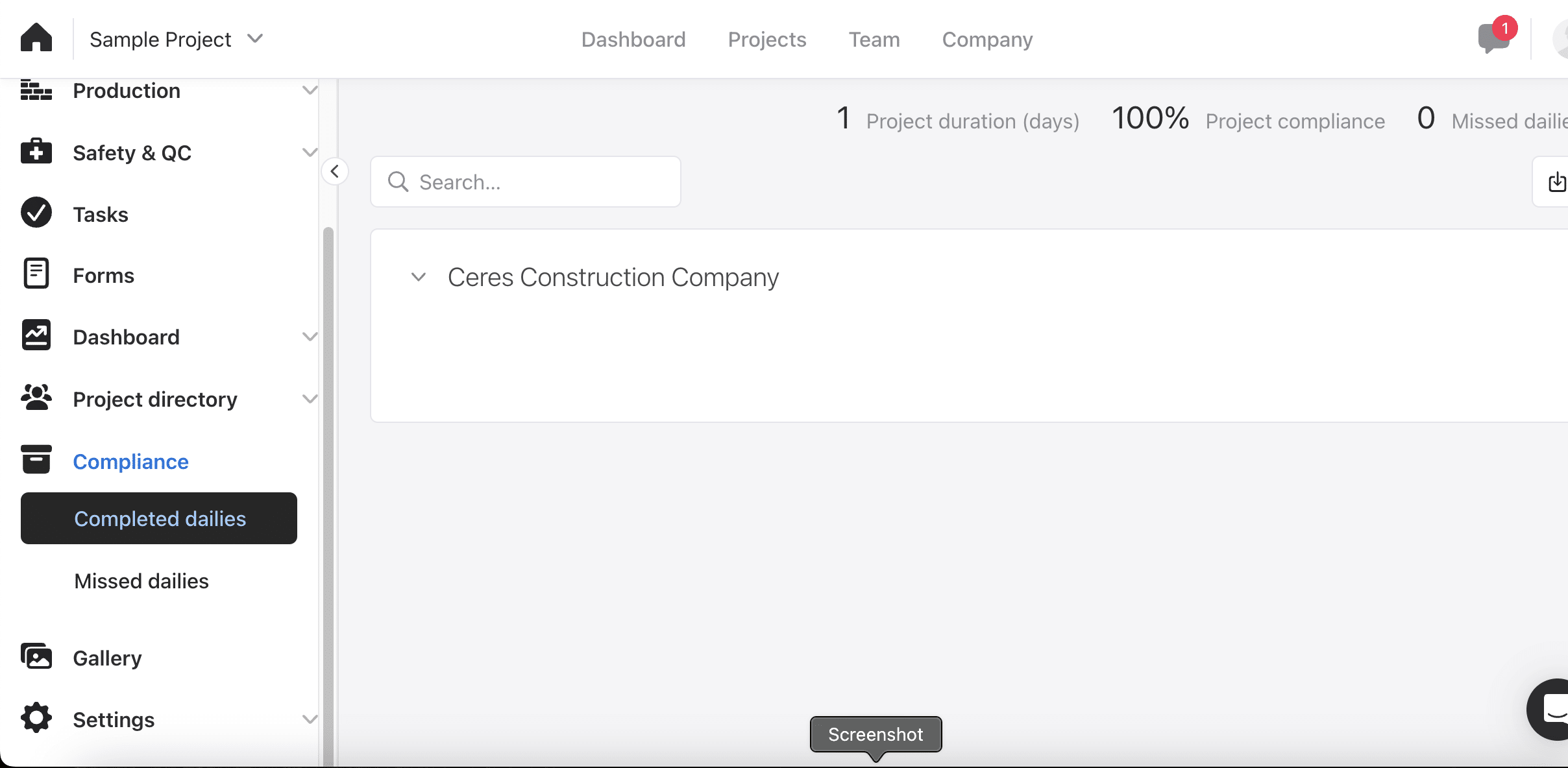
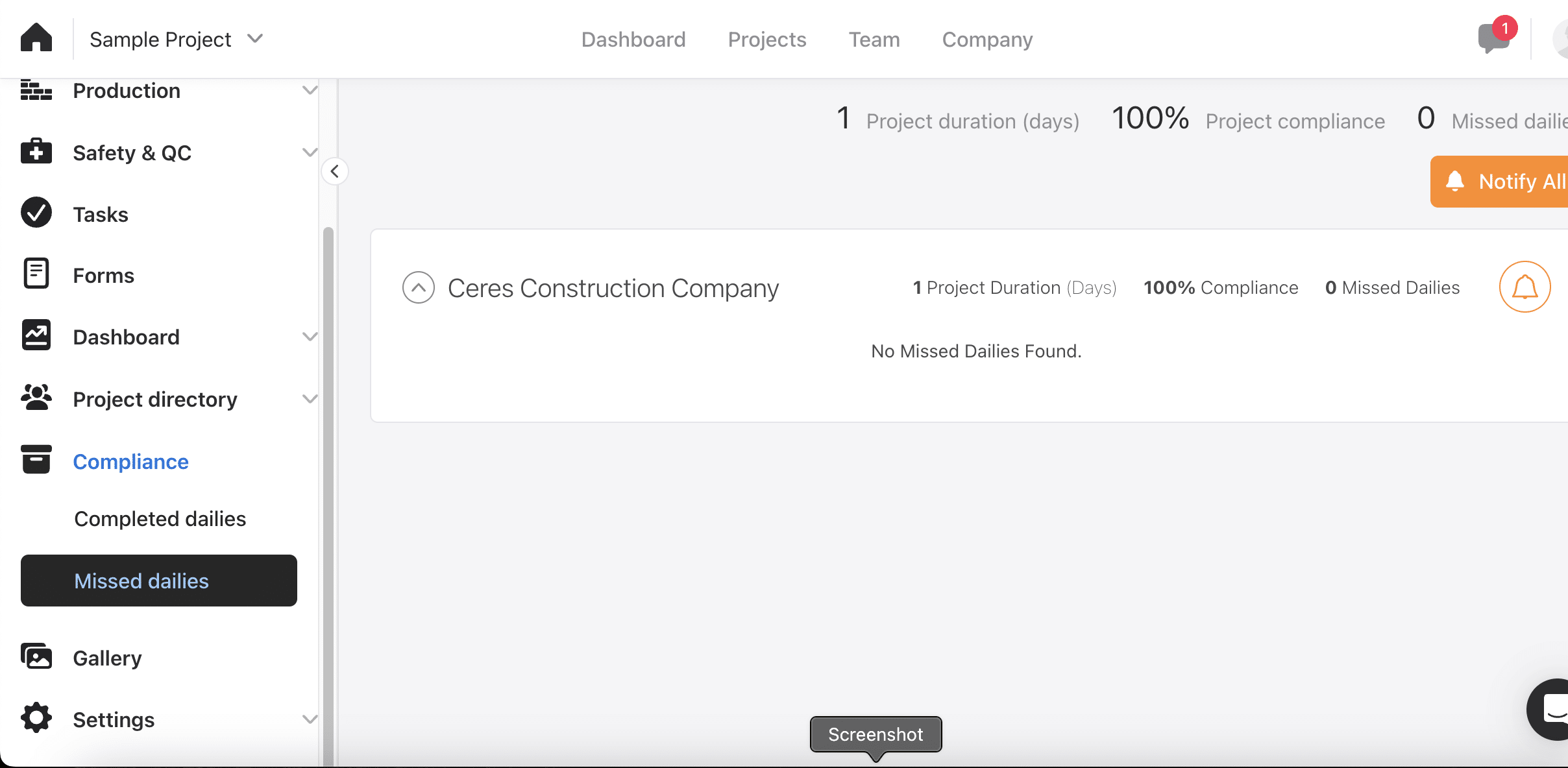
Compliance in Raken means one thing: completed versus missed dailies. It reports project duration, a compliance percentage and a missed count.

Daily reports are filed by year and month in folders and subfolders, which mirrors how an audit would ask for them.

Where dailies are outstanding, a bell icon notifies every assigned party at once. Ours read 100 percent with nothing missed, easy on a one-day-old trial and no guide to a real month.

Contractors kept mentioning long-term records. One told us Raken retains reporting data for around ten years.

Gallery

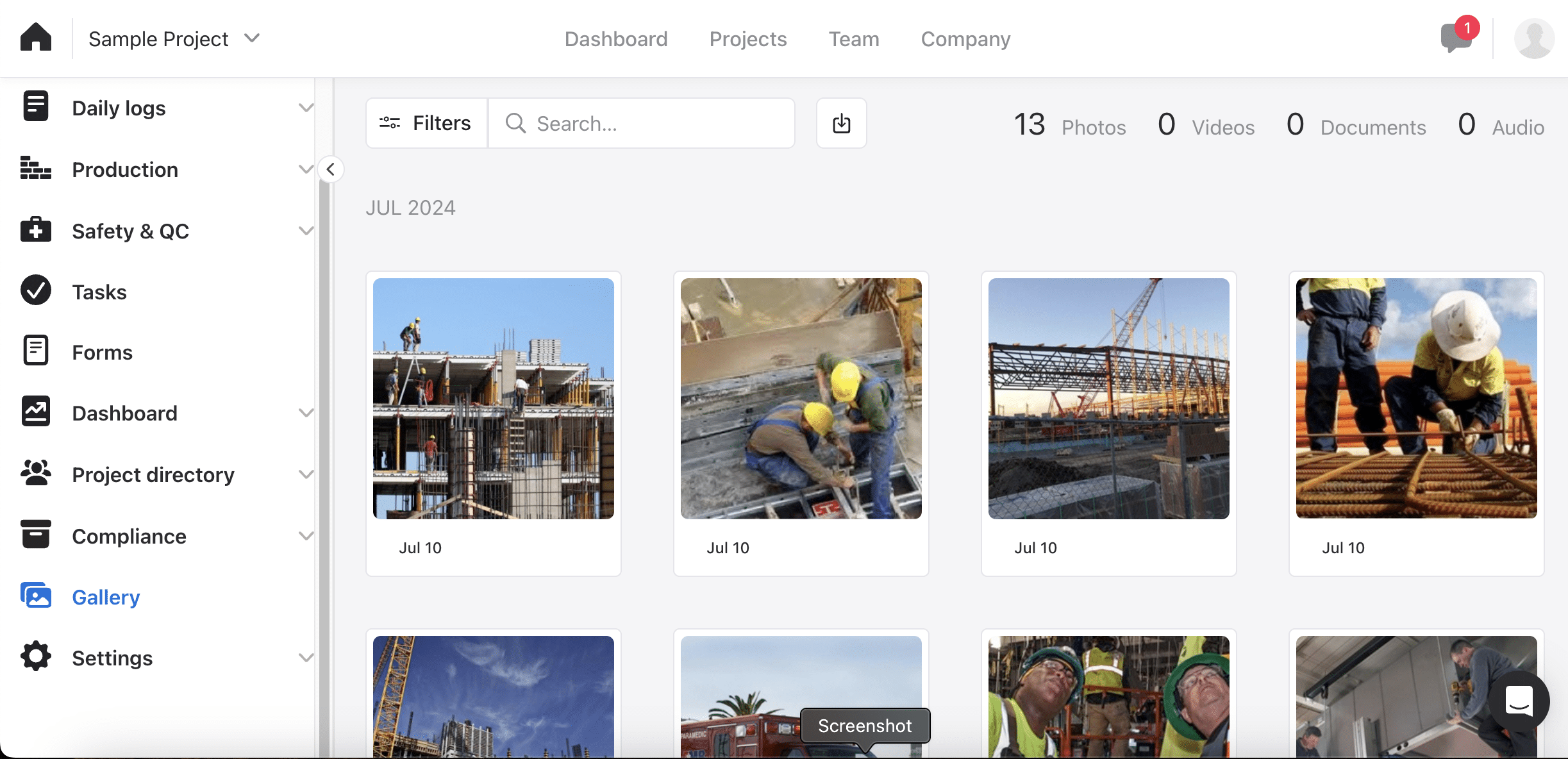
The Gallery holds photo attachments, videos, documents and audio uploaded to the account, counted by media type and grouped by month. Thirteen photos under July 2024 on ours, from the sample project.

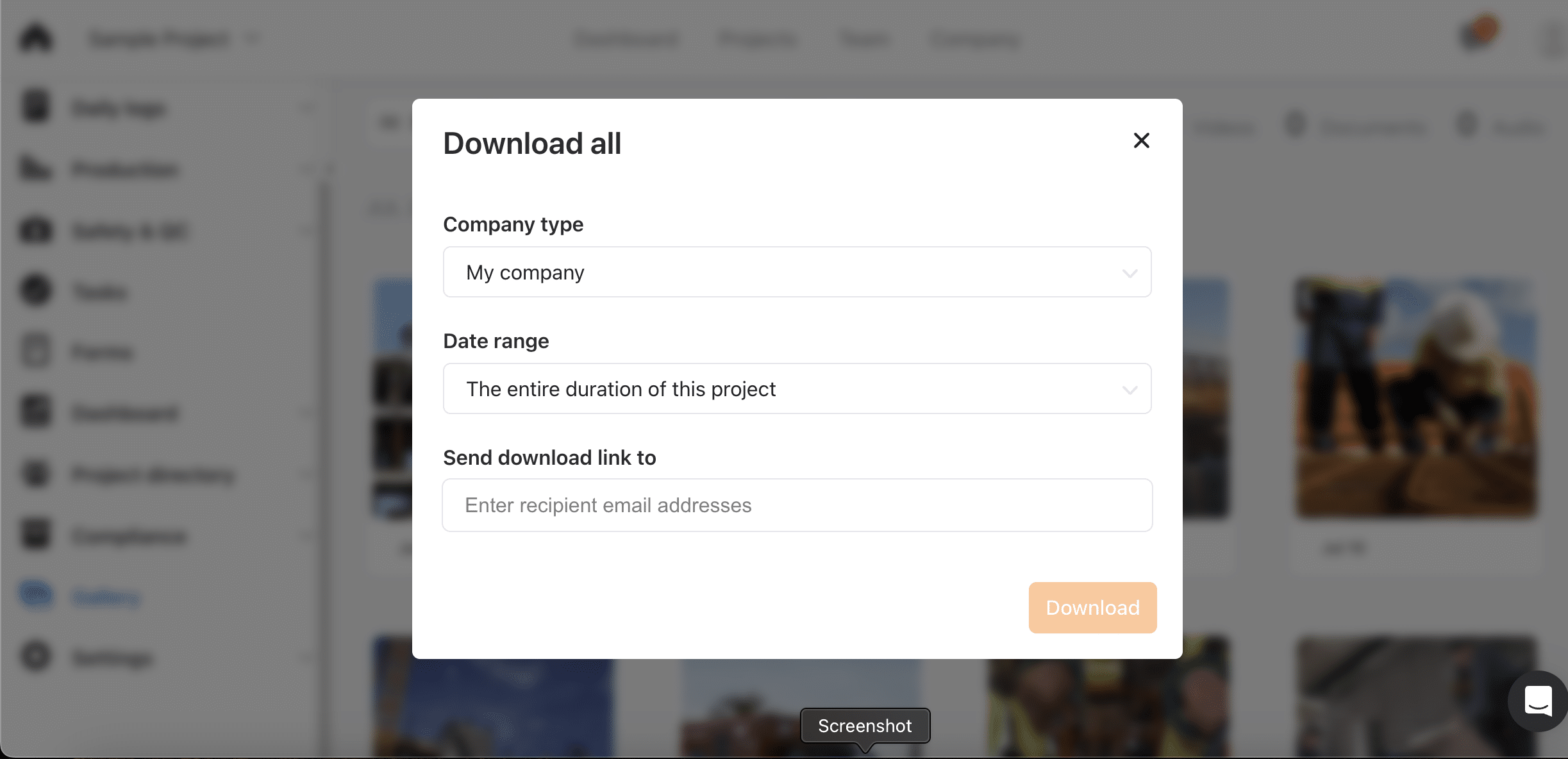
The export path is better than we expected. "Download all" takes a company type and a date range, including the entire duration of a project, and emails a download link.

Getting your whole jobsite photo history out in bulk is the difference between migrating off a platform and starting over on it. Plenty of tools make that deliberately hard.

Raken pricing

Raken publishes two tiers, though not on its main pricing page. Basic runs $23 per user per month and Performance runs $59, both billed annually with a three-user minimum. Time tracking sits on Performance, so the tier most contractors need is the expensive one.

Basic
$23/user/mo + No base fee base

Plan features:

  • Web, iOS and Android apps
  • Unlimited projects
  • Branded daily reports
  • Photo, video and attachment gallery
  • Directory and messaging
  • No time tracking on this tier
Performance
$59/user/mo + No base fee base

Plan features:

  • Everything in Basic
  • Time tracking
  • Daily progress reporting
  • Productivity and production tracking
  • Safety and quality
  • Document management

Both tiers are billed annually with a three-user minimum.

What it actually costs at scale

Comparing Raken Performance, the tier that includes time tracking, against Workyard Pro (annual). Raken is per user with no base fee. Workyard adds a $50 monthly base and discounts above 50 users.

15 employees
Raken
Performance (time tracking tier)
$885/mo ($10,620/yr)
Workyard
Pro (annual)
$245/mo ($2,940/yr)
Save $7,680/yr with Workyard
100 employees
Raken
Performance (time tracking tier)
$5,900/mo ($70,800/yr)
Workyard
Pro (annual)
$1,350/mo ($16,200/yr)
Save $54,600/yr with Workyard
300 employees
Raken
Performance (time tracking tier)
$17,700/mo ($212,400/yr)
Workyard
Pro (annual)
$3,950/mo ($47,400/yr)
Save $165,000/yr with Workyard

Raken costs substantially more than Workyard at every crew size we checked, and the gap widens as you grow because there is no base fee to amortise and no published volume break. At 300 workers the difference is $165,000 a year. The tiering is what drives it. Daily reports alone cost $23, but time tracking, production tracking and safety all sit on Performance at $59. Contractors who want the reporting and the time clock pay the Performance rate for everyone. That matches what we heard. One contractor put their spend at about $3,800 a year while using roughly a quarter of the platform.

Pricing verified August 3, 2026. Visit the Raken website for current pricing.

What contractors say about Raken

Raken is well liked on every public platform. The praise clusters on daily reporting and the support team. The complaints cluster on Android performance and paying for more platform than you use.

Capterra
4.6
248 reviews
G2
4.6
107 reviews
iOS App Store
4.7
21,966 ratings
Google Play
3.9
2,610 reviews

Star rating figures captured as of 3 August 2026.

We reviewed four sources separately instead of blending them. G2 and Capterra mostly reflect admins who chose Raken and use the web app. App store reviews come from field workers judging whether the mobile app works reliably.

The issue is not office versus field. It is iPhone versus Android. iOS users rate Raken close to admins, while Android users are much more critical. If your crews rely heavily on Android, test the app on their actual devices before committing.

Reliability complaints are still limited in scope. Of the 200 app store reviews we analyzed, 9 mentioned data loss and 8 mentioned billing issues. Most reliability complaints clustered around the 6.1.x releases in early 2026, and Raken responded publicly to many of them.

What’s working
Daily reports professional enough to send straight to a GC
Support rated 4.7 out of 5 on Capterra across 248 reviews
Pre-built safety and checklist templates, usable on day one
What’s not
Android crashes and slow loads on recent 6.1.x releases
Entries disappearing after save (9 of 200 app store reviews)
Time tracking priced at $59 per user on the Performance tier

Real Raken user reviews

We sourced verified quotes directly from the reviews, so nothing on this page is paraphrased or generalized. The result is a side-by-side view of what is working well for Raken and what doesn't.

@deke84, iOS App Store · ★★★★★

This tool is most effective at making daily reports easy and allowing one to organize the activities of the day. The fact that you can upload pictures directly not having to email them to yourself, click and drag, or put them into a file saves hours of work.

@Jauvid Moradi, Google Play · ★★★★★

Thoroughly useful project managing app. Some UI things could be improved. After the new update, the app crashes when I fill out descriptions in my checklists.

How Raken compares to Workyard

We checked 219 capabilities across both products. The totals are closer than you might expect, with Raken documented on 127 of them against Workyard's 132. So this is not a question of one product being thin. Raken is broader across reporting, documentation, safety and project management. Workyard goes deeper on location, automation and cost capture. Ten rows decide it either way.

Feature Raken Workyard
Daily reporting & field documentation Construction daily reports, photo and video with watermarks, Super Daily consolidation, automatic weather logging, editable jobsite surveys Forms and checklists tied to clock events; daily reporting is not as comprehensive
GPS record across the shift GPS stamped at clock-in and clock-out plus a live crew map; no breadcrumb trail or continuous tracking in between Continuous breadcrumb trail for the whole shift, reviewable per employee
Automatic project assignment Workers select the project; location-based reminders to clock in, but no GPS-driven allocation GPS assigns the job and cost code with no worker input, including driving time
Budget vs. actual labor reporting Budget-versus-actual reporting against cost codes, with projected hours gained or lost Labor costs auto-calculated by job and cost code; no budget-versus-actual view
Safety program management Pre-built toolbox talks library, incident capture, observation checklists, and a deficiency-trend insights dashboard Safety checklists and incident reporting; no pre-built safety content library or trend dashboard
Biometric ID at clock-in Facial recognition and biometric ID documented Clock-in photo verification on Pro plan and up
Break compliance prompts Break tracking, custom overtime rules and compliance enforcement, but no break reminder pushed to the worker Proactive break reminders to the worker plus automatic compliance trim on the time card
Payroll integrations QuickBooks Online and Desktop, Paychex, Sage, Foundation, ComputerEase, Procore, Viewpoint; no ADP, Gusto or Rippling ADP RUN and Workforce Now, Gusto and Rippling alongside QuickBooks, Sage and Foundation
Field expense management No expense management in the platform Company Visa card with per-worker limits, receipt capture at purchase, approval workflow and export to accounting
Published pricing Starts at $23/user/mo, but not published on their website $50 base + $13/user per month on Pro (annual), published, with volume discounts above 50 users

See the full Workyard vs Raken comparison

What are the key areas you should test in Raken?

Four areas where Raken's positioning and the day-to-day reality diverge most. Worth pressure-testing on a trial before you commit.

GPS time tracking

How Raken positions it

Geofencing and identity verification. Set a custom radius for your project and make sure employees aren't tracking time when they're off the jobsite.

Testing approach

The verification is real and the app will not run the clock without location access. What is missing is the record between the punches. There is no breadcrumb trail and no continuous tracking, so a mid-shift dispute has no data behind it.

The question that matters

Can you trust the GPS trail for payroll and disputes?

Time tracking

How Raken positions it

Everything in Basic, plus daily progress reporting, productivity tools, time tracking, safety and quality features, and document management.

Testing approach

It works, and capturing hours inside the daily log is a genuinely different model. The cost is the issue. Time tracking only exists on Performance at $59 per user per month, so a crew of 100 pays $70,800 a year for a capability that launched in 2023.

The question that matters

Will the pricing still make sense as your team grows?

Daily reporting and the jobsite survey

How Raken positions it

All your data is organized into a PDF with your logo, brand colors, and the day's weather. Point, shoot, and automatically attach photos and videos, plus respond to survey questions.

Testing approach

This is the strongest thing Raken does and it beats Workyard. The default survey asks about accidents, delays, weather, visitors, off-limits areas and equipment rentals, so a delay-claim file assembles itself. Test whether the PDF answers your general contractor without a follow-up call.

The question that matters

Can you pull the reports you actually need for job costing?

Payroll integrations

How Raken positions it

Connect Raken to your accounting software to automatically share time data cost codes, projects, employees, and more without having to manage the same data in multiple systems.

Testing approach

The accounting and ERP list is genuinely broad and matches ours on ten systems: QuickBooks Online and Desktop, Sage Intacct, Sage 100 Contractor, Sage 300 CRE, Viewpoint Vista, Viewpoint Spectrum, Foundation, Deltek ComputerEase and CMiC. The gap is payroll-direct. ADP RUN, ADP Workforce Now, Gusto and Rippling are all absent, so crews on those platforms export a file instead of syncing.

The question that matters

Does time data flow into your accounting system automatically?

Raken alternatives you should evaluate

Raken calls itself the all-in-one app for the field. Whether that holds depends on which field problem you have. Three alternatives that solve different halves of it:

Everything between the job site and the office, on autopilot

Best for

Contractors whose costliest problem is unverified hours and labour landing on the wrong job: where crews were, what it cost, and getting it into payroll without rebuilding it by hand

What it solves that Raken doesn’t
  • A continuous GPS breadcrumb trail across the whole shift, not just a stamp at the punch
  • Time and driving hours assigned to the right job and cost code automatically, with no worker input
  • Break reminders pushed to the worker plus automatic compliance trim on the time card
  • A company Visa card with per-worker limits and receipt capture, so field spend lands coded
Honest tradeoff

Raken is the better daily reporting tool and we would rather say so. Its photo documentation, pre-built safety content and budget-versus-actual reporting all go beyond what we offer. Workyard is also per user with a $50 base fee, so it is not the cheapest option for a very small crew.

Best for

Contractors running heavy equipment who need machine hours and equipment tracking alongside labour

Tradeoff

Reporting and safety tooling are lighter than Raken's, and the interface expects more setup before it earns its keep.

Best for

Small QuickBooks-first crews who want the simplest possible clock-in and nothing else

Tradeoff

Reporting depth and compliance automation are limited, and per-seat pricing gets punishing as the crew grows.

Best for

Teams whose only requirement is cheap, reliable clock-in across web, mobile and tablet

Tradeoff

No field documentation or safety tooling at all, and live GPS is a paid add-on rather than standard.

Best for

Deskless teams that want scheduling, chat, forms and training bundled into one low-cost app

Tradeoff

Built horizontally across many industries, so construction depth is thinner than Raken's, and there is no job costing.

Raken FAQs

The questions contractors ask us most often about Raken, answered from our testing, our conversations, and Raken's own documentation.

What is Raken?

Raken is construction management software for contractors, founded in 2014 in Carlsbad, California. It began as a daily reporting tool and has since added time tracking, production tracking, safety and quality management, and document management. Sverica Capital acquired it in September 2025.

How much does Raken cost?

Raken publishes two tiers, though not on its main pricing page. Basic runs $23 per user per month and Performance runs $59, both billed annually with a three-user minimum. Time tracking sits on Performance, so the tier most contractors need is the expensive one.

Does Raken have GPS time tracking?

Yes, with a limit. Raken stamps GPS at clock-in and clock-out, offers geofencing that can block off-site clock-ins, and shows a live map of where your crew is now. The mobile app will not run the clock without location access. What it does not record is the path in between.

Does Raken do job costing?

Yes. Raken tracks real-time labor cost by project, supports cost codes and mid-shift switching, and reports project actuals. It also offers budget-versus-actual reporting with projected hours gained or lost, which Workyard does not provide. Neither product has a full custom report builder.

Does Raken have scheduling?

Yes. Raken supports a drag-and-drop schedule builder, shift assignment, a crew overview, change notifications and recurring templates. It also handles shift confirmation and attendance tracking, neither of which Workyard offers. Contractors did tell us the task features felt generic.

Is Raken good for time tracking?

It is capable rather than deep. Mobile and offline clock-in, kiosk mode, approvals, manager edits and overtime rules are all there. Time tracking only launched in 2023, and it shows: no continuous location trail, no automatic project assignment, no mileage reporting. It also requires the $59 tier.

Does Raken handle prevailing wage and certified payroll?

Raken is documented as supporting certified payroll reporting for Davis-Bacon, and Capterra reviewers report tracking prevailing wage classifications against cost codes. On this dimension Raken may be ahead of Workyard, which captures the hours but leaves the wage calculation to your payroll system.

Does Raken integrate with QuickBooks and ADP?

QuickBooks yes, ADP no. Raken connects to QuickBooks Online and Desktop, Paychex, Sage, Foundation, ComputerEase, Procore and Viewpoint, plus CSV export and an API. ADP RUN, ADP Workforce Now, Gusto and Rippling are not supported. If your payroll runs on one of those, that gap matters.

Is there a Raken free trial?

Raken's pricing page does not advertise a free trial, and our comparison data lists none on either tier. Some reviewers describe trialling before buying, so access may come through a sales conversation rather than self-serve. Factor that into your evaluation timeline.

What are the best Raken alternatives?

It depends what you are solving. For daily reporting and photo documentation, Raken is the strongest option we have reviewed. If your problem is where crews were and what their hours cost, Workyard is built for that. busybusy suits equipment-heavy teams, ClockShark the simplest small-crew clock-in.