




Construction crews rarely work from one fixed location, so time theft is harder to spot than a bad punch on an office clock. Padded hours, off-site clock-ins, missed clock-outs, and buddy punching can all reach payroll before the office has enough context to question them.
For contractors, the bigger problem is record quality. The same bad time entry can inflate payroll, distort job costing, and create disputes about where and when work happened. Construction time tracking software can help reduce that risk. The stronger setups combine location verification, identity checks, exception review, and clear correction rules.
What is time theft at work?
Employee time theft is paid time that does not reflect work actually performed. Buddy punching is one form of time theft. The broader problem also includes padded hours, off-site punches, and incorrect job time.
Common forms of time theft in construction
Common examples on construction crews include:
- Clocking in before reaching the job.
- Staying clocked in after leaving.
- Adding time to a manual time card at the end of the week.
- Remaining on one job or cost code after moving to another.
- Clocking in for a coworker who is not there.
- Using a shared kiosk or login for another worker.
When false reporting is deliberate, contractors may describe it as time clock fraud or timesheet fraud. Wrong-location clock-ins can also be mistakes, so review the record before deciding intent.
The phrase “wage theft” should not be used as a synonym for worker time theft. Wage theft usually refers to an employer failing to pay wages that workers are legally owed. If worker misconduct may involve fraud or another crime, the legal answer depends on the facts and state law.
Why inaccurate time records matter
Time theft becomes harder to control when crews move between jobs and the office cannot verify what happened until payroll. In Workyard’s analysis of 1,307 pain findings from 187 prospect transcripts, 71 findings involved hour padding or time theft. Thirteen involved buddy punching at shared devices. These findings are directional and do not estimate construction-industry prevalence.
Accurate records also matter for wage-and-hour compliance. Under the Fair Labor Standards Act, covered employers must keep accurate records of hours worked and wages earned. The U.S. Department of Labor does not require a specific timekeeping method, but the records still need to be complete and accurate.
For contractors, the immediate business issue is simpler: bad time records can raise payroll costs and distort job-cost data at the same time.
What is buddy punching?
Buddy punching is when one worker clocks in or out for another worker. It can happen on a paper sheet, shared kiosk, mobile app, or web clock.
Buddy punching is harder to spot when crews start at different locations or move between jobs. A time stamp alone does not prove that the right worker was at the right job.
That is why buddy punching has two separate questions:
- Was the worker at the job? Location controls answer this.
- Was it the right worker making the punch? Identity controls answer this.
A reliable prevention process needs both kinds of evidence. Location controls help verify where the punch happened. Identity controls help verify who made it.
How do you stop construction workers from padding their hours?
Start by replacing self-reported time with records that show what happened in the field. Then review the exceptions before payroll.
For most contractors, that means using four controls together. Each one addresses a different failure point: verify location, verify identity, limit bypasses, and review exceptions before payroll.
1. Verify where the clock-in happened
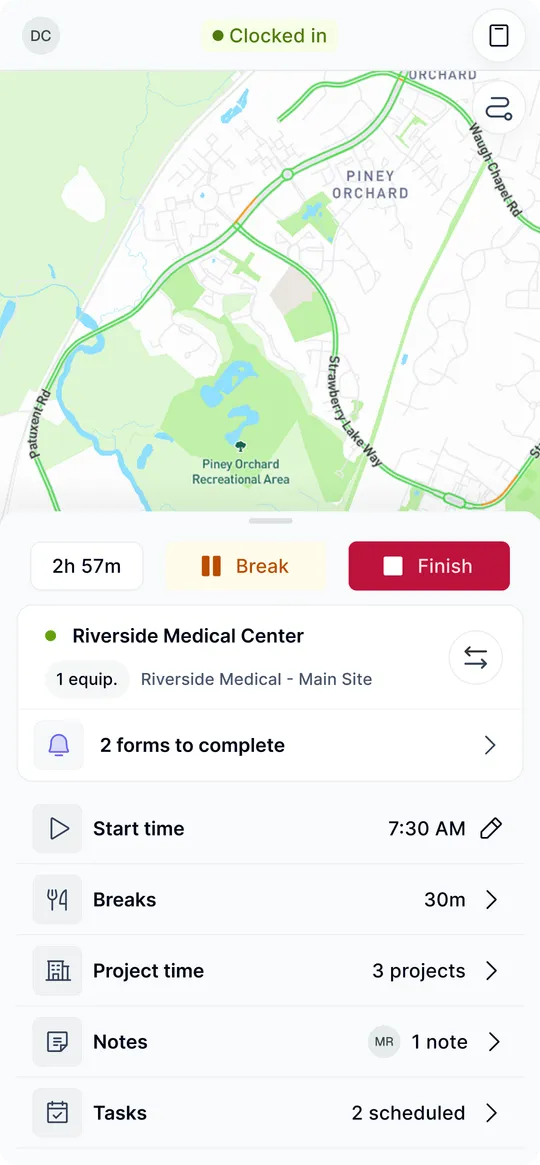
GPS verification can show where a punch occurred. Continuous GPS tracking can also document job arrivals, departures, and movement while a worker is clocked in. When comparing employee GPS tracking apps, check whether location is captured only at punch time or throughout the shift.
Geofencing adds a boundary around a job. Depending on the app and settings, a geofence can block off-site punches, flag them, or remind the worker to clock in.
Do not assume every geofence blocks an off-site punch. Some apps block it, some flag it, and others only remind the worker.
That distinction matters when evaluating software. Ask vendors what happens when a worker tries to clock in from the wrong place.
2. Verify who is making the punch
GPS proves where the device is. It does not always prove who is holding it.
Identity checks can include a PIN, worker-specific login, photo clock-ins, device authentication, or facial recognition. These are not the same thing.
Photo verification, face detection, and facial recognition solve different problems. A stored clock-in photo gives a supervisor evidence to review later. Face detection confirms that a face is present. Facial recognition attempts to match that face to an enrolled identity.
Ask vendors which method they use, what data is stored, and who reviews exceptions. The distinction matters for both identity verification and worker privacy. For a broader look at verification methods, see our biometric time clock comparison.
3. Remove easy ways to add false time
A good control can still fail if workers can bypass it.
Review whether workers can:
- Clock in from a browser without location data.
- Punch outside a geofence.
- Edit their own past time cards.
- Use another worker’s PIN or shared login.
- Skip selecting the job that carries the geofence rule.
- Stay clocked in after leaving a job.
The goal is not to make honest corrections difficult. Crews will miss punches. Phones will lose signal. Jobs will change mid-shift.
Give workers one documented correction path. Require enough detail for a supervisor to review the change. That keeps an honest correction from becoming a workaround.
4. Catch exceptions before payroll
Waiting until Friday to discover a questionable time card makes the investigation harder.
Use daily or pay-period alerts for:
- Off-site punches.
- Unusually early starts.
- Missed clock-outs.
- Long gaps between job locations.
- Time assigned to the wrong job.
- Photo or identity verification failures.
- Manual edits after the shift.
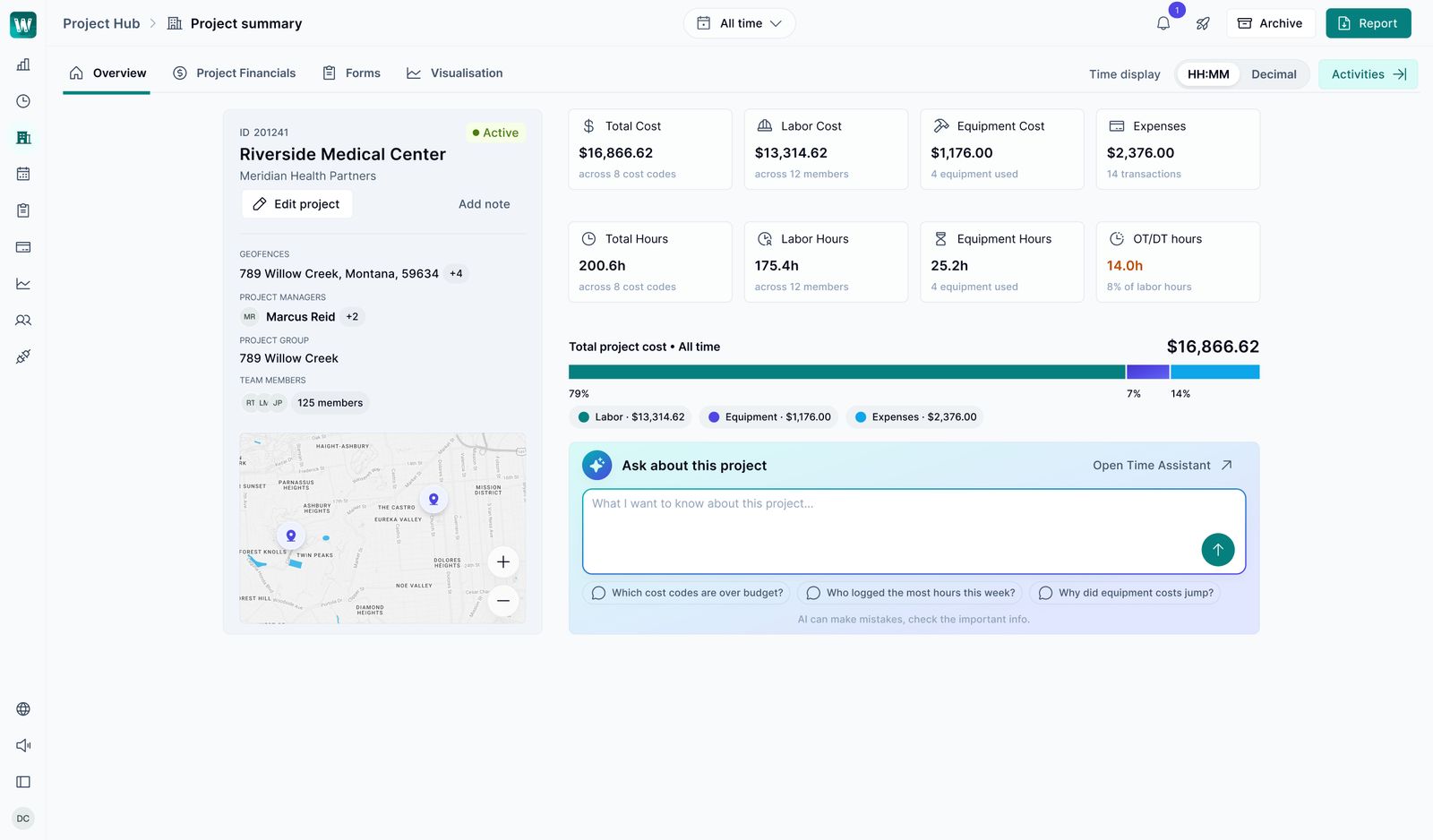
The office should review exceptions, not rebuild every worker’s week from scratch. That review process is what turns location and identity data into a usable payroll control. Workyard’s Timekeeping Agent gives admins another way to review and correct time-card exceptions before payroll.
When choosing a system to support these controls, compare punch clock apps.
Related in WorkyardTrack time accurately with WorkyardGPS auto clock-in, a kiosk time clock and one-tap clock-in for your whole crew.What’s the best construction time clock app to stop my crew from buddy punching?
There is no single best construction time clock app for every crew. Choose the app whose location and identity controls match how workers clock in and move between jobs. Workyard, Buddy Punch, busybusy, ClockShark, ExakTime, Raken, QuickBooks Time, and Connecteam use different combinations of those controls.
Start with the risk you need to control. A geofence can address off-site punches but cannot prove who held the phone. Photo or identity checks address a different problem. A kiosk may suit one fixed entry point but becomes harder to manage across moving crews.
How common construction time clock apps handle buddy punching controls
| App | Location controls | Identity and buddy-punching controls |
|---|---|---|
| Workyard | GPS, geofences, restricted clock-in, auto clock-in | Phone-linked accounts, optional facial photos; face detection, not facial recognition |
| Buddy Punch | GPS punch locations, real-time GPS, configurable geofences | PINs, QR codes, punch photos, Face ID options |
| busybusy | GPS punch records, project geofences; on-site verification can block outside punches | Kiosk PINs, optional photo verification |
| ClockShark | GPS breadcrumbs, geofence reminders | Photo verification and advertised facial-recognition features |
| ExakTime | Mobile GPS, geofencing, GeoTrakker | FaceFront photo capture |
| Raken | Geofencing can block, flag, or remind workers | AI Photo ID can match a clock photo to a profile |
| QuickBooks Time | GPS tracking, geofence reminders; outside punches can be allowed with a note | No identity-specific control verified in the sources reviewed |
| Connecteam | Geofences, GPS breadcrumbs, auto clock-out | Kiosk PINs, selfie checks, new-device alerts |
If payroll export is part of the buying decision, verify the exact connector, fields, approval workflow, and edit history supported by each app. For a broader vendor shortlist, see our construction time clock apps comparison. The goal is to choose controls that match the way your crews actually work, not the longest feature list.
For contractors weighing fixed jobsite kiosks against mobile GPS and identity checks, our guide to the best SmartBarrel alternatives compares other construction-focused options.
How does Workyard prevent buddy punching and false time entries?
Workyard combines several controls rather than relying on one check.
Key controls include:
- Geofence rules can require assigned workers to be inside a job boundary before a manual clock-in.
- Auto Clock In can start a shift when the system detects a worker entering a job geofence. It requires location permissions and internet access.
- Optional clock-in and clock-out photos provide identity evidence. The app checks that a face is present, but it does not use facial recognition.
- Continuous GPS tracking records location while workers are clocked in.
- Project-time rules can assign labor to jobs and cost codes using location data.
- Auto Fill Clock Out Time can trim a late manual clock-out to the worker’s last project exit when enabled.
These controls also affect job costing because verified hours are more useful when they reach the correct job and cost code.
Wagler Custom Homes saw that connection. The commercial framing contractor had nearly 200 workers across several states. Its old process included time-stamped photos, manual logs, and an unreliable app.
After switching to Workyard, the company reported eliminating buddy punching and improving payroll accuracy fivefold. The Wagler Custom Homes case study also reports better labor-cost visibility by phase.
For contractors already using Workyard, the same verified labor data can feed job costing and payroll preparation. If you use Paychex, see the Workyard Paychex integration for the current export workflow. That broader connection matters when time tracking is part of the contractor’s operating workflow.
How does accurate time tracking protect payroll and job margins?
Time theft does not stop at payroll. The same bad hour can hit the wrong job, wrong cost code, or wrong billing record.
A worker who stays clocked in 30 minutes after leaving creates extra payroll. On a fixed-price job, those minutes also overstate labor cost. On a T&M job, they may create a billing record the contractor cannot defend.
The best time-theft controls connect four records:
- Who worked.
- Where the work happened.
- When the work happened.
- Which job and cost code received the time.
The U.S. Department of Labor does not require a particular time clock. It does require accurate records of hours worked for covered non-exempt workers. For contractors, accurate field capture also gives job costing a cleaner starting point.
Accurate field time gives construction job costing a cleaner labor-cost starting point and makes it easier to investigate a questionable payroll entry.
What should a construction time-theft policy include?
Keep the policy short enough that crews will read it.
Include:
- What counts as false or dishonest time reporting.
- A clear ban on clocking in or out for another worker.
- Which devices and methods workers may use.
- When GPS or photos are collected.
- How workers report a missed punch or incorrect time card.
- Who can edit time and how edits are recorded.
- How suspected violations are reviewed.
- The disciplinary process.
- A statement that workers must still be paid for all hours actually worked.
Monitoring rules should be just as clear as clock-in rules. Tell crews what location or photo data is collected, when collection starts and stops, and who can review it.
Research on electronic monitoring also supports that approach. Brinson et al. (2024) linked privacy concerns with stronger reactance and lower job satisfaction. Wolff et al. (2024) examined how electronic performance monitoring can contribute to feelings of privacy invasion. Neither study examined construction GPS time clocks specifically.
Do not write a policy that encourages managers to delete or reduce time without establishing what actually happened. The employer remains responsible for accurate wage and hour records.
For state-specific tracking and privacy questions, get legal advice before rollout. State rules can add notice, consent, privacy, biometric, and off-duty tracking requirements. Our guide to GPS tracking laws for employees outlines which state rules matter.
Final takeaway
The most effective time-theft control is a time record the office does not have to reconstruct later.
For construction crews, that record should answer four questions: who worked, where, when, and on which job. GPS and geofences handle location. Identity checks reduce buddy punching. Job and cost-code assignment keeps the same verified hours useful for payroll and job costing.