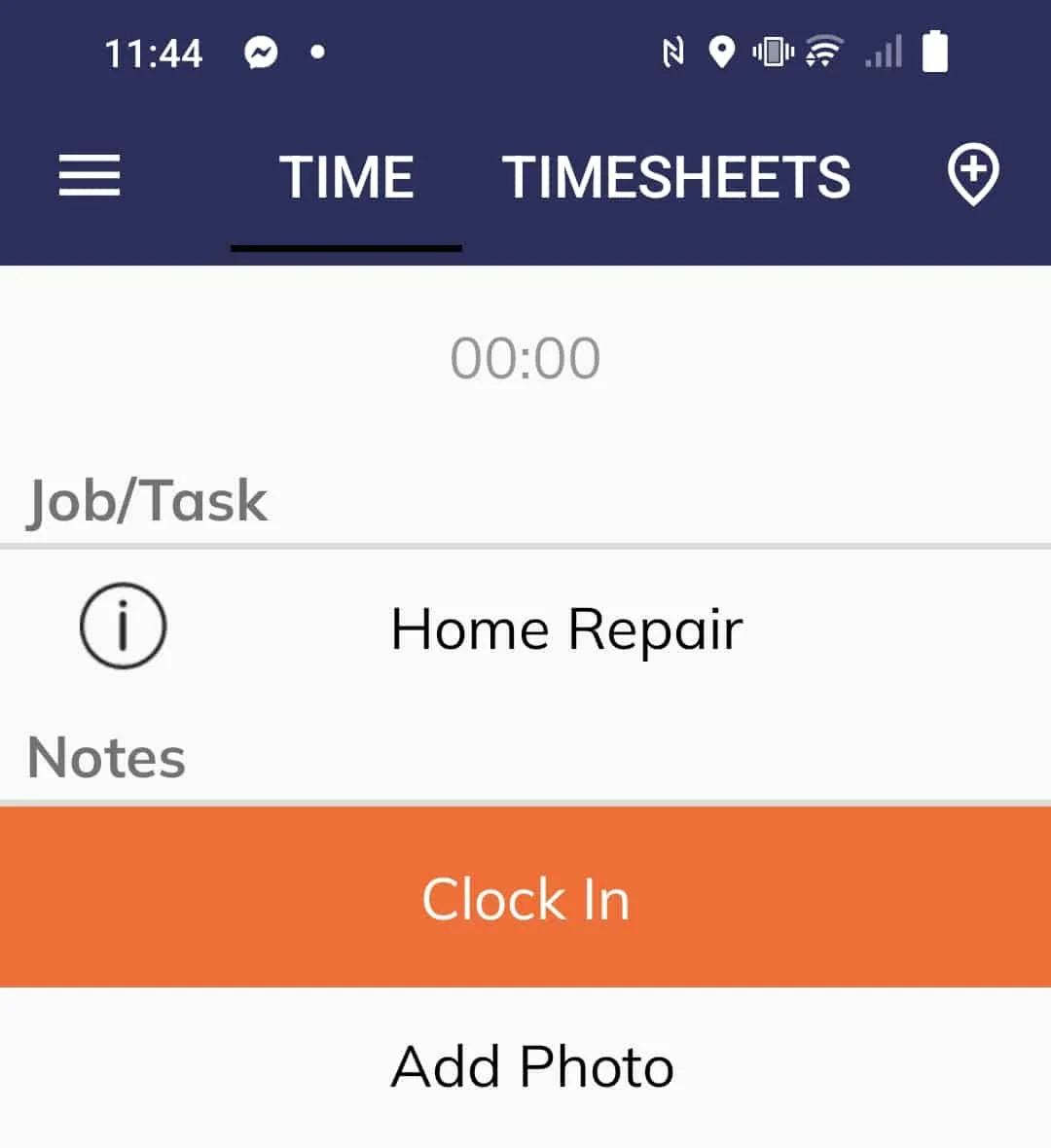
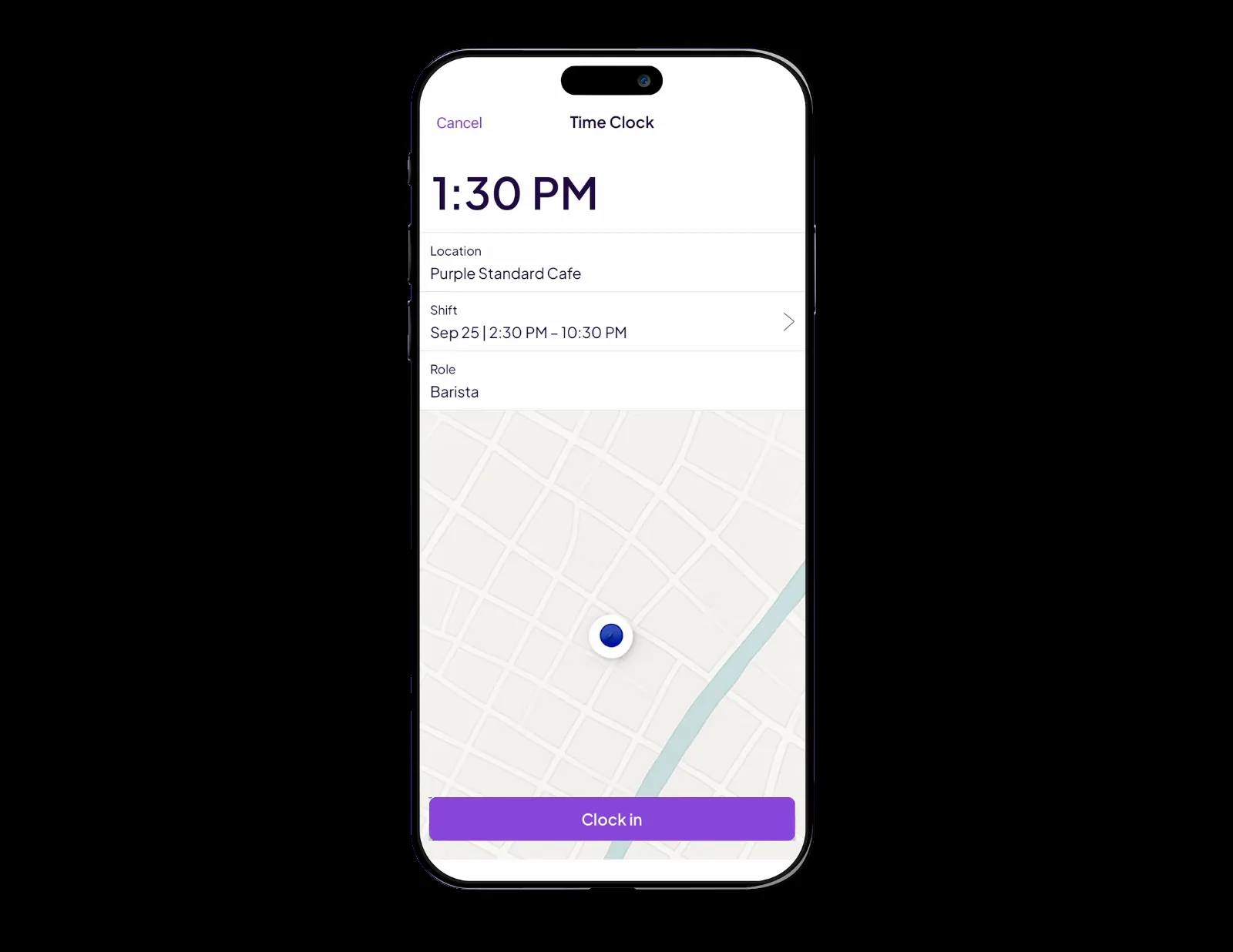
Clock in and clock out software only pays off when the punch can be trusted. Here's which of eight platforms enforce the geofence, survive dead zones, and publish real pricing.
By Kyo Zapanta
· Reviewed by Rouselle Isla
· Last updated 6 August 2026 • Published 11 June 2025
TL;DR
These are the standout picks for construction and field teams. Explore the full comparison of all eight apps further below.
Best overall for construction & field crews: Workyard - geofence rules that can clock crews in and out automatically, trim drive-home padding, and land every hour against a job and cost code.
Best for construction job costing: ClockShark - job and task codes at the punch with QuickBooks Desktop and Sage 100 Contractor exports (mind the three-year contract).
Best free option: Jibble - genuinely free for unlimited users with kiosk and offline sync included; the free tier ends at two geofences.
Disclosure: Workyard competes directly with several of the platforms in this guide. This review reflects our honest assessment of each product based on our research, and we've flagged where we're not the right fit.
Most timesheets are still reconstructed from memory on a Friday afternoon completing payroll: every crew member put down for a clean eight hours a day, no matter what time they actually reached the jobsite or left it.
A clock in and clock out app replaces that guesswork with a record of what happened. Workers punch in from a time clock app or a shared kiosk, and every punch carries a verified timestamp, a GPS location and a job or cost code, so hours arrive at payroll already attached to the work that earned them.
The scale of the hiring challenge makes paper-based processes difficult to sustain. The U.S. Bureau of Labor Statistics projects an average of 149,400 openings for construction laborers and helpers each year from 2024 to 2034, many of them replacing workers who change occupations or leave the workforce. With that much workforce movement, payroll accuracy depends on verifiable time records, not estimates.
What is a clock in and clock out app?
A clock in and out app is a mobile and web tool that records when workers start and stop work, usually with GPS, a photo, or a PIN to verify the punch. It replaces paper time cards and spreadsheets, then turns the captured hours into timesheets that feed payroll.
For field and construction teams, the best apps also tie each punch to a job or cost code and use GPS and geofencing so hours are accurate to the jobsite, not the parking lot. The differences that matter live below the feature names: some apps record location only at the punch, others drop a breadcrumb every few minutes; some geofences merely remind a worker to clock in, others block the punch entirely until the worker is on site.
Key features to look for
GPS and geofencing that actually enforce (not just remind)
Anti buddy punching
Offline clock-in that queues punches and syncs when signal returns
Job and cost code tracking for accurate labor costs
Integrations to export time cards to the payroll system you already run e.g. QuickBooks, ADP, Sage and more
Watch the plan gates: in this list alone, geofencing, live GPS, and mileage each sit behind top tiers or paid add-ons on more than one app.
Two questions separate the contenders fastest:
What happens when a worker punches from the wrong place
What happens when there's no signal.
Ask both of every vendor you speak to. The answers in this list range from "we send a reminder" to "the punch is blocked," and from full offline queues to no offline punching at all.
What's changed in this update (August 2026)
Expanded the list from 7 to 8 apps (ClockShark joins) and re-ranked around construction and field-service fit: GPS accuracy, geofence enforcement, job costing, and payroll export weigh more than general shift features.
Re-verified every price on live pricing pages. Catching QuickBooks Time's July 1 per-user increase (+20-25%) and Jibble's March 2026 paid-tier increase.
Rebuilt every entry from primary-source product documentation, covering how punches, geofences, and offline sync actually behave, roughly doubling the depth per app.
Added anonymized “What contractors told us” themes from our own experiences on calls with contractors.
Clock in and clock out apps compared
How the eight platforms compare at a glance, with the full detail and fine print in each entry below.
Free (unlimited users); paid from $1.99/user/mo annual
Pricing verified August 6, 2026. Visit the platforms website to stay up to date with any changes.
How we chose these apps
We compared 20+ clock in clock out apps and chose the 8 best for construction and field teams.
GPS & geofence accuracy: How reliably the app verifies where a punch happened.
Field clock-in ease: How quickly a crew can clock in and out without training.
Job & cost-code tracking: Whether hours attach to jobs and cost codes for labor costing.
Payroll integration: How cleanly approved hours export to payroll and accounting.
Scheduling: Whether scheduling is built in or requires another tool.
Pricing transparency: Whether real per-user pricing is published up front.
We analyzed each app's product documentation and help-center behavior docs, re-verified live pricing pages, read hundreds of verified user reviews across Capterra, G2, and the app stores, and drew on anonymized analysis of Workyard research conversations where available. See our review methodology.
8 best clock-in and clock-out platforms
1. Workyard — Best overall for construction and field crews
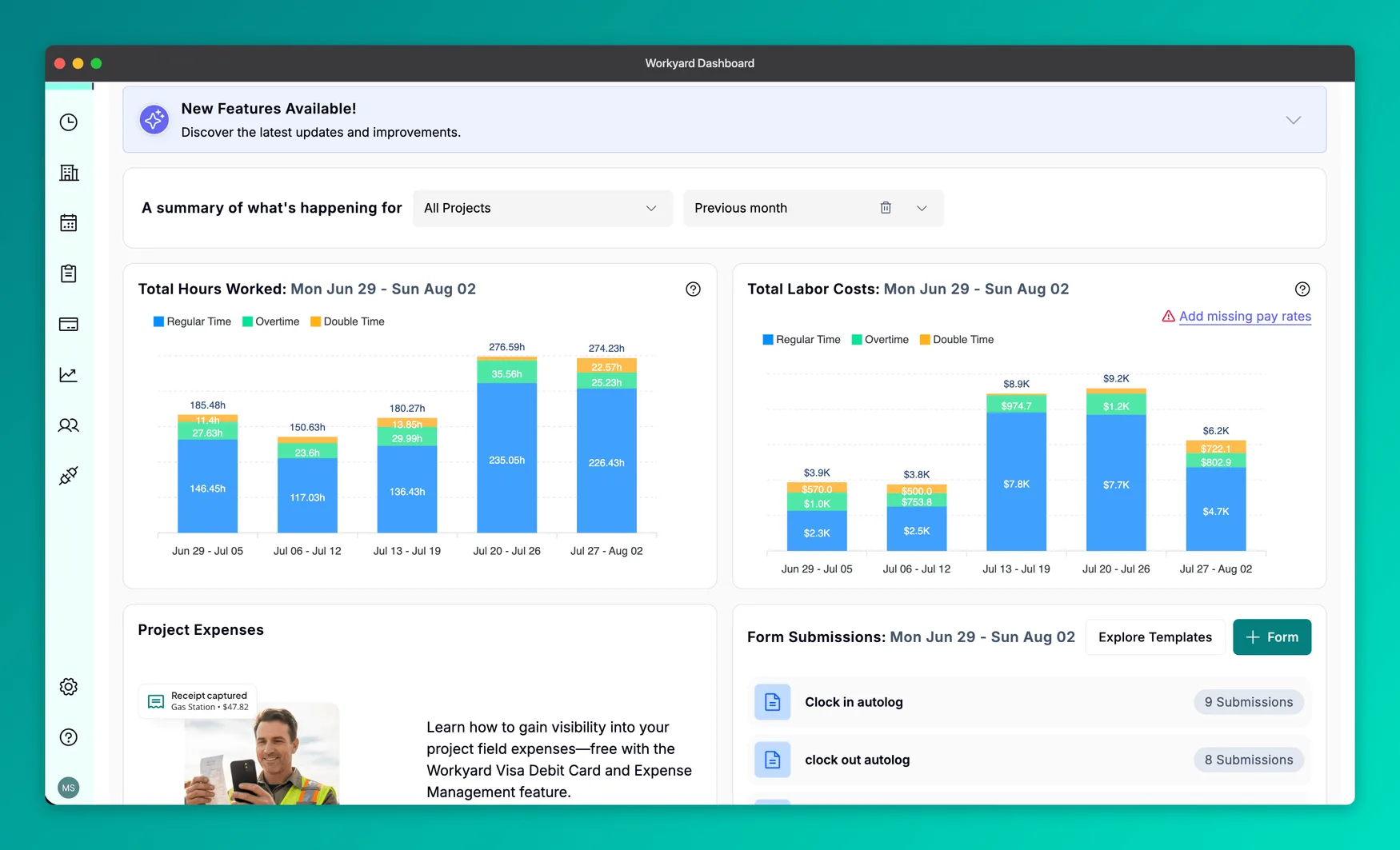
The dashboard: hours and labor cost by week, split by pay type.
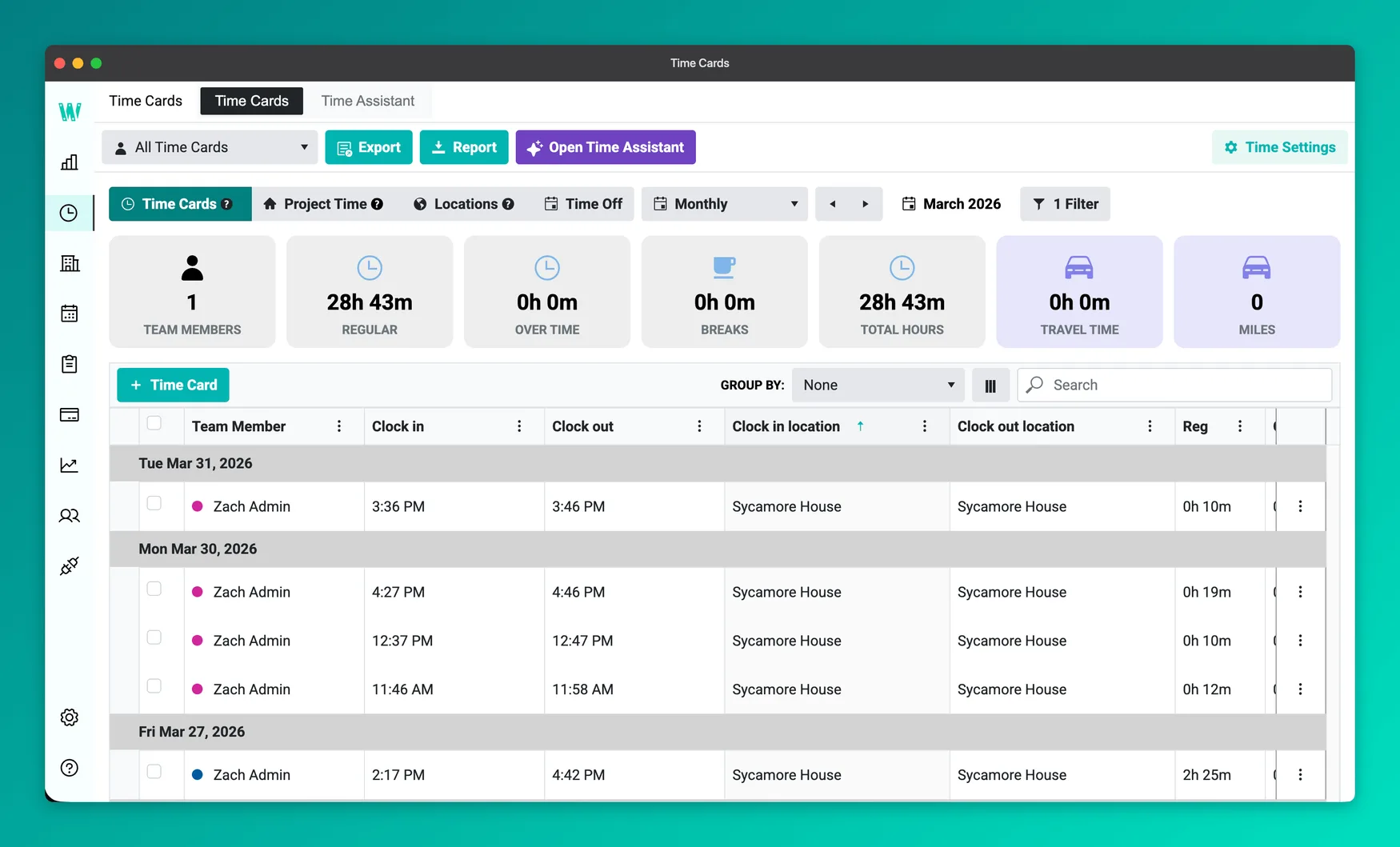
Workyard is a time tracking and job costing platform built for construction and field-service companies. Crews clock in from the mobile app or a shared iPad kiosk (PIN plus clock-in photo), and every punch lands against a project and cost code with GPS attached. Worker accounts are bound to a phone number by SMS code, so crews can't share logins to cover for each other.
In the field it works like this: location is recorded only between clock in and clock out. Your worker's position updates roughly every five minutes on the clock, and tracking stops the moment a worker clocks out. Geofences can be drawn as circles or custom polygons for irregular sites, and each crew's rules can escalate from a clock-in reminder, to automatic clock-in on arrival (with drive-by protection — the card deletes itself if the worker leaves within about five minutes), to blocking punches outside the fence entirely.
On clock-out, Workyard trims the finish time back to when the worker actually left the last jobsite, so drive-home padding never reaches payroll.
It fits contractors running roughly four or more field workers who bill by job and cost code and run payroll from timesheets. A solo operator or an office-only team is paying for machinery it won't use.
Locations of my employees has been a game changer!!!! Not allowing them to personally change their clock in and out times has also been a plus.
Nikki W. · Owner, furniture business · Capterra · 2025-01-17
”
We are extremely happy with the Workyard platform. The trial period allowed us to completely navigate the features we were seeking. The setup was easy to navigate. Even if you aren't tech savvy, you can quickly learn how to use it effectively.
Debbie C. · Operations, real estate · Capterra · 2025-04-09
What our customers say about us
Hear positive experiences first hand from real conversations between our customers and Workyard.
$260K/yr saved on payroll admin
”
Ever since Workyard has been implemented and we've been utilizing it to track job costing. Our accounting department has been able to break down all of that information and give us more realistic numbers with regards to what we need to focus on to avoid any additional losses.
Electrical & Technical Systems - HR Field Manager
$123K/yr saved on insurance
”
Smart Forms pays for itself through accurate invoicing, insurance savings, and keeping our business moving every single day.
Excavation & Site Prep - Office Manager
Dive into testimonials from our customers increasing their margins with Workyard
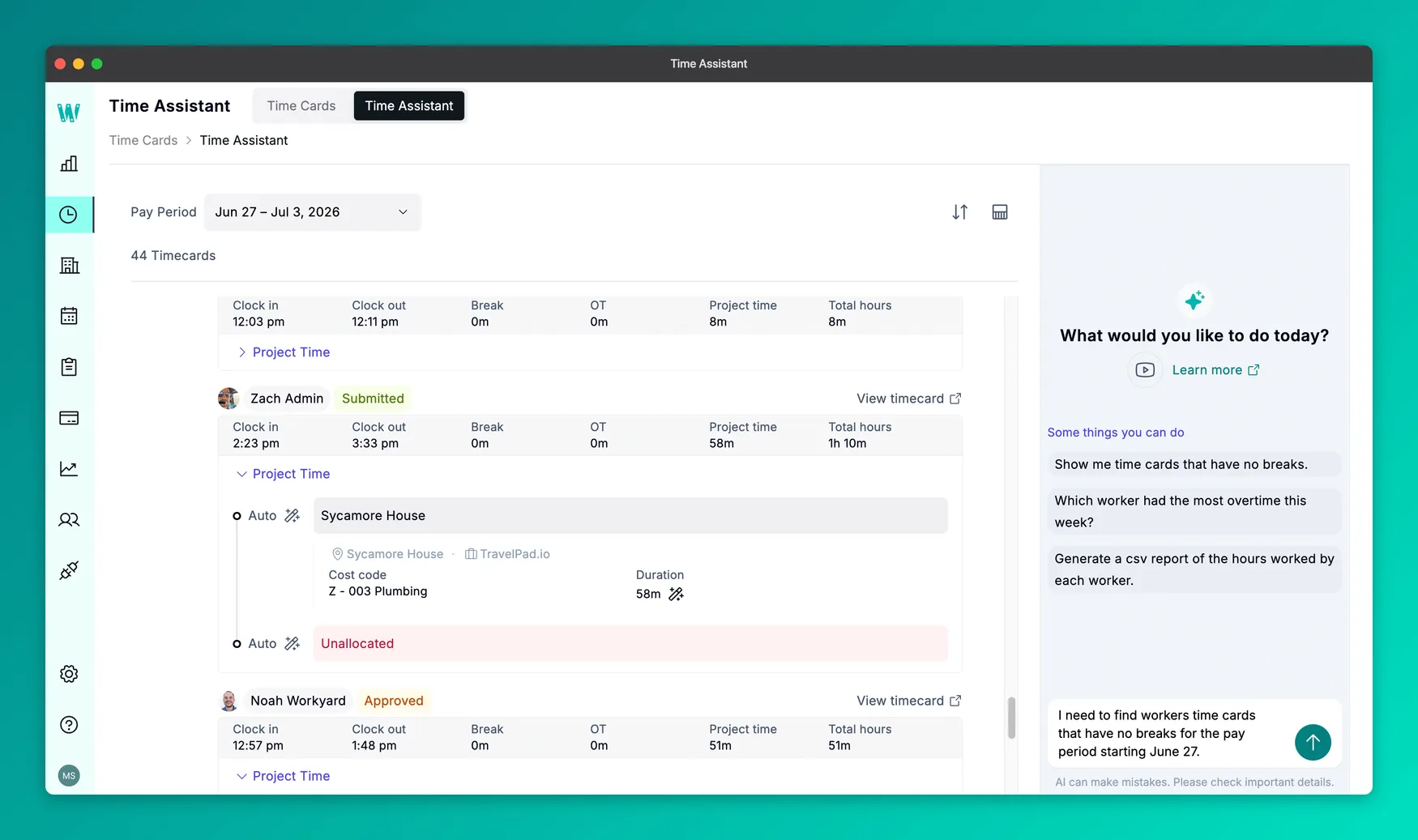
I believe Workyard earns the top spot because it treats the punch as the start of a payroll and job-costing chain, not a timestamp. Every time card carries a cost code, labor costs report live against each project, and approved hours export to the main payroll and construction ERPs. The breadth of our integration partners is significant compared to other platforms on the list.
Compliance rules are built into the system for each state, rather than handled with a one-size-fits-all policy. Preloaded overtime rules include the federal 40-hour workweek, California's daily overtime and double-time rules, the seventh-day rule, California 4/10 work schedules, and requirements for Colorado, Alaska, Nevada, and Minnesota. California crews also receive meal-break reminders at 4 hours and 30 minutes and again at 9 hours and 30 minutes. In addition, every time card edit requires a reason and automatically notifies the worker, creating the clear recordkeeping trail auditors expect under the FLSA.
Based on our documentation and analysis of hundreds of verified reviews, the platform has some trade-offs compared with its competitors. The $50 monthly base fee may be less cost-effective for businesses with only four field users. Its most advanced automation features including automatic time allocation, meal-break verification, API access, and ERP integrations, are available only on the quote-based Autopilot plan. The Android app also has a lower rating, at about 3.8 stars, compared with 4.1 stars for the iOS app.
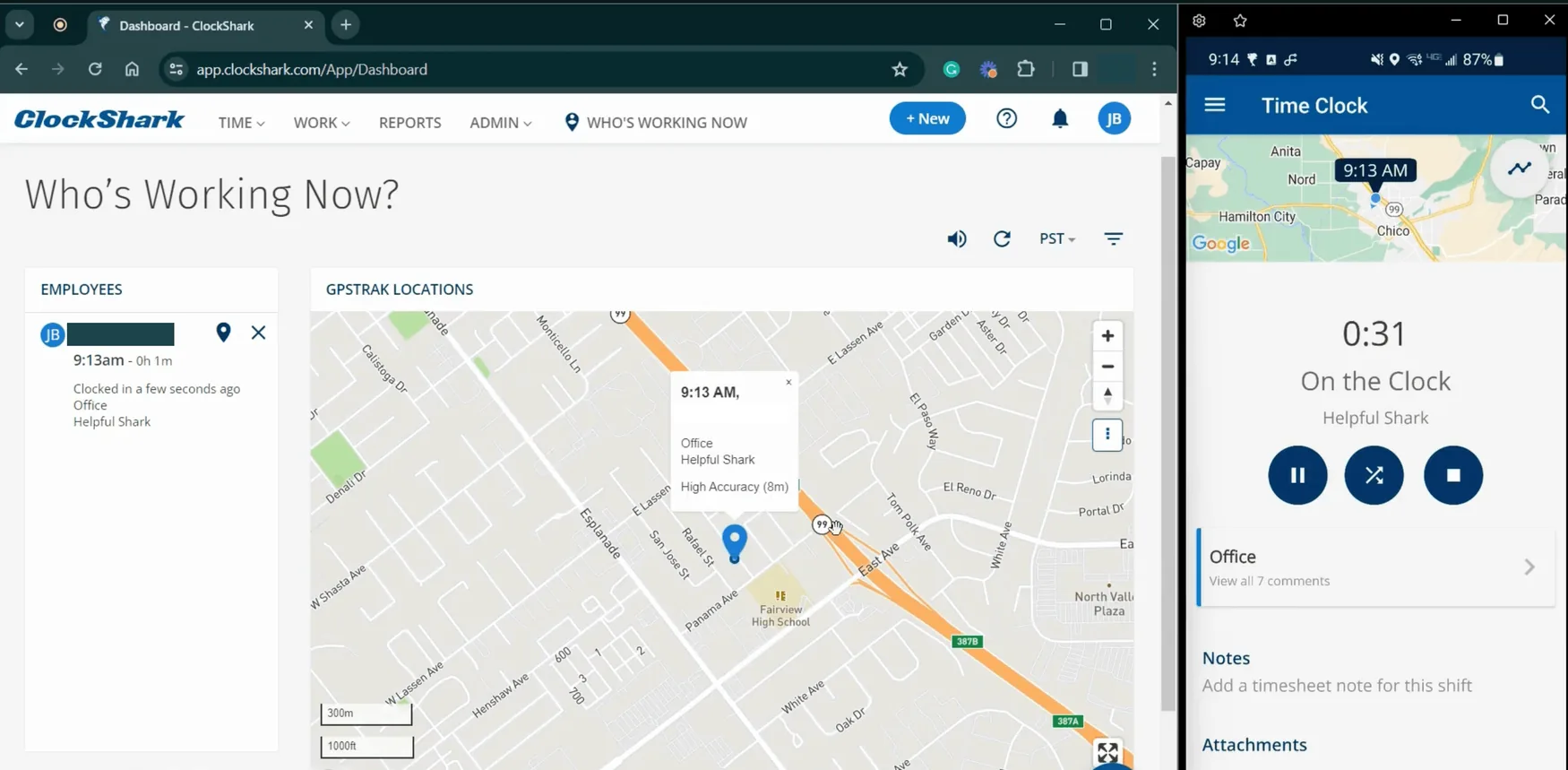
The Who's Working Now dashboard, with the mobile time clock alongside it. Source: ClockShark
ClockShark is a time-tracking and scheduling app built for construction and field service, used by 9,500+ companies. It was acquired by field-service platform Simpro in 2021, with the integrations between the two deepening through 2026. Its spine is a two-level job-and-task hierarchy: every punch lands against a job and task, and admins control which codes each worker can even see.
In the field, a worker clocks in, picks the job and task, and can switch codes mid-shift without clocking out, so one continuous shift splits cleanly across cost codes. A GPS point is recorded at every punch event, with a breadcrumb location roughly every 15 to 30 minutes between (ClockShark's own docs give both 15 to 20 and 15 to 30). Its GPSFence model is record-and-flag rather than enforce: workers get a reminder to punch when entering or leaving a fence, and admins get an alert if someone punches from outside it, but the punch always goes through. Offline, punches queue in a Sync tab and upload when signal returns; schedules need a connection.
It fits trades crews that cost labor by job and task and run QuickBooks Desktop or Sage 100 Contractor. Crews that want punches blocked outside the fence, or live GPS between breadcrumbs, should look at enforcement-first tools instead.
Key features
Job and task cost coding at the punch, with mid-shift switching and per-worker code visibility.
GPS point at every punch event plus breadcrumb locations every ~15–30 minutes while clocked in.
Three punch modes: self-punch, foreman-run Crew Clock, and a kiosk with PIN + photo capture.
Drag-and-drop scheduling with draft schedules and shift wrap-up compliance forms (Pro).
Prebuilt California overtime rule, break enforcement, and missing-break alerts.
QuickBooks (including Desktop via Web Connector) and Sage 100 Contractor exports; automatic Spanish UI.
Pros
Cons
Job-costing is the core: punch-level job/task codes, mid-shift switching, real-time labor reports
Construction accounting exports most rivals skip — QuickBooks Desktop and Sage 100 Contractor
Automatic Spanish interface and invitations for Spanish-speaking crews
Record-and-flag GPS: breadcrumbs every ~15–30 minutes and geofences that remind but never block a punch
Per-user pricing unpublished (sign-up required) and a three-year contract term on every plan
App reliability complaints persist — Capterra's own tally flags glitches in 158 reviews (55% negative)
Pricing
Free trial or free plan: Yes - a 14-day free trial, with no free plan.
Standard: Not published. Time tracking, GPS, job/task tracking, scheduling, Spanish support, integrations
Pro: Not published. Adds PTO, multi-office controls, advanced job costing, compliance forms
The pricing page shows no per-user amounts, and states verbatim that a "contract term of three (3) years applies to all pricing plans."
What real reviews say
”
The location services and how easy it is for taking care of payroll. And is easy to download on all platforms.
Operations manager, construction · Capterra · 2025-06-06
What contractors told us about ClockShark
In the Workyard research calls that mentioned ClockShark, reliability and GPS details came up most.
Breadcrumb-only GPS 48 mentions
GPS captures points, not continuous detail; updates can be infrequent.
”
The breadcrumb trail on the GPS is not in detail as we would like to see it.
Contractor
Lower price than Workyard 8 mentions
Some contractors flag ClockShark as the cheaper option for basic time tracking.
”
ClockShark is a bit cheaper compared to Workyard.
Contractor
Why we picked it
ClockShark holds the #2 spot because job costing is central to the product. Workers only see relevant cost codes, recent codes appear first, and managers can track labor by customer, job, and task in real time. It also supports construction-focused exports, including QuickBooks Desktop through Web Connector and Sage 100 Contractor. California overtime rules, break enforcement, required clock-out forms on the Pro plan, and automatic Spanish support strengthen the field experience.
The trade-offs are clear. Location data is captured at punch events and then every 15 to 30 minutes. Geofences do not block punches; they only trigger alerts.
Pricing is the biggest weakness. Per-user rates are hidden until sign-up, and the pricing page says all plans require a three-year contract. Even so, reviews remain strong, with a 4.7 rating on Capterra from more than 1,900 users. For teams willing to make a long-term commitment, ClockShark offers strong construction-specific features.
3. Connecteam — Best all-in-one for small and deskless teams
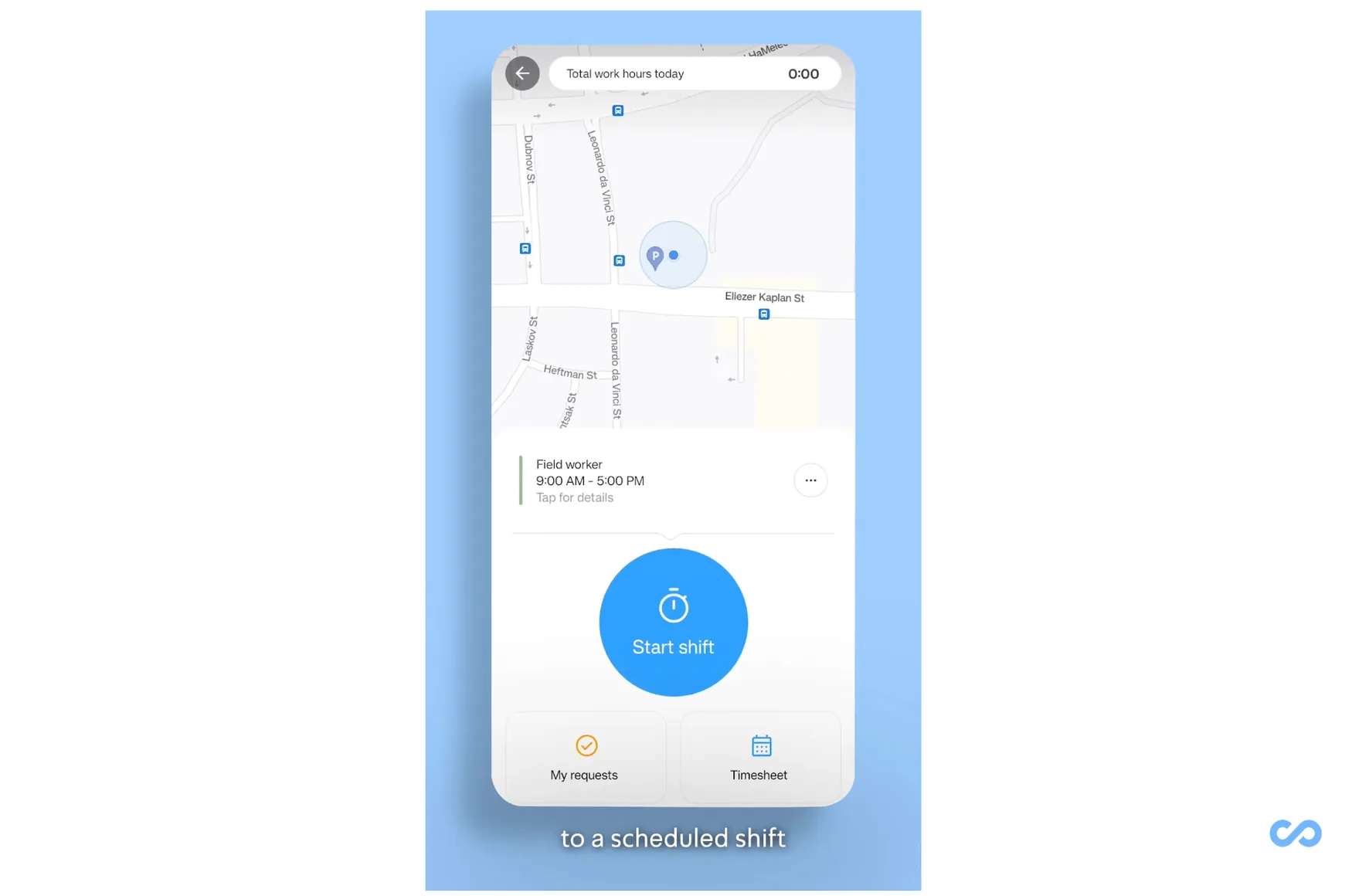
Starting a scheduled shift from the Connecteam mobile clock. Source: Connecteam
Connecteam is an all-in-one workforce app for deskless teams. It combines time tracking, scheduling, chat, forms, checklists, and training in one platform used by more than 80,000 companies. Its free Small Business Plan includes most features for up to 10 active or archived users.
Workers can clock in through the mobile app, a shared kiosk with a PIN and optional selfie, an NFC tag at the jobsite, or the web. GPS records their location at clock-in, clock-out, and job changes. Continuous tracking is available only through the Breadcrumbs feature on the highest-priced Expert plan. Geofences can flag punches made outside a set area and automatically clock workers out when they leave.
The biggest limitation is that Connecteam does not support offline punching on mobile, kiosk, or desktop. This makes it a good fit for small teams that want one app for time, schedules, and communication. Construction companies may outgrow it if they need detailed labor costing, affordable live crew tracking, or reliable time capture at sites with poor connectivity.
Key features
Four punch modes: one-tap mobile, kiosk with PIN + selfie, NFC tag at the exact spot, and web.
GPS location stamps at clock-in/out and every job switch, with Off / Optional / Required modes.
Geofences (500–2,500 ft) that flag out-of-fence punches for manager review + auto clock-out on exit.
Live crew map (Breadcrumbs) with route history, on the Expert plan only.
Scheduling, in-app chat, digital forms/checklists, and training in the same app.
Overtime variants, break waivers, audit-log exports, and I-9/W-4 e-sign.
Pros
Cons
Genuinely free for up to 10 users, with time clock, scheduling, chat, forms, and training included
Four punch modes including NFC exact-spot verification and a selfie-PIN kiosk
Broadest small-team bundle in this list at $29/mo for the first 30 users
Geofence soft-block with manager review, plus automatic clock-out on leaving the fence
No offline punching on any surface; the feature request has been open since 2023 with 500+ votes
Live GPS (Breadcrumbs) is Expert-only at $99/mo; cheaper tiers get punch-point stamps, and geofencing starts at $49
No job costing, cost codes, or prevailing-wage support, and separately-priced hubs compound past the $29 headline
Pricing
Free trial or free plan: Yes - a free plan for up to 10 users, plus a 14-day trial on the paid tiers.
Small Business Plan: Free for life. Up to 10 users (active + archived), all hubs; eligibility requires ≤1 time clock and ≤1 schedule
Basic: $29/mo annual ($35 monthly), first 30 users; extra users from $0.50–$1.00/user/mo
Advanced: $49/mo annual ($59 monthly), first 30 users; extra users $1.50–$3.00/user/mo. Adds geofencing and kiosk admin controls
Expert: $99/mo annual ($119 monthly), first 30 users; extra users $3.00–$5.00/user/mo. Adds Breadcrumbs live tracking and API access
Enterprise: Custom
Each hub (Operations, Communications, HR & Skills) is priced separately on identical ladders. A 40-person crew wanting time clock, geofencing, and chat pays roughly $108/mo annual across two hubs.
What real reviews say
”
The mobile app is dead simple for my techs to use. Time clock with GPS, job scheduling, and in-app chat all in one place.
Project manager, construction · Capterra · 2026-05-15
”
I do not like that it looks cluttered. It seems to have repeat of the same features…
Across the Workyard research calls that mentioned Connecteam, a few themes came up repeatedly.
Aggressive low pricing 42 mentions
By far the most-mentioned theme: contractors see Connecteam as the cheap, all-in-one option.
”
Connecteam's cheaper and I'm already using it and it has the same exact features you guys got.
Contractor
No live GPS tracking 23 mentions
GPS records clock-in/out points ('breadcrumbs'), not continuous location through the day.
”
I cannot see where my employees are in real time.
Contractor
Not construction-specific 19 mentions
A horizontal platform, so contractors miss job costing and cost codes.
”
Jack of all trades, master of none.
Contractor
Why we picked it
Connecteam ranks #3 because of its value. Their free plan supports up to 10 users, while $29 per month covers the first 30 users in the Operations hub. Few time-tracking tools include scheduling, chat, forms, and training at a similar price. It also offers overtime rules, break waivers, audit-log exports, and electronic I-9 and W-4 forms.
The main drawback is that important features sit behind higher-priced plans. GPS punch stamps are included, but geofencing starts on the $49-per-month Advanced plan, and live location tracking requires the $99-per-month Expert plan. Each hub is priced separately, so a 40-person team that needs time tracking, geofencing, and chat would pay about $108 per month with annual billing, or around $141 with live GPS.
Connecteam is best viewed as a workforce management app, not a construction project tool. It tracks hours by job but does not offer job costing, cost codes, prevailing wage support, or certified payroll. Its recent updates focus more on payroll, AI, and employee services. For small teams that need one app for time, communication, and daily operations, it offers strong value.
4. QuickBooks Time — Convenient for existing QuickBooks users
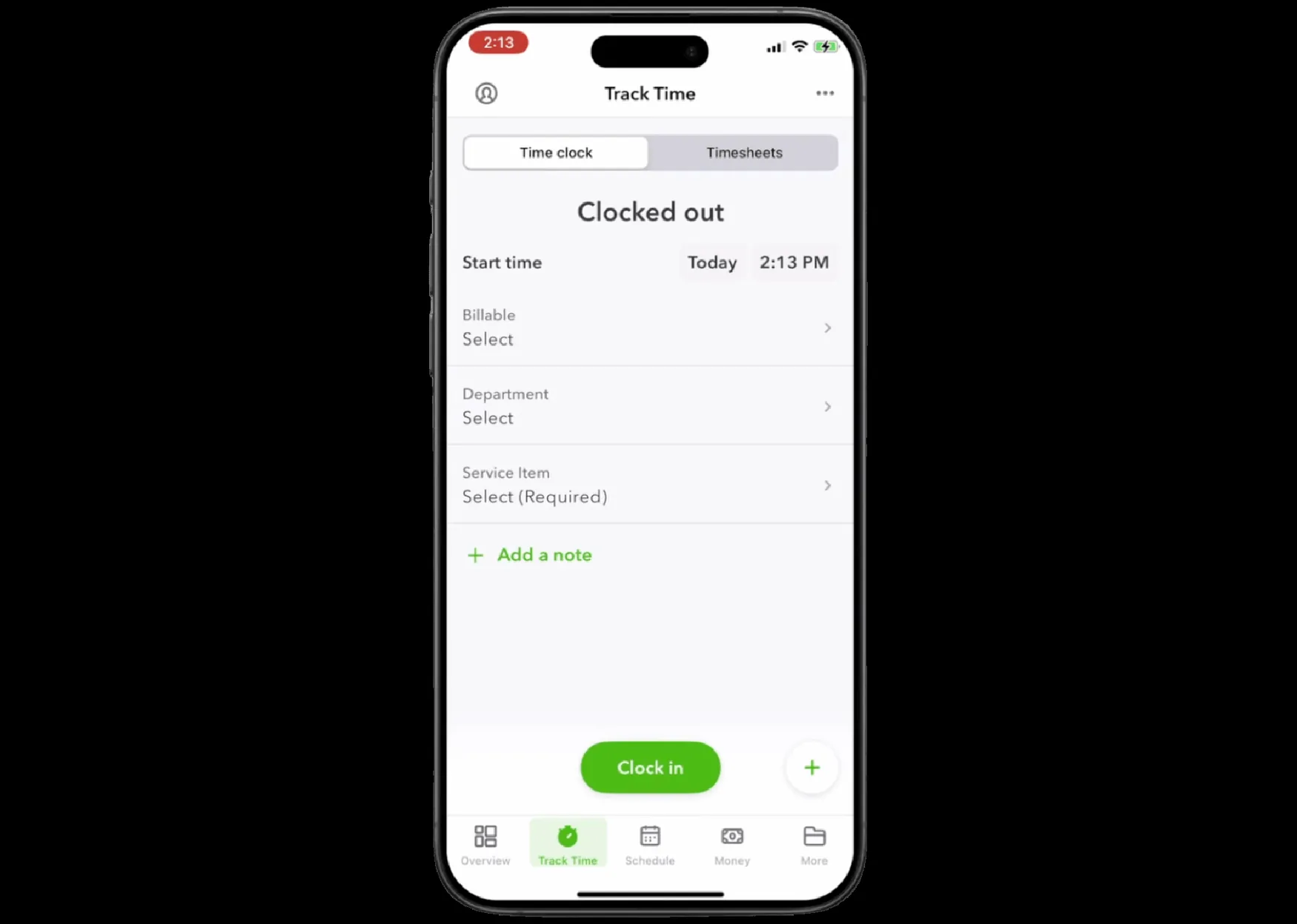
Clocking in from the QuickBooks Workforce app, with the service item required. Source: QuickBooks Time
QuickBooks Time, formerly TSheets, has tracked employee hours since 2006 and has about 192,000 iOS ratings. As of May 2026, it is being folded into QuickBooks Workforce HCM and is no longer sold on its own. Teams need an active QuickBooks Online subscription before employees can clock in.
Workers use the Workforce app to clock in by job or customer, switch jobs, take breaks, and record time offline. Offline punches sync when service returns. GPS is captured while employees are on the clock, while off-the-clock location data stays on the device and is used only for geofence reminders.
Geofencing is available on the Elite plan, but it does not block punches. Workers can still clock in outside the jobsite and add a note explaining why. Supervisors can view active workers on the Who's Working map, and the Time Kiosk add-on turns a shared tablet into a PIN-based clock.
QuickBooks Time is best for teams already using QuickBooks and wanting time data to flow into the same system. For companies outside the QuickBooks ecosystem, the value is harder to justify because a QuickBooks Online subscription is required.
Key features
Bi-directional QuickBooks sync: hours flow to payroll, invoices, and job-cost reports with no middleware.
Offline clock-in/out with automatic sync when coverage returns.
GPS while on the clock plus a live "Who's Working" map for supervisors.
Geofence arrival reminders with exception notes for off-site punches (Elite).
Mileage tracking, estimates-vs-actuals, and timesheet signatures (Elite).
Time Kiosk add-on: any shared tablet becomes a 4-digit-PIN punch station.
Pros
Cons
The deepest QuickBooks payroll and invoicing pipeline of any tool here — hours, payroll, and job costs in one stack
Offline punching plus a live Who's-Working map
Geofence arrival prompts, mileage, and estimates-vs-actuals on Elite
A 20-year lineage (TSheets) with a huge installed base — a known quantity
Requires a paid QuickBooks Online subscription before the first punch — and per-user rates rose 20–25% in July 2026
Field essentials (geofencing, mileage, signatures) are gated to the $40-base Elite tier, and geofences nudge rather than block
Aging front end and geofence battery drain are recurring public complaints while Intuit's investment moves upstream
Pricing
Free trial or free plan: Yes - a 30-day trial covering the base fee only, with no free plan.
Time Premium: $20/mo base + $10/user/mo
Time Elite: $40/mo base + $12/user/mo. Adds geofencing, mileage, estimates vs. actuals, timesheet signatures
QuickBooks Time is not available standalone. A QuickBooks Online account is required to use it. Payroll bundles: Workforce Premium $88/mo + $10/employee, Workforce Elite $134/mo + $12/employee.
What real reviews say
”
What I really appreciate about using quickbooks time is that whether me or my team are at a site or out of the office we can track the time that we are working and it eliminates having to document it on paper.
Administrative assistant, construction · Capterra · 2026-02-25
”
The interface was often confusing and not very intuitive. There were times when my employees could not access their timesheets, and they were lost and confused very often.
President/founder, software company · Capterra · 2026-04-03
What contractors told us about QuickBooks Time
Across the Workyard research calls that mentioned QuickBooks Time, a few themes came up repeatedly.
Tight QuickBooks integration 267 mentions
By far the most-mentioned point — teams already on QuickBooks value that hours flow straight into payroll and invoicing.
”
It integrates with QuickBooks far more seamlessly than the other options we looked at.
Contractor
Dated, clunky mobile app 200 mentions
The most-mentioned complaint — the interface feels outdated and slow.
”
It's like I'm using a 286 computer from 1992.
Contractor
GPS drift and geofence accuracy 72 mentions
Location capture can be unreliable, with the geofence missing the actual jobsite.
”
The main reason we're switching is that the geofence doesn't capture our location properly.
Contractor
Why we picked it
QuickBooks Time stands out for its direct connection to the Intuit ecosystem. Approved timesheets flow into payroll, customer invoices, and job-cost reports without a third-party connector. Intuit's AI Payroll Agent also uses that time data to check payroll before it runs.
Pricing increased on July 1, 2026. Premium rose from $8 to $10 per user, while Elite increased from $10 to $12. Base fees remain $20 and $40. Key field features such as geofencing, mileage tracking, project estimates versus actuals, and timesheet signatures require Elite. A 10-person team now pays $160 per month, plus the required QuickBooks Online subscription.
The main drawbacks are an aging interface, slow load times, battery use from geofence detection, and reports of iOS timers continuing after clock-out. Intuit's recent investment has focused more on Workforce and AI than the field app itself. For teams already using QuickBooks, the convenience is hard to beat. For everyone else, field-focused alternatives are often easier to justify.
5. Buddy Punch — Best simple, low-cost punch clock
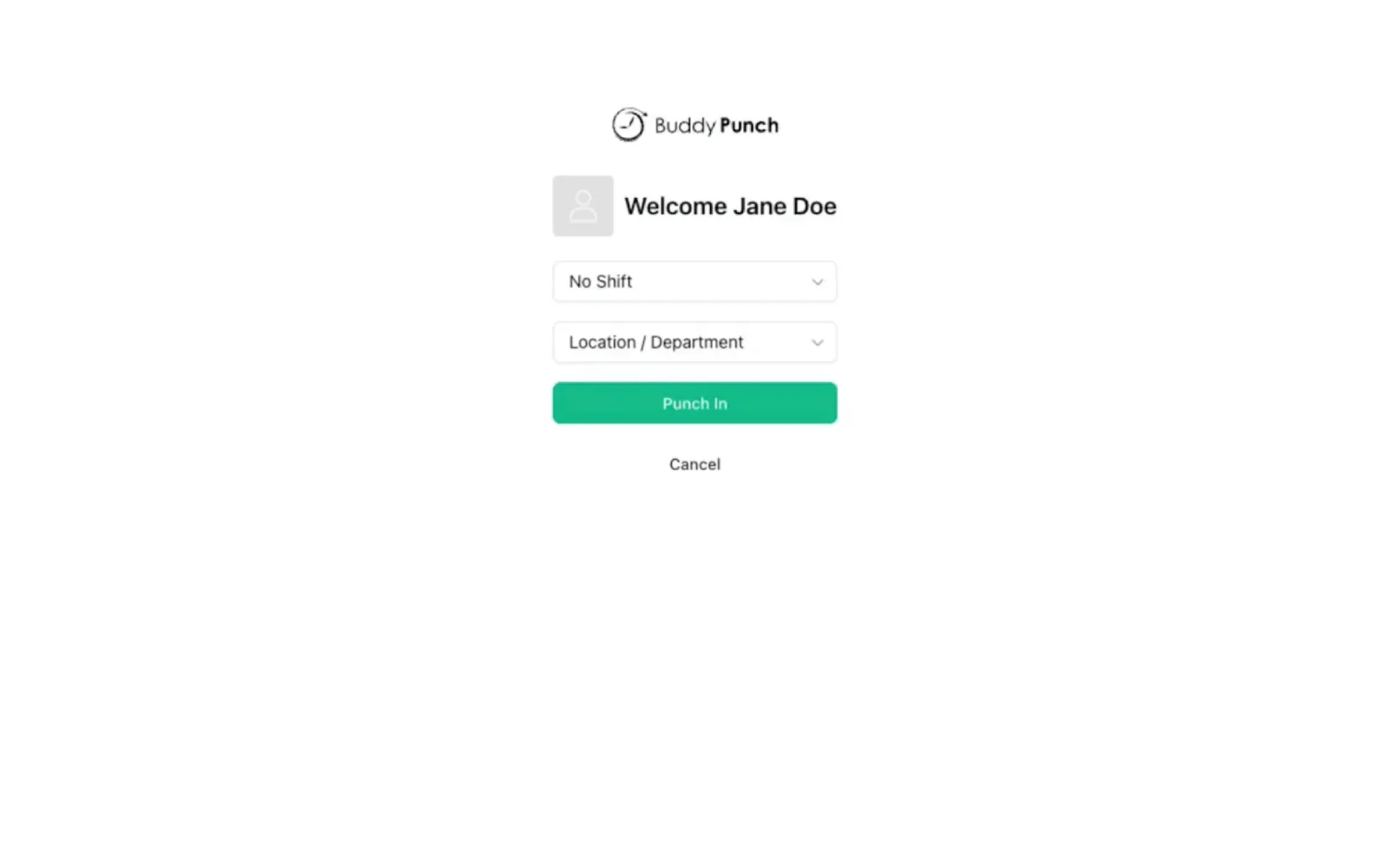
The Buddy Punch kiosk, with shift and location chosen at the punch. Source: Buddy Punch
Buddy Punch is a budget punch clock whose founding story is literally anti-buddy-punching — the founder's own crews were clocking in for each other. It's a horizontal small-business tool that construction happens to use (about 8% of its Capterra reviewers), and it carries the widest verification menu in the budget class.
Workers can punch in through the mobile or web app, a shared kiosk with a four-digit PIN, or a printed QR code. Optional selfies can also be required. Face recognition is limited to Apple Face ID on iPhone and iPad; kiosk users rely on PINs, QR codes, and photos. Foremen can clock in an entire crew at once. Standard GPS records location only at clock-in and clock-out, while continuous tracking costs an extra $2 per user per month. There is no offline mode.
It fits small crews that want cheap, verified punches feeding payroll. Contractors who cost labor by code, work dead-zone sites, or want all-day GPS accountability without add-ons should look further up this list.
Key features
Kiosk punching on any tablet: 4-digit PIN (~5–10s) or printed QR code (~10s), no proprietary hardware.
Photo-on-punch selfie verification — required for all, optional, or per-employee.
Face ID identity check on iPhone/iPad (Apple devices only).
GPS punch stamps standard; real-time GPS with route history as a $2/user/mo add-on.
Group punch for foremen and duration entry for salaried staff.
Payroll integrations (QuickBooks, ADP, Gusto, Paychex) plus a public API with MCP access on Pro.
Pros
Cons
Widest verification menu in the budget class: PIN, QR, photo, Face ID, IP lock, geofencing
Any-tablet kiosk with fast punch flows and no proprietary hardware
4.8 ratings on both major review platforms, with support quality the standout theme
Active-employee-only billing with unlimited free admins
GPS between punches requires the $2/user add-on or the Advanced tier — standard plans are blind mid-shift
No offline mode (the SMS workaround runs through Zapier with per-message fees) and no phone support
"Job costing" is department codes only — no cost codes, budgets, or certified payroll
Pricing
Free trial or free plan: Yes - a 14-day free trial, with no free plan.
Starter: $4.99/user/mo annual ($5.99 monthly) + $19/mo base
Pro: $6.99/user/mo annual ($7.99 monthly) + $19/mo base. Adds geofencing and QR punching; scheduling included from Pro
Advanced: $12.99/user/mo annual ($13.99 monthly) + $19/mo base. Includes real-time GPS and onboarding tools
Very easy to use and setup new employees. Technical support resources are comprehensive and when more assistance is required a real person is readily available to assist.
General manager, consumer services · Capterra · 2025-02-10
”
It's not easy to use for the admin side of things … Administrators cannot punch in/out which limits who can be in a small company.
Buddy Punch came up in a smaller set of Workyard research calls, most often as a simple option that stops short on field features.
GPS and real-time tracking gaps 6 mentions
GPS is limited to clock-in/out moments; no continuous live tracking of crews on the move.
”
The moment workers move, we don't know where they are at.
Contractor
No job costing 4 mentions
No way to allocate labor to jobs or cost codes for profitability.
”
Absolutely zero job costing.
Contractor
Why we picked it
Buddy Punch stands out for verification options at a low price. The Pro plan includes PINs, QR codes, punch photos, Face ID, IP restrictions, and geofencing. Its kiosk works on any tablet, punches are fast, and strong Capterra and G2 ratings often highlight customer support. Pro also includes a public API hub and MCP access.
The pricing is less simple than it looks. Every plan has a $19 monthly base fee, and add-ons can raise the total quickly. Real-time GPS costs $2 per user, data retention costs $2 per user, and payroll adds $49 per month plus $8 per user. Ten field workers on Pro with live GPS cost about $108.90 per month with annual billing. Admins are free, but Buddy Punch lists conflicting payroll prices on different pages, so buyers should confirm the current rate.
Its main limit is project depth. Job costing is mostly department-based time reporting, with no cost codes, budgets, production tracking, or certified payroll. Reviews also mention missed or unsynced punches. Buddy Punch is a strong choice for simple, verified attendance, but it is not built for detailed project tracking.
6. Timeero — Best for mileage and drive-time tracking
Timeero's mobile clock, with the job and task picked before the punch. Source: Timeero
Timeero is a GPS time and mileage app for mobile crews in construction, field service, property management, and home health. It tracks location only while workers are clocked in, recording movement every 150 feet or at set intervals. Managers can review routes, speeds, and stops through Route Replay.
Workers start a shift, choose a job, and switch jobs without clocking out. Mileage counts only above 4.47 mph, so walking does not inflate reimbursements. Geofences can match property boundaries and automatically clock crews in or out. An iPad kiosk adds facial recognition and flags mismatches.
Time tracking, GPS, mileage, and kiosk features all work offline. Timeero is a strong fit for teams that need accurate drive time and mileage tracking. Companies that need certified payroll, prevailing wage support, or detailed job costing will need a separate back-office system.
Key features
GPS breadcrumbs every 150 ft or 5–30 minutes (clocked-in only) with per-point speed and Route Replay.
Speed-gated automatic mileage (counts travel above 4.47 mph), with suggested-mileage and commute deduction on Premium.
Segmented Tracking add-on: one clock-in becomes a trips-and-stops timeline with miles and on-site time per stop.
Geofences drawn to property lines, with automatic clock-in/out on crossing.
iPad kiosk with facial recognition that flags mismatched punches.
Offline time, GPS, mileage, and kiosk; QuickBooks, Gusto, ADP, Paychex, Xero, and Rippling connections.
Pros
Cons
The strongest drive-time and mileage telemetry in this list: segmented trips-and-stops timeline plus route replay
Cheapest GPS-tracking entry here: $5/user with no base fee
Segmented Tracking is a $5/user/mo add-on on Pro/Premium, so the full mileage stack effectively runs $12.50–$15/user/mo. Messaging is $2/user/mo. Billing prorates to activation dates.
What real reviews say
”
The app is very easy to use and keep track of employee times and job sites. The price we pay is at a great price point!
Office manager, construction · Capterra · 2026-05-15
”
Sometimes the app can be a little slow to load, and I wish there were more customization options for reports.
Owner, construction · Capterra · 2026-04-10
What contractors told us about Timeero
Timeero came up in a smaller set of Workyard research calls; the themes below reflect that lighter sample.
Clean, simple interface 5 mentions
Users like the straightforward web dashboard.
”
The web app is really nice, clean, and easy to use.
Contractor
Mileage routing 'as the crow flies' 3 mentions
GPS can record straight-line routes rather than actual roads, affecting mileage accuracy.
”
It occasionally records routes as the crow flies instead of the actual roads, which throws off the mileage.
Contractor
Why we picked it
Timeero earns this spot for its strong drive-time tracking. Segmented Tracking turns one shift into a clear timeline of trips and stops, showing arrival, departure, time on site, and miles per trip. Managers can quickly separate jobsite time from travel time.
Mileage tools also include suggested-mileage comparisons and automatic commute deductions. The base price starts at $5 per user per month with annual billing and no monthly base fee.
The main catch is that Segmented Tracking costs an extra $5 per user on Pro or Premium. That brings the full mileage setup to about $12.50 to $15 per user per month. Basic is limited to 10 users, while facial recognition, signatures, custom fields, and API access require Premium.
Mileage accuracy is the main weakness. Distance is calculated between GPS points, which can undercount curving routes. Battery-saving settings and weak signals can also reduce accuracy, with Android mileage issues appearing most often in reviews. Overall ratings remain strong, and customer support is a common highlight.
7. Homebase — Best for single-location hourly teams
The Homebase time clock, tied to a location, shift and role. Source: Homebase
Homebase is built for hourly teams at fixed locations. It combines scheduling, time tracking, messaging, and optional payroll, and is used by more than 150,000 teams.
Employees can clock in through the mobile app, a shared tablet kiosk, a Clover or GoDaddy POS terminal, or the web. The kiosk supports PINs and automatic photo capture. Mobile punching requires an Essentials plan or higher.
GPS records location only at clock-in and clock-out. Homebase does not track employees continuously. Geofencing is limited to one fence per business location, with radius options of 150 feet, one block, or five blocks. Punches outside the fence are blocked.
Homebase can also restrict early clock-ins and automatically close missed clock-outs. These controls work well for fixed-location teams, but less so for crews moving between jobsites.
The free plan covers one location and up to 10 employees. Businesses with multiple jobsites should note that each fenced and scheduled location is billed separately.
Key features
Four punch surfaces: mobile app (Essentials+), tablet kiosk with PIN + auto photo, Clover/GoDaddy POS terminals, and web.
Punches follow the worker's PIN across devices: clock in on the iPad, out on a phone.
GPS snapshots at clock-in/out with a blocking geofence per location (150 ft, 1 block, or 5 blocks).
Schedule enforcement that blocks early clock-ins, plus configurable auto clock-out.
Free scheduling, time clock, and team messaging for one location (up to 10 employees).
Built-in payroll add-on ($49/mo + $6/employee) across all 50 states.
Pros
Cons
The strongest free single-site package here: scheduling, time clock, messaging, and POS integration at $0
POS-native punching: the time clock runs on Clover and GoDaddy hardware the shop already owns
Flat per-location pricing beats per-user pricing once a single-site team passes ~10 people
Whole hourly stack in one app, including built-in payroll
Phone-based clock-in isn't on the free plan (Essentials+), and PTO/onboarding sit on higher tiers
Per-location pricing punishes multi-site crews, and geofencing maxes out at a five-block radius per location
No job costing, cost codes, or certified payroll, and offline reliability on the phone app is publicly disputed
Pricing
Free trial or free plan: Yes - a free Basic plan, plus a 14-day All-in-One trial that lapses back to Basic when it ends.
Basic (Free): $0. 1 location, up to 10 employees; basic scheduling, time tracking, POS integration
Essentials: $24/mo per location annual ($30 monthly). Adds mobile (phone) clock-in, advanced scheduling, team communication
All paid pricing is per location, so three sites on Plus run $210/mo before payroll. Payroll add-on $49/mo + $6/employee (verified on the live pricing page; an older $39 figure persists on some Homebase marketing pages).
What real reviews say
”
Homebase has everything you need in one platform from messaging, scheduling, time clock, requesting time off and change shifts.
CEO, logistics company · Capterra · 2025-08-29
”
There are features that would be helpful but are not included lower tier plans, but don't warrant the change in pricing to go to a higher tier. For example, overtime calculation across sites.
Owner, restaurant · Capterra · 2026-01-23
Why we picked it
Homebase is the strongest free option for a single location. It includes scheduling, time tracking, messaging, and POS integration at no cost. It is also the only tool on this list that runs directly on supported register hardware.
For teams with more than 10 employees, flat per-location pricing can be cheaper than per-user plans. Paid tiers range from $24 to $96 per month, and payroll costs $49 per month plus $6 per employee.
The limits become clearer as needs grow. Mobile clock-in requires Essentials, PTO tools require Plus, and onboarding requires All-in-One. On the free plan, the time clock is mainly a shared-device kiosk.
Costs also rise quickly across multiple locations. Three sites on Plus cost $210 per month before payroll, and per-location pricing is a common complaint in Capterra reviews.
Homebase is a weak fit for field crews. GPS is limited to punch-time snapshots, geofencing supports one small area per location, and there is no job costing, cost-code tracking, or certified payroll. Independent testing has also raised concerns about offline reliability, so teams should test it before using it at low-signal jobsites.
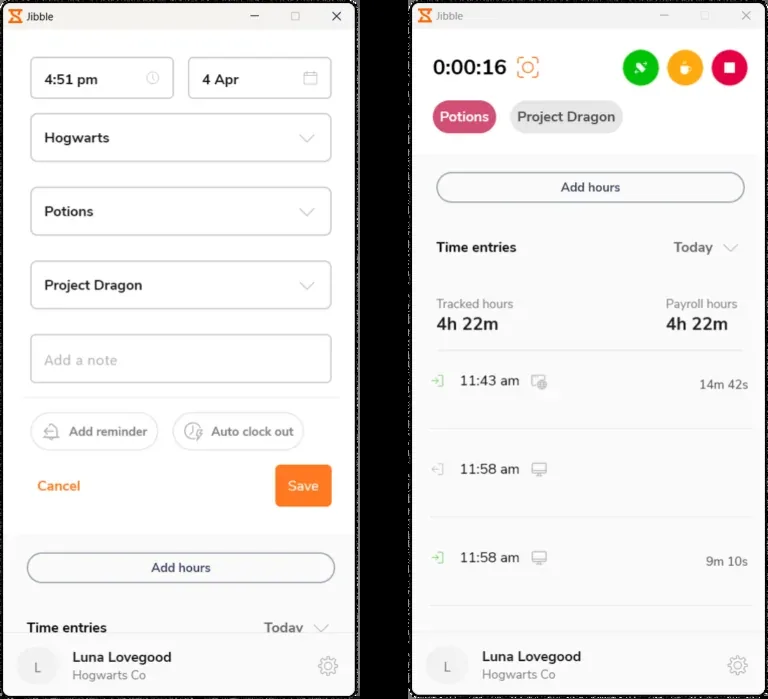
Jibble's desktop app, logging time against a client, activity and project. Source: Jibble
Jibble's free plan has no user limit and includes GPS-stamped punches, a shared kiosk, offline syncing, Slack and Microsoft Teams clock-ins, and payroll exports to QuickBooks Online, Xero, Deel, and CSV.
The kiosk supports PINs, facial recognition, and NFC cards. Speed Mode helps crews clock in quickly, while face-spoofing checks can block failed matches and alert managers. Advanced face checks require newer Apple devices, so Android kiosks use standard matching.
Geofences can block off-site punches, limit workers to assigned jobsites, and automatically clock crews in or out.
The main limit is scale. The free plan includes only two geofences and one work schedule. Multi-site contractors need Growth at $4.49 per user per month for unlimited job sites and multiple kiosks, while real-time field tracking requires Pro at $7.99.
Key features
Free forever with no user cap: GPS-stamped punches, kiosk, offline sync, timesheets, and payroll exports.
Kiosk on any tablet with PIN, facial recognition (Speed Mode for queues), or NFC card punching.
3D face-spoofing prevention that blocks failed matches and alerts managers (newer Apple devices only).
Geofences that block outside punches, link to schedules, and auto clock-in/out on crossing.
Clock in and out from Slack or Microsoft Teams.
QuickBooks Online, Xero, Deel, and CSV payroll exports.
Pros
Cons
Genuinely free for unlimited users — including kiosk mode and offline sync
Face-spoofing prevention that blocks failed matches (on Apple kiosk hardware)
Slack and Microsoft Teams punching — unique in this list
Top-rated for ease of use (Capterra 4.8/1,836; G2 usability 9.6)
The free tier caps at 2 geofences and 1 schedule — the free story ends at the second jobsite
Paid pricing is opaque at the source and rose sharply in March 2026
No shift scheduling yet, no job costing, and kiosk-to-dashboard sync lag is the most repeated complaint
Pricing
Free trial or free plan: Yes - a free plan for unlimited users, plus a 14-day trial in which every paid plan is free to try.
Pro: $7.99/user/mo billed annually. Adds real-time field tracking, AI liveness detection, authorized device locking, granular access control, dedicated success manager
Rates are per user per month on annual billing and exclude taxes; monthly billing costs more. Jibble doesn't publish these on jibble.io - they appear on the in-app upgrade screen after sign-up. Enterprise deals are quote-only.
What real reviews say
”
Time employee management is all at a glance and extremely easy.
Director of operations, construction · Capterra · 2026-06-02
”
Timesheet reports downloads can be a bit simpler. Kiosk mode can be more intuitive and have more options for employee pin clock in.
Manager, food & beverage · Capterra · 2026-06-02
Why we picked it
Jibble is the best truly free option in this category. Its free plan has no user cap and includes both a kiosk and offline syncing. It also supports clock-ins through Slack and Microsoft Teams, a feature no other tool on this list offers.
Recent updates include time rounding, desktop time-entry editing, Jibble AI, and NFC tag filters. Reviews support its ease of use, with a 4.8 rating on Capterra and strong usability scores on G2.
The limits appear as teams scale. Timesheet approvals and compliance alerts start on Essential at $1.99 per user per month, unlimited job sites and multiple on-site kiosks need Growth at $4.49, and real-time field tracking sits on Pro at $7.99. Jibble does not publish these rates on its website, so they only become visible on the in-app upgrade screen after sign-up.
It also lacks deeper workforce planning and job-costing tools. Shift scheduling is still listed as coming soon, project tracking does not include cost codes or budget-versus-actual reporting, and reviews often mention sync delays between the kiosk and dashboard.
The right app depends on where your team works and how their hours flow into payroll and job costs. Use these five steps to narrow the field.
1. Start with where your team actually works
Mobile crews need different tools than teams based at one location. Construction and field-service teams should look for geofences per site, job or cost codes, and offline punching. A shop, restaurant, or office may get more value from a shared kiosk, scheduling, and POS integrations.
Pricing often reflects this difference. Homebase charges per location, while Jibble's free plan includes only two geofences. A storefront tool can become expensive or restrictive across multiple jobsites, while a field-heavy platform may be overkill for one fixed location.
Mobile crews: Per-site geofences, cost codes, offline punching
Single location: Kiosk mode, scheduling, and POS integration
Mixed workforce: Prioritize the mobile crews, where time is harder to control
2. Decide how you will verify each punch
Punch verification comes down to two questions: who is clocking in, and where are they? Identity options include PINs, QR codes, punch photos, facial recognition, and NFC tags. Check hardware requirements carefully, since some facial-recognition features work only on Apple devices.
Location controls also vary. Some apps only remind or flag workers outside a geofence, while others can block the punch entirely. Decide how strict you want enforcement to be, and make your location-tracking policy clear to employees.
Who: PIN, QR code, photo, face match, or NFC
Where: Reminder, alert, or hard geofence block
Policy: Explain when location is tracked and who can see it
3. Follow the hours all the way to payroll
A clean punch is only useful if the hours reach payroll correctly. Check whether workers can assign time to jobs and cost codes at the punch, whether the app automatically applies your state's overtime and break rules, and whether edits leave a clear audit trail.
Then check integrations. QuickBooks Time goes deepest with QuickBooks Online, ClockShark supports QuickBooks Desktop and Sage 100 Contractor, and Workyard connects with systems such as Foundation, Sage CRE, Spectrum, NetSuite, and Acumatica. If you handle prevailing wage or certified payroll, confirm support before buying.
Hours attach to jobs and cost codes at the punch
State overtime and break rules apply automatically
Payroll and accounting data exports directly to your system
Prevailing wage or certified payroll support is confirmed before purchase
4. Pressure-test reliability and true cost
For field crews, offline punching matters. Some apps queue punches without service and sync later, while others require a connection. Test the app on a real device in airplane mode before rollout, especially if your crews work in weak-signal areas.
Also calculate the full price, not just the advertised rate. Base fees, GPS add-ons, premium features, contract terms, and required accounting subscriptions can change the total quickly.
Run the trial with real field workers, not just managers in the office. Watch how easily they clock in, switch jobs, take breaks, and correct mistakes.
Some do, some genuinely don't, and vendors rarely volunteer it. In this list, QuickBooks Time, ClockShark, Timeero, Jibble, and Workyard queue offline punches and sync when signal returns (with limits: ClockShark's schedules and Jibble's timesheets still need a connection). Connecteam has no offline punching on any surface, and its feature request has been open since 2023. Buddy Punch requires connectivity too. If your crews work remote sites or basements, test offline punching on a real phone before you commit.
Can employers track your location when you're clocked out?
The apps in this list track location only while an employee is on the clock. Workyard and Timeero state it explicitly in their documentation, and Workyard hides break-time location too. One nuance worth knowing: QuickBooks Time's geofence reminders work by checking location off the clock, but those points stay on the worker's device and are never visible to the employer. Whatever you deploy, put it in writing: location is captured only during shifts. Crews trust systems they can see the edges of.
What's the difference between a time clock app and time tracking software?
A time clock app focuses on the punch: verified clock-in and out with GPS, a photo, or a PIN, feeding timesheets and payroll. Time-tracking software often adds project, task, and productivity tracking for desk work. The construction-relevant layer sits in between: job and cost codes attached to each punch, so hours become labor cost per project. Field teams usually need a verified punch plus job costing; desk teams want the productivity layer instead.
Even though exempt salaried staff usually aren't legally required to clock in, many contractors still have them do it so hours land against the right job and cost code. If you only need leave and project tracking for salaried staff, a lighter setup or duration entry can be enough.
What's the best free clock in and out app?
It depends on the cap you can live with. Jibble is free for unlimited users which includes kiosk mode and offline sync. But it only allows two geofences and one work schedule. Connecteam's free plan covers up to 10 users with essentially everything included. Homebase is free for one location with up to 10 employees, though phone-based clock in requires a paid plan. Past those limits, you're going to need a paid plan.
Do these apps stop buddy punching?
Yes, these platforms help to stop buddy punching with different tools. PINs and printed QR codes stop casual punch-sharing; photo-on-punch lets a manager review faces; face matching goes further, and Jibble's version actively blocks spoofing with a 3D liveness check (on newer Apple devices). GPS and geofencing attack the other half of the problem by tying the punch to the jobsite like Workyard's method. Buddy punching becomes more work than honest clocking.
Do clock in and clock out apps work on Android and iPhone?
All eight apps here offer native Android and iOS apps plus a web dashboard, and most support a shared tablet kiosk. Two hardware caveats from this list: Buddy Punch's facial recognition is Apple Face ID (iPhone/iPad only), and Jibble's face-spoofing prevention runs only on newer Apple devices. Android crews fall back to PIN, QR, or photo verification.
Can clock-in apps track mileage or drive time?
Some field-focused apps do. Workyard detects driving segments and site visits as part of its GPS trail. Timeero has speed-gated automatic mileage, route replay, and an optional Segmented Tracking add-on that splits a day into trips and stops. QuickBooks Time adds mileage on its Elite plan. If reimbursement matters, confirm the app captures mileage automatically and check whether it's in the base plan or an add-on.
Do clock-in apps integrate with payroll like QuickBooks or ADP?
Most do, at different depths. QuickBooks Time is Intuit's own product and syncs deepest into QuickBooks Online (which it requires). Workyard exports to QuickBooks, ADP, Gusto, and Sage plus construction ERPs like Foundation and Acumatica. ClockShark covers QuickBooks Desktop and Sage 100 Contractor. Other tools have more limited options: Jibble exports to QuickBooks Online, Xero, Deel or CSV. Check your exact payroll system before you commit.
Kyo Zapanta
Construction technology writer, 10+ years covering workforce management & SaaS
Kyo Zapanta is a B2B technology writer with more than 10 years of experience covering workforce management and SaaS. At Workyard, she writes about construction labor compliance, GPS time tracking, job costing, and crew scheduling. She has personally tested and reviewed more than 30 construction technology platforms, combining hands-on product research with a family background in carpentry and construction to connect software capabilities with the realities of field work.