Out-of-box connectors
12 payroll, accounting, and ERP systems, connected in minutes. Employees, jobs, and cost codes sync in; approved hours flow out, matched to your system's fields.
Integrations
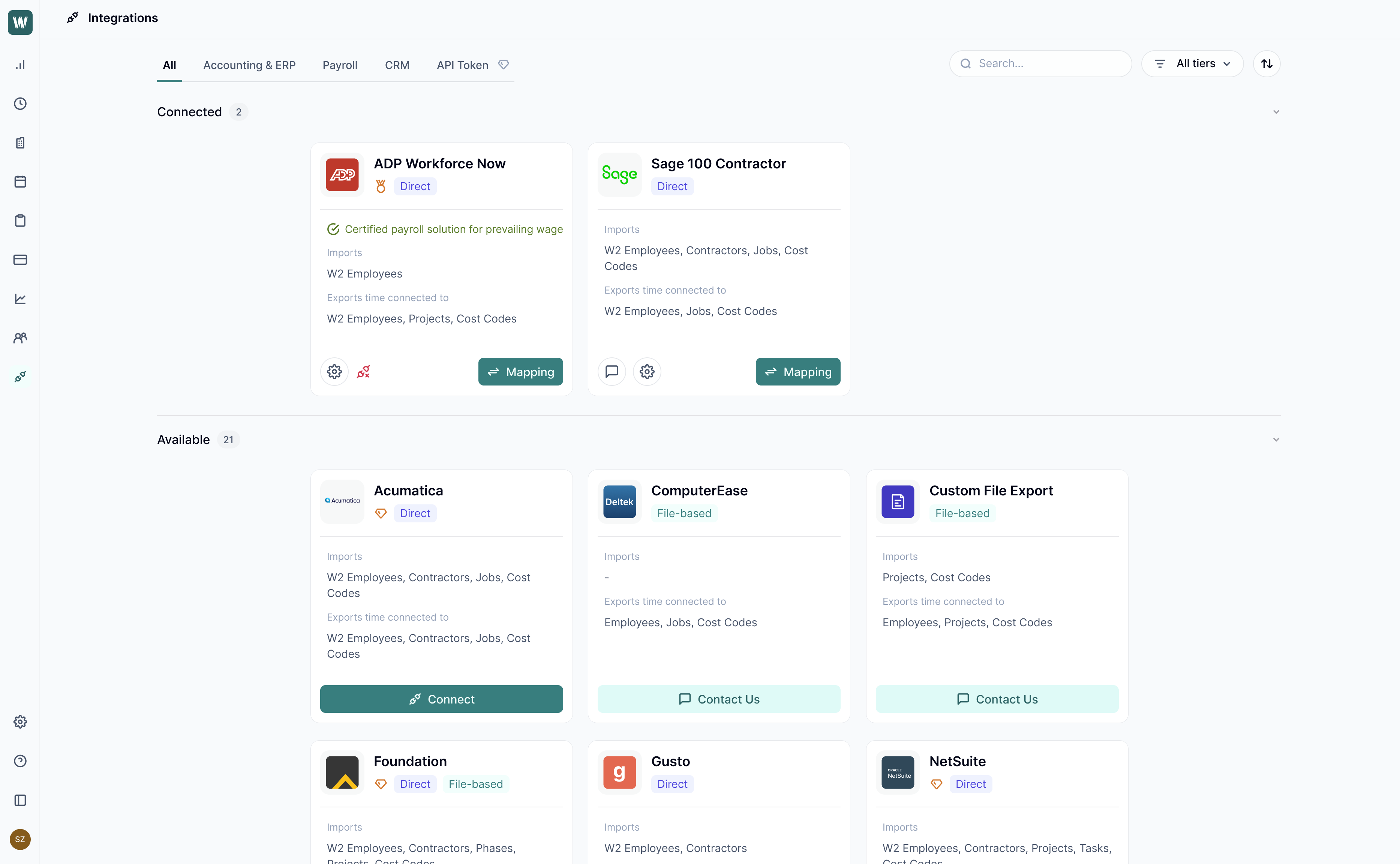
Jobs and employees sync in. Verified hours, cost codes, and records flow out. Workyard connects to 21 systems out of the box, from payroll and accounting to project management, and if yours isn't on the list, the API and custom files connect it anyway.
Whatever runs your back office, one of these connects it.
12 payroll, accounting, and ERP systems, connected in minutes. Employees, jobs, and cost codes sync in; approved hours flow out, matched to your system's fields.
A full API for anything custom. Pull verified time and locations, push jobs and workers, and wire Workyard into your own stack or data warehouse.
Your format, exactly. Excel and CSV exports broken down by employee, job, and cost code, or a custom file shaped to whatever your system expects, built with you during onboarding.
Field data in the right shape, landing where the work gets billed and paid.
Payroll
Approved timecards flow to your payroll system with OT, breaks, and earn codes already applied. No re-keying, no Friday reconstruction.

Timecards · Aug 11–17
42 approved
Accounting & ERP
Two-way: your jobs, cost codes, and employees sync in on day one, and approved labor posts back by job and cost code every pay period.

Fairview Clinic · 27-203
Live
CRM & service management
Jobs and customers created in your CRM land in Workyard ready to schedule, and the labor and field records tie back to the ticket that gets invoiced.

Schedule · Tue Aug 12
Crew B
Every connector, by category. If it's not here, it still connects, through the API or custom files.
9 systems
Approved hours land with OT, breaks, and earn codes applied, ready to run.
Connector
Connector
Connector · Also in Accounting & ERP
Connector
Connector
API or files
API or files
API or files
API or files
11 systems
Jobs and cost codes sync in; actual labor posts back to the ledger, coded and verified.
Connector
API or files
Connector
Connector
Connector
Connector · Also in Payroll
Connector
Files
Files
Connector
Connector
8 systems
Projects and cost codes come in from the system your project team runs, and Workyard runs the crew layer beside the system that sells and invoices the work.
We can almost certainly still connect to it, through the API or a custom file built to your system's format. Tell us what you run and we'll confirm it on the call.
Talk to us about your systemFair questions, straight answers
Two directions, one approval. Your jobs, cost codes, and employees come in from the system that already owns them, so nothing gets rebuilt by hand. Crews clock into those jobs, your office reviews and approves the timecards, and the approved hours go back out matched to your system's fields, coded to job and cost code, with overtime already applied. Nothing reaches payroll or the books until you send it.
Yes, because they land on the codes your system already uses. Workyard brings in your own job numbers, cost codes, earning codes, and payroll items, and sends hours back on those same codes. Nothing is renamed, and nothing lands on a generic "hourly" line someone has to re-sort. We map it all with you at setup and run a test export, so you see hours land correctly before you rely on it.
Yes, from one approval. The same approved timecard feeds your payroll system with earning codes and overtime applied, and your accounting or ERP system with labor by job and cost code. Nobody tracks time once for payroll and again for job costs, and the two systems never disagree about who worked where.
It can still be connected. If your system can import a file, we build an export in the exact layout it reads during onboarding: approved hours by employee, job, and cost code. If it can talk to an API, so can Workyard. Tell us what you run and we'll confirm how it connects before you sign anything.
Yes. During your trial you see the integration end to end, and we confirm exactly how your system connects. If your setup is unusual, like several company files, a hosted server, or a custom format, we can run a test export on your own data first, so you're not taking an integration on faith.
No developer needed. Our integration team connects your system with you in a working session: we map your jobs, codes, and employees together and run a test export. If your accounting software lives on an office or hosted server, a small connector is installed there, and we do that step with you or your host. The API is the one path that assumes a developer.
Days, not months. The connection itself is one setup session. Because jobs and employees come in from your accounting system, there's no rebuild before crews can clock in. Custom file formats are built with you during onboarding, and a real person walks your office through the first pay period.
You send them, when you're ready. Your jobs, cost codes, and employees update from your system as you sync. Hours only move once your office approves the pay period and sends it, in a couple of clicks. Nothing reaches payroll or the books by surprise, and you always know what went in and when.
Only the hours you send. Workyard reads your jobs, cost codes, and employees but doesn't edit them, so your system stays the system of record. The one thing it adds is the approved time you send, and when it updates that time it only ever replaces its own entries, never lines someone else typed in.
Fix it in Workyard and send the period again. Your system gets the corrected hours, not a second copy. The earlier entries are replaced, so nothing counts twice. Every edit and every send is logged with who made it and when, so there's a trail if anyone asks.
No hours are lost. Approved timecards stay in Workyard until they land, so a failed sync just means sending again once it's fixed. Our support team works out whether it's the connection, the mapping, or something on your server, and fixes it with you, including with your hosting provider if you have one.
Yes. Add them where you already do, and they come into Workyard on the next sync. New hires show up ready to clock in, new jobs ready to schedule, and nobody sets anything up twice. You choose which jobs come in, so years of closed work stay in your accounting system and crews only see what's live.
Overtime and double time are worked out before hours leave Workyard. They follow each worker's state rules, including daily overtime where a state has it, and arrive on your system's own overtime and double-time codes. Approved time off, like vacation, sick, and holiday, can go across on the pay types you already use. Payroll becomes a review, not a recalculation.
Workyard sends the hours; your payroll system applies the rate and files the report. Every hour goes across separated by job, cost code, and classification, so your payroll or certified payroll system applies the prevailing, union, or shop rate it already holds. Workyard doesn't calculate prevailing wage or produce the WH-347 itself.
Yes. Each company keeps its own jobs, codes, and employees, and approved hours go back to the company file or payroll group they belong to. Crews who work across companies are set up during onboarding so their time lands in the right place.
Yes. Cloud systems connect directly. For software installed on an office server or with a hosting provider, a small connector runs alongside it and syncs with Workyard. We install it with you, or with your host's support team.
Yes. Approved hours stay coded by job and cost code in Workyard's job cost reports, so a PM sees what a job's labor is costing while it's still running, not after the books close. The same hours go to your accounting system for the official record.
Yes, and that's the common setup. Projects and cost codes can come in from your project management tool, employees from payroll, and approved hours go out to payroll and accounting. Workyard sits in the middle as the one place field time is captured, so the systems around it don't have to talk to each other.
Your history comes with you. Crews, jobs, and every timecard live in Workyard, so a system change doesn't reset your field data. When you switch, we connect the new system, map your lists again, and approved hours start landing there instead. No need to wait to connect the system you run today.
Yes, it's your data. Export approved time to Excel or CSV by employee, job, and cost code whenever you need it, or use the developer API to pull verified hours and locations straight into your own reports, BI tool, or data warehouse.
Tell us what you run. We'll confirm the connection on the call.