


 (650) 332-8623
8 Best Arcoro Alternatives for Construction 2026
Looking for an Arcoro alternative? We compared 8 time tracking tools built for service contractors — with GPS, scheduling, and payroll integration.


Quick Answer
The best Arcoro alternatives for construction are Workyard ($6–$13/user/month) for GPS-verified time tracking and real-time job costing, Connecteam ($0–$99/month for up to 30 users) for large deskless teams consolidating HR and operations in one platform, and ClockShark ($9–$11/user/month) for trade contractors needing simple scheduling and field tracking.
Pricing across all eight tools ranges from free to over $245/technician/month. Choose based on GPS enforcement, payroll integration depth, and whether you need full HR or focused field time tracking.
Workyard’s analysis of 280 contractor discovery calls revealed that over half (55%) of construction businesses lack a dependable method for verifying a crew’s presence when they clock in.
Arcoro tackles this as part of a modular HR platform built for construction compliance. But verified reviews reveal persistent weak points: limited mobile functionality for field crews, a disjointed interface stitched together from three acquired products, and reporting that forces workarounds through Excel exports.
For contractors who primarily need to track time for construction workers with GPS enforcement, Arcoro’s broad HR suite adds complexity without solving the core field verification problem.
This guide compares eight Arcoro alternatives assessed for GPS accuracy, geofencing, job costing, payroll integration, and mobile performance using verified data and user reviews.
Arcoro alternatives at a glance
Arcoro works well for what it was built for, but breaks down once field-grade time tracking becomes the priority.
Crews working from phones and tablets report limited functionality compared to the desktop experience. There’s no GPS breadcrumb trail while clocked out, making disputed clock-ins hard to verify. And the reporting system lacks the customization that back-office admins need, forcing manual exports to Excel.
The table below compares eight Arcoro alternatives evaluated for GPS enforcement, job costing depth, and payroll integration.
| Brand | GPS | Job Costing | Payroll Integration | Use Case | Starting Price |
| Workyard | Field crews needing GPS-verified time cards and live job costing | $6/user/month + $50 base | |||
| ClockShark | Small trade contractors needing scheduling and field tracking in one app | $9/user/month + $40 base | |||
| Jobber | Limited | Residential service contractors focused on client management and revenue | $19/month (1 user) | ||
| Hubstaff | Limited | Hybrid teams with both field and office staff | $4.99/user/month | ||
| Housecall Pro | Limited | Residential service businesses scaling through automation | $59/month (1 user) | ||
| ServiceTitan | Large commercial contractors replacing their entire tech stack | Contact sales for pricing | |||
| QuickBooks Time | Contractors running payroll inside QuickBooks | $8/user/month + $10 base | |||
| Connecteam | Limited | Large field teams scaling headcount on flat-rate pricing | $29/month (up to 30 users) |
How we chose the best Arcoro alternatives for construction
Each tool was assessed across seven criteria drawn from the real workflows of field crews, foremen, and back-office admins. We reviewed live product pages, verified pricing, and cross-referenced user ratings on Capterra, Google Play, and the App Store.
- GPS accuracy and geofencing: Requires GPS-locked clock-ins, customizable geofences, and reliable offline handling in low-signal areas.
- Mobile usability: Assessed tap-to-clock simplicity, offline function, and field-user app ratings for ease of use.
- Payroll and accounting integrations: Checked for native sync with QuickBooks, ADP, or Gusto to prevent manual double entry.
- Job costing support: Evaluated the ability to assign time to cost codes and project phases with real-time updates.
- HR and compliance coverage: Assessed onboarding, digital document handling, and labor law compliance to measure how well each tool replaces Arcoro’s core HR functions.
- Construction-specific fit: Weighted tools purpose-built for field crews over general-purpose trackers or office-first HR platforms.
- Pricing at scale: Modeled total monthly cost at 10, 25, and 50 users to identify how pricing structures behave as headcount grows.
Are you using Clockify or Timeero? Check out our detailed guide to Timeero and Clockify alternatives to explore options better suited for construction teams.
1. Workyard: Best for field crew GPS tracking
Workyard is a GPS time clock app built for construction crews working across multiple job sites. Where Arcoro focuses on centralizing HR compliance from the back office, Workyard solves a different problem: proving that field workers are physically on-site at the moment they clock in.
Every time card captures a GPS-verified location and links to a specific cost code or project phase.
Best for: Contractors managing hourly field crews across multiple active job sites who need GPS-verified time cards, live job costing, and one-click payroll sync.
Key features
- High-accuracy GPS tracking: Verifies location at every clock-in/out for auditable job site records.
- Geofencing: Limits clock-ins to job site perimeters and auto-trims time if workers leave.
- Real-time job costing: Assigns labor hours to cost codes upon clock-in, showing live labor burn against the budget.
- One-click payroll integrations: Pushes approved hours directly to QuickBooks, ADP, or Gusto, eliminating manual entry.
- Photo verification at clock-in: Captures a visual record at punch-in to resolve attendance disputes.
Clock-ins locked to the job site boundary
Workyard lets you draw a polygon geofence around any job site, regardless of lot shape. The system blocks any clock-in attempted outside that boundary. If a worker forgets to clock out, the app auto-trims the timecard to the moment they left the perimeter.
The activity feed logs every entry and exit across the shift. For a crew of 12 spread across three active sites, the foreman gets a verified attendance record without making a single phone call.
The system also works offline. In low-signal areas common on rural or new-build sites, the app stores GPS data locally and syncs it when connectivity returns.


Labor costs visible before the invoice goes out
Workyard ties every clock-in to a cost code or project phase. An HVAC crew splitting a shift between rough-in and trim-out logs each phase separately. The labor cost report updates the moment they switch.
If rough-in is running 20% over the bid, the PM catches it the same day. Not three weeks later when the invoice is already out.
For specialty subs running tight margins across multiple active jobs, the real-time visibility is the difference between catching an overrun and absorbing one.
Clean data into payroll without the Friday scramble
Workyard connects natively to QuickBooks Online, QuickBooks Desktop, ADP, and Gusto. One click pushes approved hours into the payroll system. No CSV exports, reformatting, or manual re-entry needed.
Flagged timecards are held for review before they sync. Errors get caught before they hit a pay stub.
Workyard also recently added expense transaction exports to QuickBooks Online, including receipt attachments and cost code allocations. That cuts one more manual step out of month-end reconciliation.


Pricing
| Plan | Price | What’s included |
| Starter | $6/user/month + $50 base | Time tracking, high-precision GPS, geofencing, scheduling, basic timesheet management |
| Pro | $13/user/month + $50 base | All Starter features plus automated mileage tracking, advanced reporting, and granular job costing |
| Autopilot | Custom pricing | Custom feature sets, dedicated account management, and enterprise deployment support |
Free trial: Workyard offers a 14-day free trial with no credit card required. You get full access to Pro features during the trial so you can test job costing and GPS tracking with your actual crew before committing.
Pros and cons
| Pros | Cons |
| GPS-verified, geofenced clock-ins tied to specific job sites | Built for construction and field service; not a fit for office-only teams or full HR management |
| One-click native sync to QuickBooks, ADP, and Gusto | Advanced job costing and mileage tracking require the Pro plan |
| Real-time labor cost visibility by cost code and project phase | Does not replace Arcoro’s broader HR modules (onboarding, benefits, ACA compliance) |
| Photo verification at clock-in creates an auditable attendance record |
Ratings
App Store: ⭐⭐⭐⭐ 4.1/5 (200+ reviews)
Google Play: ⭐⭐⭐⭐ 4.0/5 (200+ reviews)
Capterra: ⭐⭐⭐⭐ 4.7/5 (100+ reviews)
Who should use Workyard?
- Contractors with multiple job sites needing GPS-verified attendance.
- Back-office staff tired of manual time export cleanup for Friday payroll.
- Specialty subs needing real-time labor costs assigned to cost codes and phases.
- Teams using QuickBooks, ADP, or Gusto who want direct, spreadsheet-free approved hours flow.
- Crews in areas with poor cell service needing offline punch and GPS data capture.
Each of these use case traces back to the same pain point: field data that can’t be verified. According to Workyard’s analysis of 280 contractor discovery calls, 65% of construction businesses are still using paper time cards as their primary method of tracking labor hours. This makes payroll inaccuracy one of the most widespread operational problems in the trades.
Workyard is GPS time tracking software especially built for construction, replacing that broken process with verified data from the job site to the payroll system.
2. ClockShark: Built for trade contractors needing job-based time tracking
ClockShark is a time tracking and scheduling app designed for field service and construction teams. It focuses on making clock-ins fast for crews who work from job sites, not desks. A tablet kiosk option removes the need for individual smartphones entirely.
Learn more about its features in this in-depth ClockShark review, or see how it stacks up against a construction-specific solution in this Workyard vs. ClockShark breakdown.
Best for: Small to mid-sized trade contractors who need straightforward job-based time tracking, a foreman-led crew clock, or a shared tablet punch station on site.
Key features
- Kiosk time clock: A tablet-based, shared punch station using unique employee PINs.
- CrewClock: Allows a foreman to manage clock-in, breaks, and clock-out for the entire crew at once.
- Job and task tracking: Workers can switch tasks/locations mid-shift without clocking out.
- Drag-and-drop scheduling: Sends shift details, site addresses, and job notes directly to workers’ phones.
- Shift wrap-up forms: Mandatory end-of-shift questions on safety, injury, and break compliance must be completed before clock-out.

Pricing
| Plan | Price | What’s included |
| Standard | $9/user/month + $40 base | GPS tracking, job and task tracking, drag-and-drop scheduling, geofencing, manager approvals |
| Pro | $11/user/month + $60 base | Everything in Standard plus PTO management, advanced job costing, shift wrap-up forms |
Free trial: ClockShark offers a 14-day free trial with no credit card required.
Pros and cons
| Pros | Cons |
| Kiosk mode works well on sites where individual smartphone use is impractical | Base fee plus per-user pricing compounds quickly for growing crews |
| Foreman CrewClock simplifies bulk clock-ins without individual app management | No built-in payroll; requires third-party integration |
| Built-in Spanish language support across the full interface | PTO tracking and advanced job costing require the more expensive Pro tier |
| Scheduling connects directly to field time tracking in one app |
Ratings
App Store: ⭐⭐⭐ 2.9/5 (260+ reviews)
Google Play: ⭐⭐⭐⭐ 3.8/5 (900+ reviews)
Capterra: ⭐⭐⭐⭐ 4.7/5 (1,900+ reviews)
Who should use ClockShark?
- Small trade crews (plumbing, HVAC, electrical) that want simple job-based tracking without a heavy setup.
- Sites using a shared tablet in a job trailer rather than individual worker smartphones.
- Foremen who manage crew hours directly and need to clock in a full team at once.
- Contractors who need scheduling and time tracking in one app without paying for features their crew won’t use.
- Bilingual crews that benefit from a fully Spanish-language interface to reduce adoption friction.
3. Jobber: Ideal for client-facing residential service contractors
Jobber approaches the field service market from a CRM and revenue-generation angle rather than a strict time tracking or HR compliance angle.
The platform is weighted toward quote conversion, automated client communication, and payment processing. That makes it a strong fit for residential contractors who measure success by jobs booked and invoices paid, not just hours logged.
Best for: Residential service contractors (HVAC, plumbing, electrical, landscaping) who need quoting, scheduling, invoicing, and client management in one app.
Key features
- CRM/Client Hub: Stores client history, job details, and communication. Clients use a self-serve portal for quote approval and invoice payment.
- Professional Quoting: Creates visual quotes with images and add-ons; automated follow-ups nudge unresponsive clients.
- GPS Routing/Scheduling: Optimizes crew routes and dispatches job details (addresses, notes) to phones.
- Automated Invoicing/Payments: Converts completed jobs to invoices, collecting online payments (credit card, ACH, tap-to-pay).
- Offline Mobile App: Workers fill forms, review notes, and track time without data; data syncs when connected.

Pricing
| Plan | Price (annual billing) | What’s included |
| Core | $19/month | 1 user. Quoting, invoicing, scheduling, online booking, basic reporting |
| Connect | $65/month | Up to 5 users. Adds automated reminders, QuickBooks sync, time and expense tracking |
| Grow | $97/month | Up to 10 users. Adds job costing, automatic time tracking, two-way SMS, custom automations |
| Plus | $344/month | Up to 15 users. Full marketing suite, AI receptionist, dedicated onboarding |
Additional users on any plan cost $29/user/month. Teams larger than 15 require a custom quote.
Free trial: Jobber offers a 14-day free trial with no credit card required. The trial gives full access to Grow plan features.
Pros and cons
| Pros | Cons |
| Polished client-facing experience with online booking, quote approval, and self-serve payments | $29/user/month penalty for exceeding plan user limits adds up fast |
| Strong mobile app with offline mode for field crews in low-signal areas | Job costing and automatic time tracking locked behind the Grow plan ($97/month) |
| AI receptionist handles calls and books jobs 24/7 (Plus plan or $99/month add-on) | GPS tracking relies on fleet partner integrations rather than a native construction-grade system |
| Home Depot integration pulls live material pricing into quotes on-site (US only) | Reporting is basic compared to dedicated construction platforms. |
Ratings
App Store: ⭐⭐⭐⭐⭐ 4.8/5
Google Play: ⭐⭐⭐⭐ 4.3/5
Capterra: ⭐⭐⭐⭐ 4.6/5
Who should use Jobber?
- Solo operators and small residential service companies (HVAC, plumbing, electrical, landscaping) who need professional quoting and invoicing without a heavy setup.
- Contractors focused on winning more jobs through client-facing tools like online booking, automated follow-ups, and a self-serve client portal.
- Teams under 10 who want scheduling, time tracking, and QuickBooks sync in one platform without managing separate apps.
- Businesses that handle a high volume of short residential jobs where revenue per job matters more than cost-code-level labor tracking.
4. Hubstaff: Ideal for managing mixed field and remote office teams
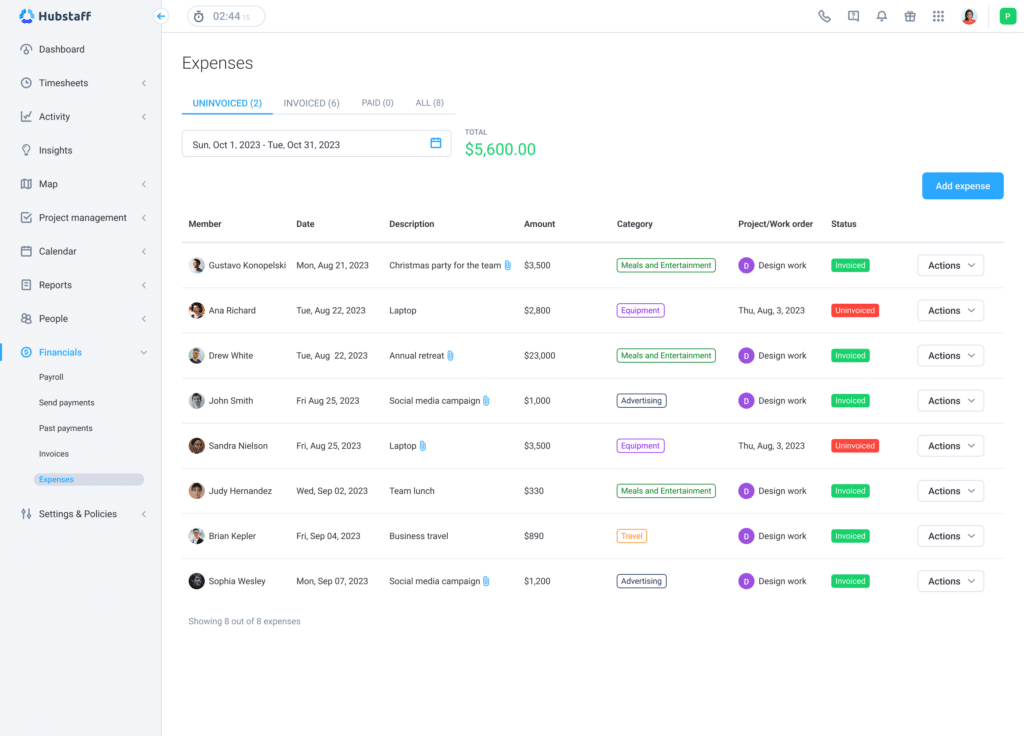
Hubstaff combines GPS field tracking with desktop activity monitoring for businesses that manage both job site crews and office or remote staff. It gives managers one dashboard for tracking hours across both environments. The trade-off is that its monitoring features (screenshots, idle detection, app tracking) were designed for desk workers, not for a framing crew in the rain.
Check out this in-depth Hubstaff review for more details, or see how it compares to Workyard in this Workyard vs. Hubstaff breakdown.
Best for: Companies with both field-based crews and desk-bound admin, estimating, or sales staff who want a single time tracking platform across both.
Key features
- GPS Tracking: Live map views and travel path history show managers field workers’ locations throughout the day.
- Project Budget Alerts: Sets weekly time or dollar budgets per job, sending automated alerts before overspending.
- Automated Payroll: Calculates and directly disburses pay based on approved hours and varying rates across currencies.
- Activity Monitoring: Tracks keyboard and mouse activity, with optional screenshots, for office and remote staff.
Pricing
| Plan | Price (annual billing) | What’s included |
| Starter | $4.99/user/month (2-seat min.) | Time tracking, timesheets, activity levels, limited reports |
| Grow | $7.50/user/month | Starter plus 1 integration, idle timeout, project budgets, expense tracking |
| Team | $10/user/month | Grow plus unlimited integrations, scheduling, payroll, attendance tracking |
| Enterprise | $25/user/month (annual only) | Full feature set plus HIPAA, SOC-2, SSO, advanced audit logs |
GPS location tracking is not included in any standard plan. It requires the Locations add-on at $3.33/user/month, available only on Team and Enterprise tiers.
Free trial: Hubstaff offers a 14-day free trial with no credit card required.
Pros and cons
| Pros | Cons |
| Automated payroll handles international and distributed teams across currencies | Activity monitoring (screenshots, idle detection) is poorly matched to field crew workflows |
| Solid integrations across QuickBooks, Gusto, Jira, Asana, and Slack | Only supports weekly overtime; no daily overtime or double-time tracking for states like California |
| Single platform covers both office productivity tracking and field time tracking |
Ratings
App Store: ⭐⭐⭐⭐ 4.5/5 (1,000+ reviews)
Google Play: ⭐⭐⭐ 3.1/5 (900+ reviews)
Capterra: ⭐⭐⭐⭐ 4.5/5 (1,500+ reviews)
Who should use Hubstaff?
- Businesses that run both a field crew and a desk-based admin or sales team they want to manage in one platform.
- Companies processing payroll for international contractors or distributed remote workers.
- Teams that need project budget alerts and don’t require construction-grade GPS enforcement at the point of clock-in.
- Operations where desktop productivity monitoring for office staff is a priority alongside basic field time tracking.
5. Housecall Pro: Ideal for service contractors automating the customer lifecycle
Housecall Pro functions as a growth engine for residential service businesses. The platform focuses less on labor tracking and more on converting leads into booked jobs, closing higher-value tickets, and getting paid faster.
Its AI receptionist answers calls and books jobs around the clock, and built-in consumer financing helps homeowners say yes to expensive HVAC or plumbing repairs on the spot.
Best for: Residential HVAC, plumbing, electrical, and cleaning businesses that want to automate dispatching, invoicing, and customer communication to increase revenue per job.
Key features
- Visual Dispatching: Drag-and-drop board for real-time technician scheduling.
- AI Receptionist (CSR AI): 24/7 autonomous call answering, triage, and job booking.
- Good/Better/Best Proposals: Technicians use tablets to present tiered options, increasing average ticket size.
- Consumer Financing: Integrated Klarna/Wisetack allows financing for high-ticket repairs.
- Recurring Service Plans: Stabilizes cash flow via ongoing maintenance contracts.

Pricing
| Plan | Price (annual billing) | What’s included |
| Basic | $59/month | 1 user. Scheduling, dispatching, invoicing, online booking |
| Essentials | $149/month | Up to 5 users. Adds QuickBooks integration, equipment tracking, visual price book |
| MAX | $299/month | Up to 8 users. Advanced reporting, dedicated onboarding, recurring service plans |
| Enterprise | Contact sales | Custom SLA, deep API access, dedicated account management |
Additional users on the MAX plan cost $35/user/month. Housecall Pro also offers an integrated expense card with 1% cashback on business purchases.
Free trial: Housecall Pro offers a 14-day free trial with no credit card required.
Pros and cons
| Pros | Cons |
| AI receptionist captures leads and books jobs after hours | QuickBooks and GPS locked behind the $149/month Essentials plan |
| Consumer financing removes payment friction on big-ticket jobs | $35/user overage fee escalates costs for growing teams |
| Strong visual dispatch board for multi-technician scheduling | No cost code or project phase tracking |
| 1% cashback expense card offsets subscription costs |
Ratings
App Store: ⭐⭐⭐⭐ 4.6/5
Google Play: ⭐⭐⭐ 3.3/5
Capterra: ⭐⭐⭐⭐ 4.6/5 (2,800+ reviews)
Who should use Housecall Pro?
- Residential service businesses focused on increasing revenue per job through upselling and financing tools.
- Companies that lose leads after hours and need an automated system to answer calls and book jobs 24/7.
- Contractors managing recurring maintenance contracts who need automated scheduling and payment collection.
- Teams that prioritize client experience over construction-grade labor tracking and cost code reporting.
6. ServiceTitan: Recommended for large commercial contractors replacing their full tech stack
ServiceTitan is a full enterprise resource planning (ERP) ecosystem for large-scale residential and commercial contractors. It is designed to replace every other piece of software in a company’s stack, from the first customer call to the final payment and follow-up marketing. That depth comes at a cost: implementation fees start at $5,000 and contracts lock in for 12 to 36 months.
Best for: Large commercial and residential contractors (20+ technicians) with dedicated office staff and the budget for a full platform replacement.
Key features
- AI-powered dispatching (Atlas): Optimizes routing using AI to analyze job history, technician skills, and real-time traffic, ensuring realistic drive times.
- Commercial billing: Supports commercial GC payment schedules with variable retainage, billing period adjustments, and three-way AP matching.
- Multi-phase job costing: Tracks labor, materials, and equipment across complex projects for detailed financial reporting.
- Inventory management: Monitors parts in trucks/warehouses, handling PO receiving, transfers, and cycle counts.
- Pricebook Pro: Provides technicians with pre-built flat-rate pricing, including images and descriptions, for on-site presentation.

Pricing
| Plan | Price | What’s included |
| Starter | Contact sales | Baseline commercial/residential features. ~$1,500/month minimum spend reported |
| Essentials | Contact sales | Advanced automation, equipment tracking, deeper integrations |
| The Works | Contact sales | Full suite including configurable payroll, advanced reporting, memberships |
ServiceTitan does not publish pricing publicly. All plans require a formal demo and custom quote. Implementation fees range from $5,000 to $50,000+ depending on complexity. Contracts require 12 to 36-month commitments.
Free trial: ServiceTitan does not offer a self-serve free trial. Access requires a scheduled demo.
Pros and cons
| Pros | Cons |
| Deepest financial architecture in this comparison (AFP, retainage, 3-way AP matching) | Pricing is 100% opaque; requires a demo to get a quote |
| AI dispatching optimizes routes by skill, traffic, and job history | Implementation takes 2 to 12 months with fees from $5,000 to $50,000+ |
| Comprehensive reporting across technician performance, revenue, and marketing ROI | 12 to 36-month contract lock-in prevents easy offboarding |
Ratings
App Store: 3.0/5 (1.6K reviews)
Google Play: 2.6/5 (900+ reviews)
Capterra: 4.3/5 (300+ reviews)
Who should use ServiceTitan?
- Large commercial or residential contractors with 20+ technicians, dedicated office staff, and the budget for a full platform deployment.
- Operations that need enterprise-grade financial workflows like application for payment, variable retainage, and certified payroll.
- Companies ready to commit to a 12+ month implementation and a multi-year contract in exchange for centralized visibility across every department.
- Businesses that have outgrown simpler tools like Jobber or Housecall Pro and need deeper reporting, inventory management, and multi-site job tracking.
7. QuickBooks Time: Recommended for contractors already running payroll inside QuickBooks
QuickBooks Time is the time tracking module built into the Intuit ecosystem. It is the default choice for contractors who already run payroll and accounting through QuickBooks Online. Hours flow directly into the ledger with no middleware, no CSV exports, and no manual re-entry.
The trade-off is ecosystem lock-in: the platform requires an active QuickBooks Online subscription to function fully.
Check out this in-depth QuickBooks Time review for more details. You can also read this Workyard vs. QuickBooks Time comparison guide to see how it stacks up in terms of construction-specific workflows.
Best for: Contractors whose entire financial operation runs inside QuickBooks Online or Desktop and who want time tracking embedded in the same system.
Key features
- Native QuickBooks sync: Bidirectional sync of hours with QuickBooks Online/Desktop; no third-party tool needed.
- Project estimates vs. actuals (Elite): Compares budgeted vs. actual hours to show real-time project profitability in the accounting ledger.
- Geofencing (Elite): Reminds workers to clock in/out when entering/leaving a job site.
- Time kiosk: Turns a device into a shared on-site punch clock for crews.
- Timesheet signatures: Captures employee sign-offs for documented payroll records.

Pricing
| Plan | Price | What’s included |
| Time Premium | $20/month base + $8/user/month | Mobile time tracking, scheduling, who’s working dashboard, PTO management |
| Time Elite | $40/month base + $10/user/month | All Premium features plus geofencing, mileage tracking, project estimates vs. actuals, timesheet signatures |
QuickBooks Time requires an active QuickBooks Online subscription to function fully. Factor in the base accounting software cost when calculating total cost of ownership.
Free trial: QuickBooks Time offers a 30-day free trial with no credit card required.
Pros and cons
| Pros | Cons |
| Seamless native sync with QuickBooks payroll and accounting | Requires a separate QuickBooks Online subscription to function |
| Project estimates vs. actuals reporting ties hours directly to profitability | Geofencing and mileage tracking locked behind the Elite plan |
| Kiosk mode works well for shared-device job sites | GPS enforcement is reminder-based, not restrictive; workers can still clock in off-site |
Ratings
App Store: 4.2/5 (300+ ratings)
Google Play: 4.7/5 (50,000+ ratings)
Capterra: 4.7/5 (6,000+ ratings)
Who should use QuickBooks Time?
- Contractors whose payroll and accounting already run inside QuickBooks Online or Desktop and who want zero-friction time data into their existing system.
- Small to mid-size teams that value project-level budget tracking tied directly to their accounting ledger.
- Operations that need a kiosk clock-in option on shared devices without requiring individual smartphones.
- Businesses that don’t need construction-grade GPS enforcement but want reminder-based geofencing for clock-in accountability.
8. Connecteam: Ideal for large deskless teams consolidating operations and HR in one app
Connecteam takes a modular, hub-based approach to workforce management. Instead of paying for one monolithic platform, contractors buy separate hubs for Operations, Communications, and HR.
Each hub covers up to 30 users for a flat monthly fee, making Connecteam one of the most cost-effective options for companies scaling headcount fast.
For contractors looking to replace Arcoro’s HR modules alongside time tracking, Connecteam’s combination of digital onboarding, compliance forms, and GPS clock-ins is the closest single-platform match in this list.
Best for: Large field service teams and growing contractors who need to consolidate scheduling, time tracking, internal communication, and HR compliance into one mobile app at a flat rate.
Key features
- NFC geofence auto clock-out: Workers clocking in via NFC are automatically clocked out upon leaving the GPS geofence.
- Unlimited geofencing (Expert): No limit on job site geofences; lower tiers cap at 10.
- Digital HR forms and e-sign: New hires complete IRS W-4, W-9, and I-9 forms digitally in-app, replacing paper onboarding.
- Internal company chat: Built-in messaging keeps field communication within the platform, not personal texts.
- Mobile schedule templates: Foremen can apply bulk day/week scheduling templates from the mobile app.

Pricing
| Hub / Plan | Price (annual billing) | What’s included |
| Small Business | Free | Up to 10 users. Basic access to all three hubs |
| Basic | $29/month (first 30 users) | GPS clock-ins, unlimited jobs, payroll integrations. ~$0.80/extra user |
| Advanced | $49/month (first 30 users) | Auto clock-out, up to 10 geofences, repeating shift templates. ~$2.50/extra user |
| Expert | $99/month (first 30 users) | Unlimited geofences, auto-assigned shifts, full API access. ~$4.20/extra user |
Prices above are per hub. Contractors who need Operations, Communications, and HR pay for each hub separately. Personalized onboarding sessions with a deployment specialist are $50/hour.
Free trial: Connecteam offers a 14-day free trial. The Small Business plan is free permanently for teams under 10 users.
Pros and cons
| Pros | Cons |
| Flat-rate pricing covers 30 users per hub, making it cheap at scale | Hub-based pricing multiplies fast if you need Operations, Communications, and HR together |
| NFC auto clock-out eliminates “forgot to punch out” payroll inflation | Geofencing capped at 10 sites on the Advanced plan; unlimited requires Expert ($99/month) |
| Digital W-4, W-9, and I-9 e-sign replaces paper onboarding | GPS breadcrumbs only available on Advanced and Expert plans |
| Free plan for teams under 10 users with access to all hubs | Job costing lacks cost code and phase-level depth found in construction-specific tools |
Ratings
App Store: ⭐⭐⭐⭐⭐ 4.9/5 (48,000+ reviews)
Google Play: ⭐⭐⭐⭐⭐ 4.9/5 (24,000+ reviews)
Capterra: ⭐⭐⭐⭐ 4.6/5 (5,000+ reviews)
Who should use Connecteam?
- Large construction/field service teams needing flat-rate pricing to avoid escalating per-user fees as they grow.
- Contractors replacing Arcoro, seeking integrated digital onboarding, compliance, and time tracking on one mobile platform.
- Operations requiring NFC clock-ins and automatic geofence clock-outs to prevent payroll errors from missed punches.
- Companies with distributed crews wanting to replace personal texts with centralized, searchable job communication.
How to choose the best Arcoro alternative
The right Arcoro alternative depends on what you’re actually replacing, whether GPS time tracking, HR compliance, or both. Most contractors switching from Arcoro need tighter GPS enforcement at clock-in, cleaner payroll integrations, and a mobile app that works as well as the desktop. If you also need onboarding, benefits, or certified payroll, the shortlist gets smaller.
What to look for in an Arcoro alternative
Look for GPS that enforces jobsite boundaries at the moment of clock-in, native payroll integrations that eliminate re-entry, and a mobile app crews will actually use. If you need HR and compliance modules too, confirm the tool covers them; most Arcoro alternatives don’t.
1. GPS enforcement at the point of clock-in
Arcoro tracks time, but verified reviews flag weak mobile GPS and no breadcrumb trail while clocked out. If on-site verification is the core problem, look for tools that block clock-ins outside a geofenced boundary rather than just logging location passively.
Ask vendors whether GPS enforcement happens at the moment of clock-in or only afterward, and what happens when a punch is attempted outside the geofence.
2. Mobile usability for field crews
A field crew at 6:30am needs two taps from open to clocked in. Arcoro users on TrustRadius report that mobile and tablet functionality is “greatly lacking” compared to the desktop experience. Any replacement should work better on a phone than on a computer.
Ask vendors the minimum number of steps for a worker to clock in on a new job site. Find out how the app behaves when a worker moves in and out of cell coverage during a shift.
3. Payroll and accounting integrations
Arcoro integrates with construction ERPs, but contractors without a full ERP stack often end up re-entering data manually. A replacement tool should eliminate that step with native sync to QuickBooks, ADP, Gusto, or Sage.
Ask vendors whether the integration is native or runs through a third-party connector like Zapier, and which specific data fields sync automatically versus manually.
4. Job costing by cost code
Knowing total hours worked is not the same as knowing where those hours went. For specialty subs and production-driven contractors, labor costs need to tie to specific phases or cost codes to protect margins on future bids.
Ask vendors whether workers can assign hours to cost codes directly from the mobile app, and whether job costing data updates in real time or only after timecard approval.
5. HR and compliance coverage
This is the gap most Arcoro alternatives leave open. If your operation depends on digital onboarding, benefits administration, ACA compliance, or certified payroll, evaluate whether the replacement covers these functions or whether you’ll need a separate HR tool alongside it.
Ask vendors what percentage of their customer base is in construction, and how the tool handles prevailing wage, union pay code requirements, or multi-state labor law compliance.
Pricing considerations
Most construction-specific tools in this comparison fall between $6 and $13/user/month plus a monthly base fee. Connecteam’s flat-rate model flips that math for larger crews. ServiceTitan sits at the high end with opaque pricing and mandatory implementation fees.
The biggest pricing variable is the structure. Per-user tools like Workyard and ClockShark scale linearly. Flat-rate tools like Connecteam get cheaper per head as you grow. Always model the cost at your actual headcount before comparing headline prices.
Hidden costs to watch for include GPS features locked behind premium tiers (Hubstaff Team + $3.33/user/month), field features like geofencing gated to higher plans (QuickBooks Time Elite), hub-based pricing that multiplies when you need more than one module (Connecteam), and mandatory implementation fees that can exceed $50,000 (ServiceTitan).
Integration requirements
For construction businesses, three integration categories matter most: accounting, payroll, and project management.
On the accounting side, QuickBooks Online and Desktop remain the dominant platforms in the trades. Workyard, ClockShark, and QuickBooks Time all offer verified native connections. Connecteam routes some integrations through Zapier, which adds a dependency and a separate subscription cost.
On the payroll side, native connections to ADP, Gusto, and Paychex eliminate the manual re-entry that consumes back-office time every pay cycle. According to Workyard’s analysis of 280 contractor discovery calls, 45% of construction businesses are still re-entering time data into payroll manually. A native integration removes that step entirely.
Ask these questions before signing any contract:
- Is the integration native or through a third-party connector?
- Does the sync push cost codes and labor classifications, or only total hours?
- How frequently does data sync?
- Are there additional fees for integration access beyond the base subscription?
Best Arcoro alternatives by use case
Workyard is the best Arcoro alternative for most construction teams that need GPS-verified time tracking, job costing, and payroll sync. Connecteam is the better fit if you’re specifically trying to replace Arcoro’s HR and onboarding modules. The breakdowns below show which tool fits each crew size and trade.
For small contractors (1–10 employees)
Top pick: Workyard. At $6/user/month on the Starter plan, Workyard gives a small crew GPS-verified clock-ins, one-click QuickBooks sync, and scheduling without requiring a heavy setup. The $50 base fee is the main consideration at this crew size.
Runner-up: Connecteam. The free Small Business plan covers up to 10 users with access to all three hubs. For a small crew not ready to pay for a dedicated tool, it’s the lowest-risk starting point.
For mid-size contractors (11–50 employees)
Top pick: Workyard. The $50 base fee spreads across a larger crew, bringing the effective per-user cost down as headcount grows. GPS enforcement, real-time job costing, and native payroll sync all work without tier upgrades on the Pro plan.
Runner-up: ClockShark. For trade contractors in this range who need simple job-based tracking, a foreman-led crew clock, and drag-and-drop scheduling without the full construction management feature set, ClockShark covers the basics at a competitive price.
For large contractors (50+ employees)
Top pick: Workyard. At scale, the combination of GPS enforcement, geofencing rules, automated payroll sync, and real-time labor cost visibility across multiple active sites justifies the per-user investment.
Alternative: Connecteam. For large operations where flat-rate pricing matters more than construction-specific GPS depth, Connecteam’s $99/month Expert tier covers unlimited geofences on a single hub fee. The NFC auto clock-out feature adds a layer of enforcement at scale.
For specific trades
Electrical contractors: Workyard. GPS-verified clock-ins and cost code tracking handle electricians moving between multiple job sites and phases in a single day.
HVAC companies: ClockShark. The CrewClock and kiosk mode suit HVAC teams that dispatch from a central location and need a foreman to manage punches across a rotating schedule.
Plumbing services: Workyard. The scheduling-to-clocking connection and mileage tracking address the high job-switching volume typical of service plumbing operations.
Roofing contractors: Connecteam. NFC clock-ins and digital safety checklists cover the two biggest accountability needs for roofing crews working on isolated sites.
General contractors: ServiceTitan. For GCs whose primary need is end-to-end project management, commercial billing, and multi-phase job costing rather than payroll-grade field time tracking.
By primary need
Best for GPS tracking: Workyard. GPS-verified clock-ins with geofencing, offline capability, and photo verification built specifically for construction field crews.
Best for scheduling: ClockShark. Drag-and-drop shift scheduling with direct push to worker phones and a foreman crew clock in the same app.
Best for QuickBooks integration: QuickBooks Time. Native bidirectional sync with QuickBooks Online and Desktop. No middleware, third-party connector, or manual export required.
Best free option: Connecteam. The only platform in this list with a permanently free plan that includes GPS clock-ins, scheduling, and access to all three management hubs for up to 10 users.
Best for offline use: Workyard. Offline GPS tracking stores location data and punches locally until connectivity returns. No lost time cards, no gaps in the attendance record.
Best for replacing Arcoro’s HR modules: Connecteam. Digital onboarding with IRS form e-sign (W-4, W-9, I-9), compliance checklists, internal chat, and document management in one platform. The closest functional replacement for Arcoro’s core HR workflows among all eight tools reviewed.
Final recommendation: Best Arcoro alternatives for construction
Workyard is the best Arcoro alternative for contractors who need GPS-verified time tracking, job costing by cost code, and payroll sync without manual cleanup. Connecteam is the better choice if you’re specifically replacing Arcoro’s HR modules (e.g., onboarding, compliance forms, and internal communication). Here’s how the top options compare:
🥇 Best overall: Workyard
For contractors whose core problems are GPS accountability on the job site, real-time labor cost visibility by cost code, and a payroll sync that doesn’t need manual cleanup every Friday, Workyard covers all three in one plan starting at $6/user/month.
It was built from the ground up for GPS-verified construction time tracking, not adapted from a general HR platform. That shows in how GPS enforcement, cost code tracking, and payroll sync work together rather than being bolted on as separate modules.
Best for: Construction and field service teams of any size managing hourly crews across multiple active job sites Pricing: Starting at $6/user/month + $50/month base fee
🥈 Best value: Connecteam
Connecteam is the only platform in this list that combines flat-rate pricing, GPS clock-ins, and digital HR tools (onboarding, compliance forms, internal chat) in one mobile app. For contractors replacing Arcoro who need both time tracking and HR functionality without per-user fees compounding at scale, it’s the most complete single-platform option.
Designed for: Large deskless teams consolidating operations and HR at a flat monthly rate Pricing: Free plan available. Paid plans from $29/month for the first 30 users per hub
🥉 Ideal for QuickBooks-first contractors: QuickBooks Time
For contractors whose entire financial operation already runs inside QuickBooks, no other tool in this comparison eliminates integration friction as completely. Hours flow directly into payroll and job costing without a CSV, a connector, or a manual step.
Designed for: Contractors running payroll and accounting natively inside QuickBooks Online or Desktop Pricing: Starting at $8/user/month + $20/month base fee
Why choose Workyard?
Workyard combines high-accuracy GPS tracking, construction-grade job costing by cost code, and direct payroll integration with QuickBooks, ADP, and Gusto.
Location-verified time tracking is central to every plan, not an expensive add-on or a feature gated behind an enterprise tier.
For contractors leaving Arcoro because the mobile experience fell short or field data couldn’t be verified, Workyard solves both problems from the first clock-in.
Ready to see Workyard in action? Start your 14-day free trial today. No credit card required.
Arcoro is a modular HR platform for construction companies that covers applicant tracking, onboarding, benefits administration, ACA compliance, performance management, and time and attendance through its ExakTime module.
It integrates with construction ERPs like Sage, Viewpoint, and Foundation, and works best for larger operations with dedicated HR staff who can manage its configuration and multiple modules.
Verified reviews on Capterra and TrustRadius cite limited mobile functionality for field crews, a disjointed interface stitched together from acquired products, and reporting that forces manual Excel workarounds.
Contractors whose primary need is verifying crew presence on the job site often find that Arcoro’s compliance-heavy HR suite adds complexity without solving the core time tracking problem.
Not entirely. Most tools in this comparison focus on clock-ins, scheduling, and payroll sync. They don’t cover benefits, ACA compliance, or performance management. The closest single-platform match is Connecteam, which adds digital onboarding and IRS form e-sign. For full HR depth, the practical path is pairing a construction time tracker like Workyard with a dedicated HR tool.
Connecteam offers a permanently free Small Business plan for up to 10 users with GPS clock-ins, scheduling, and access to all three hubs. Hubstaff has a free plan limited to one user.
Most other tools offer 14-day free trials instead, and Workyard’s trial gives full access to Pro features so you can test GPS tracking and job costing with your actual crew.
QuickBooks Time is the only tool natively embedded inside the QuickBooks ecosystem, syncing hours bidirectionally with no middleware.
Workyard also offers verified native connections to QuickBooks Online and Desktop alongside ADP and Gusto. If you need GPS enforcement alongside that QuickBooks integration, Workyard is the stronger fit.
Most do, but depth varies. Workyard stores GPS data, clock-ins, and timecards locally and syncs when connectivity returns. ClockShark supports offline clock-ins with automatic sync. Jobber added offline mobile mode in March 2026. QuickBooks Time’s offline capability is more limited.
For rural or underground sites, verify exactly what data the app captures locally before choosing.
Pricing ranges from free to over $200/technician/month. Per-user tools like Workyard ($6–$13/user/month) and ClockShark ($9–$11/user/month) include a monthly base fee. Flat-rate tools like Connecteam ($29–$99/month for up to 30 users) get cheaper per head as headcount grows. ServiceTitan does not publish pricing.
Always model total monthly cost at your actual team size.
If you primarily use ExakTime for time and attendance, migration to Workyard or ClockShark is straightforward since most platforms support CSV imports for employee rosters and job lists. If your operation relies on Arcoro for onboarding, benefits, and compliance, the migration is more involved.
Plan for 1–2 weeks for a time tracking switch and 4–6 weeks if you’re replacing HR workflows.
Yes. Workyard blocks clock-ins outside the geofence entirely. ClockShark sends reminders when workers enter or leave a boundary. Connecteam’s Expert plan offers unlimited geofences with NFC auto clock-out. QuickBooks Time offers geofencing as well, but functions as reminder system rather than hard restriction.
If geofenced enforcement is the priority, verify whether the tool blocks or merely logs off-site punches.


