
"I would probably ballpark it to be roughly about $5,000 and that's just something that we saw fairly immediate, where we were able to save roughly about five visits per job"
Victor Rodriguez, HR Field ManagerSynaptic Solar
Construction employee scheduling software
Construction employee scheduling software puts your people on the right jobs, day by day. In Workyard, you drag a whole crew or one worker onto a job, sort the board by project, crew or person, and each task reaches their phones with its forms, notes and files.
"I would probably ballpark it to be roughly about $5,000 and that's just something that we saw fairly immediate, where we were able to save roughly about five visits per job"
Victor Rodriguez, HR Field ManagerSynaptic Solar

100s of hrssaved a week routing supervisors by proximity
"It's preventing us from losing more on each project — saving us money."
$123Ksaved with Workyard’s Smart Forms
"Smart Forms pays for itself through accurate invoicing, insurance savings, and keeping our business moving every single day."

"We wanted more than a time tracking app since many exist. We sought something that helps beyond just tracking time."
Brian Mata, Project ManagerWagler Custom Homes

"Of all the solutions we’ve been exposed to, Workyard is the best. It’s a good value for the money, and the team is always willing to work with you to meet your needs."
James Monzello, CFOGreen Wall Tech

2 weeksto roll out to all 120 crew
"You should ditch the paper, get rid of the other software, get on something that can track your crew's time, track your job costing, and save you real money."

15–20admin hours back every month
"If you have field crews, Workyard is one of those tools that pays for itself. It saves us hours every payroll, keeps everyone accountable, and gives us real-time visibility into every job."

How it works
Put a whole crew or one person on a job, then look at the week by project, by crew or by person. Labels color the work your way, and the forms, notes and files each job needs ride on the task to every phone on it.
Drag a team from the side panel onto a job and everyone on it is assigned in one go. Need one person? Drag them alone, or tick a few and drag them together. Mix the two as crews change: a floater joins the crew for two days, then moves on.

The same week, grouped the way you think about it: by project, by team, by team member or by customer. Look at a day, a week or a month on the Calendar, or out to a quarter or a year on the Timeline. Filter by team, person, job, customer, label or status to see just your part.

Make your own labels, each with its color: Framing, Concrete, Punch, or however you sort the work. Color the board by label to see the mix at a glance, filter to one, and relabel many tasks at once from the list. Crews see the labels on their phones too.

Put what the job needs on the task: the form to fill in on site, a checklist, and notes with instructions, photos and files like plans. Everyone on the task opens them from their phone, and a new note reaches them by push and email. If the form is due that day, it’s on their list to finish before they clock out.
Workyard’s employee scheduling app is the one they clock in with. They see the day’s tasks with the job, the hours, the checklist and notes, and tap one for directions in Apple or Google Maps and its forms. Add them to a task and they get a push and an email; press Send and everyone in view gets the week.
"Being able to have the same platform assist us with the scheduling aspect … was very important as well."

The payoff
$5,000
a week saved on payroll at Synaptic Solar
After their schedule, time tracking and job costs moved into one app.
One drag
puts a whole crew on a job
Everyone on the team is on the task, not typed in one by one.
Four ways
to look at the same week
By project, by crew, by person or by customer.
Every form
rides on its task
Filled in on site and kept with the task it belongs to.
Most contractors run a mix: crews that stay together for months, people sent wherever a job is short, and foremen who run their crew’s days. One board schedules all three.
Crews that move job to job together
People sent where a job is short

The foreman runs the crew’s days
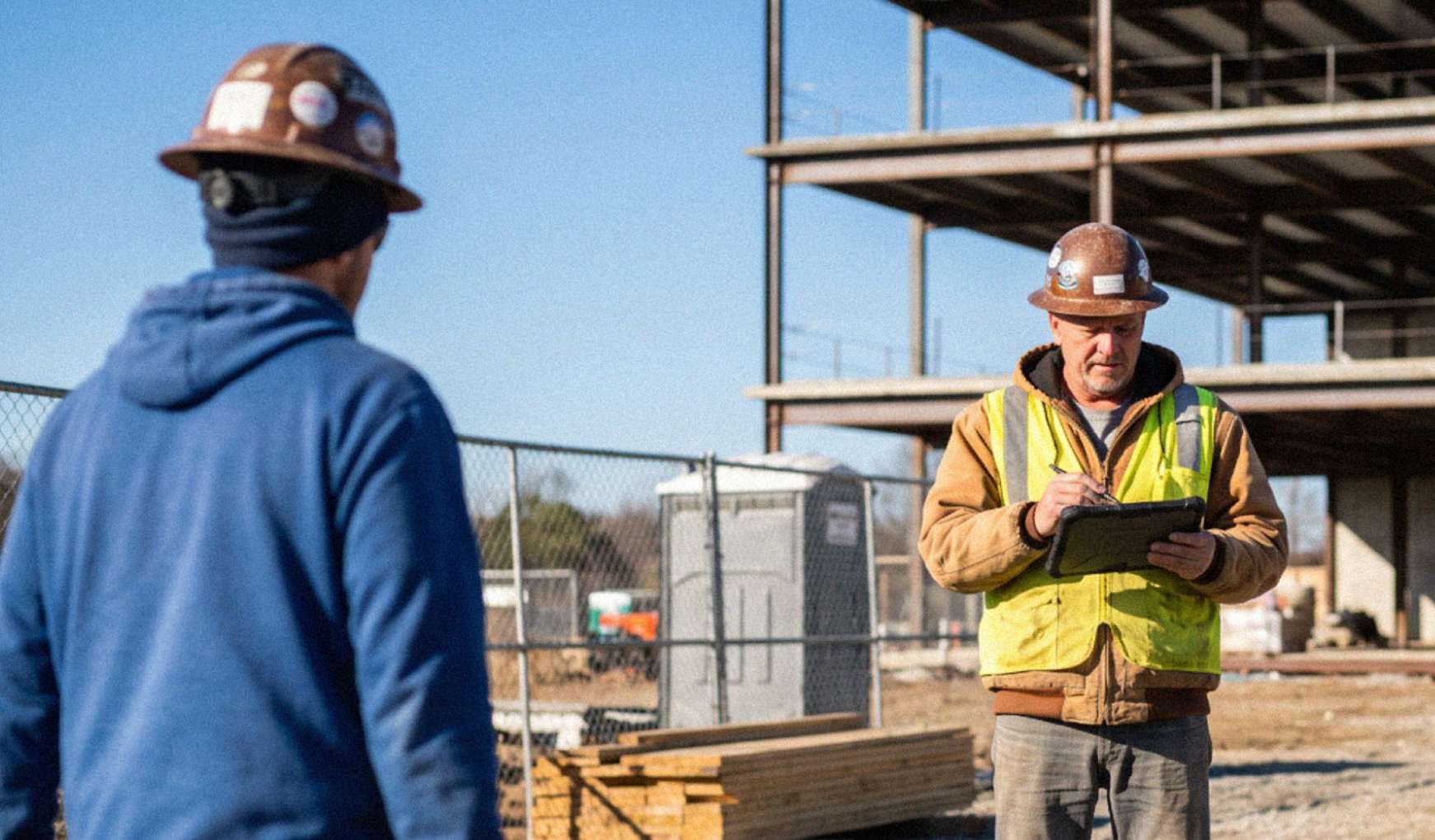

"I would probably ballpark it to be roughly about $5,000 and that's just something that we saw fairly immediate, where we were able to save roughly about five visits per job"
$5,000 a weeksaved on payroll and job costs
Read the story
"It's preventing us from losing more on each project — saving us money."
100s of hrssaved a week routing supervisors by proximity
Read the storyFeatures
Crews, people, jobs, labels, and the paperwork that goes with them.
Whole crews
Drag a team onto a job and everyone on it is assigned.
One person at a time
Drag one worker, or tick a few and drag them together.
Group the board by project, team, team member or customer.
Calendar and Timeline
A day, a week or a month, or out to a quarter or a year.
Color labels
Your own labels. Color and filter the board by them.
Attach a form, and the crew fills it in on site.
Checklists
Ticked off on the phone as the work gets done.
Notes, photos and files
Instructions and plans on the task. Everyone on it hears about new notes.
Time off on the board
Requested in the app. Pending and approved, on each person’s row.
PMs and foremen schedule too
From the web or the phone. Managers and admins can change any task.
Who’s clocked in, and on which job.

Connect 21 payroll, accounting and project systems. Your jobs and employees sync automatically.









Fair questions, straight answers
Construction employee scheduling software decides who works where and when: which crews and workers go to which jobs, on which days, and gets that plan onto their phones. In Workyard it runs in three places:
It’s the people side of our construction scheduling software. For service calls, see field service dispatch.
On their phone, in the Workyard app they clock in with: each day’s tasks with the job, the hours, directions, the checklist, notes and forms.
Add someone to a task and they get a push and an email; edit a task and its notify switch, on by default, tells everyone on it. Dragging tasks to other days notifies no one, so press Send when the week settles. There’s no text message (SMS) option.
Yes, on Live Locations: every clocked-in worker on one map, the job they’re on, and who hasn’t clocked in yet. Location is recorded only while they’re on the clock.
The schedule isn’t checked against clock-ins, so Workyard won’t alert you to a no-show. The map is where you see it.
One built around jobs, not shifts. Most employee scheduling software is made for shifts at one store or restaurant. A contractor puts crews on job sites for days or months and needs their hours on the right job. Look for:
We compare the options in the best employee scheduling apps and the best crew scheduling software.
Both. Drag a team from the side panel onto a job and everyone on it is assigned in one go, or drag one person, or tick a few and drag them together.
A task runs from its start date to its due date, so a crew on a year-long job is scheduled once. Repeat work repeats daily, weekly, monthly or yearly.
Not by itself. The schedule doesn’t fill in time cards, and clocking in doesn’t pick the job from it. Hours go to the job where the worker clocks in, or where the job’s geofence clocks them in, and you can restrict clock-in to the job’s geofence so nobody clocks in at the wrong site.
Time tracking puts each hour on its job and cost code, and job costing adds up each job’s labor.
Every worker gets their own copy. Instead of a photo of the whiteboard that’s out of date by 8 AM, each phone shows that worker’s tasks, and a change reaches the people it affects. Tasks keep their notes, checklists and a log of changes, so nothing gets wiped.
Yes. A task carries forms to fill in on site, a checklist, and notes with instructions, photos and files such as plans. The crew opens them on their phone, a new note reaches everyone on the task by push and email, and a form submitted from the task stays linked to it. More in forms and workflows.
Yes. Anyone on your team can add a task, from the web app or their phone on site, and change the tasks they made; admins and managers can change any task. The office sees it all on one board.
Workers see only their own tasks. A foreman can also clock the whole crew in from the same phone.
Each task has its own start and due time, so the 6 AM pour crew and the 7:30 framers sit side by side on the board, and each phone shows its own start. For standing assignments, repeat the task.
Workyard doesn’t have shift templates, open shifts or shift swaps, and it doesn’t stop a clock-in before the scheduled start. An earliest clock-in time in each rule group keeps pay from starting early: a card punched at 6:15 for a 7:00 start begins at 7:00.
Yes. A worker picks the days and the type of leave in the app and sends the request. Their approver gets a push and an email and approves or declines from the web app or their phone, and the worker gets a push with the answer. Group the board by team member and pending and approved time off shows on each person’s row, holidays too.
Workyard keeps the requests and their hours; it doesn’t track balances or accruals. More in how paid time off works.
Drag them onto the other job’s task and they get a push and an email at once, then take them off the task they’re leaving. Moving a whole task to other days? Drag it, then press Send. Their hours follow them when they clock in at the new job.
It shows manpower; it doesn’t forecast it. Grouped by project, each job shows how many people it has in the days you’re looking at, and the Timeline runs out to a year, so you see where crews go next. Afterwards, Project Time & Cost shows the labor hours each job used.
It doesn’t forecast labor demand or warn when a job is short. For critical-path plans, keep a project scheduling tool: see the best construction scheduling tools.
Yes. Group the same tasks by project, by team, by team member or by customer, on the Calendar (a day, a week or a month) or the Timeline (out to a year). Make your own labels, each with a color, such as Framing, Concrete or Punch, then color the board by label and filter by it.
Put their foreman on the same task: the foreman’s phone shows the crew’s work, and the foreman can clock the whole crew in from it. Send also goes by email, so workers not on the app yet still get their week.
Group the board by team member and everyone with work or time off that week gets a row, so gaps stand out; someone with nothing scheduled has no row.
Workyard doesn’t suggest who’s free, block double-booking or warn when someone is on two jobs at once. Drop someone onto a task they’re already on and it tells you.
Mostly. Dragging people or a team onto an empty day makes an untitled task without notifying anyone, and the task form has a notify switch you can turn off. When the week is ready, press Send and everyone in view gets it at once.
There’s no draft mode: a saved task shows in the worker’s app straight away, before you send.
In Workyard, scheduling is part of the Max plan, with daily reporting, safety, forms and workflows and time card sign-offs. It’s a per-user license priced for your crew, and you get the exact number on the first call. See pricing.

Live in days, not months, and a real person on the phone the whole way.