"I would probably ballpark it to be roughly about $5,000 and that's just something that we saw fairly immediate, where we were able to save roughly about five visits per job"
Victor Rodriguez, HR Field ManagerSynaptic Solar
Employee mileage tracking
Workyard logs every drive your crew makes while they’re on the clock: the route, the stops and the miles, per worker and per job. No trip button, no mileage log, no guessing on Friday. Off the clock, nothing is recorded.
"I would probably ballpark it to be roughly about $5,000 and that's just something that we saw fairly immediate, where we were able to save roughly about five visits per job"
Victor Rodriguez, HR Field ManagerSynaptic Solar
$123Ksaved with Workyard’s Smart Forms
"Smart Forms pays for itself through accurate invoicing, insurance savings, and keeping our business moving every single day."

"We wanted more than a time tracking app since many exist. We sought something that helps beyond just tracking time."
Brian Mata, Project ManagerWagler Custom Homes

100s of hrssaved a week routing supervisors by proximity
"It's preventing us from losing more on each project — saving us money."

"Of all the solutions we’ve been exposed to, Workyard is the best. It’s a good value for the money, and the team is always willing to work with you to meet your needs."
James Monzello, CFOGreen Wall Tech

$1,000+in payroll errors found in one week
"You should ditch the paper, get rid of the other software, get on something that can track your crew's time, track your job costing, and save you real money."

100%of field hours GPS-verified
"If you have field crews, Workyard is one of those tools that pays for itself. It saves us hours every payroll, keeps everyone accountable, and gives us real-time visibility into every job."

How it works
Miles come from the same GPS that checks the hours, so the crew has nothing extra to do and the office has nothing to chase.
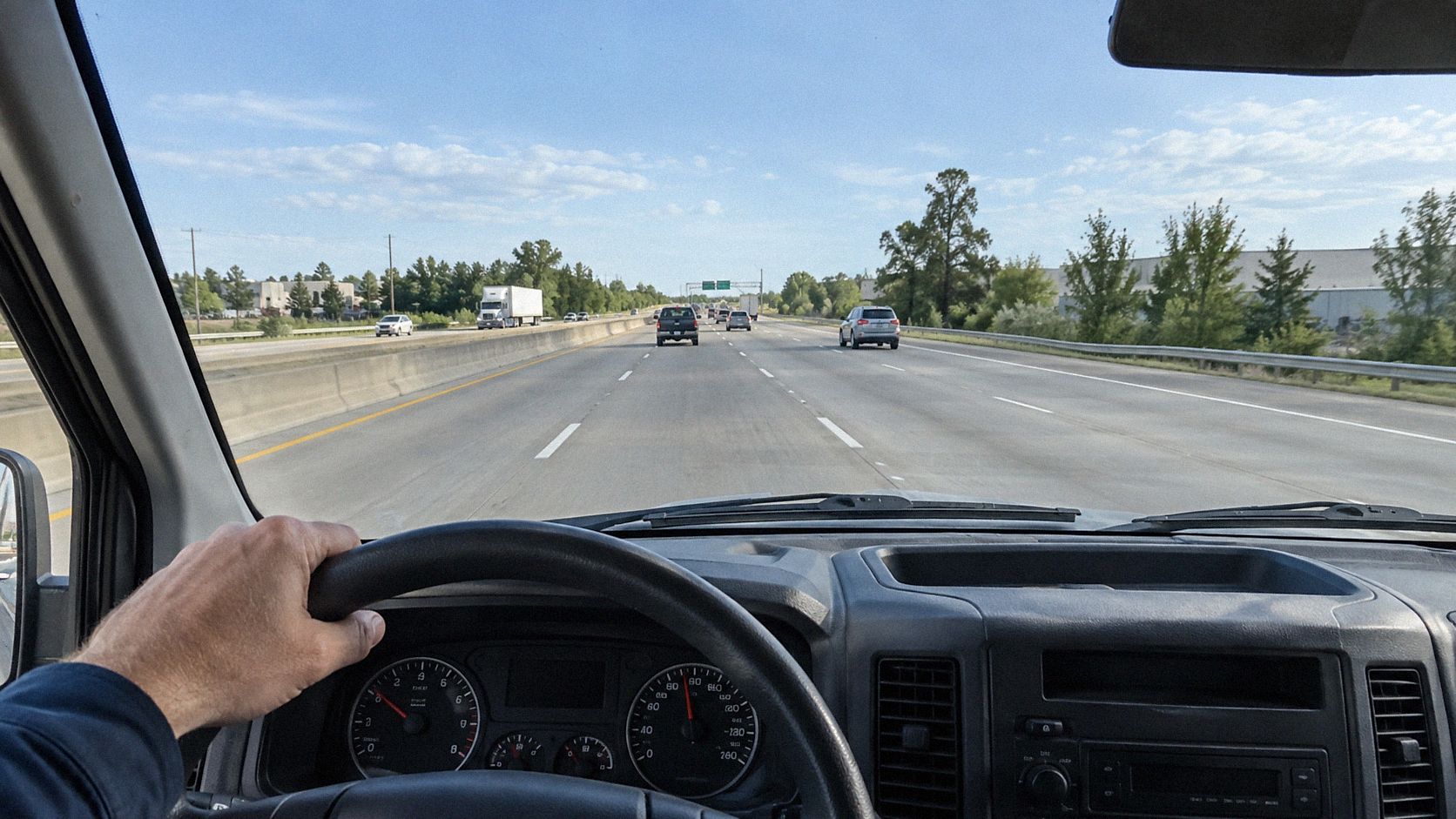
Workers clock in and go. Each drive is recorded on its own, with where it started, where it ended and the miles, and lands on their time card, where they can see it in the app. Clock out and recording stops.
"It’s mind-blowing to see how many miles we do."
A drive’s miles go to the worker who drove them and to a job. Stop at the supplier on the way and those miles count toward the job they drive on to. Add them up by person, job, cost code or day.
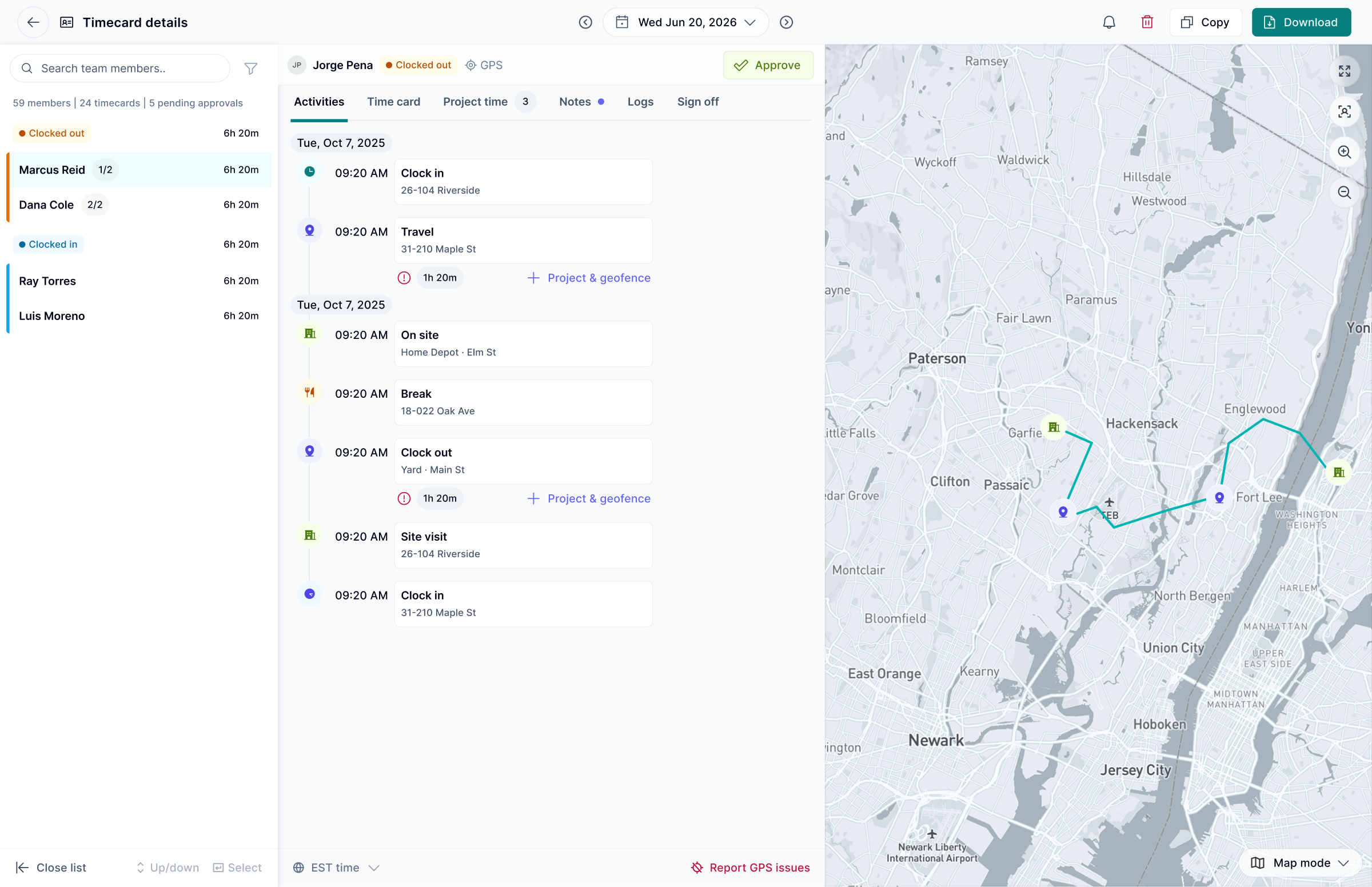
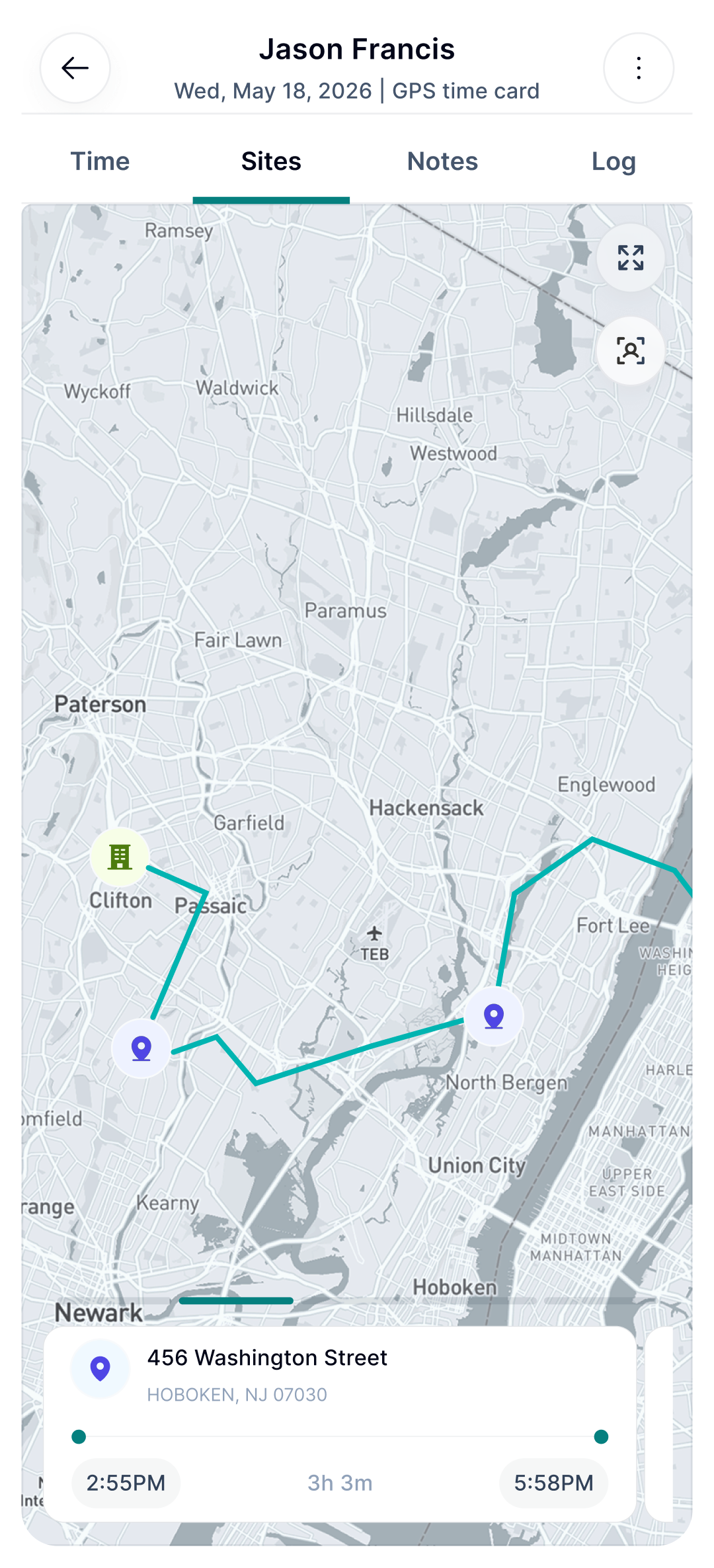
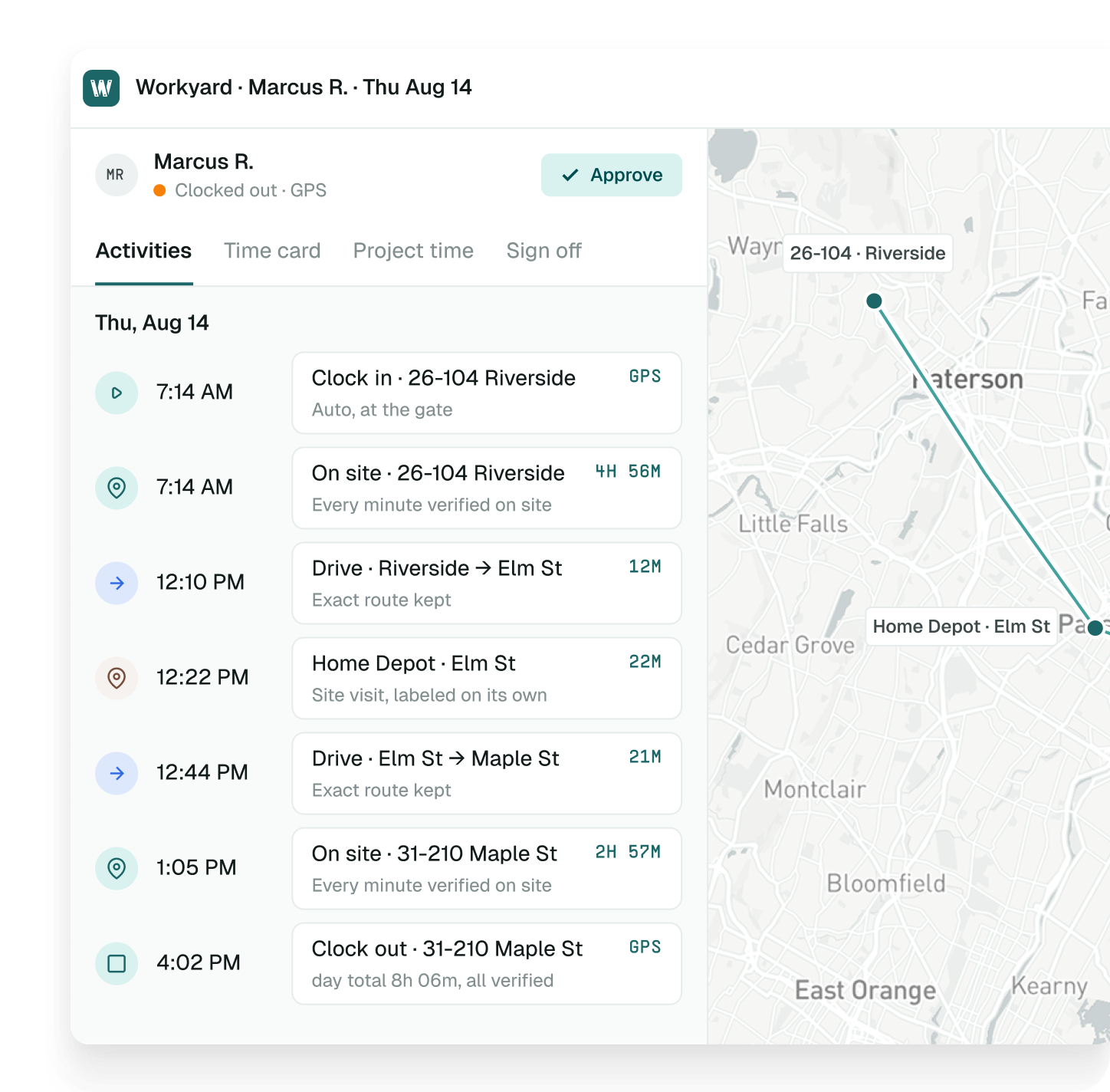
Open any time card and the day is on a map: each site, each drive with its route, and the stops in between, like the Home Depot run, named on their own. When a mileage claim looks long, the route is right there.
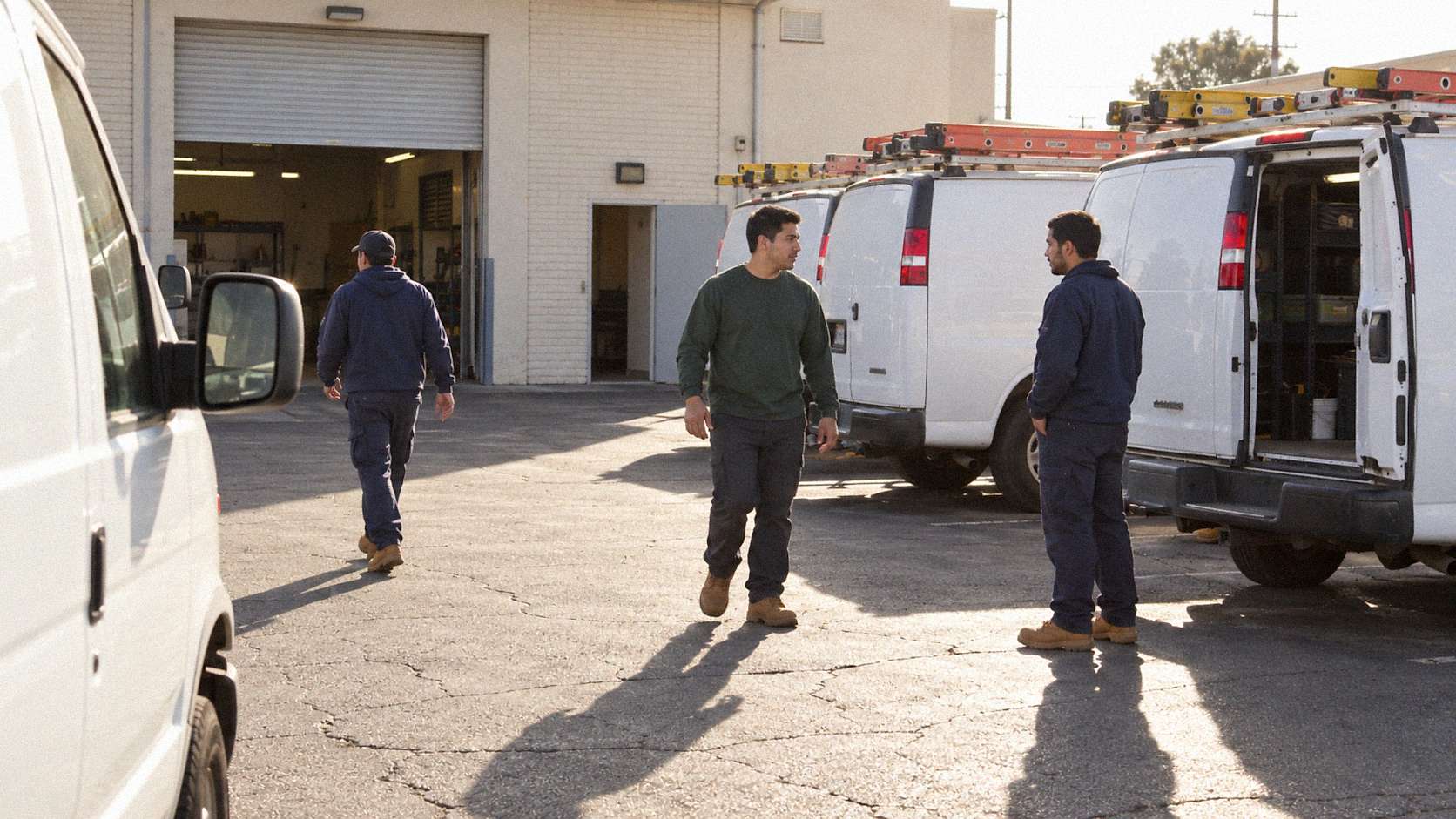
Driving between sites is work time, and it costs the job. Pick where drive time and its miles go: the next job they visit, split across the day’s jobs, or left unallocated. Then put one cost code, like Travel, on all of it.
Assign driving time toTime and miles spent driving go to a project by the rule you pick
Automatic assignment
Cost code for driving timeTravel
Miles come from location, and location is recorded only between clock-in and clock-out. The drive home, nights and weekends are never tracked, and workers can see that in the app. Set it crew by crew.

Location trackingChoose when team members’ location is recorded
Field crews
Tick Miles on a time card report and download hours and miles by worker and day, or by job and cost code, as a PDF or CSV. Workyard records the miles. What you pay per mile is your call.

Time Cards (Summary)Total hours & miles by day
Aug 11 – Aug 17
Include: MilesCSV
The payoff
Up to 6 hrs
of driving on any given day
What Construction Punch Services found once Workyard tracked its drive time and miles.
Every mile
on a worker and a job
By person, job, cost code or day, with no logbook.
Every drive
with its route on the map
Beside the sites and stops it joined.
Off the clock
nothing recorded
No drive home, no weekends.

"I tried using my payroll provider but they couldn’t adapt to the way I worked. Then I discovered Workyard, and in a way, this platform became my admin team."

"If you have field crews, Workyard is one of those tools that pays for itself. It saves us hours every payroll, keeps everyone accountable, and gives us real-time visibility into every job."

"I would probably ballpark it to be roughly about $5,000 and that's just something that we saw fairly immediate, where we were able to save roughly about five visits per job"
$5,000 a weeksaved on payroll and job costs
Read the story
"It was so simple and easy to use compared to other apps, and the real-time GPS tracking was a huge win for us. Ultimately, that’s why we went with Workyard."
Features
What gets recorded, and where the miles go.
The whole platform: every hour verified, coded to the job and ready for payroll.
Automatic drives
Every drive on the clock recorded, with no trip to start or stop.
Miles per job
Each drive’s miles land on a job, and on every job’s totals.
Miles per worker
Totals by person and day, on Time Cards and in reports.
Route on the map
Each drive’s path on the time card, beside the sites it joined.
Named stops
Supply runs and gas stops labeled on their own.
Drive time rules
To the next job, split across the day’s jobs, or unallocated.
Travel cost code
One cost code on all driving, for clean job costs.
Mileage reports
Hours and miles as a PDF or CSV, by worker or by job.
Miles view
Switch the Time Cards grid from hours to miles.
Location recorded while clocked in. Never after hours.
Every punch stamped with where it happened.
Arriving at the job starts the clock.
Calls all day, with the drives between them split out.
Looking for something specific?
If a crew needs it, we probably built it.

Connect 21 payroll, accounting and project systems. Your jobs and employees sync automatically.









Fair questions, straight answers
An employee mileage tracking app records the miles your workers drive for work, so you can pay them back, cost the job or bill it. In Workyard the miles come with the time card, as part of Time Tracking:
Automatically. There’s no trip to start, no odometer to read and no log to fill in on Friday. Every drive between clock-in and clock-out is picked up on its own, and workers see each one, with its miles, on their time card in the app.
It counts what’s driven on the clock. There’s no setting that subtracts a commute, so your clock-in rules decide: clock in at the shop or the first job and the drive from home stays off the card. With a geofence time clock that only lets crews clock in on site, nobody starts the clock from home.
As a general rule, the IRS treats driving between home and a regular workplace as commuting, a personal expense, and driving between work sites as business miles. There are exceptions, so check yours with your accountant.
Yes, as a report. Tick Miles on a time card report and download it as a PDF or CSV:
Or switch the Time Cards grid from hours to miles. Need miles in the payroll file itself? Ask us about a custom export.
No. Workyard records the miles per worker, per day and per job. It doesn’t apply a rate or pay anyone back. Download the miles and multiply them by the rate you reimburse at, in payroll or a spreadsheet. Many employers use the IRS standard mileage rate; some pay less.
Yes, by the rule you pick: a drive’s time and miles go to the next job the worker visits, split evenly across the day’s jobs, or stay unallocated. A stop at the supplier on the way counts toward the job they drive on to, and one cost code, such as Travel, can go on all driving.
For business driving, the IRS standard mileage rate is 72.5 cents a mile from January 1 to June 30, 2026, and 76 cents a mile from July 1, 2026, after a mid-year increase (IRS standard mileage rates). Workyard gives you the miles; you apply the rate. This isn’t tax advice.
No. Location, and so mileage, is recorded only while a worker is clocked in. After clock-out, the drive home, the evening and the weekend aren’t tracked, and workers can see that in the app. More on what’s recorded in Live Locations.
Not under federal law, as long as unpaid vehicle costs don’t bring an employee’s pay below minimum wage or the overtime they’re owed. Some states go further: California, for one, requires employers to repay necessary business expenses, including miles driven in a personal vehicle. Check your state with your attorney or accountant. This isn’t legal advice. More in How to Calculate Mileage Reimbursement.
Generally, yes. Under the Fair Labor Standards Act, driving from job site to job site during the workday counts as hours worked, while the normal drive from home to work doesn’t (US Department of Labor). In Workyard, drives on the clock are on the time card, coded by your rules. More in Travel Time Pay for Construction Workers.
Yes. Each time card shows the day on a map: every site, every drive with its route and miles, and the stops in between, named on their own. A disputed claim gets checked against the route, not someone’s memory.
The miles come from the phone’s GPS readings along each drive, the same route you see on the time card’s map. If a phone stops recording, because location was off, battery saver kicked in or the app was closed, the card shows the gap and why. Miles aren’t typed in by hand: move a stretch of time to another job and its miles move with it.
No. Workyard doesn’t track or calculate per diem. It gives you each worker’s hours, jobs and miles by day, the record most per-diem rules are checked against.
The worker. Miles come from the Workyard app on their phone, iPhone or Android, so they’re recorded the same way in a company truck or their own car, with nothing to install in the vehicle. More on the worker’s side in Employee Time Clock App.
Only the riders clocked in on their own phones. Miles go on the time card of each phone that’s on the clock with location on, so three workers on three phones each get the drive. Cards a foreman starts for the crew, and kiosk punches, carry hours but no miles.
Mileage tracker apps such as MileIQ and Everlance are built around one driver’s own log: they pick up trips and the driver marks each one business or personal. Workyard is time tracking for crews. The miles come with the hours, only on the clock, already on a job, and approved with the time card. For crews on calls all day, it’s one app instead of two.
Drive time and mileage tracking come in every Workyard package, from Autopilot up. It’s a per-user license, priced on the package and setup you need, and a specialist gives you the exact number on a 30-minute call. See pricing.

Live in days, not months, and a real person on the phone the whole way.