



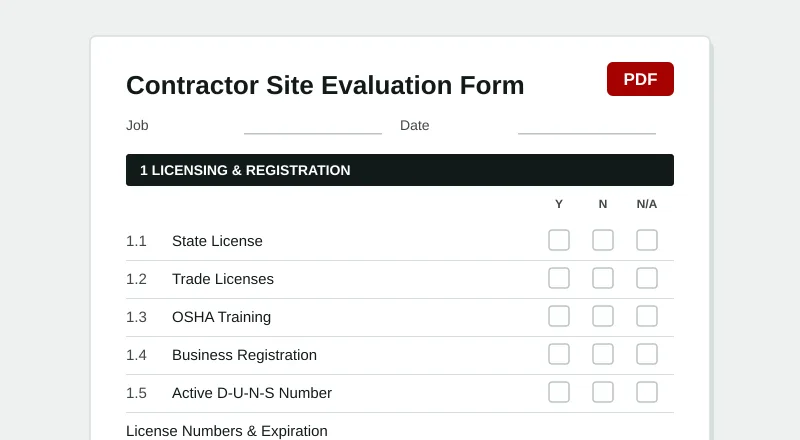
A contractor evaluation form is how a general contractor, owner or property manager checks a contractor before letting them start work: are they licensed, insured, trained and set up to work safely on this site. The person responsible for the site, usually a superintendent, PM or safety manager, fills it in, and the result decides whether the contractor starts, starts with conditions, or doesn't start.
The template here is a contractor site evaluation form. It combines the paperwork side of prequalification with a check that the contractor's crew is ready for this particular job.
Two kinds of contractor evaluation
Contractor evaluations come in two flavors, and it helps to know which one you need before you pick a form.
| Type | When | What it checks | Who fills it in |
|---|---|---|---|
| Prequalification and site evaluation (this form) | Before the contractor starts on site | Licenses, insurance, safety program, training, equipment, environmental controls, site orientation | Superintendent, PM or safety manager |
| Performance evaluation | At milestones on long jobs, at closeout, or in an annual vendor review | Quality of work, schedule, budget and change orders, safety record on the job, communication, housekeeping | PM or superintendent, with input from the site team |
Most GCs need both. The site evaluation keeps an unprepared contractor off the job; the performance review decides whether you hire them again. A contractor performance evaluation form scores what happened; this one checks what's in place before anything happens.
What the contractor site evaluation form checks
The form has nine sections. Most are a list of criteria marked Yes, No or N/A, with fields for the details and a comment box.
Company, licensing and insurance
Section 1 records the company name, main contact, years in business, address, phone and email. Section 2 checks the state contractor license, specialty trade licenses, OSHA 10 or 30-hour cards for key people, business registration and a D-U-N-S number, plus license numbers, expiration dates and the states they're licensed in.
Section 3 covers insurance and bonding: general liability that meets the contract's minimum limits, workers' comp, auto liability for their vehicles, professional liability for design-build or advisory work, and a performance bond where the job requires one. Record the providers, policy numbers, expiration dates and limits. Check the expiration dates against the job's schedule, not just today's date: a policy that lapses mid-job is a gap.
Safety management and training
Section 4 asks for the contractor's safety program: a current written safety plan, a named safety lead, the last three years of OSHA 300 and 300A logs, an experience modification rate (EMR) at or below 1.0, a documented incident investigation process, regular toolbox talks, and a drug and alcohol policy with testing. It also records the latest EMR, any OSHA citations in the last three years, and the date of their last incident.
Section 5 checks people: competent persons for excavation and fall protection, supervisors trained in OSHA 30, at least one first aid and CPR certified worker per shift, fall protection, confined space and hazard communication training. Upload the training logs or cards.
Equipment and environmental controls
Section 6 covers tools and equipment: maintenance logs, GFCI protection on tools, inspected ladders and scaffolds, fall arrest gear, fire extinguishers properly rated and accessible, and lockout/tagout devices. Section 7 covers environmental compliance: a stormwater plan where required, spill kits on vehicles and on site, a hazardous materials log, lead and asbestos certifications where the work calls for them, dust and air controls, and a waste disposal contract.
Site readiness and orientation
Section 8 is the job site evaluation. Has the crew completed site orientation, do they understand the PPE requirements, are emergency contacts posted on site and in the trailer, is there a communication plan (radio, phone or contact protocol), and is the sign-in procedure being followed? Record the orientation date and the site safety contact.
How to score it: Approved, Conditional or Rejected
Section 9 closes the evaluation. Enter the project name or job ID and choose an outcome:
- Approved: everything required is in place. The contractor can start.
- Conditional: a gap that can be closed quickly, such as a certificate in renewal or a missing training card. Mark follow-up actions Yes, write what's needed and by when, and don't let the affected work start until it's closed.
- Rejected: a gap that can't be fixed before the start date, like no workers' comp or no license for the trade.
The inspector adds summary notes, their name, title, company and the inspection date, and signs. A rule worth setting in writing: decide in advance which items are automatic rejections (no insurance, no license) and which can be conditional. Otherwise every call becomes a negotiation at the gate.
Common mistakes in contractor evaluations
The weak spots are predictable:
- Taking the contractor's word for it. Ask for the certificate, the logs, the cards. Upload them.
- Checking once and never again. Insurance and licenses expire mid-job. Put the expiration dates where someone will see them.
- Skipping the site check. Paperwork can be perfect while the crew on site has never been through orientation.
- Different forms for different contractors. Results you can't compare don't help you choose.
- No follow-up on Conditional. A conditional approval with no date is an approval.
Using the results
A completed evaluation does more than clear one contractor for one job. Keep it with the job's records and with the contractor's file. Over time, the evaluations become your approved contractor list: who shows up with paperwork in order, whose crews pass orientation, whose safety record holds up. Pair it with a performance review at closeout, and you have real evidence the next time you choose who to invite to bid. For the walk itself, the site inspections category has checklists for the daily side, including a PPE inspection checklist.
Running contractor evaluations in Workyard
In Workyard, the contractor site evaluation runs as a form on the superintendent's phone. Certificates and training cards go in as uploads or photos, the inspector signs with a finger, and each evaluation files itself to its job with the date and signature. Mark the answers that matter, like a Rejected outcome or a No on workers' comp, and they go straight to the person you name. See how it works in forms and workflows, or how it fits with the rest of your safety paperwork.
Get the free contractor evaluation form
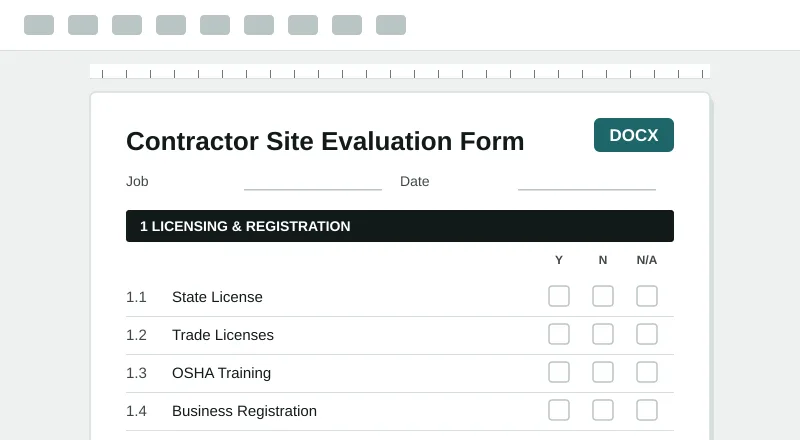
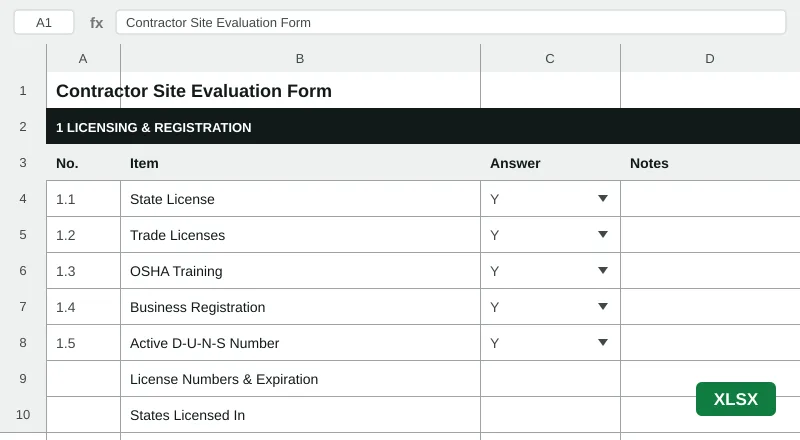
Download the contractor site evaluation form as a PDF to print, or as a Word or Excel file to add your own criteria and insurance minimums. It's free, with no sign-up. Run it on paper at the gate, or on phones in Workyard when you want every evaluation filed to the job.


