Skip to content
Log InBook a demo
Book a demo
Free template · paper and digital

Electrical Testing & Commissioning Log

Logs each commissioning test on an electrical and control system, from safety checks and panels to wiring and bus communications.

WordExcel
  • No email
  • No sign-up
  • Edit it, add your logo
See every check

The template

The full Electrical Testing & Commissioning Log

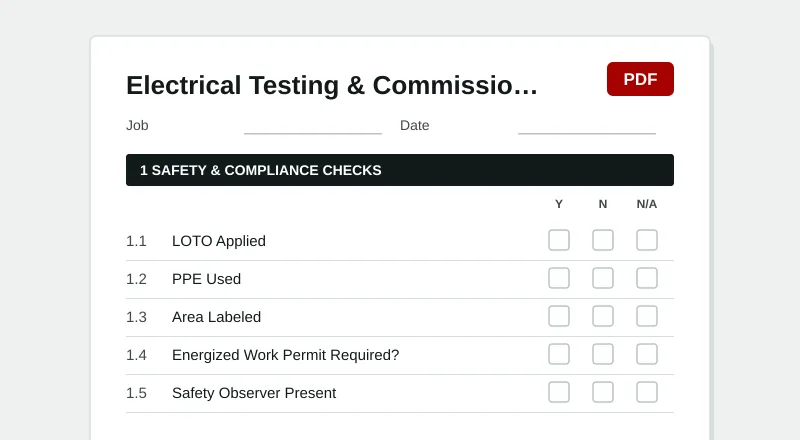
Print it for the clipboard, or put it on your crew’s phones. Same 23 checks either way.

Your logo

Electrical Testing & Commissioning Log

Record tests and results during electrical commissioning to verify system performance and ensure safety.

Job
Date

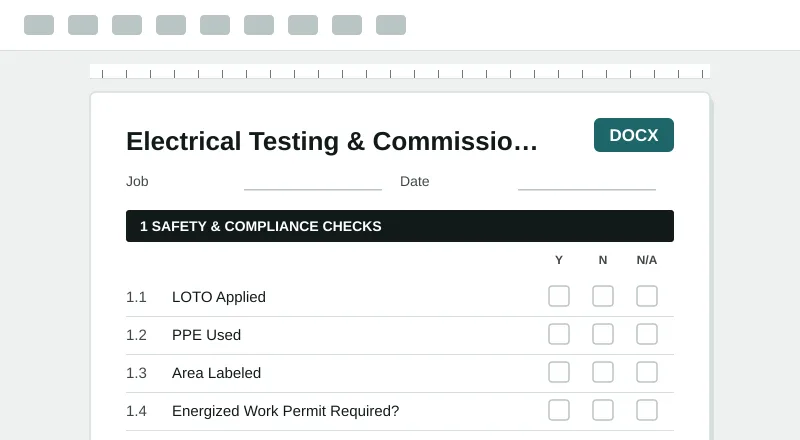
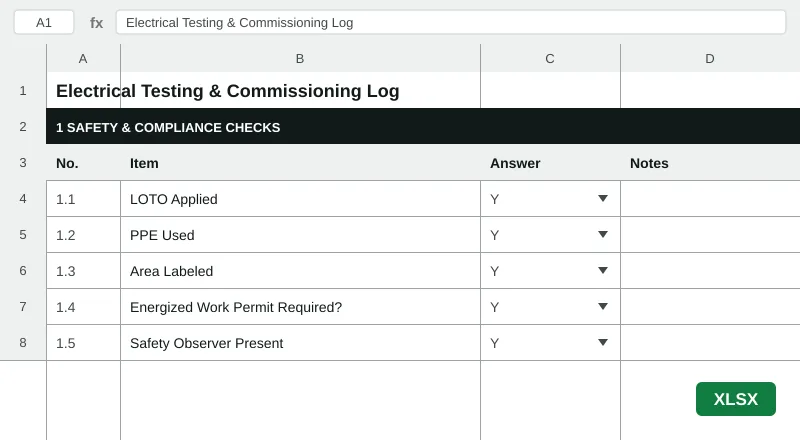
1 · Safety & Compliance Checks

1 · Safety & Compliance ChecksYNN/A
1.1LOTO Applied: Lockout/tagout properly executed.
1.2PPE Used: Arc-flash gear worn per NFPA 70E.
1.3Area Labeled: Barriers and signs posted.
1.4Energized Work Permit Required?
1.5Safety Observer Present: When required.

2 · Control Application Software

Software Name / Version: Version used for control system.
YNN/A
2.1Configuration Matches Drawings: Logic tested and validated.
2.2Sequence of Operations: Verified per spec.
2.3Alarm/Interlocks: Tested and triggered as required.
2.4Trending/Data Logging: Functional if applicable.

3 · User Interface & Control Panels

Panel ID or Tag: Control panel under test.
YNN/A
3.1Indicators & Displays: Function correctly when energized.
3.2Pushbuttons & Switches: Operate as designed.
3.3Emergency Stop Functional: Latches and resets.
3.4Labeling & Diagrams Present: Panel marked and referenced.

4 · Equipment Locations & Wiring Systems

Equipment Description: Device or component tested.
YNN/A
4.1Installed per Plans: Matches location/layout.
4.2Conductor Terminations: Tight and properly torqued.
4.3Ground Continuity: Verified to panel ground.
4.4Insulation Resistance (Ph-P): Measured in MΩ.
IR Test Voltage (V DC): Voltage applied for the insulation resistance test (e.g. 500 or 1,000).
Insulation Resistance (Ph-P): Measured in MΩ.
Insulation Resistance (Ph-G): Measured in MΩ.
Continuity Test: Loop resistance recorded (Ω).
Comments

5 · Communication Bus & Network Testing

Network Type: e.g., Ethernet, Modbus, BACnet
Connected Devices: Counted and identified.
YNN/A
5.1Port & Cable Labeling: Confirmed for all devices.
5.2Network Ping or Test Tool: Link confirmed.
5.3Redundancy Link Operational: If applicable.

6 · Sensors & Actuators

Device ID or Tag: Label or location.
Device Type: Sensor, actuator, transmitter.SensorActuatorTransmitter
Measured Signal Output: Real-time value (e.g. mA, V).
Response to Command: Manual or automated test.YesNo
Calibration Verified: Matches required range.YesNo
Comments

7 · Gateways & Integration Interfaces

Gateway/Device Name: Model or part number.
Communication Protocol: e.g. SCADA, BACnet, proprietary.
External Link Established: Can connect externally.YesNo
Software Version / Firmware: Record if applicable.
Functional Test Passed: Confirmed integration.YesNo
Comments

8 · Attachments & Supporting Docs

Upload Test Reports or Diagrams · photo refs

Upload Annotated Photos · photo refs

Comments

9 · Project & System Information

Project Name
Location / Building / Facility
Work Area or Floor
System TypeNew InstallationRetrofitUpgrade
Voltage ClassLV (<1kV)MV (1–35kV)HV (>35kV)
Equipment Manufacturer / Model
YNN/A
9.1One-Line Diagram Verified?
9.2Basis of Design / OPR Reviewed?
9.3Test Equipment Certified & Calibrated?

10 · Final Sign-Off

Commissioning ResultPassPass with NotesFail – Retest Required
Phase-to-Phase Voltage (V)
Phase-to-Ground Voltage (V)
Load Test Value (A)
Noted Deficiencies / Corrections Needed
Follow-Up Needed?YesNo
Comments / Observations
Inspector / Technician Name
Date of Inspection
Name
Signature
Date
Name
Signature
Date
Date Verified

Free download

Electrical Testing & Commissioning Log template: PDF, Word and Excel

Print the form as it is, or download a template you can edit. Every format is free, with no email and no sign-up.

How to use it

How to run the Electrical Testing & Commissioning Log

  1. 01

    Test before it’s closed in

    Run the test when the system is complete and before it’s covered up or handed over.

  2. 02

    Record readings, not just pass or fail

    Write down each reading and the instrument you used. A number is proof; a tick isn’t.

  3. 03

    Retest anything that fails

    Note what failed, fix it and test again. Record both results.

  4. 04

    Sign it for the turnover

    The tester signs. The signed report goes in the closeout package for the owner and the inspector.

Why we built this

A tested system is one you can hand over

Recorded readings prove the system worked when you turned it over, and save a trip back when someone says it didn’t.

  • Built for the field. Every check is written the way crews talk, with room for notes, photos and a signature.
  • Free, with no catch. No email, no account. Print it and hand it out.
  • On paper or on the phone. The same form runs on the Workyard app, filed to the job when it’s sent.

3,000+contractors run their crews on Workyard

Meet Workyard

Who we are

Workyard is the construction operations platform for specialty contractors and self-performing general contractors determined to grow without sacrificing job control or margins.

Forms like this one are what our customers’ crews fill in on Workyard every day, on the same app they clock in with.

workers on Workyard every day
100,000+
free templates, none of them gated
182

Forms & Workflows

Get every form back from every crew, every day

  • It shows up on its own. Attach it to a task, a job or clock-out, and it’s on the crew’s phone when it’s due.
  • It can’t be skipped. Make it required and the day can’t close until it’s in.
  • You see it the same day. Filed, flagged or missing, every job on one board, before anyone has to call.

$123,000cut from insurance costs at TR3 Group

More system tests templates

Free templates for the rest of the job

Browse all templates

Questions

Electrical Testing & Commissioning Log FAQs

Why is electrical commissioning important?

It ensures that electrical systems perform as intended and meet safety and design criteria before being used. Commissioning helps catch installation errors or design mismatches early in the process.

What tests are typically recorded?

Common entries include continuity checks, insulation resistance, voltage levels, load testing, grounding verification, and circuit functionality tests. These results confirm system readiness and safety.

Who is responsible for filling out this log?

Commissioning agents, electrical contractors, or engineers usually document the test results. The log may also be reviewed by the building owner or inspector prior to system handover.

Is this documentation required by code?

While not always required by building codes, it's often a contractual requirement and best practice for quality assurance especially in commercial and mission-critical facilities.

Do I need a Workyard account to use it?

No. Print the paper form, save it as a PDF, or download the Word or Excel file, free, with no email and no sign-up. You only need an account to put the digital form on your crew’s phones.

Can I edit the template?

Yes. Download the Word or Excel version to add your logo, add checks from your project spec or remove sections you don’t need. They open in Google Docs and Google Sheets too.

How do I get my crew to fill it in on their phones?

Add the digital form to Workyard and attach it to the job or the task it belongs to. It shows up in the app your crew already clocks in with, and every form comes back signed, with its photos, filed to the job.


Trigger the form at the right moment

A job's Forms tab in Workyard: each form, the clock-in or clock-out that triggers it, and how many have been submitted
A van check filled in on the Workyard app: the damage photo, a description and the tech's signature, ready to submit

Book a demo with a Workyard specialist

Your local Workyard specialist

Works with 50 contractors across the US

Your details

30 min · Video call