Skip to content
Log InBook a demo
Book a demo
Free template · paper and digital

Extension Cord Inspection Checklist

Checks each cord for damaged plugs, cuts and bad placement, then records whether it stays in service or gets tagged out.

WordExcel
  • No email
  • No sign-up
  • Edit it, add your logo
See every check

The template

The full Extension Cord Inspection Checklist

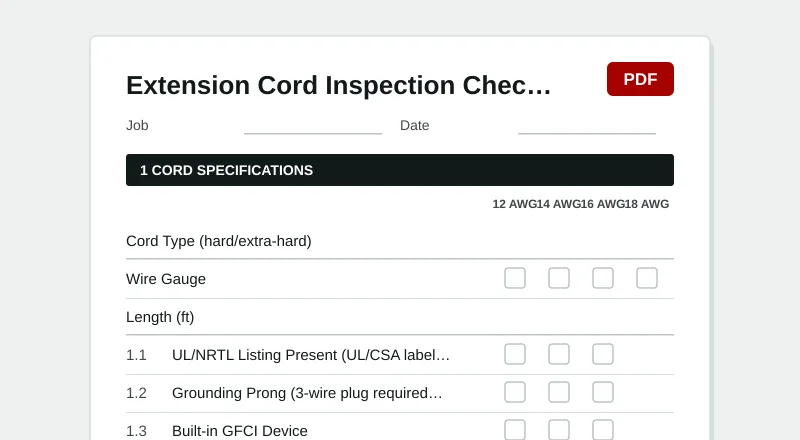
Print it for the clipboard, or put it on your crew’s phones. Same 27 checks either way.

Your logo

Extension Cord Inspection Checklist

Use this free Extension Cord Inspection Checklist to prevent hazards and ensure compliance with electrical safety standards.

Job
Date

1 · Cord Specifications

Cord Type (hard/extra-hard)SSJSTSJOSOSJTSJTWOther / unknown
Wire Gauge12 AWG14 AWG16 AWG18 AWG
Length (ft)

Cord Specification Checklist

Cord Specification ChecklistYNN/A
1.1UL/NRTL Listing Present (UL/CSA label on cord)
1.2Grounding Prong (3-wire plug required by OSHA)
1.3Built-in GFCI Device
1.4GFCI Tested (if present)
1.5Used Outdoors?
1.6Portable Use Only? (i.e. not permanent wiring)
Comments

2 · Visual & Physical Inspection

2 · Visual & Physical InspectionYNN/A
2.1All plug blades intact & aligned
2.2Ground prong present & undamaged
2.3No exposed conductors at plug end
2.4Strain relief/cord grip intact at plug and connector (no pull on terminal screws)

Cord Jacket & Insulation

Cord Jacket & InsulationYNN/A
2.5No cuts, frays or abrasions on jacket
2.6No burn marks, melting, or discoloration

Repairs & Modifications

Repairs & ModificationsYNN/A
2.7No splices or taped repairs on cord
2.8No unauthorized adapters or multi-taps used

Equipment Labeling

Equipment LabelingYNN/A
2.9Cord and tool/equipment have UL/CSA label
2.10No homemade splitters or modified plugs

3 · Usage, Placement & Protection

3 · Usage, Placement & ProtectionTrueFalseN/A
3.1Temporary use only?
3.2Not run through walls/ceilings/floors?
3.3Not run through doors/windows (unless protected)?
3.4Not stapled or clamped to surfaces?
3.5Not concealed behind covers?
3.6Not under carpets/mats?
3.7Not crossing walkways (or covered with a cord protector or ramp)?
3.8GFCI-protected, wet or dry (or covered by an assured equipment grounding conductor program)?
3.9Not daisy-chained with other cords?
3.10Not coiled during use?

Load Check

Load CheckTrueFalseN/A
3.11Total amp draw ≤ cord amp rating? (Sum of device amps not to exceed cord rating)

4 · Actions & Audit

Actions Needed?Remove from ServiceRepair by Qualified TechReplace CordNo action needed
Replacement Cord ID (if replaced)
Last Replacement Date
Next Inspection Date
Location / Job Site
Cord Asset/Tag ID
Installation Date
Comments

5 · Final Sign-Off

Inspector Name
Name
Signature
Date
Inspection Date

Free download

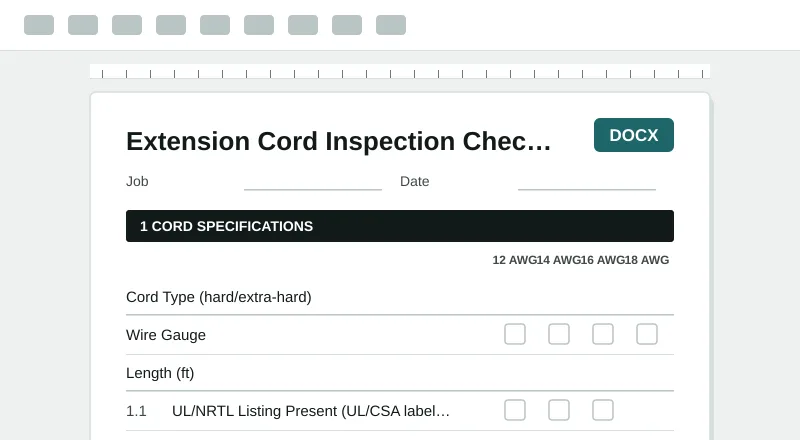
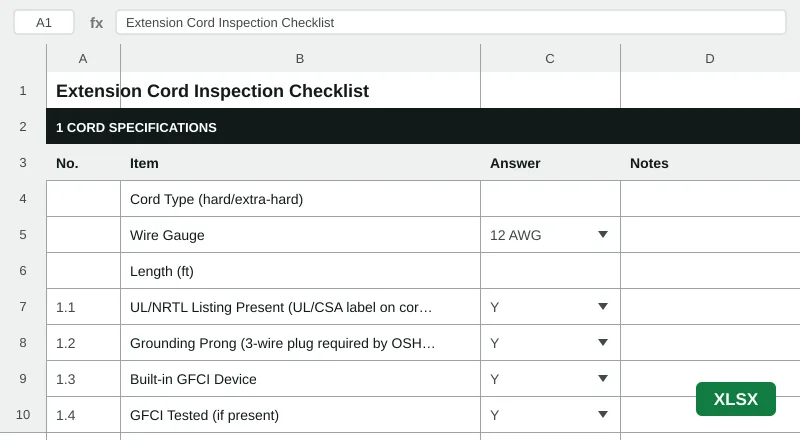
Extension Cord Inspection Checklist template: PDF, Word and Excel

Print the form as it is, or download a template you can edit. Every format is free, with no email and no sign-up.

How to use it

How to run the Extension Cord Inspection Checklist

  1. 01

    Test before it’s closed in

    Run the test when the system is complete and before it’s covered up or handed over.

  2. 02

    Record readings, not just pass or fail

    Write down each reading and the instrument you used. A number is proof; a tick isn’t.

  3. 03

    Retest anything that fails

    Note what failed, fix it and test again. Record both results.

  4. 04

    Sign it for the turnover

    The tester signs. The signed report goes in the closeout package for the owner and the inspector.

Why we built this

A tested system is one you can hand over

Recorded readings prove the system worked when you turned it over, and save a trip back when someone says it didn’t.

  • Built for the field. Every check is written the way crews talk, with room for notes, photos and a signature.
  • Free, with no catch. No email, no account. Print it and hand it out.
  • On paper or on the phone. The same form runs on the Workyard app, filed to the job when it’s sent.

3,000+contractors run their crews on Workyard

Meet Workyard

Who we are

Workyard is the construction operations platform for specialty contractors and self-performing general contractors determined to grow without sacrificing job control or margins.

Forms like this one are what our customers’ crews fill in on Workyard every day, on the same app they clock in with.

workers on Workyard every day
100,000+
free templates, none of them gated
182

Forms & Workflows

Get every form back from every crew, every day

  • It shows up on its own. Attach it to a task, a job or clock-out, and it’s on the crew’s phone when it’s due.
  • It can’t be skipped. Make it required and the day can’t close until it’s in.
  • You see it the same day. Filed, flagged or missing, every job on one board, before anyone has to call.

$123,000cut from insurance costs at TR3 Group

More system tests templates

Free templates for the rest of the job

Browse all templates

Questions

Extension Cord Inspection Checklist FAQs

Why are extension cord inspections important?

Damaged extension cords are a major cause of electrical fires and shocks. Regular inspections help prevent accidents and ensure cords are being used safely and within rating limits.

How often should cords be inspected?

Cords should be inspected before each use on construction sites or during routine facility safety checks. Frequent inspections help catch wear-and-tear early.

What if a cord is damaged?

Immediately tag and remove it from service. Damaged cords should not be repaired with tape or makeshift fixes unless done by a qualified electrician under proper protocols.

Who should perform the inspection?

The user, site supervisor, or a trained safety officer typically performs the inspection. Some companies also assign electricians to conduct weekly site-wide cord checks.

Do I need a Workyard account to use it?

No. Print the paper form, save it as a PDF, or download the Word or Excel file, free, with no email and no sign-up. You only need an account to put the digital form on your crew’s phones.

Can I edit the template?

Yes. Download the Word or Excel version to add your logo, add checks from your project spec or remove sections you don’t need. They open in Google Docs and Google Sheets too.

How do I get my crew to fill it in on their phones?

Add the digital form to Workyard and attach it to the job or the task it belongs to. It shows up in the app your crew already clocks in with, and every form comes back signed, with its photos, filed to the job.

Trigger the form at the right moment

A job's Forms tab in Workyard: each form, the clock-in or clock-out that triggers it, and how many have been submitted
A van check filled in on the Workyard app: the damage photo, a description and the tech's signature, ready to submit

Book a demo with a Workyard specialist

Your local Workyard specialist

Works with 50 contractors across the US

Your details

30 min · Video call