



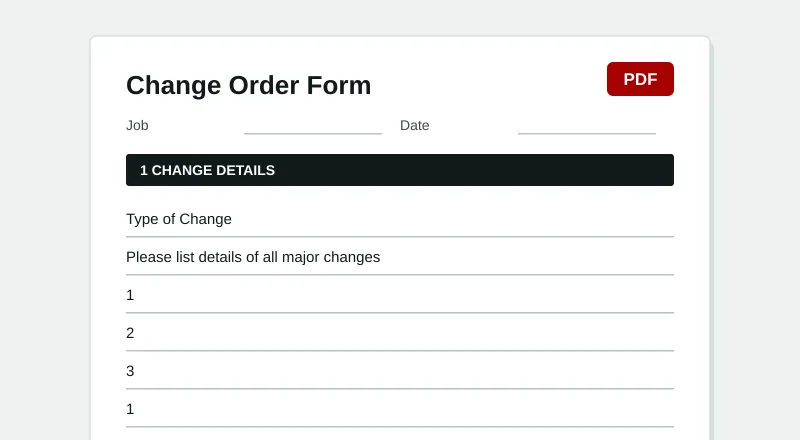
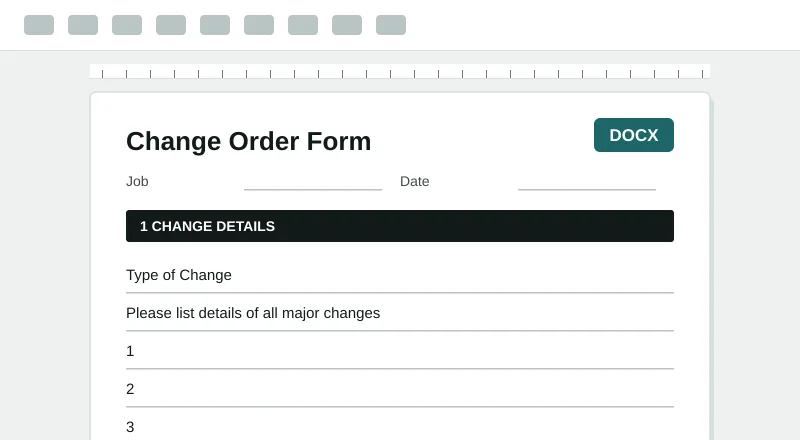
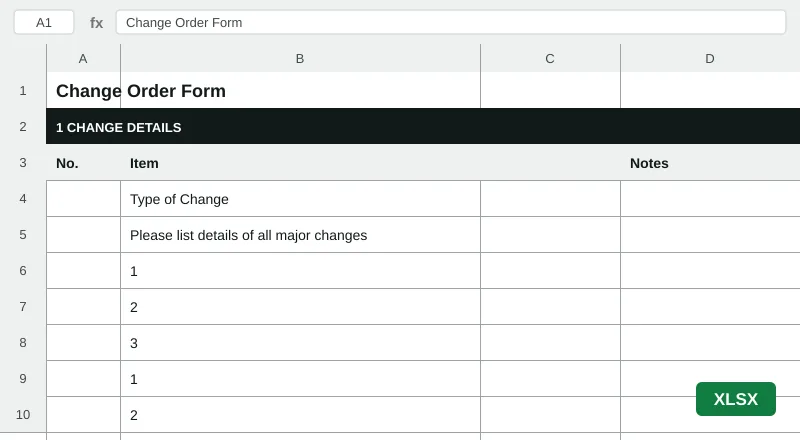
A change order template gives you one written record of any change to a signed contract: what work changed, why, what it costs, how many days it adds and who agreed to it. General contractors, subs and owners' reps fill in a change order form whenever the job stops matching the drawings, and once both sides sign, it becomes part of the contract.
Blank templates are easy to find. The hard part is the habit: pricing the change from real numbers, stating the days it adds, and getting signatures before the crew does the work.
What is a change order?
A change order is a written amendment to a construction contract that changes its scope, price or completion date, signed by both parties. After signing, it sits alongside the original agreement, and the contract sum and finish date move with it. A change agreed on a phone call is hard to enforce later, which is why a quick yes on the job site so often becomes an argument at the next pay application.
Change order, change directive and deductive change order
- Change order: both sides agree on the work, the price and the time before the work starts.
- Construction change directive: the owner tells the contractor to go ahead while price or time is still being settled. It gets turned into a change order once the numbers are agreed.
- Deductive change order: takes work out of the scope and lowers the contract sum, so the owner gets a credit.
On larger commercial jobs the architect often issues changes on AIA G701, the standard change order form most commercial contracts refer to. Residential jobs and subcontracts usually run on the contractor's own form, like this one.
When you need a change order, and who starts it
You need one any time the work, the price or the finish date moves away from what the contract says. The usual triggers match the choices on the form:
- Design or spec change: the architect revises a detail, or the owner picks a different fixture.
- Scope addition or deletion: extra rooms, a dropped alternate, a bigger slab.
- Unforeseen site condition: rot behind the drywall, rock in the trench, wiring that isn't where the drawings put it.
- Owner or client request: the walkthrough that ends with "while you're here, can you also..."
- Safety or regulatory issue: a new code requirement or an inspector's call that changes the work.
Anyone who is party to the contract can raise one. The GC sends change orders to the owner; a sub sends them to the GC, which is why the form asks for the requester's role and, for a sub, the general contractor's name. Raise it the day the change shows up, and get it signed before the extra work starts.
What goes on a construction change order template
The construction change order template here has five sections, in the order an approver reads them.
| Section | What it records | Who usually fills it in |
|---|---|---|
| Project and contract information | Project name and number, location, client, contract number, change order number, requester role (contractor or sub) and date of request | PM or office |
| Change details | Type of change, a line-by-line description, the reason, the expected benefit and the contract items or plan sheets it affects | PM or foreman |
| Cost and schedule impact | Original contract sum, net change from earlier change orders, this change's cost (increase or decrease), the new contract sum, a breakdown by labor, materials, equipment, subcontractor and overhead and profit, days added, revised completion date and milestones moved | PM or estimator |
| Attachments | Photos, revised drawings, supplier quotes, RFIs | Whoever documented the change |
| Authorization and approval | Name, title, signature and date for the contractor's rep and the owner's rep, the final decision (approved, denied or pending) and approver comments | Both reps |
Pricing the change: lump sum, unit price or T&M
- Lump sum: one fixed price for the change. Best when the scope is clear before work starts.
- Unit price: a rate per unit (per linear foot, per cubic yard) times the quantity installed. Good when you know the work but not the quantity.
- Time and materials with a not-to-exceed cap: you bill actual hours and materials up to an agreed ceiling. Useful when nobody can see the full scope yet, such as behind a wall.
Whichever method you use, markup goes on the Overhead and Profit line. If the contract doesn't say what markup applies to changes, settle it before the first change order, not in the middle of one.
What does a change order look like? A filled-in example
Here is how a typical remodel change might read on the form (figures are for illustration):
- Change Order No. 4, requested by the contractor, type: Site Condition (unforeseen).
- Description: remove and replace 16 feet of rotted sill plate and two studs on the north wall.
- Reason: rot found during demo; the wall can't be closed up as drawn.
- Affected plans: sheet A-201, north elevation.
- Cost: original contract sum $184,000; previous change orders +$6,200; this change +$3,450 (labor $1,620, materials $780, equipment $150, overhead and profit $900); new contract sum $193,650.
- Schedule: 3 days added; revised completion date moves from May 9 to May 12.
- Attachments: four photos of the sill before removal.
- Approval: signed by the contractor's PM and the homeowner, marked Approved.
How to fill out a change order form
- Give the change its own number and fill in the job, client and contract details, so it can't be confused with the last one.
- Pick the type of change and describe the work line by line. Write it so someone who wasn't there can price it.
- State the reason and list the plan sheets or contract items it touches.
- Price it: labor, materials, equipment, sub costs and overhead and profit, then carry the totals through to the new contract sum.
- Write down the days added, even when the answer is zero, and the revised completion date.
- Attach photos of the condition and any quotes or revised drawings.
- Send it and get both signatures before the crew starts the extra work.
- File it with the contract and update the budget, the schedule and your next pay application.
Common change order mistakes
- Doing the work on a handshake. Verbal approval is the hardest thing to bill for.
- Starting before the signature. If the owner then disputes the price, you've already spent the money.
- Leaving the days blank. A change that adds cost almost always adds time. If it isn't written down, a later request for more time is easy to refuse.
- Losing the running total. The Net Change by Previous Change Orders line keeps the contract sum honest across a long job.
- No markup terms in the contract. Without them, every change becomes a negotiation over overhead.
- No plan for a client who won't sign. Decide in your contract whether work stops or proceeds under a directive, and don't keep building unpriced changes.
Signed change orders also feed pay applications and can matter if you ever need to file a lien, so keep them with the contract. How long depends on your state; ask your attorney.
Pricing labor from real hours in Workyard
Labor is the line most change orders guess at. In Workyard, the change order form runs on the crew's phones as one of your digital forms: the foreman fills it in from the field, attaches photos of the changed condition, and the owner's rep can sign on the screen. Every submission lands in the office with the job it belongs to.
Give the change its own cost code and crews clock the extra hours against it, so the actual labor cost comes from tracked time instead of memory. Those hours roll into job costing with the rest of the job's labor cost.
Get the free change order template
Download the change order form as a PDF, Word document or Excel sheet. It's free and there's no sign-up. Print it for the truck or fill it in on a computer.
For extra work billed by the hour, pair it with the time and materials ticket or an extra work authorization form. More forms for getting the owner's signature are under customer sign-offs.


