


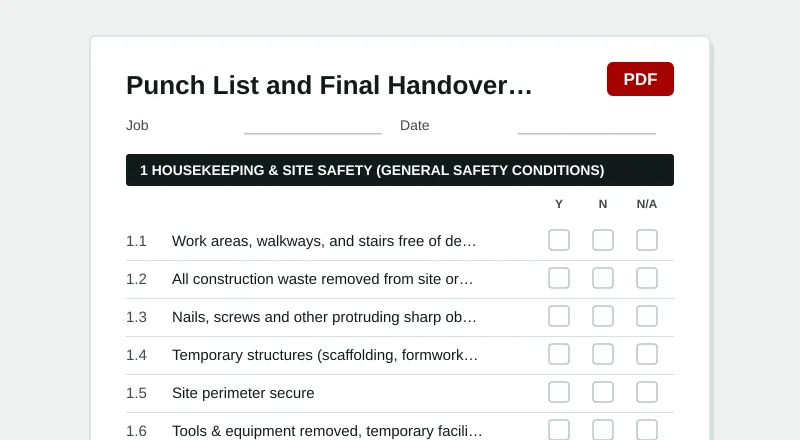
A punch list template is the record of every small thing left to finish or fix before the owner accepts the building: the scuffed wall, the door that won't latch, the missing cover plate. The Punch List and Final Handover Form pairs that list with the closeout checks that come with it, so one document carries the job from the pre-final walk to the owner's signature.
General contractors, superintendents and owner's reps use it in the last weeks of a job. Subs use the items assigned to them to know exactly what to come back for.
What is a punch list in construction?
A punch list is a closeout list of unfinished or defective work that has to be fixed before the job is accepted as complete. You will also hear it called a snag list, a deficiency list or a punch-out list. On most US jobs the contractor builds the first list once the work is close to done, and the owner or architect adds to it during the walk.
It helps to know what a punch list is not. New work the owner asks for during the walk is a scope change and belongs on a change order, not the punch list. Problems that show up after handover are warranty items. And a defect found mid-job, months before closeout, should be fixed then rather than parked for the end.
When to start the punch list, and who does what
Start small and early. Many superintendents keep a rolling punch list for each floor or area as trades finish, so the formal walk near substantial completion finds a short list instead of a long one. Before the owner or architect walks, the GC usually does a pre-punch of its own to catch the obvious items first.
- Owner, owner's rep or architect: walks the job and agrees the list.
- Superintendent or PM: builds the master list, assigns each item and sets dates.
- Subs and crews: fix their items and report them done.
- Superintendent: verifies each fix before the owner comes back.
- Owner: re-inspects and signs the handover.
What goes on each line of a construction punch list template
Each item should carry enough detail that a sub who wasn't on the walk can find it, fix it and prove it. These are the fields that matter:
| Field | Weak entry | Good entry |
|---|---|---|
| Item number | (blank) | 14 |
| Location | Kitchen | Unit 204, kitchen, wall left of range |
| Responsible trade | Paint | Smith Painting, crew lead R. Diaz |
| Description | Fix wall | Scuff and two nail pops 2 ft above floor, fill and repaint full wall |
| Photo | None | Taped and photographed on the walk |
| Priority and due date | ASAP | Before owner re-walk, Friday |
| Status | Done | Fixed by sub Wed, verified by super Thu |
Typical items are unfinished work, finish defects such as scratched paint or crooked fixtures, minor repairs such as loose handles and nail pops, final cleaning and debris, and any safety item still open. Keep status in three steps (open, fixed, verified) so a sub's done never gets confused with the super's check.
How the punch list and final handover form is laid out
The template follows the order of a closeout walk, with Yes, No or N/A for each line and a details box for every No.
Project details
Project name, location, residential or commercial, the inspection stage (pre-final punch list inspection or final handover inspection), the date, and the inspector's name and role. Fill it in twice: once at the pre-final walk and again at handover.
Housekeeping and site safety
Thirteen checks that the site is left clean and safe: walkways and stairs clear, waste removed, protruding nails bent or pulled, temporary structures and facilities removed, openings of 2 inches or more covered, excavations backfilled, permanent guardrails in place, fuels and combustibles removed, and fire extinguishers kept on site until work ends.
Environmental and hazardous materials
Waste disposed of or recycled, dumpsters emptied, hazardous materials removed by authorized handlers, abatement and clearance certificates where an older building needed them, spills cleaned up, erosion controls handled, and environmental permits ready to close.
Quality and completion checks
All work complete, earlier inspection issues corrected, the punch list itself prepared and worked down, final inspections passed, a certificate of occupancy or equivalent, HVAC tested and balanced, electrical working and labeled, plumbing pressure-tested, fire systems tested, special equipment commissioned, and the owner walkthrough done.
Documentation, handover and sign-off
As-built drawings, permits and certificates, warranties, O&M manuals, spare parts and keys, training, final financial documents and the handover package. The form closes with a Handover Readiness answer (ready, or not ready with a follow-up inspection), photo attachments, the inspector's signature and an optional owner signature.
How to run the walkthrough
- Run your own pre-punch and fix what you can before the owner arrives.
- Walk with the owner or architect area by area, in a set order.
- Test systems as you go: run fixtures, cycle HVAC, open and lock every window and door.
- Tape each defect and photograph it with the tape in frame.
- Agree one master list on site before anyone leaves.
- Assign every item to a trade with a due date and send each sub only its own items.
- Verify every fix yourself, then book the owner's re-walk and the handover sign-off.
How to create a punch list in Excel
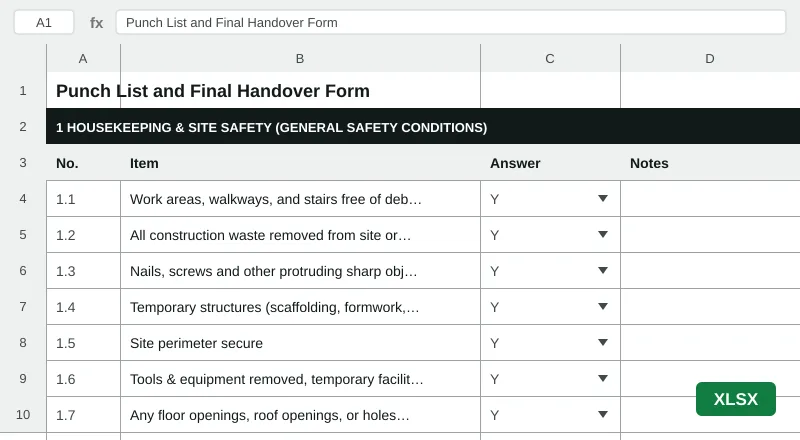
Put one item per row with the columns from the table above. Freeze the header row, add drop-down lists for trade, priority and status, and name each photo with its item number so the file and the row match. Filter by trade to send each sub its list, and filter by status before the re-walk to see what is still open.
Mistakes that drag out closeout
- Starting the list in the last week instead of area by area.
- Descriptions like fix door with no unit, room or problem.
- No photos, so the sub argues about what was wrong.
- Items with no responsible trade or date.
- No step where the super checks a fix before the owner sees it.
- Letting new scope onto the list without a change order. Check your contract for how closeout ties to final payment before you agree to extras.
Clearing punch items with crews in Workyard
In Workyard, the handover form runs on the super's phone during the walk: photos attach to the item they show, the inspector and owner sign on the screen, and the finished form is back in the office before you leave site. Set up a cost code for punch work and the hours crews spend clearing items show up in job costs instead of disappearing into the last week of the job. See forms and workflows and job cost tracking.
Get the free punch list form
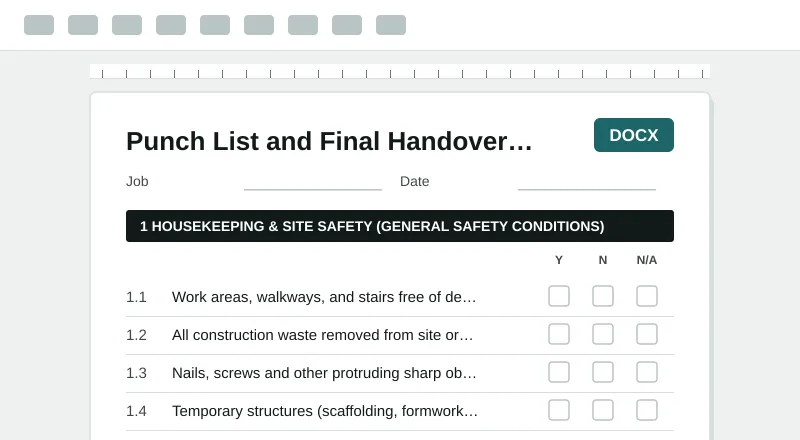
Download the Punch List and Final Handover Form as a PDF, Word or Excel file, free and with no sign-up. Use the PDF on a clipboard during the walk, the Word file to add your logo and project rows, or Excel to sort items by trade. For the rest of closeout, use the project closeout checklist or browse customer sign-off templates.


