Fire Extinguisher – present, fully charged, tags currentYesNoN/A
Emergency Triangles/Flares – 3 reflectors or warning devices in placeYesNoN/A
Spare Bulbs/Fuses – available as requiredYesNoN/A
First Aid Kit – stocked (if company policy)YesNoN/A
Tool/Accessory Storage – secured, no loose objects in cabYesNoN/A
Comments
Enter text
Additional Checks
Additional Checks Checklist
Fuel/Tank LeaksYesNoN/A
PTO/Drive AccessoriesYesNoN/A
Load Securement (if hauling debris)YesNoN/A
Cleanliness (General)YesNoN/A
Other Hazards or Comments
Enter text
Defect Reporting (Conditional)
Defect Description
Enter text
Photo Upload
Vehicle Identification
Make, Model, Year
Enter text
License Plate No.
Enter text
State
Enter text
Vehicle Identification No. (VIN)
Enter text
USDOT/Carrier Number
Enter text
Fleet/Unit Number
Enter text
Odometer (miles) and/or Engine Hours
Enter text
Hauling Capacity (tons or cu yd)
Enter text
Did the truck pass inspection? If no, please provide details
Select an option
Driver Certification and Acknowledgment
Driver Name
Enter text
Date of Inspection
Select a date
Signature
Sign here
Review of Previous DVIR
Select an option
Submit
Scroll through the form
The template
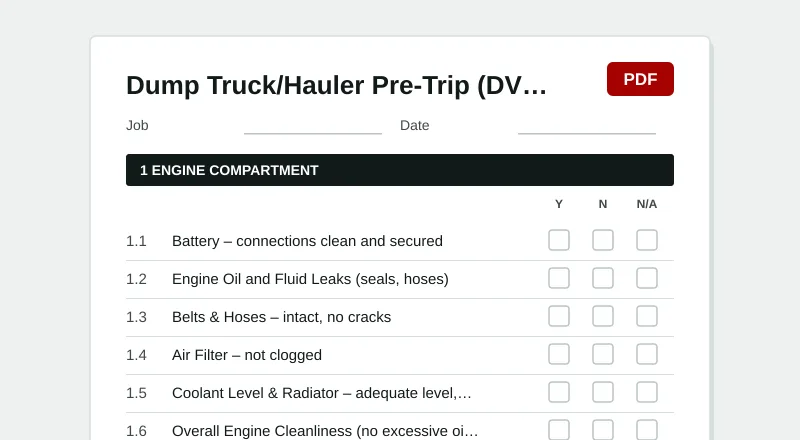
The full Dump Truck/Hauler Pre-Trip (DVIR)
Print it for the clipboard, or put it on your crew’s phones. Same 45 checks either way.
Your logo
Dump Truck/Hauler Pre-Trip (DVIR)
This free Dump Truck Pre-Trip DVIR is used to inspect vehicle systems, hydraulics, and safety components before operation. It documents the truck's road readiness and helps prevent accidents, equipment failure, and DOT violations throughout the workday.
Job
Date
1 · Engine Compartment
1 · Engine Compartment
Y
N
N/A
1.1
Battery – connections clean and secured
1.2
Engine Oil and Fluid Leaks (seals, hoses)
1.3
Belts & Hoses – intact, no cracks
1.4
Air Filter – not clogged
1.5
Coolant Level & Radiator – adequate level, no leaks
1.6
Overall Engine Cleanliness (no excessive oil/dirt)
Details
2 · Brakes and Wheels
2 · Brakes and Wheels
Y
N
N/A
2.1
Service Brakes – pedal feels firm, no unusual noise
Workyard is the construction operations platform for specialty contractors and self-performing general contractors determined to grow without sacrificing job control or margins.
Forms like this one are what our customers’ crews fill in on Workyard every day, on the same app they clock in with.
workers on Workyard every day
100,000+
free templates, none of them gated
182
Forms & Workflows
Get every form back from every crew, every day
It shows up on its own. Attach it to a task, a job or clock-out, and it’s on the crew’s phone when it’s due.
It can’t be skipped. Make it required and the day can’t close until it’s in.
You see it the same day. Filed, flagged or missing, every job on one board, before anyone has to call.
7:02 AMToolbox talkMeridian Business ParkRay T. · 12 signaturesFiled to job
9:40 AMSite inspectionFairview Clinic · L2 eastDiego M. · 8 photosFiled to job
11:15 AMSite inspectionFairview Clinic · L2 westFirestop answered No at grid C-4Flagged · to the PM
2:14 PMPre-start checkMeridian Business ParkExcavator 3 · Dana C. · signedFiled to job
4:30 PMDaily logRiverside TowerDue at clock-outMissing
Fairview L2 west: firestop at C-4 answered No. Photo attached, PM notified at 11:15 AM. The ceiling stays open until it’s fixed, not a box ticked on a sheet in the truck.
Yes, for most commercial vehicles including dump trucks, the FMCSA mandates a DVIR to confirm that the vehicle is safe for operation. Failing to complete one can result in fines or roadworthiness violations during audits or inspections.
What happens if an issue is found?
The issue should be logged on the DVIR and immediately reported to maintenance or fleet operations. The vehicle cannot be operated until the defect is repaired and documented by a qualified mechanic.
Who signs the DVIR?
The driver must sign the pre-trip DVIR to confirm the inspection was completed. If defects are noted, a mechanic will also need to sign after repairs are made.
Is this different from a post-trip inspection?
Yes. A pre-trip inspection ensures the vehicle is safe before use, while a post-trip inspection documents any issues noticed during operation. Both may be required depending on fleet policy.
Do I need a Workyard account to use it?
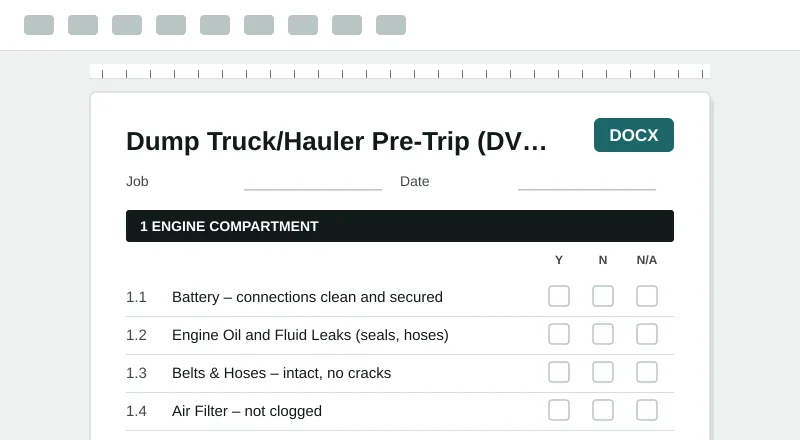
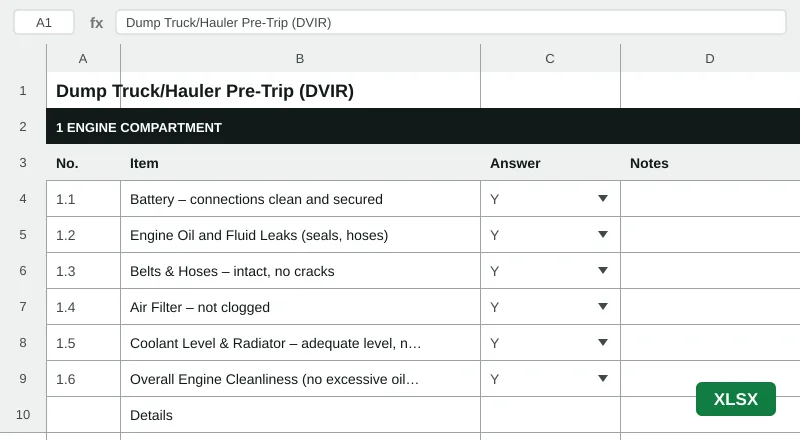
No. Print the paper form, save it as a PDF, or download the Word or Excel file, free, with no email and no sign-up. You only need an account to put the digital form on your crew’s phones.
Can I edit the template?
Yes. Download the Word or Excel version to add your logo, add checks from your project spec or remove sections you don’t need. They open in Google Docs and Google Sheets too.
How do I get my crew to fill it in on their phones?
Add the digital form to Workyard and attach it to the job or the task it belongs to. It shows up in the app your crew already clocks in with, and every form comes back signed, with its photos, filed to the job.