Skip to content
Log InBook a demo
Book a demo
Free template · paper and digital

HVAC Control Systems Commissioning Log

Proves that HVAC controls, sensors and trended points work as designed, before the system is handed over to the owner.

WordExcel
  • No email
  • No sign-up
  • Edit it, add your logo
See every check

The template

The full HVAC Control Systems Commissioning Log

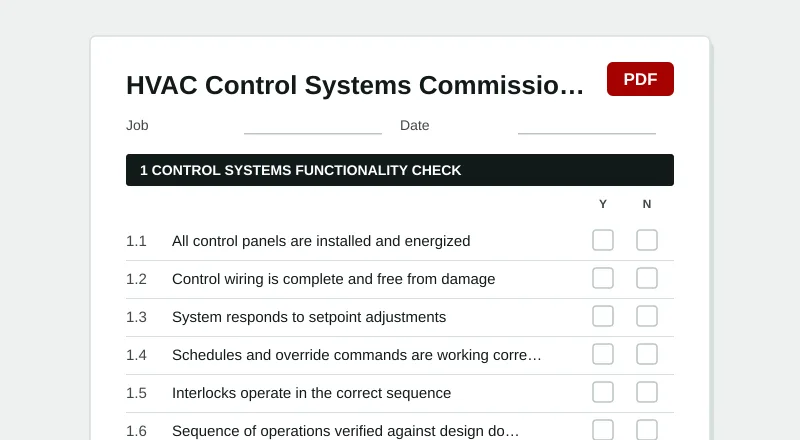
Print it for the clipboard, or put it on your crew’s phones. Same 20 checks either way.

Your logo

HVAC Control Systems Commissioning Log

An HVAC Control Systems Commissioning Log is used to document the inspection, testing, and performance of building HVAC controls like thermostats, sensors, actuators, and BAS. It helps verify that each device responds correctly, supports energy efficiency goals, and meets design specs before final turnover.

Job
Date

1 · Control Systems Functionality Check

1 · Control Systems Functionality CheckYN
1.1All control panels are installed and energized
1.2Control wiring is complete and free from damage
1.3System responds to setpoint adjustments
1.4Schedules and override commands are working correctly.
1.5Interlocks operate in the correct sequence
1.6Sequence of operations verified against design documents
1.7Economizer/outside-air damper responds per sequence

Photos - Control Systems Check · photo refs

2 · Sensor and Device Calibration

2 · Sensor and Device CalibrationYN
2.1Temperature sensors are reading within allowable tolerance
2.2Pressure and humidity sensors are verified and labeled
2.3Control valves stroke fully and respond to commands
2.4Damper actuators operate as expected
2.5Alarms trigger under fault conditions

Photos - Sensor & Device Calibration · photo refs

3 · Trend Log Verification Table

Use this table to confirm that required system points are being trended correctly and data is logging as expected.

System/DeviceControl PointExpected RangeObserved ValueDuration of TrendNotes

4 · Override and Setback Testing

4 · Override and Setback TestingPassFail
4.1Confirm manual override of occupied mode functions as intended
4.2Confirm setback temperature settings engage during unoccupied periods
4.3Verify override duration resets system after specified time
4.4Verify that equipment responds to holiday/special schedules
4.5Confirm system reverts to auto mode after override expires

Photos - Override & Setback Testing · photo refs

5 · System Integration Check

5 · System Integration CheckYN
5.1Controllers are networked and visible to BMS
5.2Setpoints and status visible on operator interface
5.3Alarms report correctly to monitoring system

Photos: System Integration Check · photo refs

6 · Project Details

Project Name
Project Location
Commissioning Date
Inspector Name
Contractor/Technician

7 · Sign-Off

Inspector Name
Name
Signature
Date
Date
Installer Name
Name
Signature
Date
Date
Contractor Name
Name
Signature
Date
Date

Free download

HVAC Control Systems Commissioning Log template: PDF, Word and Excel

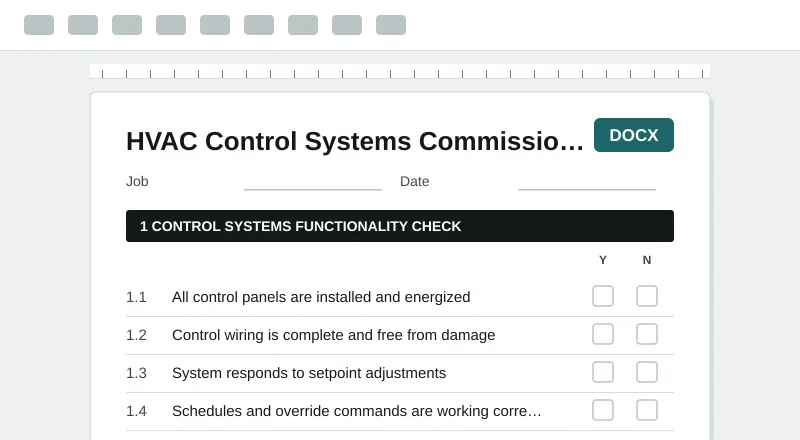
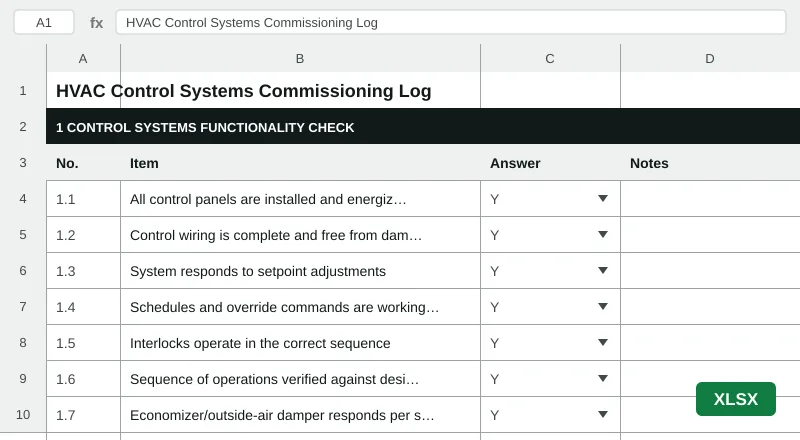
Print the form as it is, or download a template you can edit. Every format is free, with no email and no sign-up.

How to use it

How to run the HVAC Control Systems Commissioning Log

  1. 01

    Test before it’s closed in

    Run the test when the system is complete and before it’s covered up or handed over.

  2. 02

    Record readings, not just pass or fail

    Write down each reading and the instrument you used. A number is proof; a tick isn’t.

  3. 03

    Retest anything that fails

    Note what failed, fix it and test again. Record both results.

  4. 04

    Sign it for the turnover

    The tester signs. The signed report goes in the closeout package for the owner and the inspector.

Why we built this

A tested system is one you can hand over

Recorded readings prove the system worked when you turned it over, and save a trip back when someone says it didn’t.

  • Built for the field. Every check is written the way crews talk, with room for notes, photos and a signature.
  • Free, with no catch. No email, no account. Print it and hand it out.
  • On paper or on the phone. The same form runs on the Workyard app, filed to the job when it’s sent.

3,000+contractors run their crews on Workyard

Meet Workyard

Who we are

Workyard is the construction operations platform for specialty contractors and self-performing general contractors determined to grow without sacrificing job control or margins.

Forms like this one are what our customers’ crews fill in on Workyard every day, on the same app they clock in with.

workers on Workyard every day
100,000+
free templates, none of them gated
182

Forms & Workflows

Get every form back from every crew, every day

  • It shows up on its own. Attach it to a task, a job or clock-out, and it’s on the crew’s phone when it’s due.
  • It can’t be skipped. Make it required and the day can’t close until it’s in.
  • You see it the same day. Filed, flagged or missing, every job on one board, before anyone has to call.

$123,000cut from insurance costs at TR3 Group

More system tests templates

Free templates for the rest of the job

Browse all templates

Questions

HVAC Control Systems Commissioning Log FAQs

What should be included in an HVAC controls commissioning checklist?

A comprehensive checklist should include sensor calibration, actuator testing, sequence verification, BAS functionality (trends, alarms, schedules), economizer control checks, BACnet device discovery, and sign-offs. Each item ensures control systems are operating correctly and aligned with project requirements.

Who is responsible for filling out the commissioning log?

Typically, a controls technician or commissioning authority completes the log during testing. Entries are then reviewed and signed off by project engineers, the commissioning provider, or BAS specialists. This ensures accountability and confirms that systems meet design intent before handover.

What kind of tests are recorded in the log?

Logs include calibration checks on thermostats and sensors, sequence-of-operations testing (e.g., economizer response, damper movement), network verification (particularly for BACnet), alarm functionality, trend capture, and override behavior. Each test includes the result, timestamp, and technician initials for traceability.

Why is documenting BAS commissioning important?

Recording functional test results and calibrations supports energy code compliance (IECC/ASHRAE 90.1), demonstrates sequence verification, and builds a record of system performance. This boosts system reliability, simplifies inspections, and helps avoid callbacks or warranty issues post-handover.

Do I need a Workyard account to use it?

No. Print the paper form, save it as a PDF, or download the Word or Excel file, free, with no email and no sign-up. You only need an account to put the digital form on your crew’s phones.

Can I edit the template?

Yes. Download the Word or Excel version to add your logo, add checks from your project spec or remove sections you don’t need. They open in Google Docs and Google Sheets too.

How do I get my crew to fill it in on their phones?

Add the digital form to Workyard and attach it to the job or the task it belongs to. It shows up in the app your crew already clocks in with, and every form comes back signed, with its photos, filed to the job.

Trigger the form at the right moment

A job's Forms tab in Workyard: each form, the clock-in or clock-out that triggers it, and how many have been submitted
A van check filled in on the Workyard app: the damage photo, a description and the tech's signature, ready to submit

Book a demo with a Workyard specialist

Your local Workyard specialist

Works with 50 contractors across the US

Your details

30 min · Video call