Skip to content
Log InBook a demo
Book a demo
Free template · paper and digital

Guardrail Inspection Log

Rates each guardrail element on a 3-point scale, notes deficiencies and sets the corrective action and urgency.

WordExcel
  • No email
  • No sign-up
  • Edit it, add your logo
See every check

The template

The full Guardrail Inspection Log

Print it for the clipboard, or put it on your crew’s phones. Same 7 checks either way.

Your logo

Guardrail Inspection Log

This Guardrail Inspection Log offers a structured way to assess roadside barriers, identify safety issues, and document needed repairs. Use it to help meet DOT and FHWA standards for maintenance and compliance—all while keeping crews organized and inspections on track.

Job
Date
Route / Roadway Name or Number
Nearest Mile Marker / Cross Street
Roadway TypeHighwayRampBridge ApproachMedianShoulder
Weather ConditionsClearOvercastRainFogSnow/IceWindy
Lighting ConditionsDaylightDusk/DawnNight (well-lit)Night (poorly lit)
GPS Coordinates or Manual Location Description

1 · Guardrail Configuration

Guardrail TypeW-beamThrie-beamCable barrierConcrete barrier
Total Length (feet/meters)
Rail Height to Top of Rail (in)
Offset Distance from Travel Lane< 1 ft1–3 ft3–6 ftMore than 6 ft
Guardrail PlacementLeft sideRight sideMedianBoth sides

2 · General Condition Assessment

2 · General Condition AssessmentSatisfactoryNeeds AttentionCritical
2.1Rail Alignment
2.2Post Integrity (bending, leaning, rot)
2.3End Terminal Condition
2.4Anchorage / Connection Hardware
2.5Soil / Foundation Erosion
2.6Presence of Debris / Vegetation Obstruction
2.7Corrosion (visible rust or wear)

3 · Specific Deficiencies and Observations

Noted Issues: Select all that apply.Missing or damaged end terminalLoose or missing boltsDetached rail sectionVehicle impact damageExcessive corrosionImproper height or offsetGuardrail buried or blocked
Notes / Detailed Observations

Upload Photo(s) of Condition · photo refs

4 · Corrective Action Plan

Recommended ActionNo action requiredMonitor (non-critical)Repair recommendedImmediate repair required
Urgency LevelLowModerateHighEmergency
Repair Notes / Instructions
Target Repair Date (if known)

5 · Final Review

Was the inspection completed for the full length of guardrail at this location?YesNo
Inspection Date and Time
Inspector Name
Name
Signature
Date
Additional Comments or Notes

Free download

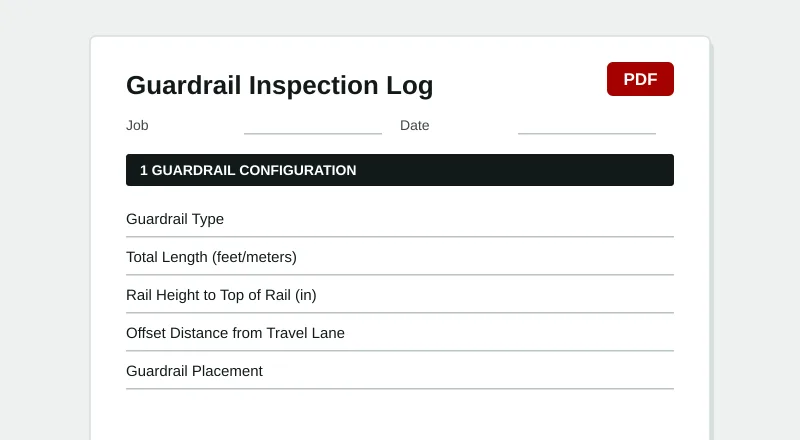
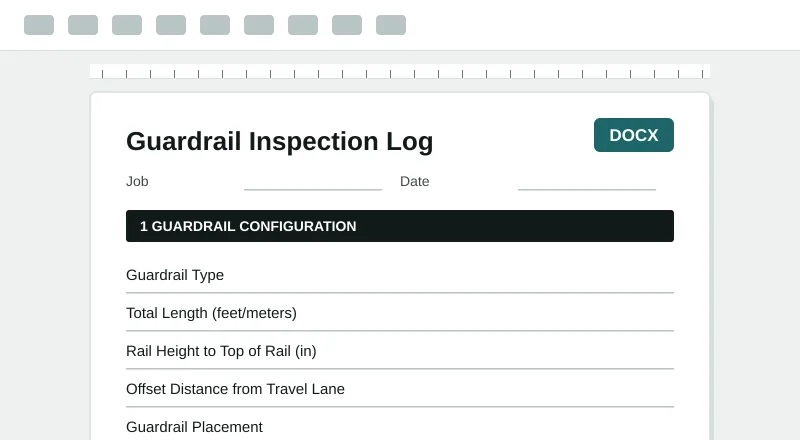
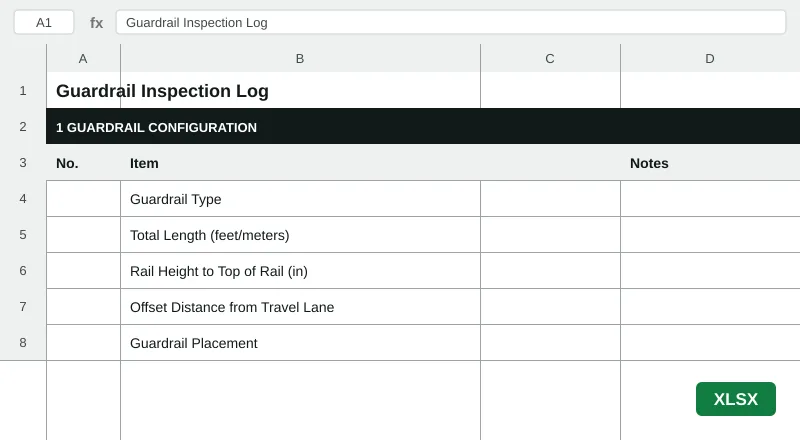
Guardrail Inspection Log template: PDF, Word and Excel

Print the form as it is, or download a template you can edit. Every format is free, with no email and no sign-up.

How to use it

How to run the Guardrail Inspection Log

  1. 01

    Run it before the work is covered

    Walk it before the next trade closes things up or the area is handed over, and again after any fix. Fill in the header first so the record stands on its own.

  2. 02

    Work the sections in order

    Go through the 5 sections in order so nothing gets skipped. Answer every check: a blank isn’t an answer.

  3. 03

    Every miss gets a photo and an owner

    Write down what’s wrong, take a photo and name the trade that owns the fix, with a date.

  4. 04

    Re-check, sign, then release

    Walk the misses again once they’re fixed. Sign it off, and only then let the area close.

Why we built this

An inspection only counts if it’s written down

A miss found before the work is covered up is a quick fix. Found after, it’s a tear-out, a failed inspection and a schedule hit. The written record is how you prove the check happened.

  • Built for the field. Every check is written the way crews talk, with room for notes, photos and a signature.
  • Free, with no catch. No email, no account. Print it and hand it out.
  • On paper or on the phone. The same form runs on the Workyard app, filed to the job when it’s sent.

3,000+contractors run their crews on Workyard

Meet Workyard

Who we are

Workyard is the construction operations platform for specialty contractors and self-performing general contractors determined to grow without sacrificing job control or margins.

Forms like this one are what our customers’ crews fill in on Workyard every day, on the same app they clock in with.

workers on Workyard every day
100,000+
free templates, none of them gated
182

Forms & Workflows

Get every form back from every crew, every day

  • It shows up on its own. Attach it to a task, a job or clock-out, and it’s on the crew’s phone when it’s due.
  • It can’t be skipped. Make it required and the day can’t close until it’s in.
  • You see it the same day. Filed, flagged or missing, every job on one board, before anyone has to call.

$123,000cut from insurance costs at TR3 Group

More site inspections templates

Free templates for the rest of the job

Browse all templates

Questions

Guardrail Inspection Log FAQs

Who should use a Guardrail Inspection Log?

A Guardrail Inspection Log should be used by safety inspectors, site supervisors, or competent personnel responsible for ensuring the safety, condition, and compliance of guardrails at a job site or facility. Trained inspectors, such as those certified through programs like the AASHTO TC3 Guardrail Installation and Inspection course or employer-designated competent persons, should maintain the log.

How often should guardrails be inspected?

Guardrails should be inspected regularly to ensure their stability and safety. Recommendations include monthly OSHA-guided checks, thorough inspections at least annually, transportation guardrail checks every two years, and additional inspections after relocation, major repairs, or signs of damage.

Do I need a Workyard account to use it?

No. Print the paper form, save it as a PDF, or download the Word or Excel file, free, with no email and no sign-up. You only need an account to put the digital form on your crew’s phones.

Can I edit the template?

Yes. Download the Word or Excel version to add your logo, add checks from your project spec or remove sections you don’t need. They open in Google Docs and Google Sheets too.

How do I get my crew to fill it in on their phones?

Add the digital form to Workyard and attach it to the job or the task it belongs to. It shows up in the app your crew already clocks in with, and every form comes back signed, with its photos, filed to the job.

Trigger the form at the right moment

A job's Forms tab in Workyard: each form, the clock-in or clock-out that triggers it, and how many have been submitted
A van check filled in on the Workyard app: the damage photo, a description and the tech's signature, ready to submit

Book a demo with a Workyard specialist

Your local Workyard specialist

Works with 50 contractors across the US

Your details

30 min · Video call