Skip to content
Log InBook a demo
Book a demo
Free template · paper and digital

Hazardous Material Cleanup Checklist

Documents a spill or hazmat cleanup: what was involved, the PPE worn, containment, disposal and decontamination done.

WordExcel
  • No email
  • No sign-up
  • Edit it, add your logo
See every check

The template

The full Hazardous Material Cleanup Checklist

Print it for the clipboard, or put it on your crew’s phones. Same 17 checks either way.

Your logo

Hazardous Material Cleanup Checklist

A Hazardous Material Cleanup Checklist helps document the safe handling and disposal of hazardous waste on job sites or properties. It covers key safety steps and helps improve EPA, OSHA, and RCRA compliance.

Job
Date
Incident Summary

Material Involved

MaterialQuantity ReleasedArea AffectedHazard ClassSDS Reference

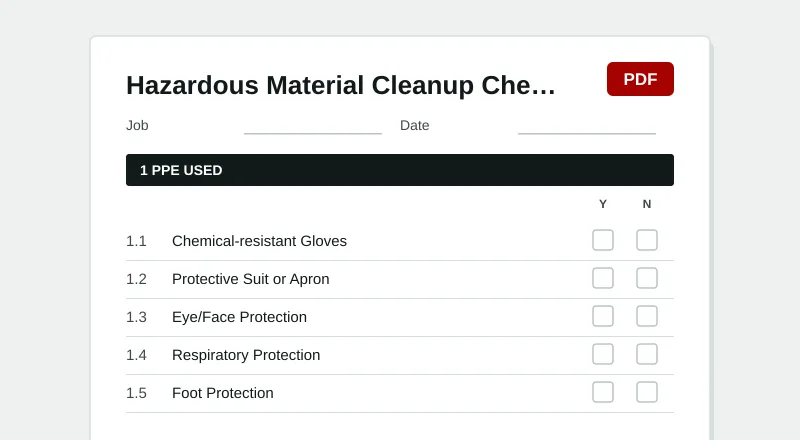
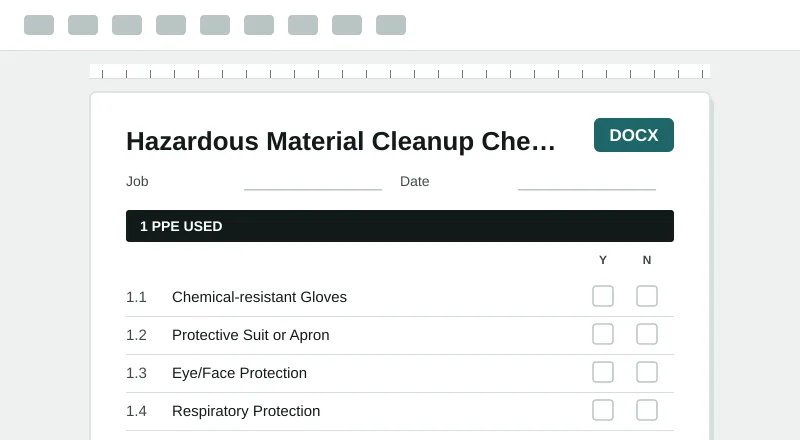
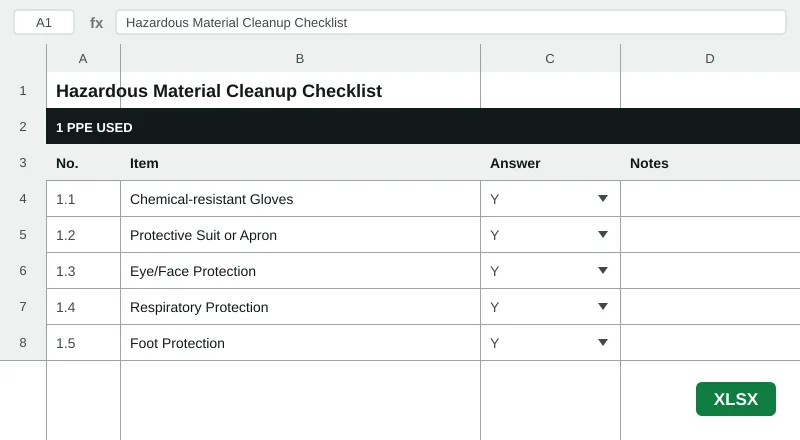
1 · PPE Used

1 · PPE UsedYN
1.1Chemical-resistant Gloves
1.2Protective Suit or Apron
1.3Eye/Face Protection
1.4Respiratory Protection
1.5Foot Protection

2 · Containment, Cleanup & Waste Disposal

2 · Containment, Cleanup & Waste DisposalDoneNot Done
2.1Area isolated and access restricted
2.2Required notifications made (owner; NRC/state if a reportable quantity)
2.3Spill contained (diked or covered)
2.4Absorbents applied (pads, sand, etc.)
2.5Neutralization/deactivation completed
2.6Residual material collected
2.7Waste packaged & labeled
2.8Transporter information recorded
2.9Hazardous waste manifest number recorded

3 · Decontamination Actions

3 · Decontamination ActionsDoneNot Done
3.1Equipment washed and rinsed
3.2Personnel decontamination station used
3.3Wastewater containment checked

4 · Project Information

Job Site Name
Address
Cleanup Supervisor
Incident/Response Date

5 · Sign-Off

Cleanup Lead

Cleanup Lead Name
Name
Signature
Date

Supervisor/Manager

Supervisor/Manager Name
Name
Signature
Date
Completion Date & Time

Free download

Hazardous Material Cleanup Checklist template: PDF, Word and Excel

Print the form as it is, or download a template you can edit. Every format is free, with no email and no sign-up.

How to use it

How to run the Hazardous Material Cleanup Checklist

  1. 01

    Check it before you leave the area

    Run it at the end of each shift or before you hand an area over.

  2. 02

    Work through every area

    Go through the 5 sections in order, so nothing gets skipped.

  3. 03

    Photograph the finished area

    A dated photo of a clean area ends the argument about who left the mess.

  4. 04

    Sign it off

    The super or the client signs, so the handover is on record.

Why we built this

A clean site is a safer site, and a faster handover

Debris causes trips, fires and failed walkthroughs. A check at the end of the shift means the next crew, and the client, find the area ready.

  • Built for the field. Every check is written the way crews talk, with room for notes, photos and a signature.
  • Free, with no catch. No email, no account. Print it and hand it out.
  • On paper or on the phone. The same form runs on the Workyard app, filed to the job when it’s sent.

3,000+contractors run their crews on Workyard

Meet Workyard

Who we are

Workyard is the construction operations platform for specialty contractors and self-performing general contractors determined to grow without sacrificing job control or margins.

Forms like this one are what our customers’ crews fill in on Workyard every day, on the same app they clock in with.

workers on Workyard every day
100,000+
free templates, none of them gated
182

Forms & Workflows

Get every form back from every crew, every day

  • It shows up on its own. Attach it to a task, a job or clock-out, and it’s on the crew’s phone when it’s due.
  • It can’t be skipped. Make it required and the day can’t close until it’s in.
  • You see it the same day. Filed, flagged or missing, every job on one board, before anyone has to call.

$123,000cut from insurance costs at TR3 Group

More cleanup checklists templates

Free templates for the rest of the job

Browse all templates

Questions

Hazardous Material Cleanup Checklist FAQs

What should be included in a hazardous material cleanup checklist?

A proper checklist should include fields for incident details, hazard classification, PPE used, cleanup steps, waste disposal records, and sign-offs. These sections help teams follow a consistent cleanup process and may assist in aligning with OSHA and EPA regulatory requirements.

Who is responsible for completing a hazardous material cleanup checklist?

Typically, the cleanup team lead or safety officer completes the checklist, with input from crew members and final sign-off from a supervisor or project manager. This helps ensure that all required steps were followed and properly documented.

How does a hazardous material cleanup checklist help with compliance?

Using a cleanup checklist may support better alignment with OSHA 29 CFR 1910.120 (HAZWOPER) and EPA RCRA rules. It documents key actions like PPE use, spill containment, and approved waste disposal—helping businesses demonstrate due diligence during audits or inspections.

When should a hazardous material cleanup checklist be used?

This checklist should be used immediately after any spill, leak, or discovery of hazardous substances on a job site or property. It ensures the proper cleanup steps are followed and helps prevent safety violations, environmental damage, or regulatory fines.

Do I need a Workyard account to use it?

No. Print the paper form, save it as a PDF, or download the Word or Excel file, free, with no email and no sign-up. You only need an account to put the digital form on your crew’s phones.

Can I edit the template?

Yes. Download the Word or Excel version to add your logo, add checks from your project spec or remove sections you don’t need. They open in Google Docs and Google Sheets too.

How do I get my crew to fill it in on their phones?

Add the digital form to Workyard and attach it to the job or the task it belongs to. It shows up in the app your crew already clocks in with, and every form comes back signed, with its photos, filed to the job.

Trigger the form at the right moment

A job's Forms tab in Workyard: each form, the clock-in or clock-out that triggers it, and how many have been submitted
A van check filled in on the Workyard app: the damage photo, a description and the tech's signature, ready to submit

Book a demo with a Workyard specialist

Your local Workyard specialist

Works with 50 contractors across the US

Your details

30 min · Video call