Skip to content
Log InBook a demo
Book a demo
Free template · paper and digital

Heavy/Civil Construction Daily Report

The day's weather, labor, equipment, work performed and deliveries for a heavy civil job, written up at the end of each shift.

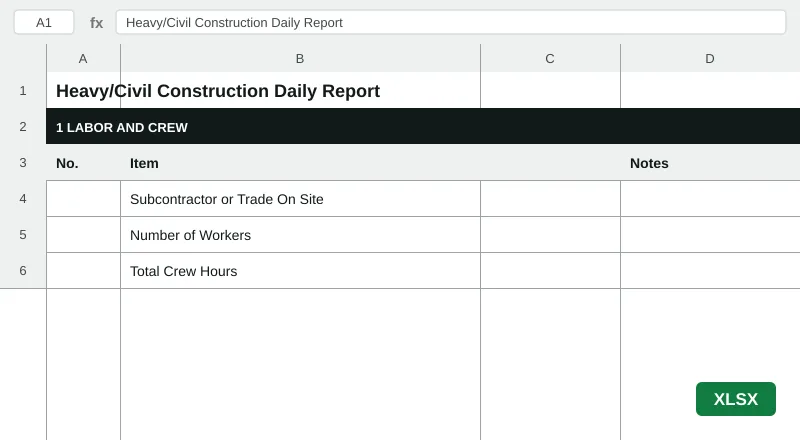
WordExcel
  • No email
  • No sign-up
  • Edit it, add your logo
See every check

The template

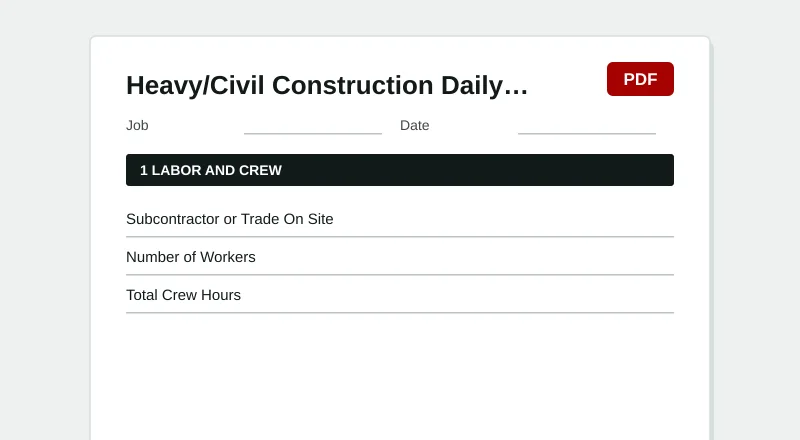
The full Heavy/Civil Construction Daily Report

Print it for the clipboard, or put it on your crew’s phones. Same form either way.

Your logo

Heavy/Civil Construction Daily Report

This Heavy/Civil Construction Daily Report helps field teams track labor, equipment use, delays, and weather conditions with ease. Built for large, fast-moving jobsites, it supports daily documentation and assists in improving alignment with OSHA, DOT, and project owner reporting standards, helping reduce claims and keep work moving forward.

Job
Date
Weather ConditionsSunnyCloudyRainSnowWind
Temperature: (°F or °C)
Site Conditions / Notes: (e.g. muddy, icy, high winds)

1 · Labor and Crew

Subcontractor or Trade On Site
Number of Workers
Total Crew Hours

2 · Equipment

Equipment On Site · repeat as needed

List equipment type and quantity (e.g., “Excavator x 3, Crane x 1”).

EquipmentQuantityApprox hours used per item
Idle/Down Time: (Note any breakdowns or idle time for equipment).
Equipment Inspected: Confirm daily inspections were performed.YesNo

3 · Work Performed

Tasks Completed: (Description of work done today – e.g. excavation, paving, formwork)
Progress: (approximate percent complete or key milestones achieved for major activities)
Change Orders/RFIs: (List any new change order requests or directives issued today).
4 · Materials

Materials Delivered: (List materials delivered today with quantities).

MaterialQuantityUnit

Materials Installed/Used: (List materials installed or used in work today).

MaterialQuantityUnit

5 · Safety and Incidents

Accidents/InjuriesYesNo
Reportable Incidents on site?YesNo
Has OSHA been notified?YesNo
Near Misses/Unsafe ConditionsYesNo
Site Inspections Performed: (Which safety checks were done? e.g. equipment inspections, PPE, fall protection, etc.)
Traffic Control Checked: Confirm traffic control devices are in place on site.YesNo
Erosion Control Checked: Confirm silt fences or other stormwater measures are in place.YesNo
Delays / Other Notes: (Describe any delays [weather, equipment, etc.] or unusual events).

Photo Uploads: (Attach photos of site progress, safety issues, deliveries, etc.) · photo refs

6 · Inspector and Project Details

Inspector/Foreperson Name
Company/Organization: (Name of contractor)
Date/Time: (Date and time of this entry)
Project Name
Project Code/ID
Project Location

Free download

Heavy/Civil Construction Daily Report template: PDF, Word and Excel

Print the form as it is, or download a template you can edit. Every format is free, with no email and no sign-up.

How to use it

How to fill in the Heavy/Civil Construction Daily Report

  1. 01

    Fill it in as the day goes

    Start it at clock-in and add to it through the day. Memory at the end of the day leaves things out.

  2. 02

    Record who, what and how much

    Log crew, hours, equipment and materials against the job, plus the weather and any delays.

  3. 03

    Photos beat descriptions

    Photograph the progress, the problem and the delivery. A dated photo settles arguments a sentence can’t.

  4. 04

    Sign and send it the same day

    The foreman signs and sends it before leaving site, so the office sees today’s job today.

Why we built this

If it isn’t in the daily report, it didn’t happen

Delays, extra work and weather days get argued about months later. The report written on the day is what settles it.

  • Built for the field. Every check is written the way crews talk, with room for notes, photos and a signature.
  • Free, with no catch. No email, no account. Print it and hand it out.
  • On paper or on the phone. The same form runs on the Workyard app, filed to the job when it’s sent.

3,000+contractors run their crews on Workyard

Meet Workyard

Who we are

Workyard is the construction operations platform for specialty contractors and self-performing general contractors determined to grow without sacrificing job control or margins.

Forms like this one are what our customers’ crews fill in on Workyard every day, on the same app they clock in with.

workers on Workyard every day
100,000+
free templates, none of them gated
182

Forms & Workflows

Get every form back from every crew, every day

  • It shows up on its own. Attach it to a task, a job or clock-out, and it’s on the crew’s phone when it’s due.
  • It can’t be skipped. Make it required and the day can’t close until it’s in.
  • You see it the same day. Filed, flagged or missing, every job on one board, before anyone has to call.

$123,000cut from insurance costs at TR3 Group

More daily reporting templates

Free templates for the rest of the job

Browse all templates

Questions

Heavy/Civil Construction Daily Report FAQs

Who should fill out the Heavy/Civil Construction Daily Report?

Typically, a site superintendent, foreperson, or project engineer fills out the report. They’re responsible for logging the day’s work, labor and equipment use, safety notes, and progress details. On complex jobs, each crew lead or subcontractor may contribute information to a shared daily report.

What’s the purpose of this daily report?

This form helps create a clear, consistent record of daily operations on the jobsite. It’s useful for tracking productivity, verifying contractor activity, noting delays, and keeping stakeholders informed. It also acts as backup documentation for disputes, weather delays, or scope changes.

Does this report help with OSHA or DOT compliance?

While it’s not a compliance document itself, using a daily report can help your team stay aligned with documentation expectations set by OSHA, the U.S. Department of Transportation (DOT), and certain public or union contracts. It improves transparency and shows due diligence in site management.

Can I fill this out from a phone or tablet on site?

Yes. This report is designed for mobile use, so teams can log their entries right from the field. No need to wait until the end of the day. It’s quick to fill out, photo-friendly, and ideal for real-time reporting when you’re on the move.

Do I need a Workyard account to use it?

No. Print the paper form, save it as a PDF, or download the Word or Excel file, free, with no email and no sign-up. You only need an account to put the digital form on your crew’s phones.

Can I edit the template?

Yes. Download the Word or Excel version to add your logo, add checks from your project spec or remove sections you don’t need. They open in Google Docs and Google Sheets too.

How do I get my crew to fill it in on their phones?

Add the digital form to Workyard and attach it to the job or the task it belongs to. It shows up in the app your crew already clocks in with, and every form comes back signed, with its photos, filed to the job.

Trigger the form at the right moment

A job's Forms tab in Workyard: each form, the clock-in or clock-out that triggers it, and how many have been submitted
A van check filled in on the Workyard app: the damage photo, a description and the tech's signature, ready to submit

Book a demo with a Workyard specialist

Your local Workyard specialist

Works with 50 contractors across the US

Your details

30 min · Video call