


A construction daily report template gives the superintendent or foreman one sheet to record what happened on site today: weather, crews and hours, equipment, deliveries, work installed, inspections, and safety notes. General contractors, subcontractors and project managers all keep them, and the owner or client often asks for copies.
Filled in every day, the stack of reports becomes the job's diary. When a schedule slips, a quantity is questioned or a claim lands months later, it is the record people go back to.
What is a daily report in construction?
A daily construction report is a written record of one workday on one job. It says who was on site and for how long, what they built, what equipment ran, what arrived, what got inspected, what held the work up, and whether anyone got hurt. Some crews call it a daily log or site diary; the content is the same.
Its value comes from being made on the day, by someone who was there. A report written the same afternoon, with photos and hours, carries weight in a dispute or delay claim. A report pieced together from memory a week later does not.
Who writes the daily construction report, and when
The superintendent usually writes it for the general contractor. Each sub's foreman writes one for their own crew and sends it to the GC. A QC manager or safety officer may add their part and sign.
Fill it in while the day happens and finish it before you leave site. Weather goes in at the morning, midday and afternoon checks. Deliveries go in when they arrive. Work installed goes in at the end of the shift. If you wait until the next morning, details are already gone. Same-day is our rule of thumb, not a legal deadline, but it is the habit that makes the report worth keeping.
What goes in the construction daily report template
The template has nine sections. Each one answers a question someone will ask later.
| Section | What to record |
|---|---|
| Project details | Project name, site location, report date, report number, superintendent |
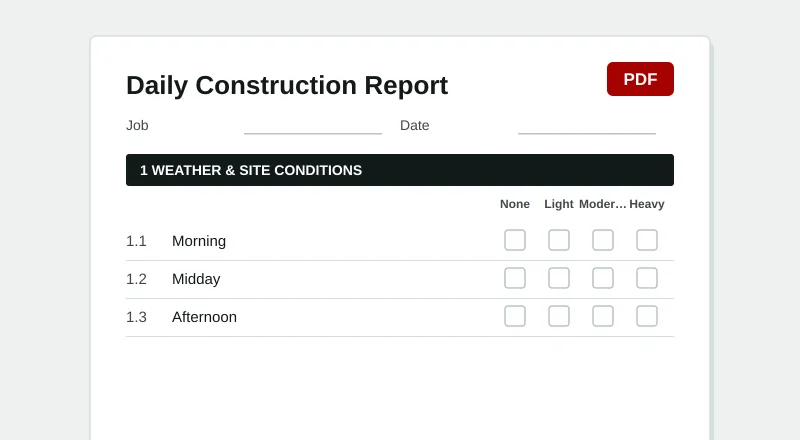
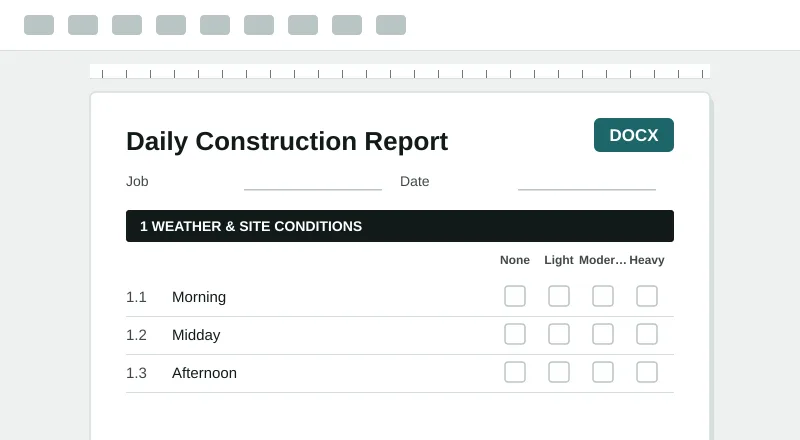
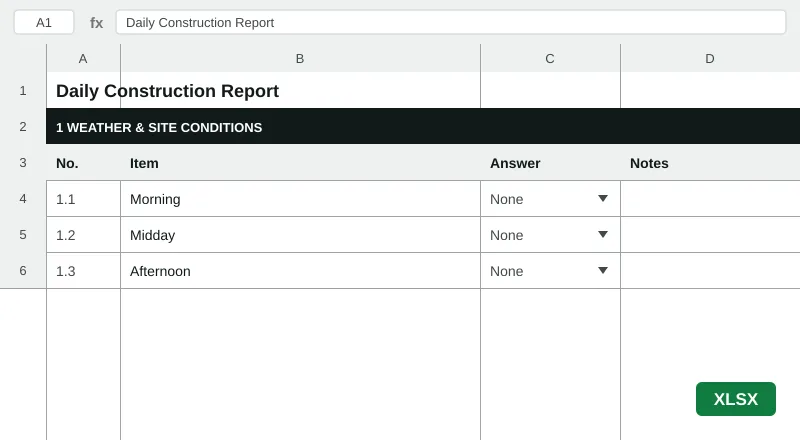
| Weather and site conditions | Temperature, precipitation, wind and ground conditions for morning, midday and afternoon, with photos |
| Labor and subcontractors | Workers, hours each and total hours by trade: carpentry, concrete, electrical, mechanical, masonry, other |
| Equipment and materials | Each unit's ID, hours on site, hours used and status; every delivery with time, supplier, description, quantity and who received it |
| Work accomplished | Activity and location, unit of measure, installed today against planned, percent complete |
| Inspections and tests | Time, inspection or test, location, pass or fail, notes |
| Safety and environmental notes | Toolbox talk held, PPE checks, near misses and incidents, stormwater controls, spill kits; whether a reportable incident happened and if the supervisor was told |
| Photos and attachments | Incidents, finished work, hazards and anything worth showing |
| Sign-off | Superintendent, plus QC manager and safety officer where the job needs them |
How to make a daily report in a construction project
Treat it as a running record, not an end-of-day essay. Here is how to make a daily progress report in construction without it eating your evening:
- Start the report when you arrive. Fill in the project details and the morning weather and ground conditions.
- Count the crews. Record workers and hours by trade, your own crew and every sub on site.
- Log equipment and deliveries as they happen. Note each machine's hours and status, and every delivery with the supplier and quantity.
- Record work installed against plan. Use real units: linear feet, cubic yards, fixtures set. Note the location so the next person can find it.
- Write down inspections, delays and safety events. Note what happened, the time, and what it held up.
- Take photos. Progress, problems, deliveries and conditions. Note where each was taken.
- Sign it and send it before you leave site.
Daily construction report sample
Here is what a few lines of a filled-in report can look like. The point is the detail: numbers, places, times and causes.
- Weather: Morning 48°F, light rain, wind 6 to 15 mph, ground muddy. Afternoon 55°F, dry.
- Labor: Concrete, 6 workers, 8 hours each, 48 total. Electrical sub, 2 workers, 6 hours each, 12 total.
- Work accomplished: Level 2 east slab, formed 1,200 sq ft of 1,500 planned. Short because the pump truck arrived 90 minutes late.
- Delivery: 10:15, rebar supplier, #4 bar, 2 bundles, received by J. Ortiz.
- Inspection: 1:30 pm, city rebar inspection, level 2 east, passed.
- Safety: Toolbox talk held on slips and trips. No incidents. Silt fence on north side repaired.
Compare that with poured slab, rain, pump late. Both describe the same day. Only one helps when the owner asks why the pour finished a day behind.
Mistakes that weaken a daily construction report
- Vague entries. Worked on framing tells nobody where, how much or by whom.
- No hours. Headcount without hours can't back up a labor cost or a delay claim.
- No photos, or photos with no note of where they were taken.
- Written days later. Memory fills gaps with guesses.
- Delays without a cause. Note what caused it, when it started and who you told.
- Skipping the quiet days. A report that says no work due to rain is still a record.
Daily reports from crews' phones in Workyard
A spreadsheet or PDF works fine for one job. Across several jobs and subs, reports arrive late, in different formats, or not at all, and the hours in the report rarely match payroll.
In Workyard, foremen fill in the daily construction report on their phone in the field, attach photos as they go and sign on screen. The crew clocks in on the same app, so the hours in the labor section can be checked against their timesheets. Every submitted report lands in the office the moment it's signed. See the daily reporting page and how time tracking feeds the hours.
Need a different format? Try the general contractor daily log, the subcontractor daily report, or browse every daily reporting template.
Get the free daily construction report template
Download the daily construction report free as a PDF to print, a Word document to edit, or an Excel sheet to keep every day of the job in one file. No sign-up. Add your logo and the trades you use, number every report, and keep the same version on every job.


