Skip to content
Log InBook a demo
Book a demo
Free template · paper and digital

Injury and Illness Report (OSHA Form 301)

Captures what happened, who was hurt and what treatment followed, laid out like OSHA Form 301 for each recordable injury or illness.

WordExcel
  • No email
  • No sign-up
  • Edit it, add your logo
See every check

The template

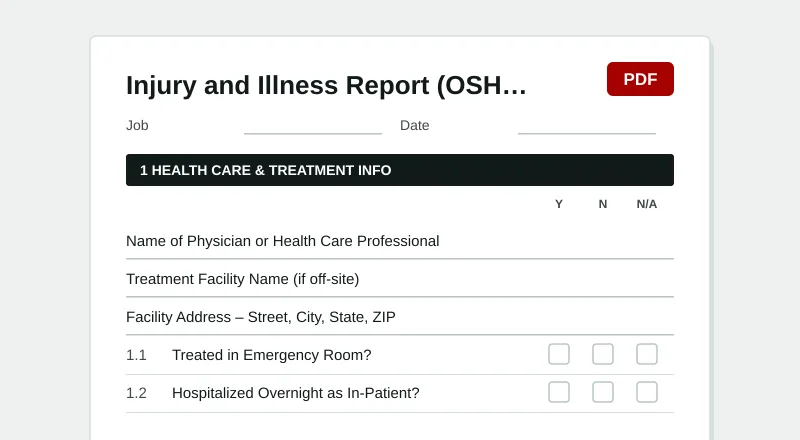
The full Injury and Illness Report (OSHA Form 301)

Print it for the clipboard, or put it on your crew’s phones. Same 2 checks either way.

Your logo

Injury and Illness Report (OSHA Form 301)

The Injury and Illness Report (OSHA Form 301) is a mandatory workplace incident form used to document details of work-related injuries and illnesses. It captures key information about the employee, the incident, and medical treatment to help employers meet OSHA reporting requirements and maintain accurate internal records for audits, claims, and investigations.

Job
Date

1 · Health Care & Treatment Info

Health Care Provider

Enter the treating professional’s name and facility details (if off-site).

Enter the treating professional’s name and facility details (if off-site).Answer
Name of Physician or Health Care Professional
Treatment Facility Name (if off-site)
Facility Address – Street, City, State, ZIP

Treatment Details

Choose the appropriate response to the following questions:

Choose the appropriate response to the following questions:YNN/A
1.1Treated in Emergency Room?
1.2Hospitalized Overnight as In-Patient?

2 · Case & Work Timing

Case Number from OSHA Log
Date of Injury or Illness
Time Employee Began Work
Time of Event
Time of Event UnknownCheck if time cannot be determined
Comments/Notes:

3 · Incident Narrative

Activity Just Before Incident
What Happened?

4 · Injury & Harm Details

Describe Injury or Illness
Affected Body Part(s)
Object or Substance That Harmed

5 · Fatality Details (Conditional)

Did the Employee Die?YesNo
Date of Death

6 · Employee Information

Full Name
Address – Street
Address – City
Address – State
Address – ZIP
Date of Birth
Date Hired
GenderMaleFemaleOther

7 · Report Completion

Completed By (Name)
Title/Position
Contact Phone
Report Completion Date
Name
Signature
Date

Free download

Injury and Illness Report (OSHA Form 301) template: PDF, Word and Excel

Print the form as it is, or download a template you can edit. Every format is free, with no email and no sign-up.

How to use it

How to fill in the Injury and Illness Report (OSHA Form 301)

  1. 01

    Make the scene safe first

    Take care of anyone hurt and secure the area. The form comes after.

  2. 02

    Write it down the same day

    Fill it in while memories are fresh: what happened, where, when and who was there.

  3. 03

    Get photos and witnesses

    Photograph the scene and take statements from witnesses before they leave site.

  4. 04

    Find the cause and fix it

    Record what led to it and what will change so it doesn’t happen again. Then sign it and send it to whoever runs safety.

Why we built this

The facts are clearest on the day

A report written the same day, with photos and witnesses, protects the worker, the company and the claim. It’s also how you stop it happening again.

  • Built for the field. Every check is written the way crews talk, with room for notes, photos and a signature.
  • Free, with no catch. No email, no account. Print it and hand it out.
  • On paper or on the phone. The same form runs on the Workyard app, filed to the job when it’s sent.

3,000+contractors run their crews on Workyard

Meet Workyard

Who we are

Workyard is the construction operations platform for specialty contractors and self-performing general contractors determined to grow without sacrificing job control or margins.

Forms like this one are what our customers’ crews fill in on Workyard every day, on the same app they clock in with.

workers on Workyard every day
100,000+
free templates, none of them gated
182

Forms & Workflows

Get every form back from every crew, every day

  • It shows up on its own. Attach it to a task, a job or clock-out, and it’s on the crew’s phone when it’s due.
  • It can’t be skipped. Make it required and the day can’t close until it’s in.
  • You see it the same day. Filed, flagged or missing, every job on one board, before anyone has to call.

$123,000cut from insurance costs at TR3 Group

More incident reporting templates

Free templates for the rest of the job

  • Incident Reporting

    First Aid Log

  • Incident Reporting

    Quality Incident Report

Browse all templates

Questions

Injury and Illness Report (OSHA Form 301) FAQs

Who fills out OSHA 301?

OSHA Form 301 is typically completed by a safety manager, site supervisor, HR personnel, or designated company representative responsible for workplace safety reporting. The person filling it out must have access to detailed information about the incident, the injured employee, and the medical treatment provided.

Which employers are required to complete OSHA Form 301?

Most employers with more than 10 employees in non-exempt industries must complete OSHA Form 301 (or an equivalent) for each recordable work-related injury or illness. Exemptions apply to certain low-risk industries. Always check OSHA’s current list of partially exempt employers for updates.

What must be provided when an employee requests access to OSHA Form 301?

Employers must provide a copy of the OSHA Form 301 for the requesting employee’s own incident. Personal medical details of other employees must be redacted to protect privacy. The copy must be provided promptly, usually within one business day of the request.

What is an example of a recordable injury?

A recordable injury requires more than basic first aid, such as stitches, prescription medication, restricted work, or days away from work. For example, a fractured wrist that leads to lost workdays would be considered a recordable injury under OSHA guidelines.

Do I need a Workyard account to use it?

No. Print the paper form, save it as a PDF, or download the Word or Excel file, free, with no email and no sign-up. You only need an account to put the digital form on your crew’s phones.

Can I edit the template?

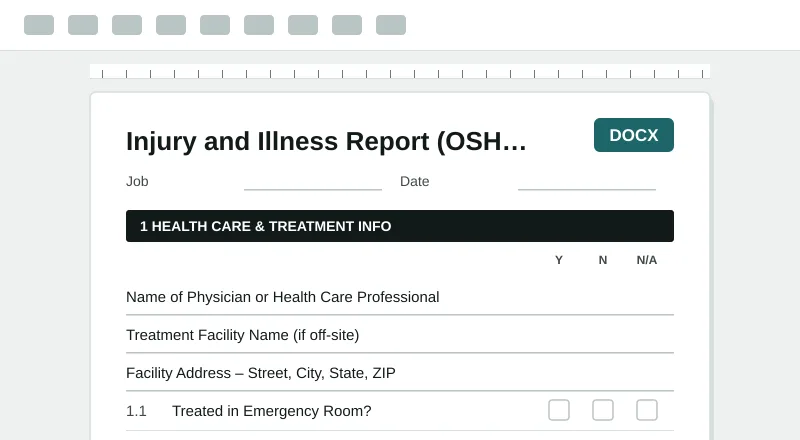
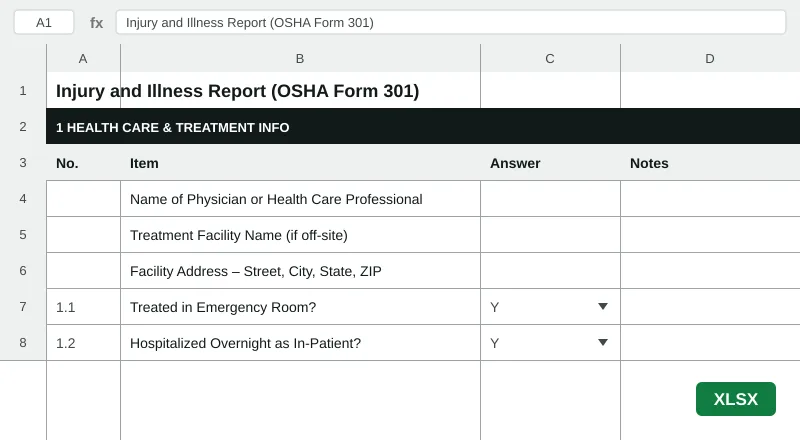
Yes. Download the Word or Excel version to add your logo, add checks from your project spec or remove sections you don’t need. They open in Google Docs and Google Sheets too.

How do I get my crew to fill it in on their phones?

Add the digital form to Workyard and attach it to the job or the task it belongs to. It shows up in the app your crew already clocks in with, and every form comes back signed, with its photos, filed to the job.

Trigger the form at the right moment

A job's Forms tab in Workyard: each form, the clock-in or clock-out that triggers it, and how many have been submitted
A van check filled in on the Workyard app: the damage photo, a description and the tech's signature, ready to submit

Book a demo with a Workyard specialist

Your local Workyard specialist

Works with 50 contractors across the US

Your details

30 min · Video call