



A quality incident report records work, material or a process on a job that didn't meet the drawings, specs or contract, along with what was done on the spot and what will stop it happening again. On many contracts the same document goes by its formal name: a non-conformance report, or NCR.
Foremen, superintendents, QA and QC managers and project managers use it on commercial and residential jobs. Anyone on site can start one. A supervisor or QA manager signs it off, and the owner or engineer gets involved when a fix needs their approval.
What is a quality incident report?
It is the written record of a quality problem from the moment someone spots it to the day a fix is verified. It answers five questions: what is wrong, which requirement it breaks, what was done right away, why it happened, and who will fix it by when. A good one gives the PM enough to decide on rework, gives the sub a clear instruction, and leaves a paper trail if the problem turns into a dispute or a back-charge.
Quality incident report, NCR, punch list or safety report?
Several forms deal with things going wrong. Picking the right one keeps each problem in front of the right people.
| Form | Use it when | Example |
|---|---|---|
| Quality incident report or NCR | Finished or in-progress work, material or a process departs from the drawings, specs or contract | Slab poured short of the specified thickness, wrong grade of pipe installed, a failed flood test |
| Punch list | Small finish items near closeout that need touching up, not investigating | Paint scuff, missing cover plate, a door that doesn't latch |
| Safety hazard or incident report | Someone was hurt, nearly hurt, or a hazard was found | Missing guardrail, a near miss with a forklift |
| RFI | The drawings or specs are unclear and you need an answer before you build | Two details on the plans conflict |
Small finish items belong on the punch list. Safety problems go on a construction hazard report. Use the quality incident report when the work itself doesn't meet the requirement and someone has to decide what to do about it.
What goes in the quality incident report template
The template has five sections. Fill them in the order the incident unfolds.
1. Incident details
The task in progress, a plain description of the issue, the people involved and any witnesses, the standard or spec section the work fails, the related drawing or permit number, and photos. The spec reference is the line most often left blank and the one that matters most: without it, the report is an opinion.
2. Contributing factors
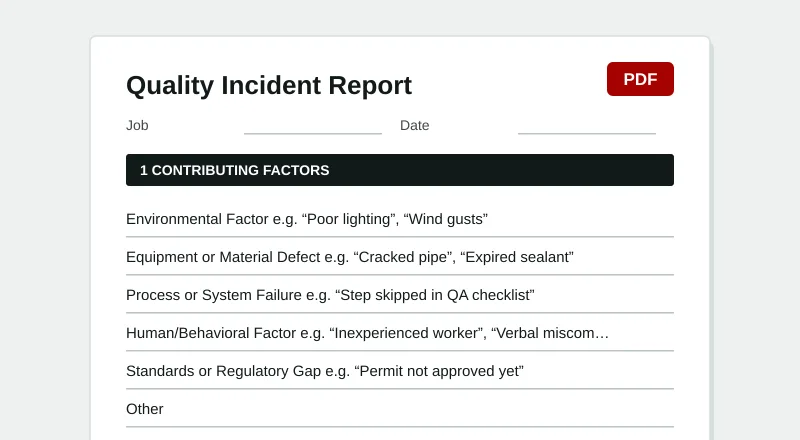
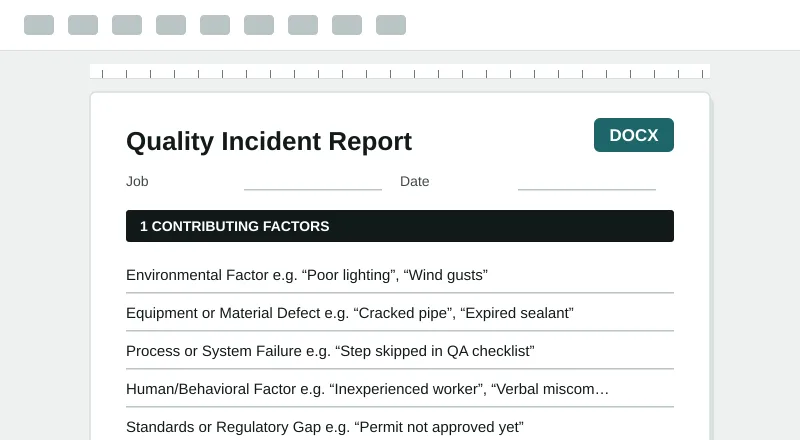
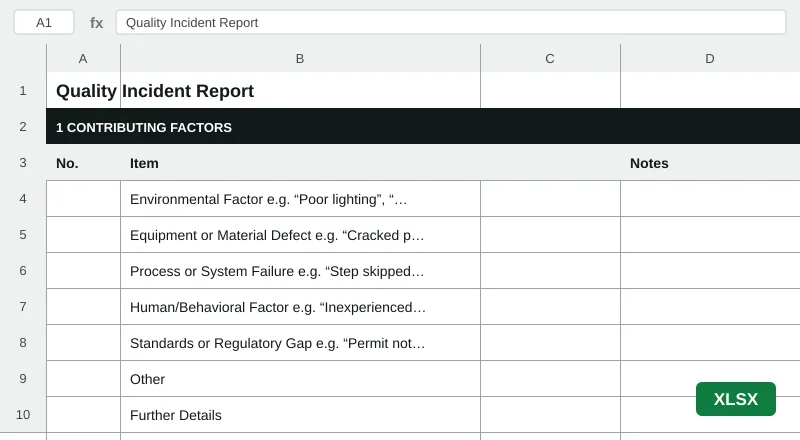
A checklist of possible causes, each with a comment: environmental (poor lighting, wind), equipment or material defect (cracked pipe, expired sealant), process or system failure (a step skipped on the QA checklist), human or behavioral (an inexperienced worker, a verbal miscommunication), and a standards or regulatory gap (work started before a permit was approved). A further details box takes the rest.
3. Immediate actions taken
Whether work was stopped or the area isolated, whether a fix or containment went in, what exactly was done, and who was told: supervisor, QA manager, safety or the owner.
4. Follow-up and corrective action tracking
Whether more action is needed, who it is assigned to, the planned corrective action, preventive steps, a target date, and then the close-out: whether the action was verified as effective, who verified it and the date closed.
5. Reporter and site information
Name and role of the person reporting, project or site, location on site down to the unit, floor or zone, date and time of the incident and of the report, and a signature where required.
How to fill out a quality incident report
Work through it in seven steps:
- Spot it and contain it. Stop work on the affected item, mark or isolate it, and keep bad material from being used elsewhere.
- Record the facts and the requirement. Describe what you see, measure it, photograph it, and write down the spec section or drawing it fails.
- Assess the impact and pick a disposition. Decide with the PM whether to rework it, repair it, reject it, or ask the owner or engineer to accept it as is.
- Find the cause. Use the contributing factors section and ask why until you reach something you can change. A name is not a cause.
- Fix it and fix the reason. Do the correction, then the corrective action that stops it repeating, such as a new hold point or a toolbox talk.
- Verify. Someone other than the person who did the fix checks it and signs.
- Close it and watch for patterns. Log the date closed and review open and closed reports monthly to see which trades, materials or steps keep showing up.
A worked example
During a flood test of a tiled shower pan in Unit 305, the drywall crew downstairs finds water on the ceiling of Unit 205. The foreman fills in the report:
- Incident details: Shower pan flood test, Unit 305 primary bath. Water through ceiling below after 2 hours. Fails the waterproofing section of the specs and the shower detail on the bath sheets. Photos of the stain and of the pan's drain flange.
- Contributing factors: Process failure. The membrane was not lapped into the drain flange. Human factor: new installer, no hold point for the super to check the membrane before tile.
- Immediate actions: Water off and pan drained, ceiling below opened to dry, super and QA manager notified.
- Corrective action: Tile and membrane removed and reinstalled by the tile sub, retested with a passing flood test. Preventive step: membrane inspection added as a hold point for every remaining unit. Assigned to the tile sub's foreman, due Friday.
- Close-out: Verified by the super after retest, date closed recorded.
Mistakes that leave quality problems open
- Vague descriptions like bad work in 305 that nobody can act on.
- No spec or drawing reference, so the sub disputes that anything is wrong.
- No containment, and the same bad batch goes into three more units.
- Blame instead of cause. Writing down who did it and stopping there guarantees a repeat.
- Closing without verification. A fix reported done but never checked is still an open problem.
- Never looking at the pile. Reports filed and forgotten can't show you the trade or detail that keeps failing.
Reporting quality incidents in Workyard
In Workyard, the quality incident report is a digital form crews fill in on their phones the moment they spot a problem. Photos attach to the report, the reporter and supervisor sign on the screen, and every submission lands in the office the same day, filed by job. Put rework on its own cost code and the hours crews spend fixing it show up against the job, so you can see what a quality problem actually cost. See forms and workflows and job cost tracking.
Get the free quality incident report template
Download the Quality Incident Report as a PDF, Word or Excel file. It is free and there is no sign-up. Print the PDF for the site office, edit the Word file to use it as your non conformance report template with your own spec references, or use Excel to keep a running log of every incident on the job. Related forms are in quality control templates.


