Skip to content
Log InBook a demo
Book a demo
Free template · paper and digital

Light-Duty Truck/Van Daily Inspection Form

A driver's daily walkaround for a pickup or van, covering fluids, wheels, safety equipment and compliance papers before the first trip.

WordExcel
  • No email
  • No sign-up
  • Edit it, add your logo
See every check

The template

The full Light-Duty Truck/Van Daily Inspection Form

Print it for the clipboard, or put it on your crew’s phones. Same 34 checks either way.

Your logo

Light-Duty Truck/Van Daily Inspection Form

Use this free Light-Duty Truck/Van Daily Inspection form to check the condition of work vehicles before each shift and ensure they are safe to operate.

Job
Date

1 · Engine Compartment & Fluids

1 · Engine Compartment & FluidsOKLowLeak
1.1Engine Oil Level
1.2Coolant Level
1.3Power Steering Fluid
1.4Brake Fluid Level
Belts & HosesGoodCracked or LooseReplace
Battery & CablesSecureCorroded or Loose
Dashboard Warning LightsNoneCheck Engine or Other
Other Engine Issues

2 · Safety Equipment & Interior

2 · Safety Equipment & InteriorPassFailN/A
2.1Service Brakes Work (Firm Pedal, No Pulling)
2.2Parking Brake Holds
2.3Steering (No Excessive Play or Noise)
2.4Headlights Work (Low/High Beam)
2.5Turn Signals Work (All directions)
2.6Brake/Tail Lights Work
2.7Hazard (4-way) Lights Work
2.8Horn Works
2.9Windshield Wipers & Washer Work
2.10Air Conditioning Works
2.11Seat Belts Present and Functional
2.12Mirrors (Rear/Side) Present & Intact
2.13Fire Extinguisher Present and Charged
2.14First Aid Kit Present and Stocked
2.15Safety Triangles/Reflectors Present
2.16Internal Cargo Secured
2.17Other (describe)

3 · Wheels, Tires & Exterior

3 · Wheels, Tires & ExteriorPassFailN/A
3.1Front Tires (L/R)
3.2Rear Tires (L/R)
3.3Spare Tire
3.4Tire Tread Depth (min. 4/32″ steer tires, 2/32″ others)
3.5Wheels & rims in good condition, nuts tight.
3.6Vehicle body is free from damage
3.7Entry Steps & Handrails in good condition
3.8Windshield & Windows intact with clear visibility
3.9Check under the vehicle - no leaks detected
3.10Other (describe)

4 · Compliance & Documentation

4 · Compliance & DocumentationYNN/A
4.1USDOT ID Number Displayed
4.2DOT Inspection Sticker Current
4.3Logbook / E-Log Updated
Current Registration & InsuranceIn VehicleNot Available
Company Fuel/Access CardPresentMissing
Other Required Documents
Comments / Defect Details
Describe Defects (if any)

5 · Summary & Vehicle / Trip Information

Vehicle ID / Unit #
License Plate
USDOT Number
Odometer Reading (miles)
DOT Inspection Sticker Expiration
Vehicle Safe to Operate?Yes (note any non-critical maintenance)No (corrective action required before further use)
Inspector's Name
Date & Time
Name
Signature
Date
Name
Signature
Date

Free download

Light-Duty Truck/Van Daily Inspection Form template: PDF, Word and Excel

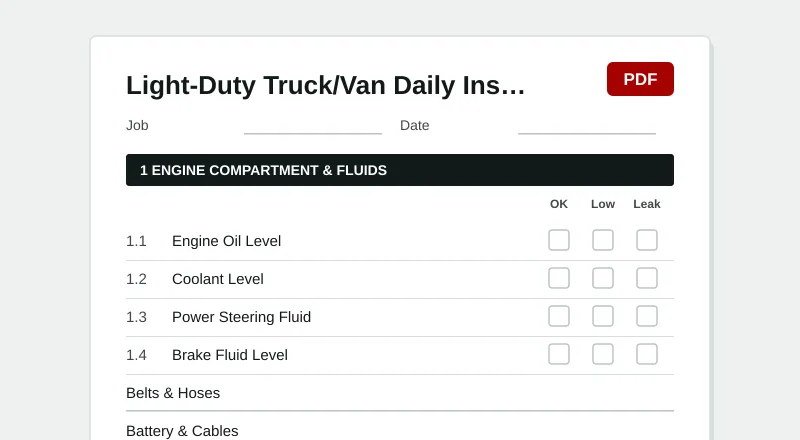
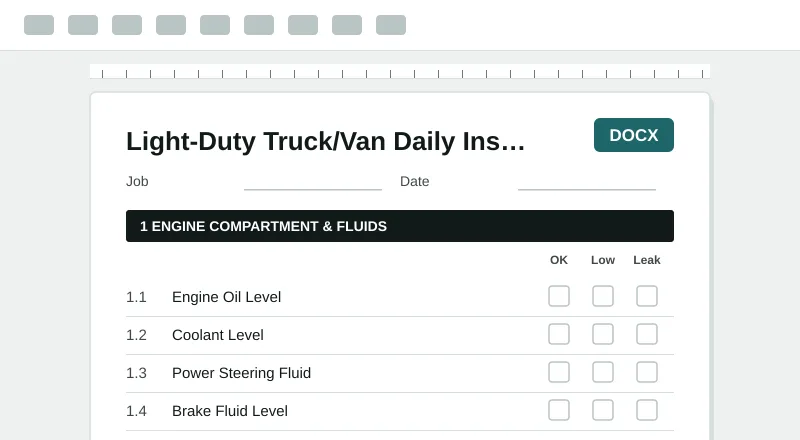
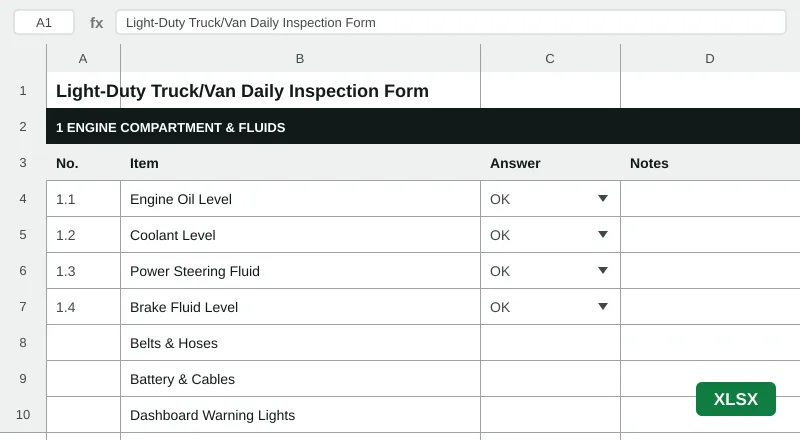
Print the form as it is, or download a template you can edit. Every format is free, with no email and no sign-up.

How to use it

How to run the Light-Duty Truck/Van Daily Inspection Form

  1. 01

    Inspect before every trip

    Walk around the vehicle before the first trip of the day, and again at the end if your fleet rules call for it.

  2. 02

    Check every item on the list

    Work through the 5 sections. Don’t skip the items that were fine yesterday.

  3. 03

    Report every defect

    Write down anything wrong, with a photo. A defect that affects safety means the vehicle doesn’t go out until it’s repaired.

  4. 04

    Sign it, then sign off the repair

    The driver signs. Whoever fixes a defect signs that it’s done, so the next driver knows it’s safe.

Why we built this

A defect caught in the yard costs a repair, not a wreck

Pre-trip inspections keep unsafe vehicles off the road and keep you on the right side of DOT rules.

  • Built for the field. Every check is written the way crews talk, with room for notes, photos and a signature.
  • Free, with no catch. No email, no account. Print it and hand it out.
  • On paper or on the phone. The same form runs on the Workyard app, filed to the job when it’s sent.

3,000+contractors run their crews on Workyard

Meet Workyard

Who we are

Workyard is the construction operations platform for specialty contractors and self-performing general contractors determined to grow without sacrificing job control or margins.

Forms like this one are what our customers’ crews fill in on Workyard every day, on the same app they clock in with.

workers on Workyard every day
100,000+
free templates, none of them gated
182

Forms & Workflows

Get every form back from every crew, every day

  • It shows up on its own. Attach it to a task, a job or clock-out, and it’s on the crew’s phone when it’s due.
  • It can’t be skipped. Make it required and the day can’t close until it’s in.
  • You see it the same day. Filed, flagged or missing, every job on one board, before anyone has to call.

$123,000cut from insurance costs at TR3 Group

More dvir / vehicle inspections templates

Free templates for the rest of the job

  • DVIR / Vehicle Inspections

    Driver Vehicle Inspection Report (DVIR)

  • DVIR / Vehicle Inspections

    DOT Inspection Checklist

  • DVIR / Vehicle Inspections

    Dump Truck/Hauler Pre-Trip (DVIR)

Browse all templates

Questions

Light-Duty Truck/Van Daily Inspection Form FAQs

Why inspect light-duty vehicles daily?

Daily inspections catch safety issues before vehicles hit the road, helping prevent breakdowns, accidents, and liability. It also keeps your operation in compliance with fleet safety policies.

What should be checked during a van or truck inspection?

Check brakes, lights, mirrors, tires, fluids, safety features, and general condition. Look for warning lights or new damage.

Who performs the daily vehicle inspection?

The assigned driver is typically responsible for completing the inspection. Supervisors or fleet managers may also conduct spot checks.

What happens if a vehicle fails inspection?

It should be reported immediately and not driven until cleared by maintenance. All defects must be documented and addressed to remain compliant.

Do I need a Workyard account to use it?

No. Print the paper form, save it as a PDF, or download the Word or Excel file, free, with no email and no sign-up. You only need an account to put the digital form on your crew’s phones.

Can I edit the template?

Yes. Download the Word or Excel version to add your logo, add checks from your project spec or remove sections you don’t need. They open in Google Docs and Google Sheets too.

How do I get my crew to fill it in on their phones?

Add the digital form to Workyard and attach it to the job or the task it belongs to. It shows up in the app your crew already clocks in with, and every form comes back signed, with its photos, filed to the job.

Trigger the form at the right moment

A job's Forms tab in Workyard: each form, the clock-in or clock-out that triggers it, and how many have been submitted
A van check filled in on the Workyard app: the damage photo, a description and the tech's signature, ready to submit

Book a demo with a Workyard specialist

Your local Workyard specialist

Works with 50 contractors across the US

Your details

30 min · Video call