Skip to content
Log InBook a demo
Book a demo
Free template · paper and digital

Mobile Crane/Derrick Inspection

Walks an operator through visual, functional and safety device checks on a mobile crane or derrick, ending in a ready-for-operation call.

WordExcel
  • No email
  • No sign-up
  • Edit it, add your logo
See every check

The template

The full Mobile Crane/Derrick Inspection

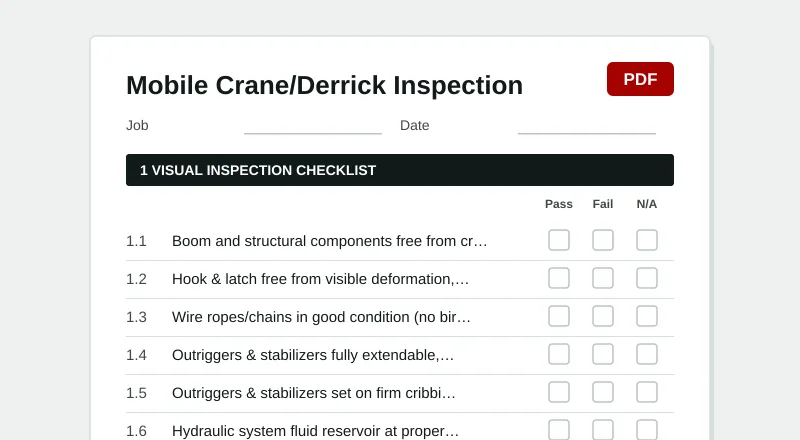
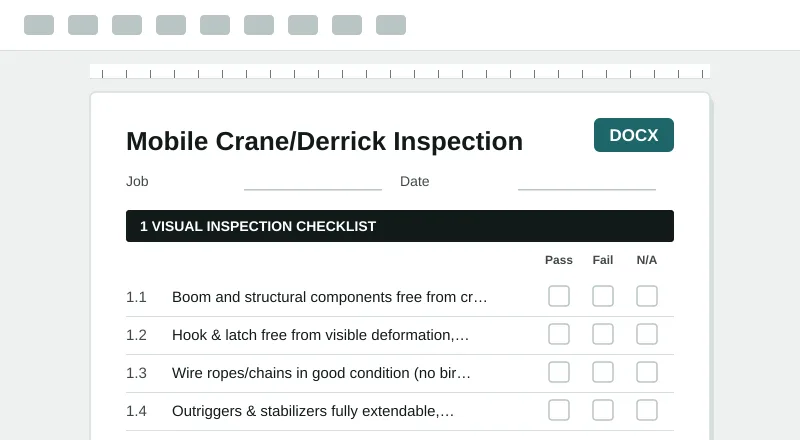
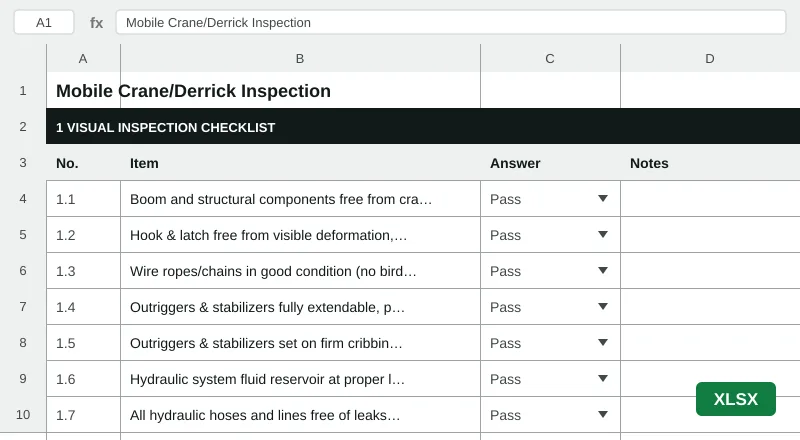
Print it for the clipboard, or put it on your crew’s phones. Same 28 checks either way.

Your logo

Mobile Crane/Derrick Inspection

This Mobile Crane/Derrick Inspection Form helps field crews complete daily safety checks with confidence. Built to support OSHA and ASME B30.5 requirements, it helps businesses document crane readiness, reduce risk, and improve safety practices across jobsites while maintaining a professional audit trail.

Job
Date
Equipment ID/Asset Tag
Make/Model and Serial Number

1 · Visual Inspection Checklist

Checklist

ChecklistPassFailN/A
1.1Boom and structural components free from cracks, bends or missing pins?
1.2Hook & latch free from visible deformation, cracks or excessive wear?
1.3Wire ropes/chains in good condition (no birdcaging, broken strands, corrosion or diameter loss)?
1.4Outriggers & stabilizers fully extendable, pins secure, pads intact?
1.5Outriggers & stabilizers set on firm cribbing or ground (footing stable)?
1.6Hydraulic system fluid reservoir at proper level?
1.7All hydraulic hoses and lines free of leaks or abrasion?
1.8Rams are free of damage?
1.9Tires (or tracks) properly inflated and undamaged?
1.10Brake systems visually intact, no oil leaks?
1.11Levers, pedals, switches operable and correctly marked.
1.12Indicator lights and backup alarm functioning.
1.13Windows and mirrors unbroken. Seatbelt present. Horn, gauges, heater/AC working.

2 · Functional/Operational Tests

2 · Functional/Operational TestsPassFailN/A
2.1Service, parking and emergency brakes engage and hold as intended.
2.2Engine starts quickly with no unusual noise, smoke or laboring.
2.3Each crane function (hoist, lower, swing, boom up/down, boom extend/retract, travel) is smooth and fully responsive.
2.4Outrigger cylinders extend fully and locks engage when outriggers are deployed and retracted.
2.5Upper boom limit (limit switch or cutout works on raising) and low‑boom angle alarm.
2.6Crane level within manufacturer's tolerance after setup.
2.7Power line clearance verified and encroachment prevention in place (29 CFR 1926.1408).
2.8Other (describe)

3 · Safety Devices and Indicators

3 · Safety Devices and IndicatorsPassFailN/A
3.1Load Moment Indicator (LMI) works. Load ratings & safe zones are visible.
3.2Anti-two-block device functional (stops hoist-up and boom functions before the hook block contacts the boom tip).
3.3Boom angle indicator is calibrated
3.4All red/amber warning lights, backup alarm and horn function.
3.5Fire extinguisher (inspection current) & first aid kit present.
3.6Personal fall-arrest gear (if required) on board.
3.7Crane load chart (adjusted for current configuration) present in cab. Operator’s manual accessible.

4 · Summary and Sign-Off

Is the crane ready for operation?YesNo

5 · Inspector Sign-Off and Submission

Jobsite or Project Location
Inspection Date and Time
Inspector Name and Title
Name
Signature
Date
Supervisor Name
Supervisor Date and Time
Name
Signature
Date

Free download

Mobile Crane/Derrick Inspection template: PDF, Word and Excel

Print the form as it is, or download a template you can edit. Every format is free, with no email and no sign-up.

How to use it

How to run the Mobile Crane/Derrick Inspection

  1. 01

    Check it before the first start

    Do it at the start of every shift, before the machine moves, with the operator who’ll run it.

  2. 02

    Walk around, then test from the seat

    Work through the 5 sections: fluids and the walk-around first, then controls, brakes and safety devices with it running.

  3. 03

    A fail means it stays parked

    Tag out anything that fails and report it to the shop or the super, with a photo. It doesn’t run until it’s fixed.

  4. 04

    Sign it and keep it with the machine

    The operator signs. Keep each day’s sheet with the machine, so the next operator and the inspector can see its history.

Why we built this

Most breakdowns give a warning first

A leak, a worn hose, brakes that feel soft. A few minutes at the start of the shift catches them before they cost a day of downtime, or someone’s safety.

  • Built for the field. Every check is written the way crews talk, with room for notes, photos and a signature.
  • Free, with no catch. No email, no account. Print it and hand it out.
  • On paper or on the phone. The same form runs on the Workyard app, filed to the job when it’s sent.

3,000+contractors run their crews on Workyard

Meet Workyard

Who we are

Workyard is the construction operations platform for specialty contractors and self-performing general contractors determined to grow without sacrificing job control or margins.

Forms like this one are what our customers’ crews fill in on Workyard every day, on the same app they clock in with.

workers on Workyard every day
100,000+
free templates, none of them gated
182

Forms & Workflows

Get every form back from every crew, every day

  • It shows up on its own. Attach it to a task, a job or clock-out, and it’s on the crew’s phone when it’s due.
  • It can’t be skipped. Make it required and the day can’t close until it’s in.
  • You see it the same day. Filed, flagged or missing, every job on one board, before anyone has to call.

$123,000cut from insurance costs at TR3 Group

More equipment pre-start checks templates

Free templates for the rest of the job

  • Equipment Pre-Start Checks

    Crane Inspection Checklist

  • Equipment Pre-Start Checks

    Backhoe Inspection Checklist Form

  • Equipment Pre-Start Checks

    Fall Arrest Harness Inspection

Browse all templates

Questions

Mobile Crane/Derrick Inspection FAQs

Who should complete a Mobile Crane/Derrick Inspection Form?

The form should be filled out by a qualified crane operator, foreman, or designated safety officer who is trained in crane inspection procedures. It's important that the person understands what to look for based on the equipment type and jobsite conditions.

How often should inspections be conducted?

OSHA requires that mobile cranes and derricks be inspected daily before each use. In addition to pre-operation checks, more thorough periodic inspections may be needed depending on hours of use, environmental conditions, or specific project requirements.

Does this checklist meet OSHA requirements?

This form supports daily inspection requirements under OSHA 1926.1412, and aligns with ASME B30.5 guidelines. While it’s not a formal certification report, it provides a structured process that helps workers identify hazards early and maintain proper records.

Can this form be used for all types of cranes?

It is best suited for mobile cranes and derricks used in construction or industrial settings. However, the form can be adapted to fit different models or lifting equipment types by customizing the fields based on manufacturer recommendations or internal safety protocols.

Do I need a Workyard account to use it?

No. Print the paper form, save it as a PDF, or download the Word or Excel file, free, with no email and no sign-up. You only need an account to put the digital form on your crew’s phones.

Can I edit the template?

Yes. Download the Word or Excel version to add your logo, add checks from your project spec or remove sections you don’t need. They open in Google Docs and Google Sheets too.

How do I get my crew to fill it in on their phones?

Add the digital form to Workyard and attach it to the job or the task it belongs to. It shows up in the app your crew already clocks in with, and every form comes back signed, with its photos, filed to the job.

Trigger the form at the right moment

A job's Forms tab in Workyard: each form, the clock-in or clock-out that triggers it, and how many have been submitted
A van check filled in on the Workyard app: the damage photo, a description and the tech's signature, ready to submit

Book a demo with a Workyard specialist

Your local Workyard specialist

Works with 50 contractors across the US

Your details

30 min · Video call