Skip to content
Log InBook a demo
Book a demo
Free template · paper and digital

Heating Inspection Report

Documents a central heating system check from combustion air and venting to fuel piping, controls and overall performance.

WordExcel
  • No email
  • No sign-up
  • Edit it, add your logo
See every check

The template

The full Heating Inspection Report

Print it for the clipboard, or put it on your crew’s phones. Same 22 checks either way.

Your logo

Heating Inspection Report

Make sure your heating system is safe, efficient, and code-compliant with this Heating Inspection Report. Use it to check for proper installation, clearances, combustion air, venting, and gas line safety. Catch issues early, meet inspection standards, and keep your system running reliably.

Job
Date
Project ID / Property Address
Inspection StageInstallation/Rough-InFinal InspectionRoutine Maintenance

1 · Equipment Details

Heating System TypeFurnace (Forced-Air)Boiler (Hydronic)Unit HeaterRadiant HeaterHeat Pump
Fuel/Energy SourceNatural GasPropane (LP)Fuel OilElectric
Equipment Make and Model
Equipment Location
BTU/hr or Capacity

2 · Combustion Air and Appliance Location

2 · Combustion Air and Appliance LocationYNN/A
2.1Combustion air supply adequate?
2.2Appliance location code-compliant?
2.3Clearance to Combustibles is code-compliant? (Unit)
2.4Clearance to Combustibles is code-compliant? (Vent/Fuel Piping)

3 · Venting System

3 · Venting SystemYNN/A
3.1Vent Type and Size
3.2Vent Installation
3.3Vent Termination
3.4Venting Condition

4 · Fuel Piping and Shutoff Valves

4 · Fuel Piping and Shutoff ValvesYNN/A
4.1Fuel Piping Materials
4.2Shutoff Valve
4.3Drip Leg/Sediment Trap
4.4Fuel Piping Support and Leaks

5 · Electrical and Controls

5 · Electrical and ControlsYNN/A
5.1Electrical Disconnect
5.2Thermostat/Controls
5.3Safety Controls

6 · System Operation and Performance

6 · System Operation and PerformanceYNN/A
6.1Startup and Operation
6.2Combustion Venting Draft
6.3Burner Settings (Gas/Oil)
6.4Heat Exchanger Inspected, No Cracks or Holes
6.5Carbon Monoxide (CO) in Flue and Ambient Air Within Limits
6.6Gas Leak Test at Appliance Connections Passed
6.7Temperature Rise Within Nameplate Range

7 · Overall System Status

Does the system as inspected meet the key safety and performance criteria?PassFailPartial

Photo Documentation · photo refs

Inspector Name
Inspection Date
Name
Signature
Date

Free download

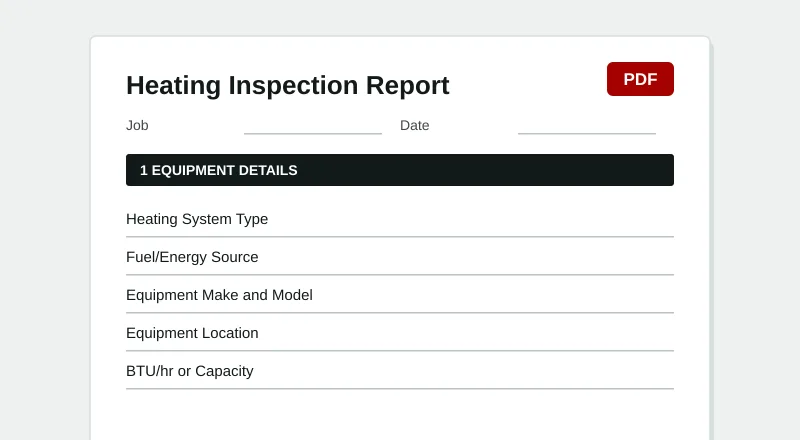
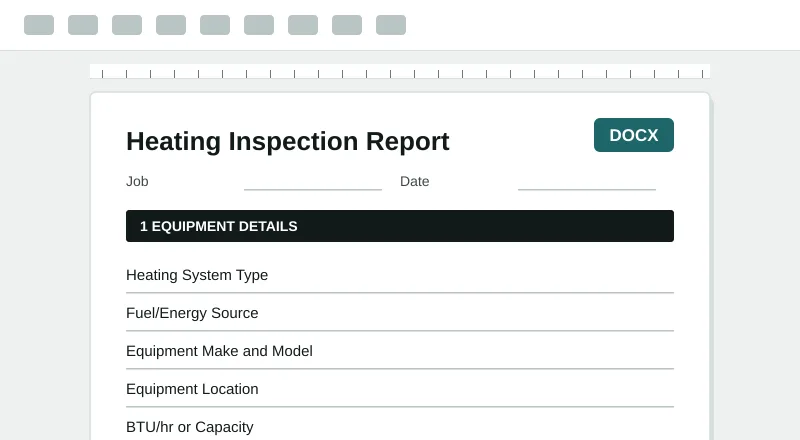
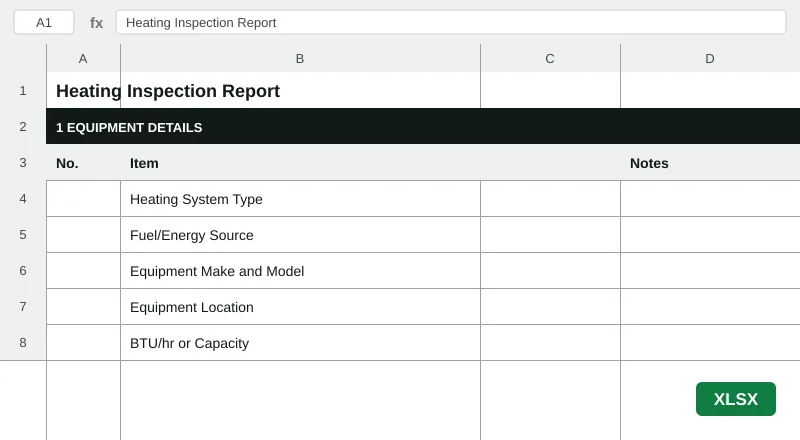
Heating Inspection Report template: PDF, Word and Excel

Print the form as it is, or download a template you can edit. Every format is free, with no email and no sign-up.

How to use it

How to run the Heating Inspection Report

  1. 01

    Run it before the work is covered

    Walk it before the next trade closes things up or the area is handed over, and again after any fix. Fill in the header first so the record stands on its own.

  2. 02

    Work the sections in order

    Go through the 7 sections in order so nothing gets skipped. Answer every check: a blank isn’t an answer.

  3. 03

    Every miss gets a photo and an owner

    Write down what’s wrong, take a photo and name the trade that owns the fix, with a date.

  4. 04

    Re-check, sign, then release

    Walk the misses again once they’re fixed. Sign it off, and only then let the area close.

Why we built this

An inspection only counts if it’s written down

A miss found before the work is covered up is a quick fix. Found after, it’s a tear-out, a failed inspection and a schedule hit. The written record is how you prove the check happened.

  • Built for the field. Every check is written the way crews talk, with room for notes, photos and a signature.
  • Free, with no catch. No email, no account. Print it and hand it out.
  • On paper or on the phone. The same form runs on the Workyard app, filed to the job when it’s sent.

3,000+contractors run their crews on Workyard

Meet Workyard

Who we are

Workyard is the construction operations platform for specialty contractors and self-performing general contractors determined to grow without sacrificing job control or margins.

Forms like this one are what our customers’ crews fill in on Workyard every day, on the same app they clock in with.

workers on Workyard every day
100,000+
free templates, none of them gated
182

Forms & Workflows

Get every form back from every crew, every day

  • It shows up on its own. Attach it to a task, a job or clock-out, and it’s on the crew’s phone when it’s due.
  • It can’t be skipped. Make it required and the day can’t close until it’s in.
  • You see it the same day. Filed, flagged or missing, every job on one board, before anyone has to call.

$123,000cut from insurance costs at TR3 Group

More site inspections templates

Free templates for the rest of the job

Browse all templates

Questions

Heating Inspection Report FAQs

Who typically fills out a heating inspection report?

A heating inspection report is usually completed by a licensed HVAC technician, qualified contractor, or certified home inspector. These professionals are trained to evaluate furnaces, boilers, heat pumps, and related components. They run the system, check safety items, like carbon monoxide readings and gas-line integrity, and examine parts, such as burners, thermostats, and vents. Their findings are documented in the report, creating an official record of the system’s condition. It notes any defects or repair needs and confirms whether the unit is operating safely and efficiently.

What’s the difference between this and a furnace tune-up?

A heating inspection is a detailed safety check that evaluates the overall condition of your system. A technician will examine key components, such as wiring, gas pressure, and the heat exchanger, to spot damage, wear, or potential hazards. The goal is to confirm that your heating equipment is operating safely and within proper parameters. A furnace tune-up, on the other hand, includes both inspection and hands-on maintenance. It often involves cleaning burners, changing filters, lubricating parts, and adjusting controls to improve system efficiency and prevent future issues. While inspections help identify existing problems, tune-ups are focused on ensuring your system runs smoothly and efficiently over time.

Is this required for all heating systems?

A Heating Inspection Report isn’t required for every heating system. But it’s often mandated or strongly recommended in specific situations. For example, building codes, local ordinances, and property transfer requirements may require an official inspection, especially when installing new systems, selling a home, or renewing permits for rental properties. Even when not legally required, many HVAC professionals, landlords, property managers, and safety-conscious homeowners use heating inspection reports as a best practice. The report provides a clear record of the system’s condition, supports warranty claims, helps identify safety issues early, and may even be requested during insurance evaluations or utility rebates.

What happens if a unit fails inspection?

If a heating unit fails inspection, it typically means there are safety concerns, operational issues, or code violations that need to be addressed before the system can be approved for use. Common problems include gas leaks, carbon monoxide risks, faulty wiring, or inefficient performance. The unit may be shut down or deemed unsafe until repairs or replacements are completed by a qualified technician. Failing an inspection can lead to increased energy costs, unreliable heating, and potential safety hazards if ignored. It may also affect insurance coverage or violate local regulations, delaying occupancy or use. Promptly addressing the issues identified in the inspection report is essential to restore safe, efficient operation and avoid costly emergency repairs later.

Do I need a Workyard account to use it?

No. Print the paper form, save it as a PDF, or download the Word or Excel file, free, with no email and no sign-up. You only need an account to put the digital form on your crew’s phones.

Can I edit the template?

Yes. Download the Word or Excel version to add your logo, add checks from your project spec or remove sections you don’t need. They open in Google Docs and Google Sheets too.

How do I get my crew to fill it in on their phones?

Add the digital form to Workyard and attach it to the job or the task it belongs to. It shows up in the app your crew already clocks in with, and every form comes back signed, with its photos, filed to the job.

Trigger the form at the right moment

A job's Forms tab in Workyard: each form, the clock-in or clock-out that triggers it, and how many have been submitted
A van check filled in on the Workyard app: the damage photo, a description and the tech's signature, ready to submit

Book a demo with a Workyard specialist

Your local Workyard specialist

Works with 50 contractors across the US

Your details

30 min · Video call