


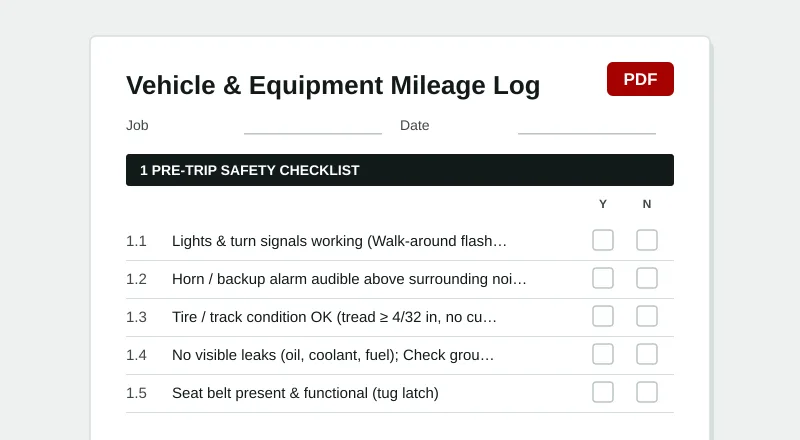
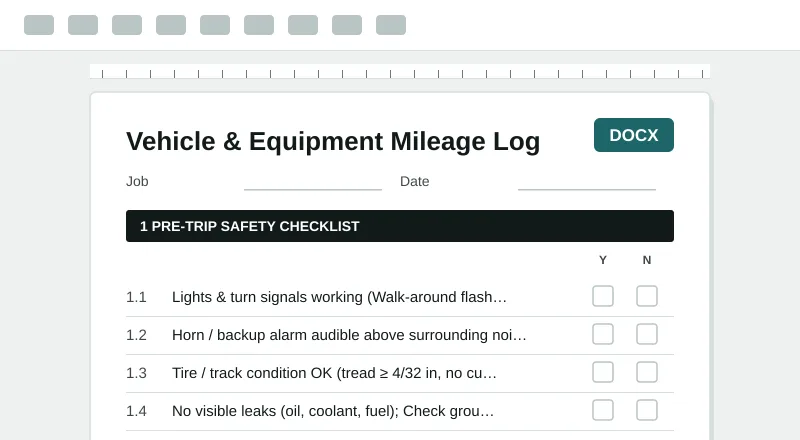
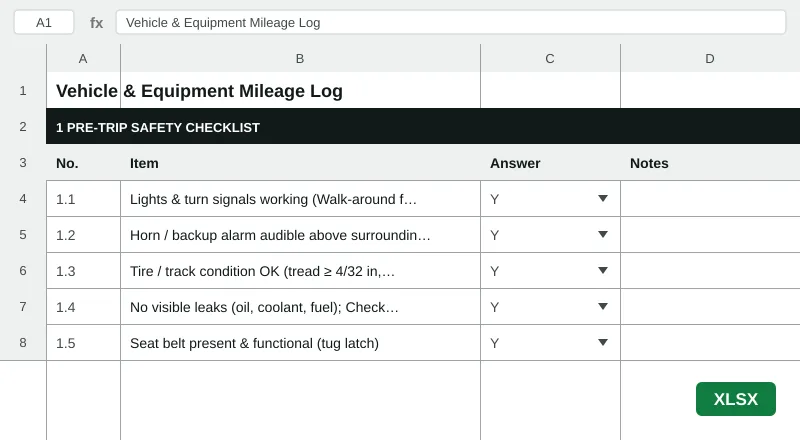
A mileage log template gives each driver or operator one place to record a trip: the odometer or hour meter at the start and end, where the truck went, and why. The Vehicle & Equipment Mileage Log covers both sides of a contractor's fleet, so the same form works for a three-quarter-ton pickup on the highway and a skid-steer that never leaves the job.
Owners, fleet managers, office staff who handle reimbursements, and the bookkeeper or CPA who prepares the tax return all rely on it. Drivers and operators fill it in. Supervisors approve it.
What a vehicle mileage log is for
A vehicle mileage log is the backup for three things a contractor pays for: the business-use deduction on the tax return, reimbursements to workers who drive their own vehicles, and the cost of running company trucks and equipment. Without it, all three come down to someone's estimate.
- Taxes. Business miles are only deductible when you can show them.
- Reimbursement. A worker driving a personal truck between jobs gets paid for the miles on the log, not a round number.
- Fleet and job cost. Meter readings drive service schedules, fuel entries show what each unit costs to run, and a cost code on each trip puts that cost against the right job.
What the IRS expects from a mileage log
The IRS expects records made at or near the time of each trip that show the date, where you went, the business purpose and the miles. In Topic 510, the IRS says you have to back up vehicle expenses with adequate records or enough evidence to support your own statement. It points to Topic 305 for recordkeeping and Publication 463 for the detail.
Trip dates matter more than usual in 2026. Topic 510 notes that 2026 has different standard mileage rates for the first and second halves of the year, so a log with dates on every trip is the only way to apply the right rate to the right miles. Check the current rate on irs.gov before you calculate a deduction or set a reimbursement rate, and confirm with your tax preparer how the rules apply to your business.
Log trips when they happen. A log rebuilt from memory in April is weak evidence, and an auditor can tell.
What's in the mileage log template
The form has seven sections. Drivers fill in the first five on every shift; the last two are sign-off and approval.
| Section | What it records |
|---|---|
| Project Details | Project name, vehicle or equipment type, license plate or unit ID, and the cost code for the trip |
| Pre-Trip Safety Checklist | Lights and turn signals, horn and backup alarm, tire or track condition, visible leaks, seat belt. Each row is Yes or gets a photo and a comment |
| Trip Details | Odometer or hour meter at start and stop, route or work area, business purpose and destination, trip type (business, personal or commute), idle minutes, and a photo of each meter reading |
| Fuel / Energy Entry | Gallons or kWh added, receipt photo, vendor, price per unit, DEF for diesel units, comments |
| Maintenance Alerts | One row per dash warning or service notice: the symptom, meter reading, action taken and whether it is closed |
| Sign Off | Driver or operator name, signature, and shift date and time |
| Approval (optional) | Cost category (mileage, equipment hours or fuel), supervisor approve or reject, supervisor and owner or auditor signatures |
The trip type field keeps business, personal and commute trips apart, so your tax preparer can apply the IRS rules in Publication 463 to each kind without guessing. The pre-trip rows double as a quick walkaround; for a full driver inspection, use the DVIR form.
How to fill in a mileage log
- Write down each vehicle's odometer reading on the first day of the year, and again on the last. Those two numbers give total miles, which you need to work out the business share.
- Keep one log per vehicle or unit. A shared log for three trucks is impossible to audit.
- Do the pre-trip checks before leaving the yard and photograph anything that isn't a Yes.
- Read the meter at the start of the trip and photograph it.
- Write the purpose like you would explain it to an auditor: Elm St. remodel, deliver tile and pick up Hernandez crew, not work.
- Read and photograph the meter at the end, and mark the trip type.
- Log fuel with the receipt photo at the pump, not at the end of the week.
- Sign at the end of the shift and send it for approval.
Standard mileage rate or actual expenses
There are two ways to figure the business cost of a vehicle: multiply business miles by the IRS standard mileage rate, or add up actual costs and claim the business share. Either way you need the log. The standard rate needs business miles; the actual-expense method needs the business share of total miles, and the fuel entries on this form help back up the costs. Which method you can use, and when you can switch, is a question for Publication 463 and your accountant.
Mistakes that weaken a mileage log
- Estimating at year end. Round numbers written in one sitting look exactly like what they are.
- No purpose. Miles without a reason can't be shown as business miles.
- Mixing personal trips in without marking them.
- Missing start-of-year readings, so total miles for the vehicle are a guess.
- One log for several trucks.
- Lost paper. A log in the door pocket of a truck that just went to auction is gone.
Tracking miles with GPS in Workyard
Workyard's mileage tracking uses the GPS on each worker's phone to record drives between job sites while they are on the clock, so the miles come from the trip itself instead of someone's memory at the end of the week. Those miles are recorded per worker, not per truck, so the odometer readings, the walkaround and the rest of this form run as a digital form at clock-in: meter photos and receipts attach to the entry, the driver and supervisor sign on the screen, and every submission is filed to its job with the vehicle on it. Pre-trip checks can also run through the vehicle inspection app.
Get the free mileage log template
Download the Vehicle & Equipment Mileage Log as a PDF, Word or Excel file, free and with no sign-up. Print the PDF for a log book in each cab, edit the Word file to match your units and cost codes, or use the Excel version as a vehicle mileage tracking sheet that totals miles by month. For machines that log hours rather than miles, the daily equipment usage log is built for that.


